
Scavio
What is Scavio?
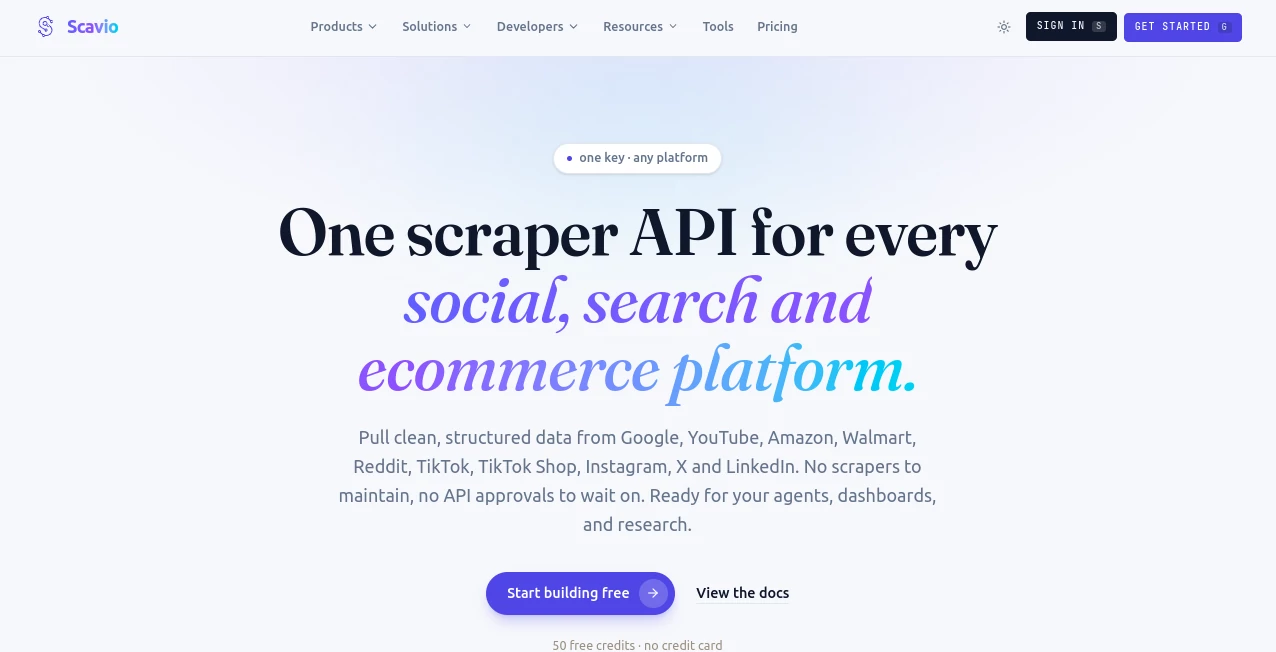
Scavio is a real-time search and data API built for developers, AI agents, research workflows, and applications that need information from multiple online platforms without maintaining separate scraping systems. Instead of dealing with different integrations for search engines, marketplaces, video platforms, and social networks, developers can use one API and receive clean, structured JSON.
The service currently supports sources including Google, YouTube, Amazon, Walmart, Reddit, TikTok, Instagram, X, and LinkedIn. This makes it particularly useful for projects where current information matters. An AI shopping assistant can compare products, a research agent can combine search results with community discussions, or a monitoring system can track changes across several platforms.
One of the most appealing aspects is the straightforward setup. There is no need to build and maintain browser automation, manage proxies, or create a separate integration for every source. A developer can send a request, receive structured data, and pass that information directly into an application or AI workflow.
Key Features
- Real-time search and structured data retrieval from multiple online platforms.
- Support for Google, YouTube, Amazon, Walmart, Reddit, TikTok, Instagram, X, and LinkedIn.
- Clean JSON responses designed for applications and AI agents.
- Single API access instead of maintaining multiple platform-specific integrations.
- Support for search parameters such as country, language, device, pagination, and result depth.
- Integration with MCP-compatible AI assistants and agent workflows.
- Compatibility with tools and frameworks such as LangChain, CrewAI, n8n, and OpenClaw.
- Python SDK support for developers who prefer working directly from Python applications.
- Credit-based usage that makes it possible to start with a small project and scale when required.
- Built for recurring workflows such as price tracking, research, monitoring, and data pipelines.
User Interface
The experience is primarily designed around developers rather than traditional end users. The platform provides a dashboard, playground, documentation, API references, and integration resources that make it easier to test requests before putting them into production.
The live playground is particularly useful for experimentation. Developers can enter a query, select a platform, inspect the response, and see the resulting structured information. Code examples are also available for common environments, including Python, JavaScript, and cURL.
This approach keeps the interface focused. If you are building an application rather than looking for another consumer chatbot, the developer-oriented design makes sense.
Accuracy & Performance
For applications that depend on current information, freshness can be more important than having a massive static database. The service is designed to retrieve live results from its supported sources instead of relying solely on an old search index.
Responses are returned as structured data containing useful fields such as titles, URLs, descriptions, prices, metadata, and platform-specific information. The API documentation also highlights fast responses, while the website's live example demonstrates a response time measured in under a second for a sample request.
Actual response speed and result quality can naturally vary depending on the platform, query, endpoint, and current network conditions. For production applications, developers should test the endpoints and workloads that match their own requirements.
Capabilities
The range of supported sources is where the service becomes especially interesting. A single workflow can combine conventional web search with ecommerce, video, and community data. For example, a research agent could look for articles through Google, find relevant videos on YouTube, and examine Reddit discussions to understand how people are reacting to the same subject.
It can also support shopping workflows. An application could search product information across Amazon and Walmart and use the returned data to build comparisons or recommendations.
For AI developers, MCP support adds another useful option. The hosted MCP server allows compatible AI clients to connect to external search and data tools without requiring every application to have its own custom integration.
Security & Privacy
API access is authenticated with an API key, giving developers a controlled way to connect their applications to the service. The platform is also designed to remove the need for developers to maintain their own scraping infrastructure, browser automation, and proxy management.
Developers should still review the current terms of service and privacy documentation before using the API with sensitive or regulated information. As with any third-party data service, API keys should be kept on the server side and never exposed in public frontend code.
Use Cases
- AI Research Agents: Give an agent access to current search results, videos, marketplace information, and community discussions.
- Shopping Assistants: Build workflows that compare products and prices across supported ecommerce platforms.
- RAG Applications: Bring fresh web and community information into retrieval-augmented generation pipelines.
- Price Monitoring: Track product prices and availability for dashboards, alerts, and automated workflows.
- Competitive Research: Monitor products, discussions, search results, and other publicly available signals.
- Content Research: Combine search results, video discovery, and social conversations before creating new content.
- Trend Monitoring: Follow emerging discussions and topics across search and community platforms.
- AI Shopping Agents: Let an automated agent gather product information before making recommendations.
- Data Dashboards: Feed structured results into internal dashboards and recurring reporting systems.
- Automated Workflows: Connect real-time search to tools such as n8n and other automation systems.
Pros and Cons
Pros
- One API can provide access to several different data sources.
- Structured JSON is convenient for AI agents and software applications.
- Real-time retrieval is useful for information that changes frequently.
- Supports developer-focused integrations including MCP and Python.
- Useful for both AI agents and conventional software projects.
- Offers a free starting tier without requiring a credit card.
- Pay-as-you-go pricing can be practical for smaller or irregular workloads.
Cons
- The platform is primarily developer-focused, so it may not be suitable for users looking for a simple consumer application.
- Usage is credit-based, meaning high-volume applications need to monitor consumption carefully.
- Different platforms and endpoints can have different credit requirements.
- Developers should test their specific queries and workloads before relying on the service for large production systems.
Pricing Plans
The pricing structure is designed to let developers start small and increase usage as their projects grow. A free plan provides 50 credits with no credit card required and a rate limit of one request per second.
The Pay As You Go option charges $0.005 per credit, allowing users to pay for the amount they actually consume. The plan also has a one-request-per-second limit and can be cancelled at any time.
The Project plan starts at $30 per month and includes 7,000 credits each month, a two-request-per-second limit, and email support. For larger applications, an Enterprise option is available with custom credits and rate limits, a dedicated account manager, and priority support.
Because pricing and supported platforms can change, developers should check the current pricing information before selecting a plan for a production workload.
How to Use It
Getting started is relatively straightforward if you are comfortable working with APIs. First, create an account and obtain an API key. The free plan provides credits for testing without requiring a credit card.
Next, choose the data source and endpoint that match your application. You can send requests using tools such as cURL, Python, JavaScript, or another HTTP client. The API returns structured JSON that can then be processed by your application or passed into an AI agent.
For example, a developer building a research assistant could send a question to a search endpoint, extract the returned titles, links, and descriptions, and then provide those results as context to an LLM. A shopping application could follow a similar pattern while targeting supported ecommerce platforms.
If you use an MCP-compatible AI assistant, the hosted MCP integration provides another route. Instead of writing a custom integration for every assistant, you can connect the MCP server and give the compatible client access to the available tools.
Comparison with Similar Tools
Traditional search APIs often concentrate on a single search source. That can work well when an application only needs web results, but it becomes less convenient when an AI agent needs product data, video information, or community discussions as part of the same workflow.
The main advantage here is breadth. A developer can work with search, ecommerce, video, and social sources through a unified API instead of building several unrelated connections. The structured JSON format is another important difference because it reduces the amount of parsing required before information can be used by an AI system.
The service is therefore a particularly good fit for developers who want multi-source retrieval rather than a basic web-search endpoint. For a simple application that only needs one search engine, a specialized API may still be enough. For agentic systems that need several types of live information, the broader approach can be considerably more convenient.
Conclusion
For developers building AI agents, research systems, shopping assistants, monitoring tools, or data-driven applications, having reliable access to current information is essential. This platform takes an otherwise complicated part of the development process and puts several sources behind a single API.
The combination of structured JSON, multiple data sources, real-time retrieval, MCP support, developer integrations, and flexible pricing makes it a compelling option for projects that need more than conventional web search.
Its strongest use case is not simply searching the internet. It is giving software and AI agents a practical way to retrieve different kinds of live information and turn that information into something an application can actually use.
Frequently Asked Questions (FAQ)
What is this tool used for?
It is a real-time search and data API for developers and AI agents. It can retrieve structured information from multiple search, ecommerce, video, and social platforms through API requests.
Does it offer a free plan?
Yes. The free plan includes 50 credits and does not require a credit card. It is suitable for testing integrations and small experiments before moving to a paid plan.
Which platforms are supported?
Supported sources include Google, YouTube, Amazon, Walmart, Reddit, TikTok, Instagram, X, and LinkedIn. Available endpoints and features can vary between platforms.
Can it be used with AI agents?
Yes. It is specifically designed with AI agents in mind and supports integrations such as MCP, LangChain, CrewAI, n8n, OpenClaw, and Python-based applications.
Is it suitable for RAG applications?
Yes. Real-time search results can provide current external information for retrieval-augmented generation systems, which is especially useful for topics such as current events, product availability, pricing, trends, and community discussions.
AI Web Scraping , AI Research Tool , AI API Design , AI Developer Tools .
These classifications represent its core capabilities and areas of application. For related tools, explore the linked categories above.

Scavio Alternatives Product

Simple Dev T…

Skillselion

BetterAntisp…

Flyback.ai

freellm.net

AI Workflow …

Roipad

MacroMicro

Lessie AI