
Script.it
What is Script.it?
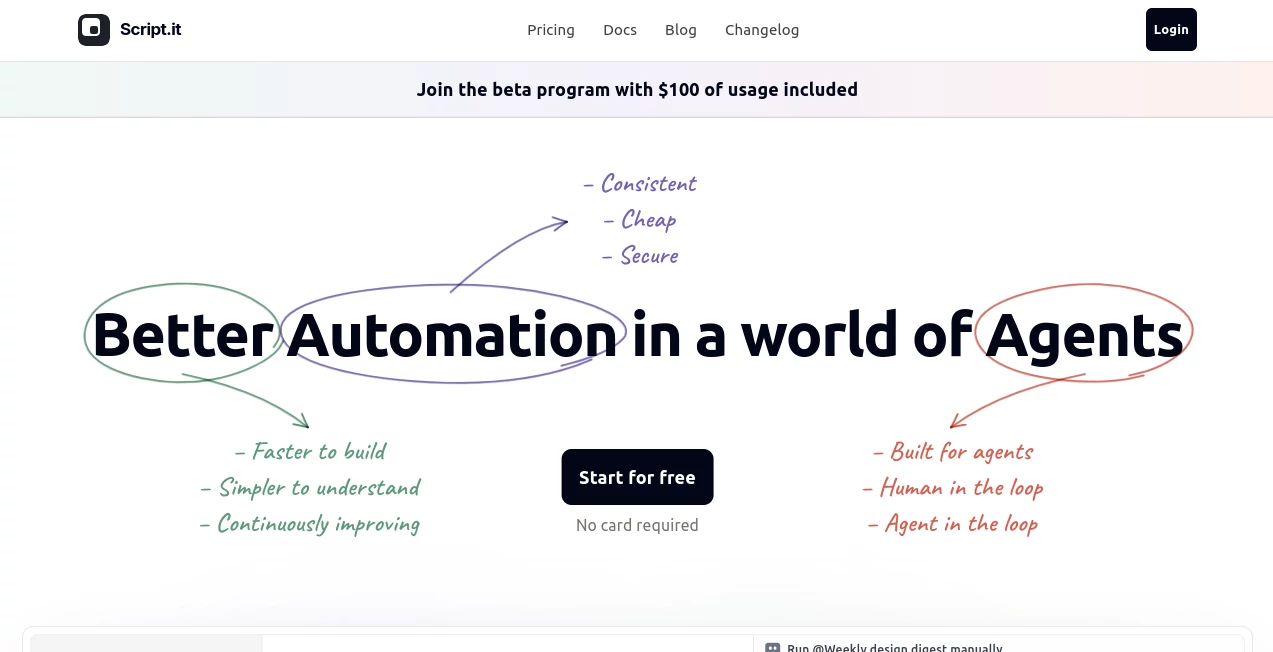
Modern teams spend countless hours connecting apps, moving data, and maintaining repetitive workflows. This AI-powered automation platform changes that experience by allowing users to describe what they need in plain English and instantly generate intelligent workflows without writing code. Instead of forcing users to build complicated automation step by step, it creates reliable, understandable, and continuously improving workflows that can evolve alongside business needs.
Designed for marketers, operations teams, sales departments, customer support, and business professionals, the platform combines AI agents with traditional automation logic to deliver workflows that are both flexible and dependable. Ready-made templates help users automate everything from SEO content creation and CRM reporting to customer support and competitor research. With hundreds of supported integrations and customizable triggers, businesses can automate routine work while keeping full visibility into every process. :contentReference[oaicite:0]{index=0}
Key Features
User Interface
The interface focuses on simplicity. Instead of building complicated flowcharts, users simply explain the desired outcome in natural language. Every workflow is organized in a file-based structure that makes each step easy to inspect, edit, and understand. Even users without technical backgrounds can create sophisticated automations within minutes.
Accuracy & Performance
The platform combines deterministic automation with AI reasoning instead of relying entirely on language models. This balanced approach improves reliability, reduces unnecessary AI processing, and delivers faster execution for repetitive business operations. Dedicated cloud environments allow workflows to run continuously without requiring local infrastructure. :contentReference[oaicite:1]{index=1}
Capabilities
- Create workflows using plain English instructions.
- Connect with more than 600 business applications.
- Run automations on schedules, webhooks, or custom events.
- Generate SEO blog posts from keyword research to publishing.
- Automate CRM reporting and revenue tracking.
- Summarize customer feedback and support tickets.
- Perform competitor analysis automatically.
- Build reusable AI skills for future workflows.
- Use pre-built templates for multiple business departments.
- Support collaborative workflow management across teams.
Security & Privacy
Business data is protected through encrypted connections, isolated execution environments, encrypted credentials, and automatic backups running on secure cloud infrastructure. This architecture helps organizations automate sensitive business operations while maintaining strong security practices and reliable system availability. :contentReference[oaicite:2]{index=2}
Use Cases
- Generate weekly marketing and design reports automatically.
- Create SEO-optimized blog content with minimal manual effort.
- Monitor competitors and build structured comparison reports.
- Automate CRM updates and sales reporting.
- Summarize customer support conversations.
- Process invoices and receipts.
- Build internal workflow automations without developers.
- Schedule recurring business tasks.
- Manage operational alerts through Slack and email.
- Create reusable AI-powered business processes.
Pros and Cons
Pros
- No coding knowledge required.
- Natural language workflow creation.
- Large collection of ready-to-use templates.
- Supports hundreds of third-party integrations.
- Highly customizable automation logic.
- Cloud-based execution environment.
- Suitable for both individuals and teams.
Cons
- Advanced workflows may require some experimentation.
- Certain enterprise features require paid plans.
- Learning available integrations takes time for new users.
Pricing Plans
A free plan is available for users who want to explore the platform and build initial workflows. Businesses with higher automation needs can upgrade to paid subscription plans that provide additional workflow credits, increased automation capacity, and advanced collaboration features. Enterprise solutions are also available for organizations requiring larger deployments. :contentReference[oaicite:3]{index=3}
How to Use Script.it
Begin by creating an account and selecting a ready-made workflow template or starting with a blank project. Describe the task you want to automate in natural language, connect the required applications, configure triggers if necessary, review the generated workflow, test the execution, and activate the automation. As business needs evolve, workflows can be refined through simple conversational instructions instead of rebuilding everything from scratch.
Comparison with Similar Tools
Unlike many traditional automation platforms that require users to manually design complex visual workflows, this solution emphasizes conversational workflow creation. Its AI agent understands user intent, generates automation logic automatically, and presents the workflow in a transparent file-based format that is easy to inspect and modify. Combined with reusable AI skills, dedicated cloud execution, and extensive integrations, it offers a more approachable experience for both technical and non-technical teams. :contentReference[oaicite:4]{index=4}
Conclusion
Businesses are increasingly looking for automation platforms that reduce complexity without sacrificing flexibility. This solution successfully combines conversational AI, reliable automation, and extensive integration capabilities into a platform that feels approachable from the very first project. Whether the goal is automating marketing reports, customer support, sales operations, or internal workflows, it delivers an efficient environment where ideas can quickly become dependable business automations.
Frequently Asked Questions (FAQ)
Is coding required?
No. Users can build workflows using simple natural language instructions.
Can it connect with existing business software?
Yes. It supports hundreds of popular business applications and custom webhooks.
Does it offer workflow templates?
Yes. Users can start from templates covering marketing, operations, CRM, support, SEO, and many other business scenarios.
Is there a free version?
Yes. A free plan allows users to build and test workflows before upgrading.
Who is this platform best suited for?
It is ideal for business teams, marketers, operations managers, sales professionals, customer support teams, and anyone looking to automate repetitive work without writing code.
AI Workflow Management , AI Project Management , AI Productivity Tools , AI Team Collaboration .
These classifications represent its core capabilities and areas of application. For related tools, explore the linked categories above.

Script.it Alternatives Product

Notion

Classroom Sc…

FormRoyale

Sourcetable

Wisegrid

Nova AI

Project Mela

AltHunt

MindSnapz