

















Seedance 2.5
What is Seedance 2.5?
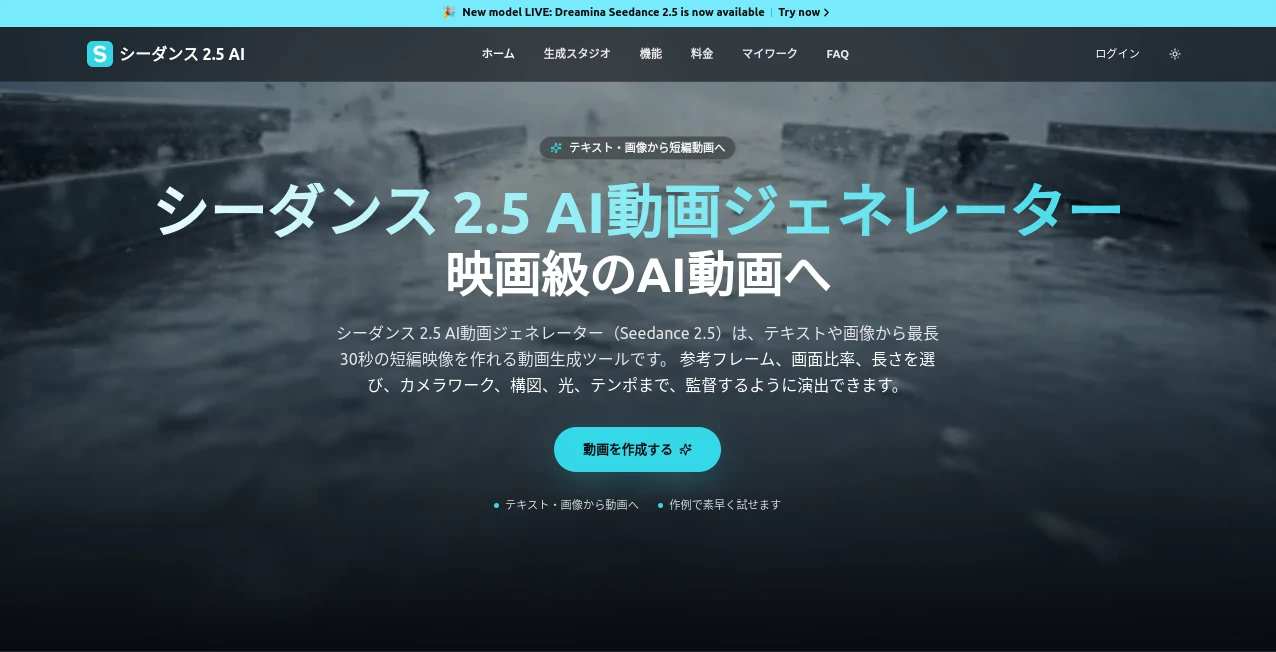
Creating a convincing video usually takes more than a good idea. You need a script, visuals, camera direction, editing, sound, and often several rounds of revisions. Seedance 2.5 brings many of these steps into a single AI-powered video creation workflow, making it easier to turn a written concept or reference material into a finished short video.
The platform is designed around text-to-video and image-to-video creation, with support for additional reference materials such as videos and audio. Users can describe the subject, movement, camera behavior, lighting, atmosphere, and pacing they want instead of manually building every shot from scratch.
One particularly useful feature is its ability to generate scenes of up to 30 seconds in a single generation. That gives creators more room to develop an idea instead of working exclusively with very short clips. For social media campaigns, product demonstrations, advertising concepts, and short-form storytelling, this can make the creative process considerably faster.
The workflow also supports multilingual creation, reference-driven generation, and commercial use on its paid plans. For someone who wants to experiment with cinematic-looking AI video without assembling a complicated production setup, it offers a practical place to start.
Key Features
- Text-to-video generation from detailed written prompts.
- Image-to-video generation for animating still images.
- Video and audio references for more controlled generations.
- Up to 30 seconds of video in a single generation.
- Support for up to 50 multimodal reference inputs.
- Reference control for subjects, movement, composition, and visual style.
- Camera movement, lighting, atmosphere, and pacing can be described in prompts.
- Support for 11 languages, including English, Japanese, Korean, Spanish, Portuguese, Arabic, and Vietnamese.
- Audio-enabled video generation.
- Multiple aspect-ratio and resolution options.
- Partial editing and reference-based editing workflows.
- Commercial usage is available with the paid plans.
User Interface
The interface follows a straightforward creation process rather than forcing users through a complicated editing timeline. A creator can start with a prompt or upload a reference image, then specify the desired length, aspect ratio, resolution, and creative direction.
This approach is especially useful for people who think in scenes rather than editing tracks. For example, a marketer could describe a product sitting on a desk as the camera slowly moves around it, with warm lighting and a premium commercial atmosphere. Instead of manually arranging every element, the creator can communicate the visual concept directly through the generation prompt.
Reference materials can also make the workflow more practical for professional projects. When a particular person, product, visual style, or composition needs to remain recognizable, adding reference material provides the model with more information than text alone.
Accuracy & Performance
Performance is one of the stronger aspects of the platform's overall approach. The system is built to maintain visual continuity across longer scenes, including the appearance of people, backgrounds, lighting, and camera movement. This is helpful when a video needs to feel like one continuous shot rather than a collection of unrelated AI clips.
It also accepts a large collection of multimodal references. Up to 50 inputs can be combined, including images, videos, audio, scripts, and style references. This can be valuable when a production has several visual requirements that are difficult to communicate through a single paragraph.
Like other generative video systems, the output is not guaranteed to be perfect every time. Complex physical movements, interactions between several characters, small visual details, and precise object behavior can still require multiple attempts. A good workflow is to generate several variations, identify the strongest result, and then refine the prompt or references.
Capabilities
The tool goes beyond simple text-to-video generation. Users can combine written instructions with reference images, videos, and audio to give the generation process more context. This makes it possible to approach a video from different starting points depending on the project.
For example, a product photographer can provide a product image and describe how the camera should move around it. A social media creator can start with an illustration and ask for controlled movement. A marketing team can combine product photos, a script, visual references, and audio direction to establish a consistent creative concept.
Its support for scene direction is another useful capability. Prompts can describe composition, camera movement, lighting, mood, background, timing, and pacing. The more specific the creative brief, the easier it is to communicate the intended result.
The system also supports reference-based control, partial editing, green-screen workflows, and other techniques intended to reduce the need to regenerate an entire scene when only one part needs adjustment.
Security & Privacy
Users should treat uploaded creative assets as cloud-based content. Images, videos, audio files, prompts, and generated results may be transmitted to and stored by the service as necessary for generation and history features.
Before uploading confidential business material, unreleased products, private recordings, or personal information, it is sensible to review the provider's privacy policy and terms. Creators should also make sure they have the necessary rights to any people, music, photographs, trademarks, or other third-party material included in their inputs.
For public-facing commercial work, checking usage rights is particularly important. The platform states that paid plans support commercial use, but the exact conditions can depend on the applicable plan and service terms.
Use Cases
- Social Media Content: Create short-form visual content for platforms that rely heavily on video.
- Advertising: Develop product advertisements, campaign concepts, and creative variations without producing every shot manually.
- Product Demonstrations: Turn product images into animated promotional scenes with controlled camera movement.
- Short Films: Experiment with individual story scenes, characters, environments, and cinematic concepts.
- Short Drama: Build visual sequences that benefit from greater scene continuity.
- E-commerce: Produce promotional clips from product photographs and visual references.
- Creative Prototyping: Test several video concepts before committing to a conventional production.
- International Marketing: Create prompts and concepts across multiple supported languages for different audiences.
- Brand Content: Combine visual references and style instructions to maintain a recognizable creative direction.
Pros and Cons
- Pros: Supports video generation up to 30 seconds per generation.
- Pros: Accepts a wide range of reference materials.
- Pros: Supports up to 50 multimodal inputs.
- Pros: Provides detailed control over camera movement, lighting, composition, and atmosphere.
- Pros: Supports 11 languages.
- Pros: Suitable for advertising, social media, product videos, and short-form storytelling.
- Pros: Paid plans include commercial usage.
- Cons: Complex scenes can still produce inconsistent results.
- Cons: Multiple generations may be necessary for demanding creative work.
- Cons: Higher-volume production requires a paid credit plan.
- Cons: Users working with sensitive material should carefully review cloud storage and privacy terms.
Pricing Plans
The service currently offers several subscription levels, with pricing displayed in Japanese yen. A free option is available for users who want to test video generation with free credits obtained through the service's daily login or check-in system.
The Basic plan is listed at ¥1,483 per month and includes 250 monthly credits, with up to four videos per month. It provides audio-enabled 720p video, private storage, commercial usage, and standard processing.
The Pro plan is listed at ¥2,983 per month and provides 600 monthly credits with up to ten videos per month. It adds a priority processing queue, priority support, and longer generation history while retaining commercial usage and private storage.
The Enterprise plan is listed at ¥8,983 per month and includes 1,900 monthly credits with up to 31 videos per month. It is aimed at teams and production studios and adds the highest processing priority, team-oriented support, and longer generation history.
Annual plans are also available at discounted prices, and the site currently advertises promotional discounts on several plans. Because pricing and promotions can change, users should check the current plan details before subscribing.
How to Use It
Getting started does not require a complicated production workflow. Begin by deciding what the scene should show and whether a text prompt, image, video, or combination of references is the best starting point.
First, write a clear description of the scene or upload the visual material you want to animate. Include useful information about the subject, movement, environment, camera direction, lighting, and visual style. A vague instruction such as “make this cinematic” gives less direction than a detailed description of the shot.
Next, select the desired video length, aspect ratio, and resolution. For social media, vertical formats may be appropriate, while product presentations or other landscape content may require a wider frame.
After generation, watch the result carefully. Check the subject's appearance, movement, camera behavior, text, audio, and overall continuity. If something feels wrong, adjust the prompt or add a more relevant reference rather than simply repeating the same request.
Once the result meets the project's requirements, it can be downloaded and used for social posts, advertising concepts, product content, or further editing.
Comparison with Similar Tools
AI video generators often look similar on the surface, but their workflows can differ considerably. Some are primarily focused on producing short clips from text, while others emphasize image animation, character consistency, editing, or professional video production.
This platform stands out through its combination of longer single-scene generation, extensive multimodal references, and detailed scene direction. The ability to provide images, videos, audio, scripts, and style references gives creators more ways to describe what they want.
The 30-second generation limit is also useful for projects where a very short clip feels restrictive. A product advertisement, for example, can have enough time to establish the product, show movement, and finish with a clear visual payoff.
It is not necessarily the right choice for every project. Someone looking for a traditional timeline editor, extensive manual post-production controls, or highly specialized animation tools may still need additional software. For creators primarily interested in generating and iterating on AI video scenes, however, the workflow is compelling.
Conclusion
Seedance 2.5 offers a practical way to move from an idea to a polished AI-generated video without requiring every stage of conventional video production. Its combination of text and image generation, multimodal references, longer scenes, camera direction, multilingual support, and audio-enabled output gives creators considerable room to experiment.
The biggest advantage is the amount of creative information that can be provided before generation. Instead of relying entirely on a short text prompt, users can bring together reference images, video, audio, scripts, and style guidance. That makes the system particularly interesting for advertising, product marketing, social media, and visual storytelling.
There is still a learning curve. Strong results depend on clear prompts, useful references, and a willingness to refine unsuccessful generations. But for creators who want to produce cinematic concepts quickly and explore more ideas before investing in traditional production, this is a highly capable addition to an AI video workflow.
Frequently Asked Questions (FAQ)
Can I generate videos from text?
Yes. You can describe a scene using a written prompt and specify details such as the subject, movement, camera direction, lighting, atmosphere, and pacing.
Can I turn an image into a video?
Yes. Images can be used as references for video generation, allowing creators to animate a still visual while describing the desired movement and camera behavior.
What is the maximum video length?
A single generation can produce a video of up to 30 seconds. Generated clips can also be extended through multiple generations, while the associated long-form beta mode offers longer output in supported workflows.
How many reference materials can I use?
The system supports up to 50 multimodal reference inputs. These can include images, videos, audio, scripts, and other creative references, depending on the generation workflow.
Does it support multiple languages?
Yes. The underlying model supports 11 languages, including English, Japanese, Korean, Spanish, Portuguese, Arabic, Vietnamese, Indonesian, Malay, Thai, and Chinese.
Can generated videos be used commercially?
Paid plans state that commercial usage is supported. However, creators should review the applicable terms and make sure they have the necessary rights for any third-party people, music, images, brands, or other material used in their projects.
Is there a free option?
Yes. The service states that users can receive free credits through daily login or check-in activities and use them to try video generation. Additional credits may be required for longer videos or more frequent production.
What should I include in a video prompt?
A useful prompt can describe the subject, location, movement, camera motion, lighting, mood, visual style, aspect ratio, and pacing. When animating an image, it can also help to clearly state which parts should move and which visual characteristics should remain unchanged.