


















Seedance AI
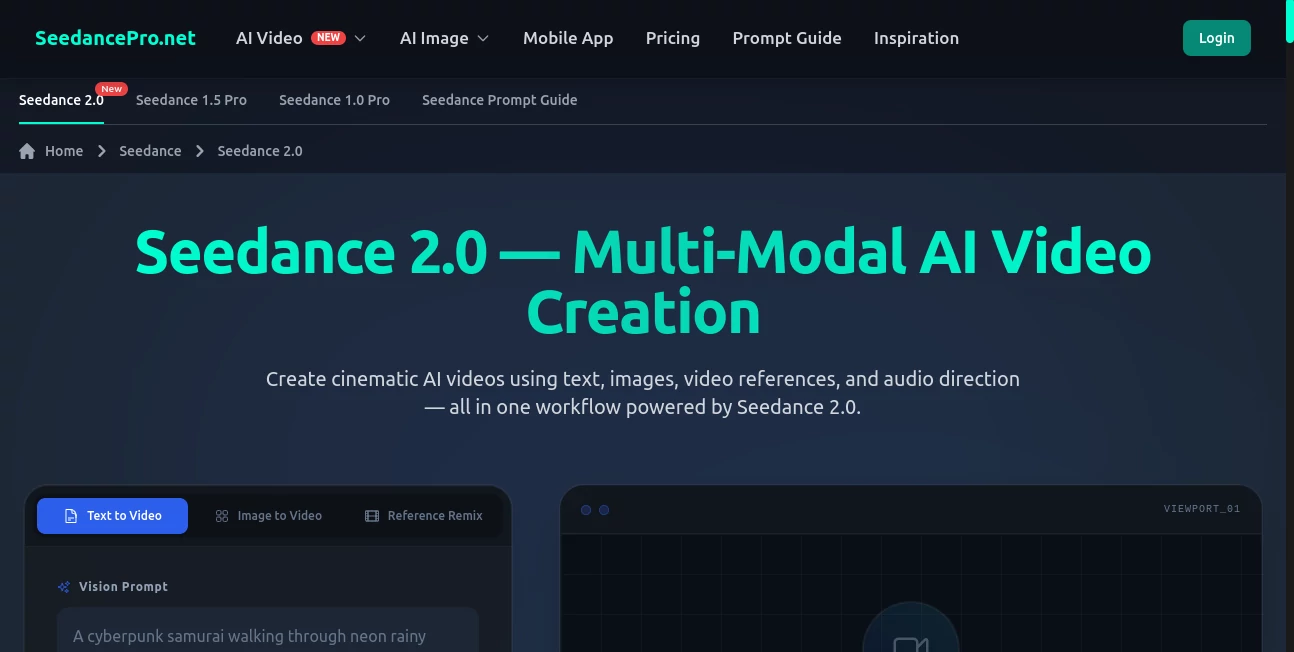
What is Seedance AI?
There’s something special about typing a scene and watching it come alive with real cinematic weight—soft light fading across a room, a character’s subtle expression shift, camera movement that feels intentional. This tool delivers exactly that feeling. You describe what you want, optionally add a reference image, and a few moments later you get a short video that actually feels directed rather than randomly generated. I’ve shown these clips to fellow creators who usually roll their eyes at AI video, and more than once I’ve heard “Okay… that actually looks good.” It’s the kind of result that makes you excited to create again.
Introduction
Most AI video tools still feel experimental—jerky motion, faces that drift, lighting that changes randomly between frames. Seedance 2.0 quietly raised the bar. It focuses on coherence, emotion, and cinematic flow, turning simple prompts or single images into short sequences that hold together from start to finish. Whether you’re mocking up a story beat, creating social content, or visualizing a music track, it gives you something you can actually be proud to share. The best part? It doesn’t require a film degree or hours of post-production to get usable results. It just works.
Key Features
User Interface
The interface is clean and focused. A generous prompt box at the top, a simple upload area for reference images, clear options for aspect ratio and duration, and one prominent generate button. No overwhelming settings or hidden menus. Previews load fast enough that you can iterate quickly, staying in that creative flow instead of waiting around. Beginners find it approachable, while experienced creators appreciate how little friction there is between idea and output.
Accuracy & Performance
What stands out is the consistency. Characters keep their identity across shots, lighting stays believable, and motion follows natural physics instead of the usual AI wobble. Generation times are reasonable—often under a minute for short clips—and the results hold up even when you ask for more complex scenes. It rarely produces the melting artifacts or sudden style shifts that still plague many tools. That reliability means you can actually plan around it instead of treating it like a lottery.
Capabilities
It handles text-to-video, image-to-video, and hybrid mode where you combine both for maximum control. You get multi-shot storytelling with natural transitions, good emotional range, and decent audio sync when using reference sound. Camera movements feel motivated rather than random—gentle push-ins, slow pans, dramatic reveals. It supports vertical, horizontal, and square formats, making it flexible for Reels, YouTube shorts, or longer cinematic pieces. The output quality is high enough to use in real projects with minimal cleanup.
Security & Privacy
Your prompts and reference images are processed temporarily and not stored long-term unless you explicitly save the output. No sneaky training on user content. For creators working with client ideas or personal projects, that clean approach provides real peace of mind.
Use Cases
A small brand turns one product photo into an elegant lifestyle video that performs better than their previous shoots. An indie musician creates a visualizer that matches the emotional tone of their track. A short-form creator builds consistent character Reels without filming every day. A filmmaker prototypes key scenes to test pacing and mood before committing to full production. It’s especially powerful when you need something that looks thoughtful and polished, but don’t have the time or budget for traditional video.
Pros and Cons
Pros:
- Strong character and style consistency across shots.
- Cinematic camera work that feels directed, not random.
- Fast enough to support real creative iteration.
- Hybrid text + image mode gives precise control.
Cons:
- Clip lengths are still relatively short (ideal for social and prototypes).
- Very abstract or contradictory prompts can sometimes confuse the model.
- Higher resolutions and unlimited use require paid access.
Pricing Plans
Free daily credits let you test the quality without commitment—no card needed to start. Paid plans unlock higher resolutions, longer clips, faster generation, and unlimited creations. Pricing is reasonable for the quality jump. Many creators say one paid month replaces what they used to spend on stock footage or freelance editors for short content.
How to Use Seedance 2.0
Start by writing a clear scene description. Add a reference image if you want stronger visual consistency (highly recommended for characters). Choose your aspect ratio and duration, then hit generate. Review the preview—adjust the prompt or reference strength if needed—and download when it feels right. For longer stories, generate multiple connected shots and stitch them together in your editor. The process is fast enough that you can experiment with several versions in one session.
Comparison with Similar Tools
Many AI video tools still struggle with consistency and natural motion. This one stands out by prioritizing cinematic flow and character stability, often delivering clips that feel closer to human-directed work. The hybrid guidance system gives you more director-like control than pure text-to-video alternatives, while staying simpler than heavy professional tools.
Conclusion
Video creation doesn’t have to be slow and expensive anymore. This tool quietly removes many of the traditional barriers, letting creators focus on story and emotion rather than technical hurdles. Whether you’re making social content, prototyping ideas, or building a visual world, it gives you a fast, high-quality way to see your vision move. In a world full of content, tools like this help the good ideas stand out faster—and that’s something worth celebrating.
Frequently Asked Questions (FAQ)
How long are the generated clips?
Typically 5–10 seconds, perfect for social media and story prototyping.
Do I need a reference image?
No—text-only works well—but adding one greatly improves consistency.
What resolutions are available?
Up to 1080p on paid plans; free tier offers solid preview quality.
Can I use the videos commercially?
Yes—paid plans include full commercial rights.
Is there a watermark on free generations?
Small watermark on free clips; paid plans remove it completely.
AI Animated Video , AI Image to Video , AI Video Generator , AI Text to Video .
These classifications represent its core capabilities and areas of application. For related tools, explore the linked categories above.

Seedance AI Alternatives Product

happyhorsevi…

seedance 2.0

HappyHorse A…

The Influenc…

Seedance 2.0

Kling 3.0 Vi…

Nano Banana …

VeoNano

Seedance 2.0…
