
Sheetgo
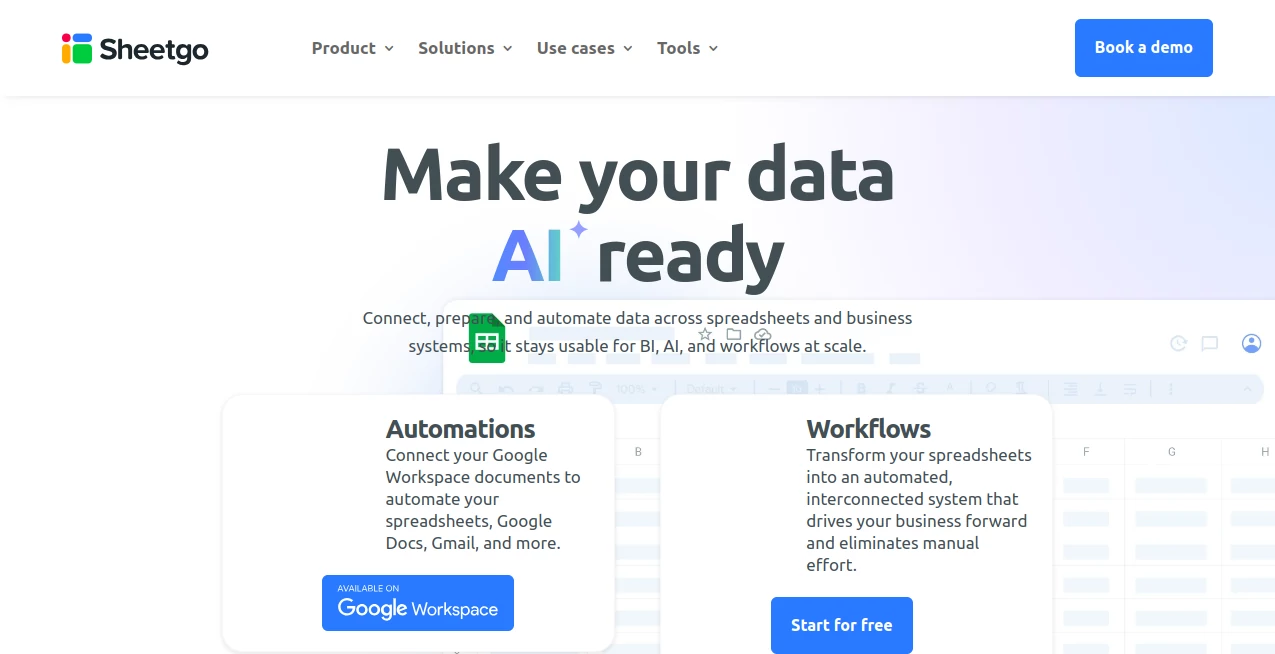
What is Sheetgo?
Managing spreadsheets across different teams, departments, and business processes can quickly become time-consuming. Sheetgo helps organizations automate spreadsheet workflows, connect data sources, and move information between files and applications without requiring complex programming skills.
Built for teams that rely on spreadsheets for daily operations, this platform transforms static files into connected workflows. Users can automate repetitive tasks such as data collection, reporting, approvals, and updates while keeping their familiar spreadsheet environment.
Whether you work in finance, education, operations, sales, or project management, the platform provides a practical way to organize data processes and reduce manual spreadsheet work. It is especially useful for businesses that want automation without investing in complicated enterprise systems.
Key Features
User Interface
The interface is designed with simplicity in mind. Users can create automated workflows through a visual builder instead of writing scripts or managing complicated integrations. The clean dashboard makes it easy to monitor connections, track workflow activity, and manage multiple spreadsheet processes from one place.
The workflow editor provides a straightforward experience for both beginners and experienced spreadsheet users. Even teams with limited technical knowledge can create automated data flows and improve their daily productivity.
Accuracy & Performance
Reliable data movement is essential when businesses depend on spreadsheets for important decisions. The platform focuses on accurate synchronization between connected files and applications, helping users maintain consistent information across different sources.
Automated schedules allow workflows to run at specific times, reducing human errors caused by manual copying and updating. This makes reporting processes faster and more dependable, especially for teams handling large amounts of operational data.
Capabilities
The platform offers powerful spreadsheet automation capabilities that help users connect, transform, and manage information efficiently. It supports workflows that collect data from multiple sources, update reports automatically, and distribute information to relevant teams.
- Automate repetitive spreadsheet tasks
- Connect multiple spreadsheet files and data sources
- Create scheduled workflows for automatic updates
- Build approval and reporting processes
- Synchronize business information between teams
- Reduce manual data entry and spreadsheet maintenance
- Manage recurring operational workflows
Security & Privacy
Data security is an important consideration for any business using automation tools. The platform provides controlled access options and workflow management features designed to help organizations handle business information responsibly.
By automating existing spreadsheet processes instead of moving everything into unfamiliar systems, teams can maintain visibility and control over their data operations.
Use Cases
The flexibility of spreadsheet automation makes it useful across many industries and workflows. Companies can use it to streamline repetitive processes and create reliable information pipelines.
- Finance Teams: Automate financial reports, budget tracking, and recurring data updates.
- Sales Departments: Keep sales reports and customer information synchronized across teams.
- Operations: Manage workflows that require regular data collection and reporting.
- Education: Organize student records, schedules, and administrative processes.
- Marketing: Combine campaign data and create automated performance reports.
- Small Businesses: Save time by automating spreadsheet-based business tasks.
Pros and Cons
Pros
- Easy visual workflow creation without coding
- Works well for teams already using spreadsheets
- Reduces repetitive manual tasks
- Supports scheduled automation
- Useful across many business departments
- Helps improve data consistency
Cons
- Best suited for spreadsheet-based workflows rather than advanced database systems
- Large and highly complex enterprise processes may require additional solutions
- Users may need time to design their first automation workflows
Pricing Plans
The platform offers different pricing options designed for individuals, teams, and organizations with varying automation needs. Users can explore available plans based on workflow volume, collaboration requirements, and advanced automation features.
A free option is available for users who want to test basic spreadsheet automation, while paid plans provide additional capabilities for professional and business use cases.
How to Use Sheetgo
Getting started is simple and does not require programming knowledge. Users can follow a few basic steps to create their first automated workflow:
- Create an account and access the workflow dashboard.
- Select the spreadsheet files or data sources that need to be connected.
- Build a workflow using the visual automation tools.
- Choose when the workflow should run automatically.
- Monitor results and adjust the process when needed.
For example, a company that collects weekly reports from different departments can create a workflow that automatically combines those files into a central report, saving hours of manual work every month.
Comparison with Similar Tools
Compared with traditional spreadsheet management methods, automation platforms provide a more efficient approach to handling recurring tasks. Instead of relying on manual updates, users can create repeatable workflows that operate consistently.
While some automation platforms focus on broad business integrations, this solution is particularly valuable for organizations that depend heavily on spreadsheets and want to improve existing processes without replacing their current tools.
It stands out by offering a spreadsheet-first approach, making it accessible for users who want automation benefits without learning complex technical systems.
Conclusion
For teams that spend significant time managing spreadsheets, automation can make a noticeable difference. Sheetgo provides a practical way to connect data, simplify workflows, and reduce repetitive administrative tasks.
Its spreadsheet-focused approach makes it a strong choice for businesses, educators, and professionals who want more efficient processes while keeping the tools they already know. By turning everyday spreadsheet activities into automated workflows, it helps teams focus more on analysis and decision-making rather than manual data handling.
Frequently Asked Questions (FAQ)
What is Sheetgo used for?
It is used to automate spreadsheet workflows, connect data sources, and reduce manual tasks such as copying information, creating reports, and updating files.
Does it require coding skills?
No. The platform is designed for users who want to create automated workflows through a visual interface without programming.
Can it work with existing spreadsheets?
Yes. It is built around spreadsheet-based processes, allowing users to automate workflows using files and data sources they already use.
Who can benefit from using this tool?
Businesses, educators, operations teams, finance departments, and anyone managing repetitive spreadsheet tasks can benefit from using it.
Is there a free plan available?
Yes. Users can start with available free options and upgrade to paid plans when they need more advanced workflow features.
AI Workflow Management , AI Productivity Tools , AI Spreadsheet .
These classifications represent its core capabilities and areas of application. For related tools, explore the linked categories above.

Sheetgo Alternatives Product

Nova AI

TruthSpine

Create Filla…

Workik

Khuram Youraj

wigoo

Mage Flow AI…

Zloth

Black Screen