Silo AI
What is Silo AI?
Running paid ads on Facebook or Meta without a steady stream of fresh creatives is like showing up to a race with flat tires. You know where you want to go — you just can't get there. That's the problem a lot of DTC founders, solo marketers, and small e-commerce teams run into. They either spend thousands on agencies or burn hours in Canva trying to make something that looks remotely professional.
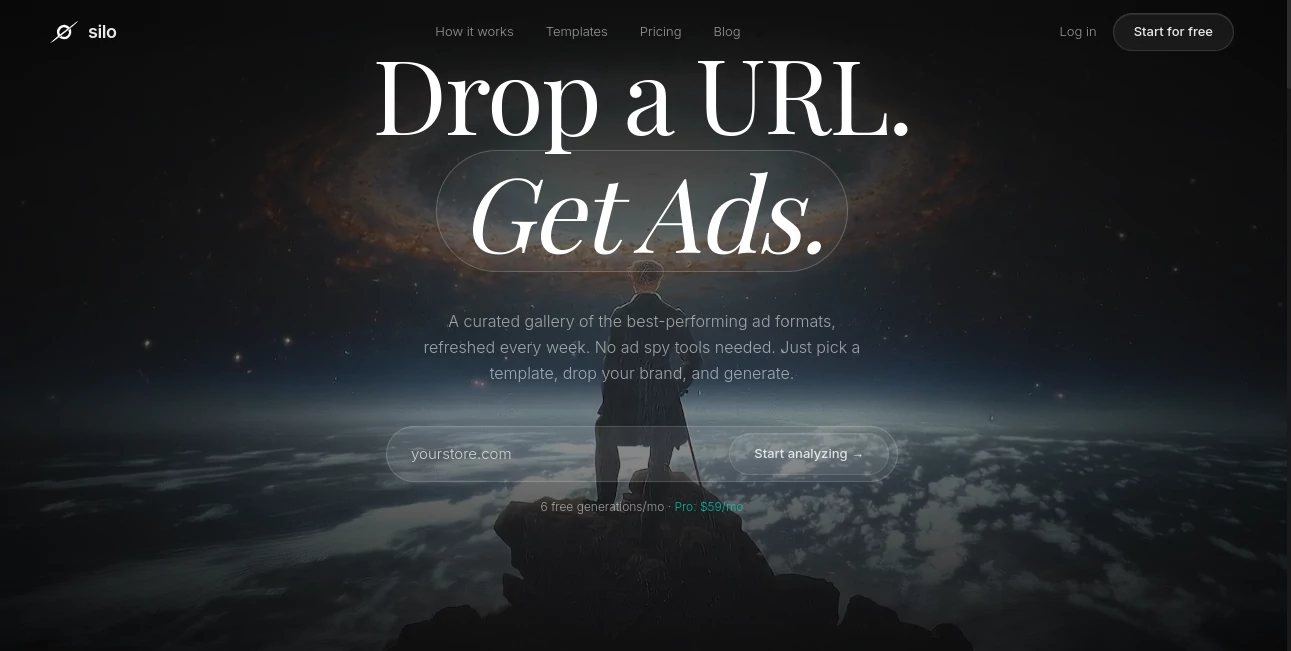
There's now a smarter way to handle this. A purpose-built AI tool designed specifically for ad creative generation — not generic design work, not all-purpose image editing, just ads. Drop your brand URL, pick a template from a library of over 330 proven formats, and get ready-to-run Facebook and Meta ad images in under a minute. That's the pitch, and honestly, it holds up.
This tool is built by Aria Cole and has been gaining serious traction among performance marketers who are tired of the agency billing cycle and the back-and-forth that comes with it. Whether you're scaling a Shopify store or testing creatives for a new product launch, this platform is worth a serious look.
Key Features
User Interface
The interface is clean to the point of being refreshing. There's no cluttered dashboard, no dozen tabs to navigate before you get to actually making something. You land, you see what you need, and you start. The workflow is built around the idea that speed matters — and the design reflects that philosophy.
The template gallery is visually organized and easy to browse. Each template shows you what the output will roughly look like before you commit. Switching between templates is fast, and the brand extraction step happens almost instantly once you drop in a URL. There's no learning curve here. If you've ever used any web-based tool before, you'll be fine within minutes.
Accuracy & Performance
The brand DNA extraction is genuinely impressive. Drop in a URL — say, a Shopify store selling skincare — and the AI pulls out the dominant colors, font style, and overall visual tone. It doesn't always get it perfect on the first pass, but it gets close enough that you're adjusting rather than rebuilding from scratch. That alone saves a meaningful amount of time.
Generation speed lives up to the 60-second claim. Most outputs come back quickly, and the resolution is full quality — no compressed previews, no watermarks on the downloaded files. What you see is what you get, which matters when you're sending creatives directly to your ads manager.
Capabilities
The template library is the real differentiator here. These aren't generic design layouts — they're reverse-engineered from real ads that have demonstrated performance. The library includes headline-heavy formats, social proof layouts, UGC-style creatives, comparison ads, and more. It gets refreshed on a weekly basis, which means there's always something new to test without having to come up with concepts from scratch.
The Remix feature is another standout. See a competitor's ad or a creative that catches your eye somewhere online? Screenshot it, upload it, and the AI breaks down the layout and structure so you can replicate that format with your own brand. It's the kind of feature that makes you wonder why other tools haven't done it yet.
- Instant Brand DNA: Automatically extracts colors, fonts, and visual identity from any brand URL
- 330+ proven ad templates: Curated formats across headline, social proof, UGC, and comparison styles
- Remix any ad: Upload a screenshot of any ad and turn it into a reusable template
- Full resolution downloads: Ready-to-upload creatives with no quality loss
- ZIP batch export: Download multiple creatives at once for efficient campaign management
- Multiple brand profiles: Manage up to 5 brands simultaneously on the Pro plan
- Weekly template updates: Fresh formats added regularly based on what's converting
Security & Privacy
The platform operates with standard web security practices. Your brand data — colors, fonts, voice — is stored within your profile and used to generate your ads. You're not sharing proprietary assets with other users, and your generated creatives aren't publicly visible. For teams handling client brands or sensitive product launches, that level of separation is important. The privacy policy and terms are accessible directly from the site footer for anyone who wants to review the specifics before signing up.
Use Cases
The range of people who benefit from this tool is broader than it might initially seem. Yes, it's built for Facebook and Meta ads — but the use cases branch out from there.
- DTC e-commerce brands: Test 10 different creative angles in the time it used to take to brief a designer on one concept. Rapid iteration is how you find what works at scale.
- Solo founders: You're wearing every hat. Having a tool that generates polished, on-brand ad creatives without requiring design skills or a budget for freelancers is a genuine business asset.
- Performance marketing agencies: Managing multiple client accounts means constant creative demand. With multiple brand profiles and batch export, the production workflow gets significantly leaner.
- Product launchers: Whether it's a new SKU, a seasonal offer, or a limited drop — you need creatives fast. This tool is built for exactly that kind of urgency.
- Social media managers: Beyond pure ads, the templates work well for organic promotional content that needs to look polished and on-brand without eating up half the workday.
Pros and Cons
No tool is perfect, and being honest about both sides is more useful than a one-sided pitch.
- Pro: Extremely fast from URL to finished creative — the 60-second claim is accurate
- Pro: Template library is grounded in real ad performance data, not just aesthetics
- Pro: Brand DNA extraction saves significant setup time across projects
- Pro: Remix feature is genuinely unique and practically useful
- Pro: Full resolution outputs with no watermarks, even on the free tier
- Pro: Clean, minimal interface with almost no learning curve
- Con: Currently focused on static image creatives — video ad generation isn't part of the offering
- Con: Free plan is limited to 6 generations per month, which fills up quickly if you're actively testing
- Con: Brand DNA extraction occasionally needs minor manual corrections for highly customized brand identities
- Con: The Pro plan is priced at $59/month, which may feel steep for very early-stage teams with limited ad budgets
Pricing Plans
The pricing structure is simple — two tiers, no unnecessary complexity.
- Free Plan — $0/month: Includes 6 generations per month, 1 brand profile, access to all templates, full resolution downloads, and ZIP batch export. No credit card required to get started. This is genuinely useful for testing the tool before committing.
- Pro Plan — $59/month: Everything in the Free plan, plus unlimited generations, 5 brand profiles, every template including new ones as they're added, the Custom Remix template feature, and priority support. Positioned as the option for teams actively running paid campaigns.
The free tier is one of the more generous ones in this space — 6 full-resolution outputs per month with no watermarks is enough to run a real test. And for anyone managing multiple brands or running campaigns at any meaningful volume, the Pro plan pays for itself quickly when compared to freelancer or agency rates for the same output.
How to Use the Tool
Getting from zero to a finished ad creative takes four steps, and none of them are complicated.
- Step 1 — Sign up: Create a free account. No credit card needed. You get access immediately.
- Step 2 — Drop your brand URL: Paste in your website URL and let the AI extract your brand identity. It pulls colors, fonts, and visual tone automatically. Review and adjust if needed.
- Step 3 — Choose a template: Browse the library of 330+ formats and pick one that fits your campaign goal. Headline-focused, social proof, comparison, UGC-style — there's a wide range to choose from.
- Step 4 — Generate and download: Hit generate. The AI fills the template with your brand identity and ad context. Download in full resolution, batch export if needed, and upload directly to your Meta Ads Manager.
If you're on Pro, you can also use the Remix feature by uploading a screenshot of any ad you want to replicate structurally. The AI will analyze it and create a new template you can reuse across campaigns.
Comparison with Similar Tools
This space has a few notable players, so it's worth knowing where this tool fits relative to the alternatives.
vs. AdCreative.ai: AdCreative.ai is one of the more established names in AI ad generation. It offers broader integrations and some analytics features. However, it also comes with a steeper price point and a more complex interface. For teams that want speed and simplicity over a feature-heavy platform, the leaner approach wins on usability. The template library here is also more grounded in actual performance data rather than general design quality.
vs. Canva: Canva is a general-purpose design tool. It added AI features, but it wasn't built for ads — it was built for everything, which means it's optimized for nothing specifically. Creating ad creatives in Canva requires more manual work, more design decisions, and more time. A tool built exclusively for ads will always have an edge on workflows that center around ad production.
vs. Creatify: Creatify focuses on video ad generation. If your campaigns are primarily video-first, Creatify is worth exploring. But for static image creatives — which still perform exceptionally well on Facebook and Meta — a static-focused platform with a deep template library is the sharper tool for the job.
vs. Pencil AI: Pencil is built for enterprise teams and requires uploading existing brand assets. The URL-based brand extraction approach here removes that friction entirely, making it significantly more accessible for smaller teams and solo operators who don't have a full asset library ready to go.
Conclusion
If you're spending money on Facebook or Meta ads and you don't have a fast, reliable way to produce creatives, you're leaving performance on the table. The best campaigns are the ones where you can test multiple angles, learn quickly, and iterate. That requires volume — and producing creative volume manually doesn't scale.
This tool solves a real problem in a focused, well-executed way. It's not trying to be a full design suite or an all-in-one marketing platform. It does one thing — generates high-quality, on-brand ad creatives fast — and it does it well. The Remix feature, the weekly template updates, and the brand DNA extraction are all thoughtful additions that show the product is built by someone who actually understands the ad creative workflow.
For DTC founders, performance marketers, and anyone running paid social campaigns without a dedicated design team, this is a tool worth having in the stack. Start with the free plan, run a few real campaigns with the outputs, and see how it performs for your brand. The results will speak louder than any review.
Frequently Asked Questions (FAQ)
- Is a credit card required to sign up? No. The free plan is accessible immediately with just an email address — no payment information needed.
- What ad formats does the tool support? It currently generates static image creatives optimized for Facebook and Meta ad placements. Video ad generation is not currently part of the offering.
- Can I use this for brands I don't own? Yes. Agencies and freelancers can manage multiple brand profiles. The Pro plan supports up to 5 brand profiles simultaneously.
- What is the Remix feature exactly? Remix lets you upload a screenshot of any ad — from a competitor, an inspiration source, or an ad you've seen performing well. The AI analyzes the layout, structure, and style, then converts it into a reusable template you can generate with your own brand assets.
- How often are new templates added? The template library is updated weekly with new formats based on current ad performance trends.
- Are downloaded files full resolution? Yes. Both the free and Pro plans include full resolution downloads. There are no watermarks on any generated outputs.
- Is the $59/month Pro plan billed monthly? Yes, the Pro plan is billed at $59 USD per month. Cancellation details and billing terms are available in the site's terms of service.
- How accurate is the brand DNA extraction? It accurately captures the primary colors, font styles, and visual tone from most brand websites. For highly customized or unconventional brand identities, some manual adjustment may be needed after the initial extraction.
AI Ad Creative Assistant , AI Ad Generator , AI Facebook Assistant , AI Digital Marketing Generator .
These classifications represent its core capabilities and areas of application. For related tools, explore the linked categories above.

Silo AI Alternatives Product

Bold Pilot
Resize Image…
Domer

Free Marketi…

Ecom Tool AI
Toflow AI

Ad Suite AI
MikeSullyToo…

Orchestra