SocialClip Studio
What is SocialClip Studio?
I used to spend hours scrubbing through long podcast episodes or Twitch streams, hunting for that one golden 15-second moment worth clipping. It was exhausting. Then I started using this tool and the whole game changed. Paste a YouTube link or upload your video, and the AI watches the actual content — not just audio spikes — and pulls out the strongest clips with smart captions, perfect vertical reframing, and even relevant B-roll. The first time I tried it on a 45-minute interview, it delivered five ready-to-post shorts that performed better than anything I’d manually edited before. It feels like having a sharp editor who never gets tired.
Introduction
Creating short-form content from long videos is one of the biggest time sinks for creators today. This platform makes that process feel almost effortless. It uses its own proprietary multimodal AI that analyzes video frame-by-frame, understands context, and finds genuinely viral-worthy moments. No more guessing which part will hook viewers — the AI scores clips for virality and gives you the receipts. With built-in tools for captions, reframing, thumbnails, and direct publishing, it turns hours of editing into minutes of oversight. Whether you’re a YouTuber repurposing long-form, a streamer clipping highlights, or a podcaster turning episodes into Reels, it consistently delivers polished, platform-ready shorts that actually perform.
Key Features
User Interface
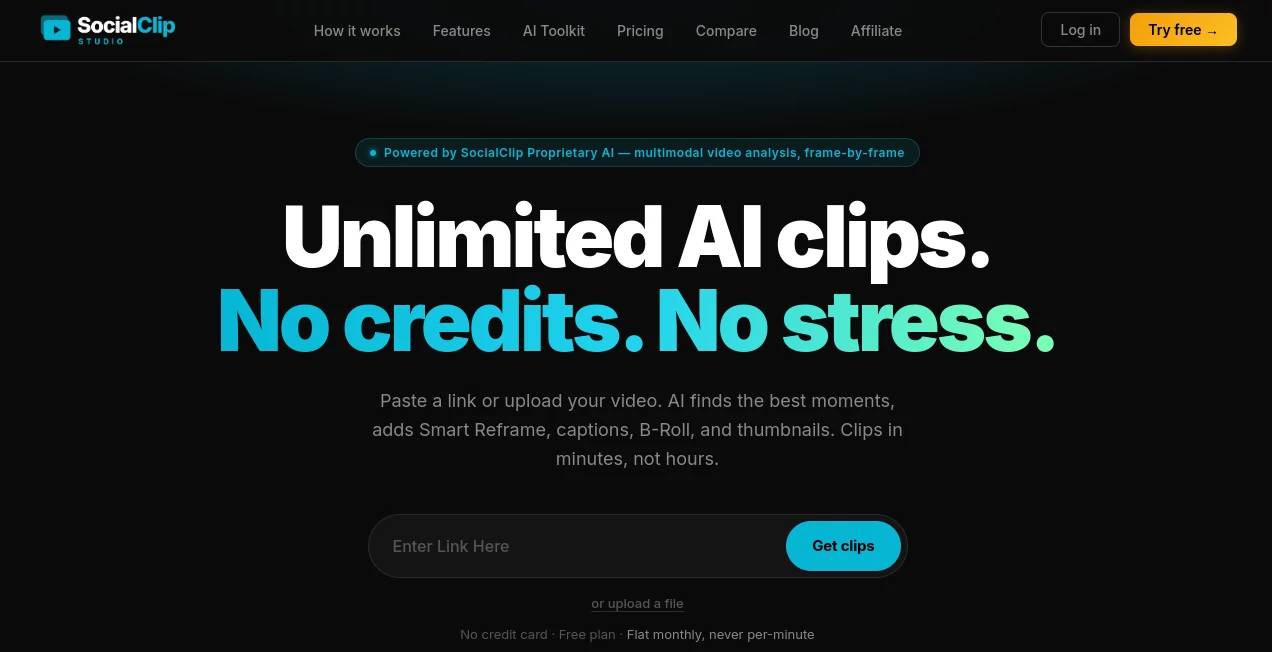
The dashboard is clean and focused — paste a link or upload a file, and everything flows from there. You see suggested clips with inline previews, virality scores, and one-click editing options. Caption styles are easy to switch, Smart Reframe shows exactly how it will look on mobile, and the whole experience stays fast without overwhelming you. It’s one of those rare tools where you can go from raw video to multiple finished clips without ever feeling lost or frustrated.
Accuracy & Performance
The AI doesn’t just listen for loud moments — it watches the video, understands context, and finds quotable, visually strong segments with impressive accuracy. Face tracking in Smart Reframe keeps speakers centered without jitter. Captions sync word-by-word with high precision across 99 languages. In real use, it consistently surfaces clips that creators actually want to post, saving massive amounts of manual scrubbing time.
Capabilities
It handles YouTube long-form, Twitch/Kick VODs, podcasts, and uploaded files. Features include AI clip detection, 18 animated caption styles, Smart Reframe with face tracking, AI B-Roll overlays, styled thumbnails, silence and filler word removal, CTA overlays, auto emojis, and direct publishing to TikTok, YouTube Shorts, Instagram Reels, and more. You can also schedule posts and get detailed analytics. The unlimited clipping on paid plans removes the stress of watching credit counters.
Security & Privacy
Your videos and data are handled securely with strong encryption. The platform focuses on delivering value without unnecessary data retention. For creators who regularly upload sensitive or unreleased content, the clean approach provides peace of mind.
Use Cases
A podcaster uploads a one-hour episode and walks away with ten ready-to-post clips complete with captions and thumbnails. A Twitch streamer turns long VODs into daily TikTok content without spending all night editing. A YouTuber repurposes long tutorials into short explainer hooks that drive traffic back to the full video. Marketing teams clip customer interviews into testimonial shorts for social campaigns. It shines anywhere long content needs to become short, engaging, and platform-optimized — fast.
Pros and Cons
Pros:
- Truly unlimited clipping on paid plans — no more watching the credit meter.
- Smart AI that understands content, not just audio peaks.
- Excellent face tracking and caption quality that feels professional.
- Fast workflow from raw video to published shorts.
- Helpful extras like B-Roll, CTA overlays, and scheduling.
Cons:
- Free plan has a monthly limit (though still useful for testing).
- Very long or highly complex videos may need some manual selection for best results.
Pricing Plans
The free plan gives you a solid taste with a few videos per month. Paid plans start at a reasonable monthly fee for 10 videos and go up to full unlimited on the Pro tier. No per-minute charges or complicated credit systems — just flat pricing that scales with your needs. Many creators say the time saved more than justifies the cost, especially when comparing to hiring editors or using tools with restrictive limits.
How to Use SocialClip Studio
Head to the site, paste a YouTube/Twitch/Kick link or upload your video file. The AI analyzes it and presents a list of suggested clips with scores and previews. Pick the ones you like, customize captions, add B-Roll or CTA overlays if desired, then download or publish directly to your platforms. You can also schedule posts for later. The entire process is designed to feel quick and intuitive, even on busy days.
Comparison with Similar Tools
Many clipping tools rely on simple audio peaks and basic reframing, resulting in generic or inconsistent output. This one stands out by actually watching and understanding the video content, delivering higher-quality clips with better captions and engagement features. The unlimited model and strong AI logic make it a more creator-friendly choice than tools that nickel-and-dime you with credits or deliver lower consistency.
Conclusion
Turning long content into short-form gold doesn’t have to be painful or expensive. This platform makes the process fast, smart, and actually enjoyable while delivering results that perform well across platforms. For creators who want to repurpose content without burning out on editing, it’s one of the most practical tools available right now. If you’re sitting on hours of great footage that deserves more eyes, this might be exactly what you’ve been looking for.
Frequently Asked Questions (FAQ)
How long does it take to process a video?
Usually just a few minutes, even for longer content.
Do I need to install anything?
No — everything works directly in your browser.
Is there a limit on video length?
It handles typical long-form content well, including hour-plus videos.
Can I publish directly to social platforms?
Yes — direct publishing and scheduling to TikTok, YouTube Shorts, Instagram Reels, and more.
What makes the AI different?
It analyzes actual video frames and content, not just audio, for smarter clip selection.
AI Animated Video , AI Video Generator , AI Video Editor , AI Short Clips Generator .
These classifications represent its core capabilities and areas of application. For related tools, explore the linked categories above.
SocialClip Studio details
Website unavailable — View Alternatives
Pricing
- Free
Apps
- Web App
Categories

SocialClip Studio Alternatives Product

Visfeng AI F…

Omnigen Stud…

happyhorse

Sora-2.co

Spark Robin

v04 ai

Gemini Omni …

Seedance 2.0

kling 5.0