


















SOPMaker
What is SOPMaker?
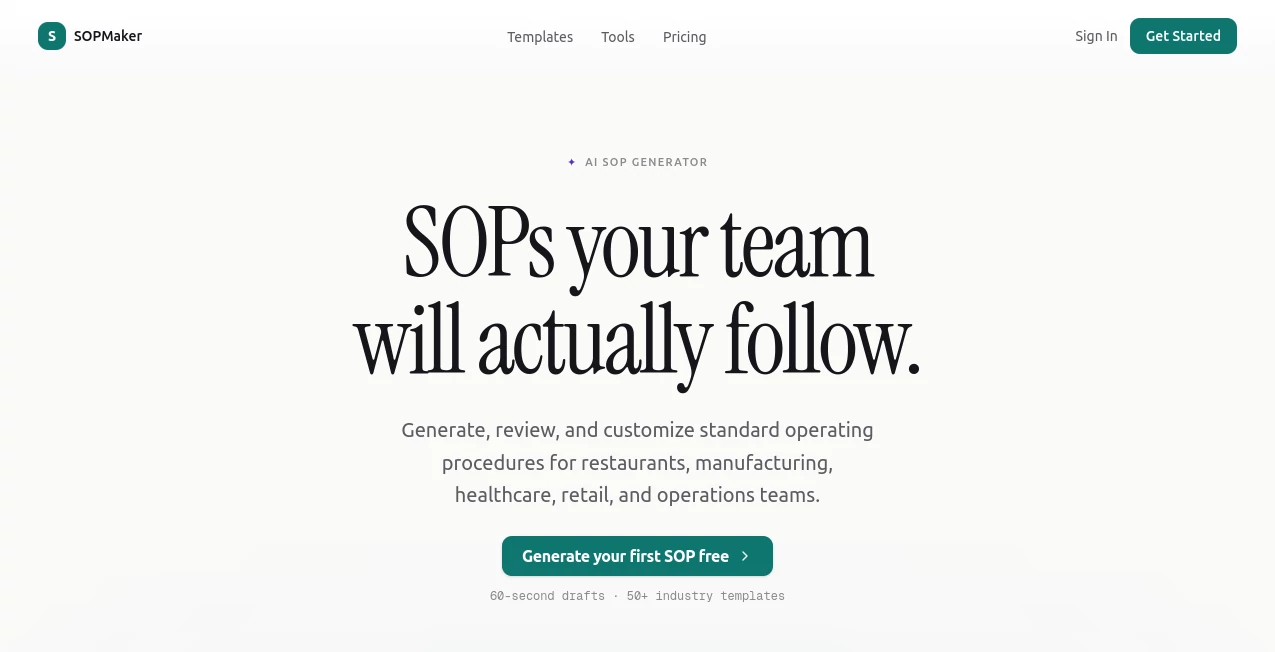
SOPMaker is an AI-powered platform built for businesses that need to turn everyday processes into clear, practical Standard Operating Procedures. Instead of spending hours starting from a blank document, users can describe a workflow in plain English and receive a structured SOP with roles, steps, safety notes, and relevant compliance references in under 60 seconds.
The platform is designed with real operational environments in mind, including restaurants, manufacturing, healthcare, retail, cleaning services, HVAC, and other business operations. It also provides more than 50 industry templates, making it easier to start with a process that already resembles the way a particular team works.
What makes the approach especially useful is that the generated document is not treated as a finished piece of text that should simply be accepted. Users can review suggestions, make changes, and approve revisions before distributing the final procedure. For teams that regularly update their processes, this creates a much more practical workflow than repeatedly rebuilding documents from scratch.
Key Features
- 60-second SOP generation: Describe a process in plain language and receive a structured first draft quickly.
- Industry-aware procedures: Outputs can incorporate terminology, standards, and considerations relevant to industries such as healthcare, manufacturing, restaurants, and retail.
- 50+ industry templates: Templates provide a useful starting point for common operational procedures.
- Compliance references: Generated procedures can include references associated with standards and regulations such as ISO, OSHA, HACCP, and FDA guidance.
- Track Changes review: AI edits are presented as tracked revisions so teams can review and approve changes rather than losing visibility into what was modified.
- Step-by-step structure: SOPs are organized around actionable instructions, roles, responsibilities, and checkpoints.
- DOCX export: Finished procedures can be exported as Word-compatible DOCX documents for use in document management systems and internal manuals.
- English and Spanish support: The platform supports generating or translating procedures for teams working across these languages.
User Interface
The interface follows a straightforward workflow. Users select their industry, describe the process they want to document, and then review the generated procedure. The editor provides an AI assistant for asking it to add, edit, or explain parts of an SOP, while individual steps can be adjusted before the document is deployed.
This approach feels particularly practical for operations managers. Someone documenting a restaurant closing procedure, for example, can start with a simple description rather than manually designing sections, numbering steps, and assigning responsibilities. The resulting draft can then be adjusted to match the restaurant's actual workflow.
Accuracy & Performance
The platform states that its first SOP drafts can be produced in less than 60 seconds and reports that its approach can make procedure documentation around 90% faster than manual work. More importantly, the system is designed to add industry-specific context rather than simply producing generic instructions.
Compliance references and structured safety notes can make a draft more useful, but generated procedures should still be reviewed by someone familiar with the organization's actual requirements. A procedure involving machinery, food safety, healthcare, or regulated operations should never be deployed solely because an AI-generated draft looks complete.
Capabilities
The platform goes beyond basic SOP writing. Its tools include business process mapping, checklist generation, workflow documentation, SOP translation, version control, and industry-specific generators. There are also templates covering areas such as food safety, accounting and financial management, construction, cleaning, and ISO documentation.
Another useful capability is the revision workflow. When a company changes one part of a procedure, the team can review the AI's suggested modification and decide whether to accept or reject it. That small detail can matter considerably when multiple employees depend on the same document.
Security & Privacy
For business documentation, privacy deserves attention because SOPs may contain internal processes, operational details, or company-specific information. The platform provides privacy and terms documentation for users to review before submitting sensitive business information.
Organizations should still follow their own data-handling policies and avoid entering confidential, regulated, or personally identifiable information unless they have confirmed that the service's current policies and terms are appropriate for that use.
Use Cases
Restaurants: Managers can create opening and closing procedures, food preparation instructions, hygiene protocols, inventory routines, and food safety checklists. This can be particularly helpful when onboarding new employees who need clear instructions during busy shifts.
Manufacturing: Production teams can document machine maintenance, startup and shutdown procedures, quality checks, and workplace safety routines. Structured responsibilities and checkpoints can make procedures easier to follow on the production floor.
Healthcare: Administrative and clinical teams can use industry-specific templates to document patient intake, sterilization workflows, and other operational procedures. Generated documents should always be reviewed by qualified personnel before being used in clinical environments.
Retail: Store managers can standardize inventory processing, cash handling, customer returns, opening routines, and closing procedures. This is especially useful for businesses that frequently train seasonal or new employees.
Operations teams: Growing companies can document recurring workflows so important knowledge does not remain in the heads of a few experienced employees. A well-maintained SOP library can make training and process handoffs considerably easier.
Pros and Cons
Pros:
- Very fast first drafts, often within 60 seconds.
- Designed specifically around Standard Operating Procedures.
- Industry-specific templates and terminology.
- Useful compliance references for supported workflows.
- Track Changes makes AI revisions easier to review.
- Professional DOCX export.
- Free plan available without requiring a credit card to get started.
- Useful for both individual procedures and broader operational documentation.
Cons:
- AI-generated procedures still require human review before operational use.
- The free plan is limited to one SOP document and 20 AI credits.
- Highly specialized procedures may require substantial customization.
- Businesses with strict regulatory requirements should independently verify compliance references and procedures.
Pricing Plans
The platform currently offers a free plan for users who want to test the workflow before paying. The Free plan includes 20 AI credits, one SOP document, DOCX export, and Track Changes review, with no credit card required to start.
The Pro plan costs $19 per month and is aimed at teams that need ongoing SOP creation. It includes unlimited AI credits, unlimited SOPs, all industry templates, DOCX export, Track Changes review, and priority support.
How to Use
Getting started is straightforward. First, choose the industry that most closely matches the process you want to document. This gives the system useful context for terminology and operational requirements.
Next, describe the workflow in plain language. You do not need to prepare a perfectly formatted document beforehand. A simple explanation of what employees need to do, who is responsible, and any important safety or quality considerations is enough to create a starting point.
After the draft is generated, review each section carefully. Add company-specific information, change steps where necessary, and use the editing assistant when you need to expand or clarify a procedure. Once the document reflects the real workflow, approve the changes and export it as a DOCX file for distribution.
Comparison with Similar Tools
Many general-purpose AI assistants can write instructions, while platforms such as Trainual, Scribe, and Process Street focus on different parts of documentation, training, or workflow management. The main distinction here is the specialized focus on generating structured SOPs with industry context, compliance references, tracked AI revisions, and Word-compatible export.
This makes it particularly appealing for someone who does not simply want an AI-generated explanation, but needs a document that can become part of an organization's operational documentation. Teams that require broader employee training, workflow execution, or knowledge-management features may still find dedicated platforms better suited to those specific needs.
Conclusion
Creating useful SOPs is rarely difficult because the information does not exist. The harder part is turning scattered knowledge into a document that another person can actually follow. This platform addresses that problem by combining rapid AI drafting with industry-specific context, templates, revision tracking, and practical document export.
For a restaurant manager documenting daily procedures, a manufacturing supervisor standardizing production tasks, or an operations lead building documentation for a growing company, the biggest advantage is the time saved between knowing how something is done and having that process written down clearly.
The free plan also makes it easy to test the workflow before committing to a subscription. For teams that create and maintain SOPs regularly, the combination of speed and controlled review makes it a compelling option for building a more consistent operational documentation process.
Frequently Asked Questions (FAQ)
What is an AI SOP generator?
An AI SOP generator turns a plain-language description of a business process into a structured Standard Operating Procedure. It can organize the workflow into actionable steps, responsibilities, safety notes, and other useful sections.
Can I create SOPs without starting from a template?
Yes. Users can describe their process in plain language and generate a new SOP. Templates are also available when starting from an established industry workflow is more convenient.
How quickly can an SOP be generated?
The platform states that it can produce a first SOP draft in under 60 seconds, depending on the workflow and information provided.
Can I edit an AI-generated SOP?
Yes. Generated procedures can be reviewed and customized, and AI suggestions can be accepted or rejected through the tracked revision workflow.
Can I export an SOP to Word?
Yes. DOCX export is available, including on the free plan.
Is there a free plan?
Yes. The free plan includes 20 AI credits, one SOP document, DOCX export, and Track Changes review, with no credit card required to begin.
How much does the Pro plan cost?
The Pro plan is currently priced at $19 per month and includes unlimited AI credits, unlimited SOPs, all industry templates, DOCX export, Track Changes review, and priority support.
Which industries can use the platform?
It supports workflows across areas including restaurants, manufacturing, healthcare, retail, cleaning services, HVAC, construction, and general business operations.
Should AI-generated SOPs be reviewed by a person?
Yes. Human review is especially important for procedures involving safety, healthcare, food handling, machinery, legal requirements, or regulated operations. AI-generated content should be checked against the organization's actual policies and applicable requirements before deployment.
AI Workflow Management , AI SOP , AI Productivity Tools .
These classifications represent its core capabilities and areas of application. For related tools, explore the linked categories above.

SOPMaker Alternatives Product

Monkey Eatin…

Graph Maker

AiZolo

Miro

TrySchedule

Grow Creator

Chatref
Yorph AI

Wisegrid
