
SpriteCook
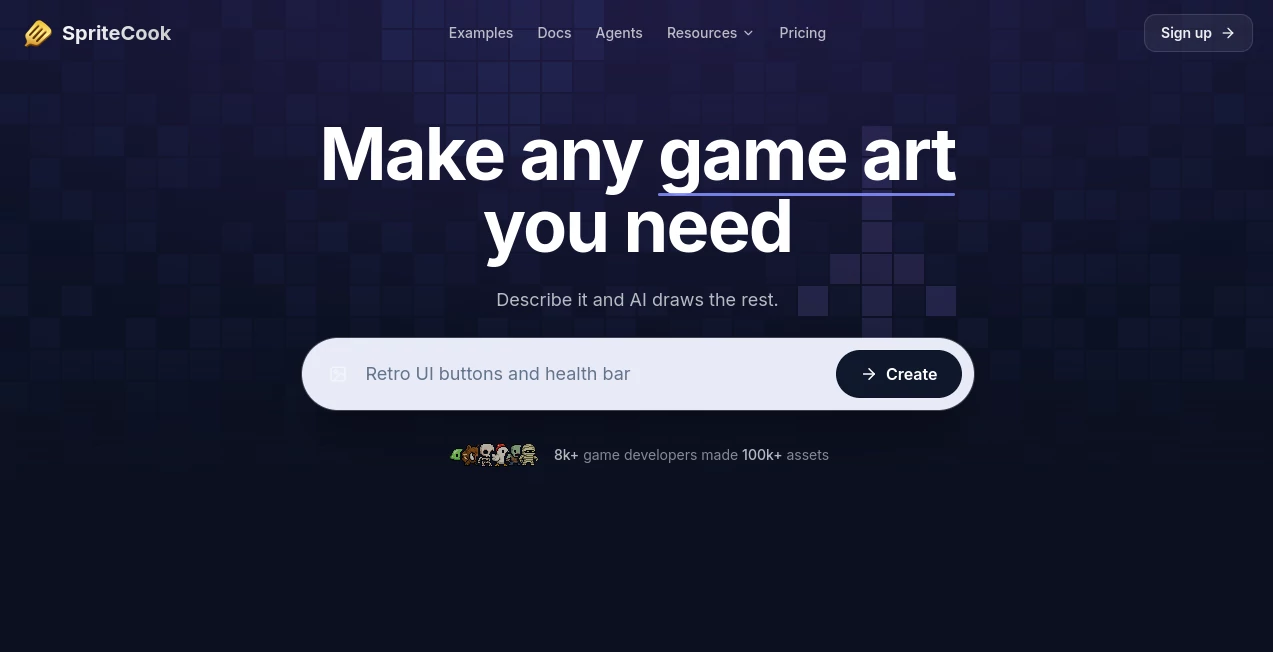
What is SpriteCook?
In the world of digital creation, especially game development and animation, having fast and reliable tools for generating visual assets can completely change the workflow. This platform is designed to simplify the creation of sprite-based assets, helping developers, designers, and indie creators turn rough ideas into structured, usable visuals without spending hours on manual design work.
Instead of relying on complex software or repetitive manual drawing, users can quickly generate consistent sprite sheets and visual elements that are ready for integration into games or interactive projects. It bridges the gap between creativity and production efficiency in a way that feels natural even for beginners.
Key Features
User Interface
The interface is clean and intuitive, focusing on speed rather than complexity. Users can easily navigate through generation options, adjust parameters, and preview outputs without needing advanced design knowledge.
Accuracy & Performance
The system is optimized to produce consistent and structured outputs, ensuring that generated sprites align well across frames and maintain visual coherence. This makes it especially useful for animation cycles and character design workflows.
Capabilities
- Generation of sprite-based visual assets
- Support for character and object variations
- Batch-style creation for consistent sets
- Quick iteration for design testing
- Export-ready outputs for game engines
Security & Privacy
User-generated content is handled in a way that prioritizes privacy and safe usage. Projects remain isolated, ensuring creators can work on their assets without concerns about data exposure or unauthorized access.
Use Cases
- Indie game development and prototyping
- 2D animation and character design
- Mobile and web game asset creation
- Educational game design projects
- Rapid concept visualization for studios
Pros and Cons
Pros
- Fast asset generation workflow
- Easy for beginners and professionals
- Great for prototyping ideas quickly
- Reduces dependency on manual drawing
Cons
- May not fully replace advanced hand-crafted art
- Customization depth can feel limited for complex projects
- Best results depend on clear input descriptions
Pricing Plans
The platform typically follows a flexible pricing structure that may include free access for basic usage and premium plans for advanced features, higher generation limits, and commercial usage rights. This makes it accessible for hobbyists while still supporting professional workflows.
How to Use SpriteCook AI
Getting started is straightforward. Users begin by defining the type of sprite or asset they want to create. After setting preferences such as style, character type, or animation direction, the system generates outputs that can be reviewed and refined. Iteration is encouraged, allowing creators to adjust results until they match their vision.
Comparison with Similar Tools
Compared to traditional design software, this solution significantly reduces production time and removes technical barriers. While other tools may offer broader design capabilities, this platform focuses specifically on structured sprite generation, making it more specialized and efficient for game asset creation.
Conclusion
This tool stands out as a practical solution for anyone working in game design or animation who needs fast, consistent visual assets. It doesn’t aim to replace artistic creativity but rather to accelerate it, giving creators more time to focus on storytelling and gameplay instead of repetitive asset production.
Frequently Asked Questions (FAQ)
Is it suitable for beginners?
Yes, the interface is designed to be simple enough for users without design experience.
Can it be used for commercial projects?
In most cases, generated assets can be used commercially depending on the plan selected.
Does it support animation frames?
Yes, it is well-suited for generating consistent sprite frames for animations.
Do I need design skills to use it?
No, the tool is built to minimize the need for technical or artistic expertise.
What makes it different from standard design tools?
It focuses specifically on structured sprite generation rather than general graphic design.
AI Photo & Image Generator , AI Design Generator , AI Image to Image , AI Game .
These classifications represent its core capabilities and areas of application. For related tools, explore the linked categories above.

SpriteCook Alternatives Product

Nano Banana …

Lovable

Beard Remover

Nano Banana …

6 Letter Wor…

Seedream 5.0

Image to Thr…
Pixel Flow L…

Playyy AI