
STIVIO
What is STIVIO?
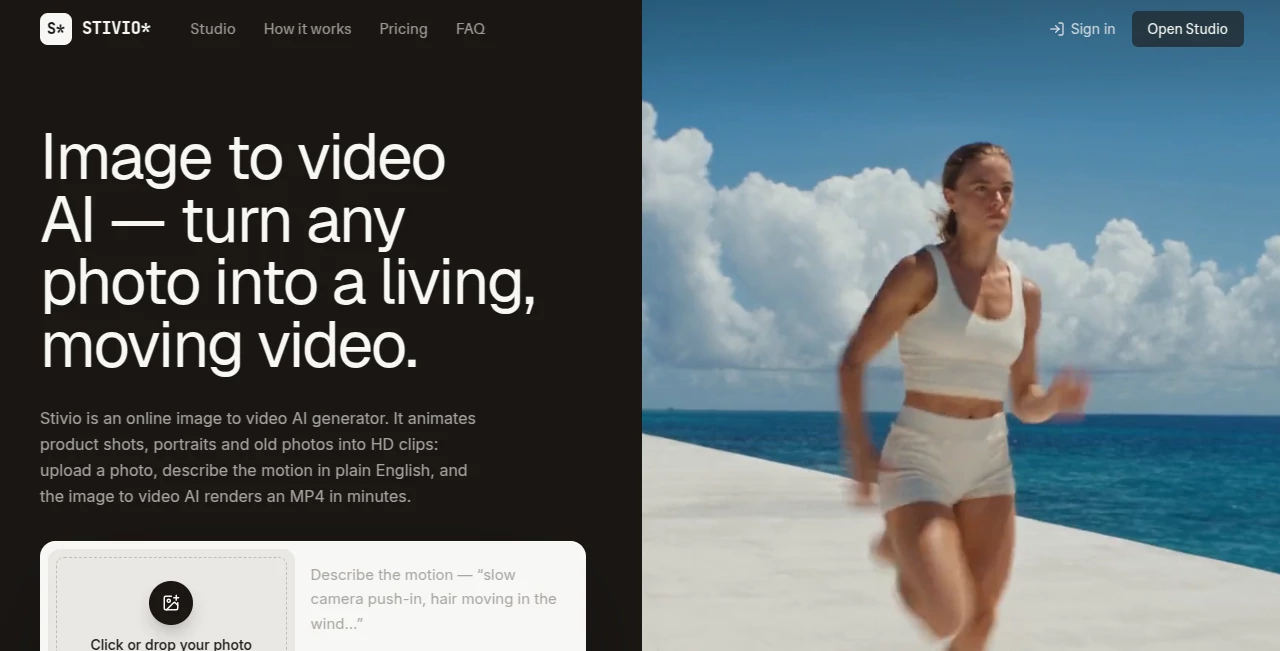
Turning a still image into something that feels alive usually takes video editing software, animation skills, and plenty of time. This image-to-video platform takes a much simpler route: upload a photo, describe the movement you want in plain English, and let AI create an HD video clip from it.
The idea is particularly useful for product sellers, creators, marketers, photographers, and anyone with a collection of photos that could benefit from a little motion. A product image can become a short promotional clip, a portrait can gain subtle movement, and an old family photograph can be transformed into something far more engaging.
The workflow is deliberately straightforward. There are no keyframes to learn and no complicated editing timeline to navigate. The first video is free after signing in, making it easy to see whether the results fit your project before paying.
Key Features
- Image-to-video generation from PNG, JPEG, and WebP images up to 10 MB.
- Motion prompts written in ordinary language rather than complicated animation controls.
- Video lengths from 3 to 30 seconds.
- HD MP4 exports suitable for social media, product pages, advertisements, and editing workflows.
- Six AI video models, including Kling, Seedance, Wan, and other generation options.
- Automatic credit refunds when a generation fails.
- Stable share links that remain available for one year.
- No watermark on paid-plan exports.
User Interface
The interface focuses on the task rather than surrounding it with unnecessary controls. You upload an image, enter a motion description, select the desired generation settings, and start the render. The generated clip can then be previewed in the browser before downloading.
This approach makes the platform approachable even for someone who has never worked with professional video software. For a busy store owner who simply wants to animate a catalog image, that simplicity can be more valuable than having dozens of advanced editing panels.
Accuracy & Performance
Generation typically takes around one to five minutes, depending on the video length and queue conditions. The platform supports several current video models, giving users more flexibility when a particular visual style or generation approach is preferred.
Results naturally depend on the source image and the motion prompt. Clear, well-lit images with a distinct subject tend to be better starting points. A specific instruction such as a slow camera push-in or hair moving in the wind gives the generation system useful direction without requiring technical animation terminology.
Capabilities
The core capability is photo-to-video generation, but its practical applications are surprisingly broad. Product photography can become advertising material, portraits can be animated for social content, and illustrations can be given movement without rebuilding them in an animation application.
Users can generate clips between three and thirty seconds, while the credit cost is calculated according to the duration and selected model. The exact cost is displayed before generation, which makes the system easier to budget around.
Paid plans also provide personal and commercial usage rights, allowing generated videos to be used in advertisements, product listings, client projects, and other commercial content.
Security & Privacy
Privacy is treated as an important part of the service. Uploaded images, prompts, and generated videos are private by default and are not used to train AI models or sold for advertising purposes. The uploaded material is sent only to the AI providers responsible for rendering the requested video.
For businesses working with product photography or client material, this is an important consideration. Users should still review the current privacy and terms documentation for projects involving particularly sensitive or confidential content.
Use Cases
E-commerce: Static catalog photography can be turned into short product clips for product pages, advertisements, and social campaigns. This can add movement without requiring another photoshoot.
Social media: Creators can turn a folder of still images into short-form video material for platforms such as TikTok and Instagram. A few seconds of movement can make an otherwise static post much more suitable for a video-first feed.
Marketing agencies: Agencies producing frequent campaigns can use image-to-video generation as a fast way to create variations and supporting visual assets.
Photography: Portraits, landscapes, travel images, and other photographs can be given subtle camera or subject movement.
Personal memories: Old photographs and family pictures can be transformed into short animated clips, offering a creative way to revisit static memories.
Illustrators and designers: Artwork and drawings can become short animated pieces without requiring a full traditional animation workflow.
Pros and Cons
Pros
- Very simple image-to-video workflow.
- Supports common image formats up to 10 MB.
- Generates HD MP4 videos.
- Supports clips from 3 to 30 seconds.
- Offers multiple AI video models.
- First video is free after sign-in.
- Failed generations are automatically refunded.
- Paid plans remove the watermark.
- Commercial usage is available on paid plans.
- Uploads are not used for AI training.
Cons
- The free output includes a watermark.
- Generation can take several minutes depending on queue conditions.
- Video generation consumes credits based on duration and model.
- Results depend heavily on the quality and composition of the source image.
- It is focused on image-to-video generation rather than being a complete traditional video editor.
Pricing Plans
The service uses a credit-based pricing system. A free option provides 10 credits after signup, enough for one free five-second video, with the free export carrying a small watermark.
The Pro plan costs $19 per month and includes 200 credits, supporting up to 20 five-second videos per month. It also provides access to six video models, 3–30 second clips, HD MP4 exports without a watermark, year-long share links, and personal and commercial usage.
The Team plan costs $59 per month and provides 800 credits, equivalent to up to 80 five-second videos per month. It is aimed more at stores and agencies producing video content regularly and includes email support.
One-time credit top-ups are also available, and those credits do not expire. Annual plans provide the year's credits upfront into a balance that does not expire, while monthly plan credits reset with each billing cycle.
How to Use Stivio
- Sign in and upload a PNG, JPEG, or WebP image up to 10 MB.
- Describe the movement you want using a short, natural-language prompt.
- Choose the desired video model and duration.
- Review the displayed credit cost before generating.
- Start the generation and wait for the video to render.
- Preview the finished clip in the browser.
- Download the HD MP4 or share the generated video using its available link.
A useful starting prompt should describe the subject's movement, camera behavior, and overall mood. Instead of writing something vague like “make it move,” a more practical instruction might specify a slow camera movement, natural subject motion, and the atmosphere you want. Clear direction generally gives the generation system more to work with.
Comparison with Similar Tools
Many AI video platforms concentrate on generating complete scenes from text prompts. This platform takes a more focused approach by starting with an image the user already owns. That makes it particularly convenient when the visual foundation is already finished and the goal is simply to introduce motion.
Another useful distinction is model choice. Rather than locking users into a single generation model, the service brings several video models into one workflow. Users can switch between available models and see the applicable credit cost before starting a render.
For someone looking for a full video editor with timelines, transitions, audio mixing, and extensive manual controls, a conventional editing application may still be the better choice. For quickly turning existing images into short AI-generated clips, however, the focused workflow is a strong advantage.
Conclusion
This image-to-video generator succeeds because it does not try to make the process feel more complicated than it needs to be. The basic idea is refreshingly practical: start with an image, describe the movement, and receive a ready-to-use video.
Its combination of multiple AI video models, HD MP4 output, flexible clip lengths, commercial usage on paid plans, and a free first generation makes it especially appealing to creators, online sellers, marketers, and small teams. It will not replace a professional video editor, nor is it meant to. Its strength lies in taking static visual material and turning it into useful motion content with very little friction.
Frequently Asked Questions (FAQ)
What does the platform do?
It converts a single image into an AI-generated video using a short motion description. The resulting clip can be exported as an HD MP4.
What image formats are supported?
PNG, JPEG, and WebP images up to 10 MB are supported. The generated video's aspect ratio follows the uploaded image.
How long can generated videos be?
Videos can be generated from 3 to 30 seconds long. Credit usage is calculated according to the selected duration and model.
Is there a free option?
Yes. New users receive 10 credits after signing in, enough for one free five-second video. Free exports include a small watermark.
How much does the Pro plan cost?
The Pro plan costs $19 per month and includes 200 credits, with support for up to 20 five-second videos per month.
Is there a plan for teams?
Yes. The Team plan costs $59 per month and includes 800 credits, making it better suited to stores and agencies producing videos at higher volume.
Can the generated videos be used commercially?
Yes. Paid plans include personal and commercial usage rights, including use in advertisements, product listings, client work, and personal content.
Are uploaded images used to train AI models?
No. Uploaded photos, prompts, and generated videos are private by default and are not used to train AI models or sold for advertising.
What happens if a video generation fails?
Failed generations are automatically refunded in credits, so users do not permanently lose credits when a render fails.
How long does video generation take?
A typical generation takes around one to five minutes, although the exact time can vary according to queue load and clip length.
Marketing , AI Image to Video , AI Video Generator .
These classifications represent its core capabilities and areas of application. For related tools, explore the linked categories above.

STIVIO Alternatives Product

Kling O1

Seedance 2

Pinci.ai

FastMoro AI

renderpop

Wurt.app

Seedance 2.0…

Getforge.stu…

Seedance 2.0…