


















Sugarbug
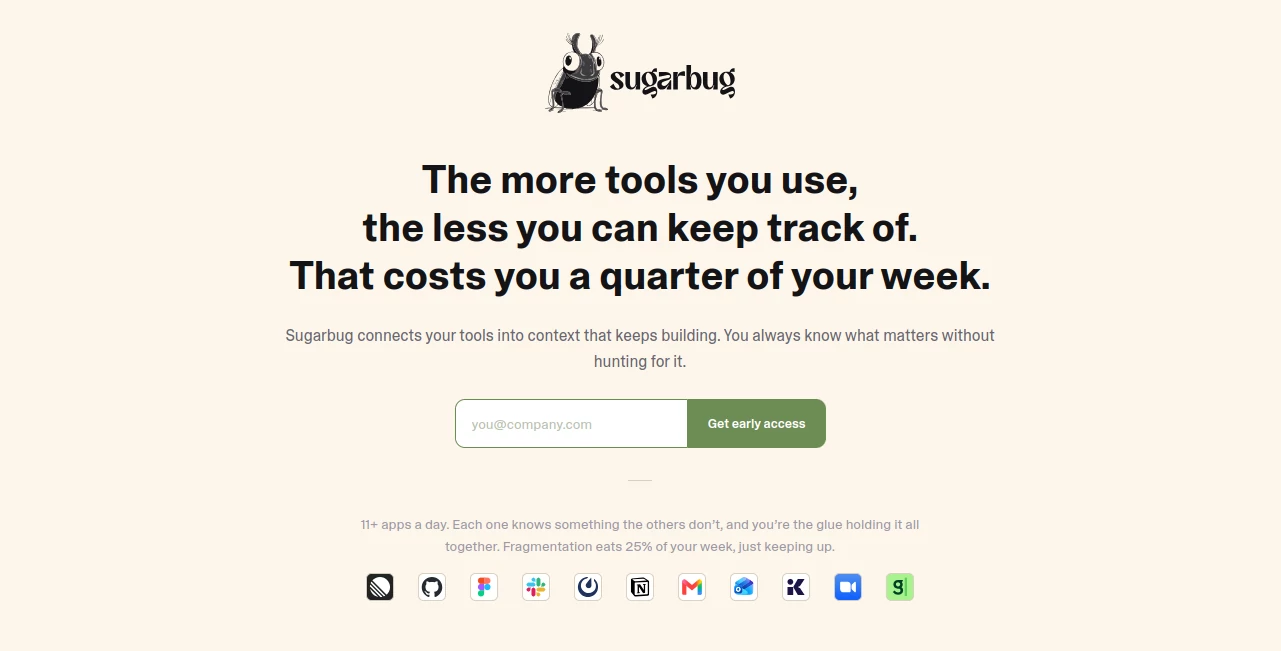
What is Sugarbug?
Modern teams rely on dozens of applications every day, but valuable information often ends up scattered across chat messages, project boards, code repositories, design files, calendars, and documentation. Finding the right context before a meeting or understanding the history behind a task can quickly become a frustrating and time-consuming process.
This platform solves that challenge by connecting the tools your team already uses and transforming them into a living knowledge graph. Instead of manually searching through multiple applications, it continuously gathers relationships between projects, people, discussions, documents, and decisions, making important context instantly available whenever it is needed.
Whether you're preparing for an important client meeting, reviewing a development sprint, or collaborating across multiple departments, every interaction contributes to a smarter workspace. The result is less time spent searching for information and more time focused on meaningful work.
Key Features
User Interface
The interface is clean, intuitive, and designed around productivity rather than complexity. Information is presented as connected knowledge instead of isolated files, allowing users to quickly understand relationships between tasks, conversations, projects, and teammates. Navigation feels natural, even when managing large volumes of data.
Accuracy & Performance
By continuously synchronizing information from connected platforms, the system keeps context current without requiring manual updates. Meeting briefs, task summaries, and project insights are generated from live information, helping teams work with accurate and relevant data instead of outdated notes.
Capabilities
- Builds a living knowledge graph across connected applications.
- Automatically prepares meeting briefs before scheduled discussions.
- Creates intelligent project summaries and status updates.
- Tracks relationships between people, conversations, and work items.
- Provides cross-platform search with contextual understanding.
- Connects development, design, communication, and documentation tools.
- Helps reduce context switching throughout the workday.
- Supports modern collaborative workflows for technical and business teams.
Security & Privacy
Business information remains within connected workplace systems while intelligent context is generated from authorized integrations. Teams maintain control over their existing workflow and permissions without needing to migrate data into a completely new environment.
Use Cases
- Prepare for meetings with automatically generated context.
- Track project history across engineering and product teams.
- Understand decisions made in previous discussions.
- Improve collaboration between developers, designers, and managers.
- Reduce time spent searching through Slack messages, documents, and repositories.
- Onboard new employees by providing complete project context.
- Create faster status reports using connected workplace information.
- Maintain organizational knowledge without manual documentation.
Pros and Cons
- Pros
- Connects multiple workplace applications into one intelligent workspace.
- Excellent for reducing information overload.
- Automated meeting preparation saves valuable time.
- Knowledge graph becomes more valuable as more work is completed.
- Supports collaboration across technical and non-technical teams.
- Cons
- Delivers the greatest value after connecting several workplace tools.
- May require initial setup to integrate existing workflows.
- Advanced collaboration features are most beneficial for active teams.
Pricing Plans
A free version and trial are available, with paid plans starting at approximately $16 per user per month. Pricing may change over time, so checking the official pricing page is recommended for the latest information.
How to Use Sugarbug
Start by connecting your existing productivity tools such as project management platforms, communication apps, calendars, documentation systems, design software, and code repositories. Once connected, the platform automatically builds relationships between your projects, teammates, and ongoing work.
After synchronization, explore automatically generated meeting briefs, project summaries, people profiles, and contextual search results. As your team continues working, the knowledge graph continuously expands, making future searches and collaboration even more efficient.
Comparison with Similar Tools
Unlike traditional note-taking or project management platforms that store information separately, this solution focuses on connecting existing applications into a unified intelligence layer. Rather than replacing current workflows, it enhances them by understanding relationships across multiple systems.
Compared with standard AI productivity assistants, its knowledge graph approach provides richer context, stronger collaboration support, and more comprehensive meeting preparation by combining information from numerous workplace tools instead of relying on a single source.
Conclusion
Information overload has become one of the biggest productivity challenges for modern organizations. Bringing together project management, communication, documentation, development, and design tools into a single contextual workspace creates a far more efficient way to work.
For teams that frequently switch between multiple applications, this platform delivers a practical solution that transforms scattered information into organized knowledge. Automatic meeting preparation, intelligent summaries, connected project history, and contextual search help professionals stay informed without spending valuable time hunting for information.
Frequently Asked Questions (FAQ)
What does this platform do?
It connects workplace applications into a living knowledge graph that automatically provides meeting context, project summaries, and organizational insights.
Who can benefit from using it?
Engineering teams, product managers, designers, startups, and businesses that rely on multiple collaboration tools can benefit the most.
Does it replace existing productivity software?
No. It enhances existing workflows by integrating with the tools teams already use.
Can it improve meeting preparation?
Yes. Automatic meeting briefs collect relevant information from connected systems, helping users prepare much faster.
Is it suitable for collaborative teams?
Yes. It is designed to improve collaboration by making project knowledge, conversations, and relationships easier to discover.
AI Workflow Management , AI Project Management , AI Productivity Tools , AI Team Collaboration .
These classifications represent its core capabilities and areas of application. For related tools, explore the linked categories above.

Sugarbug Alternatives Product

Eleven AI

Arobis AI Vi…

Zloth

LorePanic

Monkey Eatin…

Claude and C…
LaunchBoard

BillEasy Inc

Slackactivity
