
TellDone
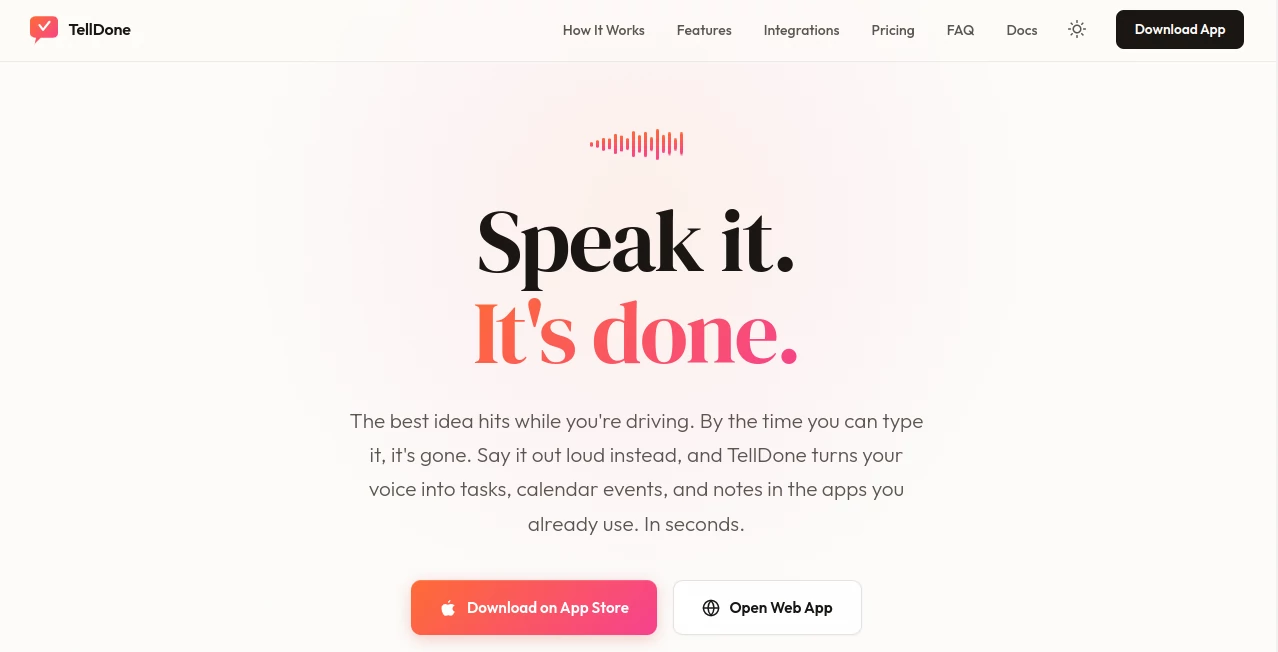
What is TellDone?
TellDone is a modern AI-powered productivity platform designed for people who think faster than they can type. Instead of forcing users to manually organize ideas, it transforms spoken thoughts into structured tasks, calendar events, reminders, and organized notes within seconds. Whether inspiration strikes during a commute, a meeting, or a walk, every idea can be captured instantly without interrupting the moment.
Built around a voice-first workflow, the platform removes the friction of traditional task management. Users simply speak naturally while artificial intelligence understands context, extracts important actions, identifies dates, and categorizes information automatically. The result is a cleaner workflow that saves time while keeping personal and professional planning organized.
Another impressive aspect is its seamless integration with popular productivity services such as Apple Calendar, Apple Reminders, Todoist, Notion, Google Tasks, and several other applications. Instead of replacing existing workflows, it enhances them by becoming the fastest way to capture information before it disappears.
Key Features
User Interface
The interface is intentionally simple and distraction-free. Recording a voice note takes only a single tap, while the generated summary, extracted tasks, reminders, and events appear in an organized layout that is easy to review or edit. Navigation is intuitive across both mobile devices and the web application, making it suitable for users who value speed over complexity.
Accuracy & Performance
Advanced speech recognition supports more than sixty languages, including conversations where multiple languages are mixed naturally. Voice recordings are quickly converted into structured information with impressive accuracy. AI can recognize deadlines, appointments, priorities, and action items without requiring users to follow rigid commands or templates.
Capabilities
The platform goes well beyond simple transcription. It automatically creates tasks, schedules calendar events, generates concise summaries, classifies notes into meaningful categories, assigns smart tags, performs semantic search, and even detects completed tasks mentioned during follow-up recordings. Daily and long-term productivity reports provide valuable insights that help users understand work patterns and improve planning habits.
Security & Privacy
User privacy remains a major priority. Voice recordings are securely stored and encrypted during transmission. On supported devices, speech recognition can run locally, reducing reliance on external processing services. The service is GDPR compliant, allows data export, and clearly states that customer information is not sold or used to train AI models without permission.
Use Cases
This solution is valuable for entrepreneurs managing multiple projects, students organizing study schedules, professionals capturing meeting notes, remote teams coordinating daily work, freelancers tracking client tasks, and individuals who frequently generate ideas while away from a keyboard. It is also particularly helpful for people who find voice capture more natural than typing, allowing ideas to be recorded before they are forgotten.
Pros and Cons
Pros:
Fast voice-to-task conversion with AI understanding, supports over sixty languages, integrates with leading productivity platforms, intelligent note organization, offline recording support, productivity analytics, semantic search, recurring tasks, and privacy-focused architecture.
Cons:
Currently optimized primarily for Apple devices, Android availability is still under development, and some advanced AI features require a paid subscription.
Pricing Plans
A generous free plan includes AI transcription, note organization, calendar integration, semantic search, and limited monthly usage. Paid plans expand transcription limits, storage capacity, AI reporting, integrations, webhooks, cloud synchronization, and advanced productivity features, allowing users to scale according to personal or business needs.
How to Use TellDone
Start by creating an account and opening the mobile or web application. Record a voice note naturally without worrying about formatting. Within seconds, AI analyzes the recording, generates a summary, extracts tasks and events, and synchronizes them with connected productivity applications. Users can review, edit, complete, or expand notes later using either voice or text input, creating an efficient planning workflow with minimal effort.
Comparison with Similar Tools
Compared with traditional voice recorders, this platform offers far more than audio storage by automatically transforming spoken information into actionable plans. Unlike many standard transcription applications, it understands intent rather than simply converting speech into text. When compared with conventional task management software, it dramatically reduces manual data entry while maintaining compatibility with existing productivity ecosystems instead of replacing them.
Conclusion
For anyone searching for a smarter way to capture ideas and organize daily responsibilities, this platform delivers an excellent balance of speed, intelligence, and simplicity. Its voice-first approach feels natural, while powerful AI automation removes repetitive administrative work that often slows productivity. Combined with reliable integrations, multilingual support, insightful analytics, and strong privacy practices, it becomes a practical assistant that helps users stay organized without changing the tools they already trust.
Frequently Asked Questions (FAQ)
Can it work without an internet connection?
Yes. Voice recordings can be captured offline and synchronized automatically once the device reconnects.
Does it support multiple languages?
Yes. It supports more than sixty languages and can even understand recordings that switch between languages naturally.
Can it integrate with existing productivity apps?
Yes. It connects with popular services including Apple Calendar, Apple Reminders, Todoist, Notion, Google Tasks, and additional workflow tools.
Is there a free version?
Yes. A free plan is available with core AI features, while premium subscriptions unlock additional storage, integrations, analytics, and automation capabilities.
Who benefits most from this platform?
Professionals, students, entrepreneurs, freelancers, project managers, and anyone who prefers speaking instead of typing will benefit from its AI-powered organization features.
AI Notes Assistant , AI Productivity Tools , AI Task Management , AI Voice Assistants .
These classifications represent its core capabilities and areas of application. For related tools, explore the linked categories above.
TellDone details
Website unavailable — View Alternatives
Pricing
- Free
Apps
- Web App
- iOS App
Categories

TellDone Alternatives Product

Kaamfu

AfterSession

AIDeckly

Black Screen

DocReplacer

Trimless for…

Keepmind

Magpie

LorePanic