
Telegram video Download
What is Telegram video Download?
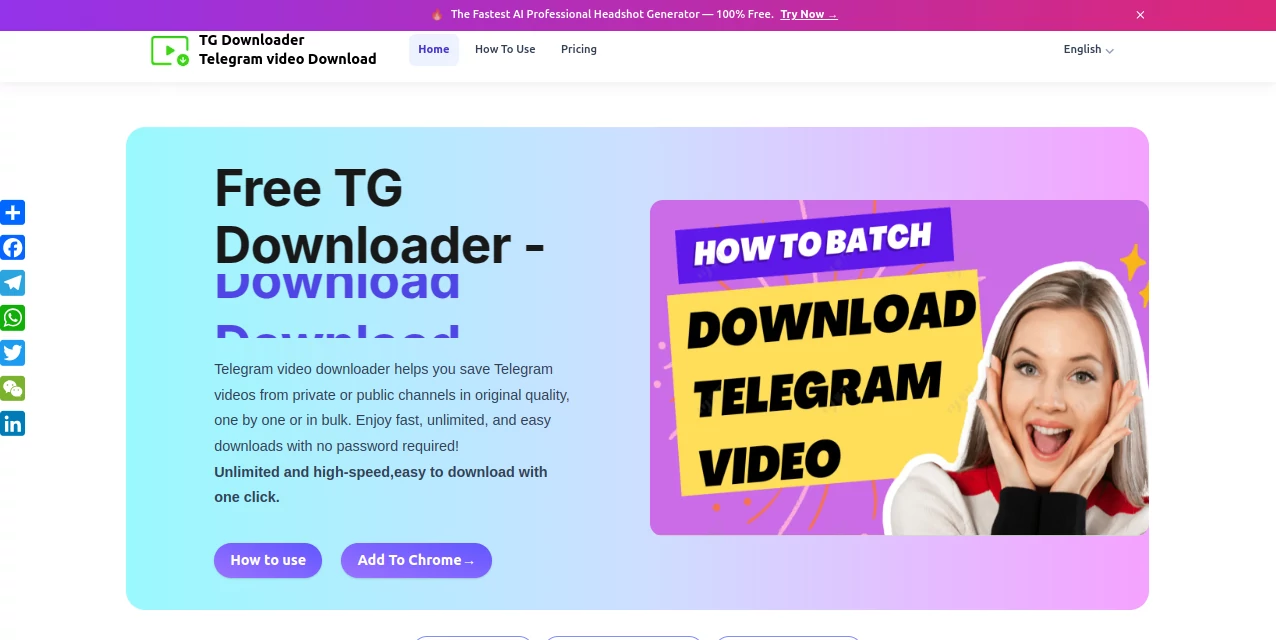
TG Downloader is a browser-based solution designed for people who frequently save videos, photos, audio files, GIFs, and Stories from Telegram. Instead of copying links and moving between different websites, it works directly with Telegram Web, making the process feel much closer to a normal browser download.
The biggest advantage is convenience. Users can save individual media or select multiple files for a batch download, which can make a noticeable difference when a Telegram conversation contains dozens of useful files. It also supports accessible media from both public and private groups and channels, without requiring users to create another account or provide their Telegram password.
For example, a student collecting several lecture recordings from a course channel can select the available files and save them together rather than opening each message separately. The same approach works well for researchers, content teams, designers, and anyone who regularly uses Telegram as a source of media or documents.
Key Features
- Download Telegram videos, photos, audio, GIFs, and Stories.
- Support for accessible media in public and private groups and channels.
- Batch downloading for multiple selected files.
- Browser-first workflow through Telegram Web.
- No separate account registration is required.
- No Telegram password is requested in the normal workflow.
- Support for commonly used video, image, audio, and document formats.
- Options for both individual and bulk downloads.
- High-speed download workflow depending on network and file conditions.
User Interface
The interface is built around a straightforward browser-extension workflow. After installing the extension and opening Telegram Web, downloadable resources can be detected from the current conversation. The extension can then be opened from the browser toolbar to access available batch-download actions.
This approach is particularly useful for users who dislike complicated downloader websites. There is no need to paste a Telegram message URL into another service for every individual file. The workflow stays inside the Telegram Web environment, which keeps the process focused and easy to understand.
Accuracy & Performance
Download performance is designed for frequent media-saving tasks, including larger collections and batch operations. Actual transfer speed naturally depends on factors such as the user's internet connection, Telegram availability, file size, and the type of media being downloaded.
For everyday use, the real benefit is less about chasing a particular download-speed number and more about reducing repetitive steps. Selecting several available files and exporting them together can save considerable time compared with handling every item manually.
Capabilities
The downloader covers more than just Telegram videos. Supported workflows include video, image, GIF, music, audio, and Telegram Stories. The service also lists support for formats such as MP4, AVI, MKV, MP3, WAV, AAC, JPEG, PNG, GIF, PDF, DOCX, and XLSX.
Another useful capability is batch extraction. When a conversation contains a collection of related files, users can select multiple items and download them together. This makes the tool suitable for everything from saving a few important messages to organizing larger Telegram media collections.
Security & Privacy
Privacy is one of the more important aspects of a Telegram downloader, and the service takes a credentials-free approach. It does not require users to provide their Telegram password or create an additional account before using the downloader.
The website also states that personal data, chats, profile information, and private history are not collected through the normal workflow. Users should still make sure they only download content they are authorized to save and use.
Use Cases
Students and educators: Telegram is widely used for sharing lectures, tutorials, PDFs, presentations, and other educational resources. Batch downloading can help students create a local library of materials for offline study.
Researchers: Researchers who collect videos, images, audio clips, or documents from Telegram communities can use the bulk workflow to organize useful references without repeatedly downloading individual files.
Content creators: Teams often exchange creative assets, reference videos, screenshots, promotional material, and audio through messaging platforms. Saving these resources locally can make them easier to access during editing and production.
Professionals: Work-related Telegram conversations can become large archives of files. Downloading selected media in batches is useful when moving those resources into project folders or creating an offline backup.
Everyday users: Sometimes a useful video or photo is buried deep inside an old conversation. Saving an important file locally means it can be accessed later without searching through Telegram again.
Pros and Cons
- Pros: Simple browser-based workflow, batch downloads, support for multiple media types, private-channel support for accessible content, no separate registration, and no Telegram password required.
- Pros: Useful for users who regularly save large numbers of files from Telegram.
- Pros: Works with videos, photos, audio, GIFs, Stories, and supported documents.
- Cons: Download availability still depends on what Telegram Web exposes and allows for the particular conversation or channel.
- Cons: Actual download speed can vary according to network conditions, file size, and Telegram availability.
- Cons: Some advanced features are reserved for paid plans.
Pricing Plans
The service currently offers a free option alongside paid subscriptions. The free plan is available indefinitely and allows up to three downloads per day from public groups and channels.
The Monthly plan costs $9.90 per month and adds unlimited downloads, private chats and channels, automatic detection of downloadable videos, saved items, batch downloads, and feature updates.
The Quarterly plan costs $18.90 for three months and provides the same core advanced features while offering a lower effective monthly cost.
The Lifetime Membership is listed at $99.90 and includes unlimited downloads, private-channel support, batch workflows, priority support, faster download capabilities, advanced features, and ongoing feature updates.
How to Use the Downloader
Start by installing the Chrome extension from the relevant browser extension store. Once installed, pin the extension to the Chrome toolbar so it is easy to access while using Telegram Web.
Open Telegram Web and navigate to the group, channel, or personal conversation containing the media you want to save. When downloadable resources are detected, the extension can display the number of captured resources.
For a batch operation, open the extension window and use the available batch-download controls. You can also use the individual download actions shown inside supported Telegram conversations when you only need one particular file.
If a download button does not appear, refreshing Telegram Web or switching between supported Telegram Web versions may help. Protected content can still be restricted by Telegram, so the downloader cannot guarantee access to media that Telegram itself does not expose for downloading.
Comparison with Similar Tools
Traditional link-based Telegram downloaders generally require users to copy a message or media link, open another website, paste the link, and then wait for the file to be processed. That workflow can be fine for an occasional download, but it becomes tedious when dealing with many files.
The browser-extension approach is more convenient for frequent Telegram users because the media can be selected from the current Telegram Web conversation. There is also less switching between applications or websites, and batch downloading makes it better suited to larger collections.
Manual downloading remains perfectly suitable for occasional single files, especially when Telegram already provides a normal download action. The main advantage here appears when the user needs to handle multiple pieces of media or repeatedly save content from Telegram.
Conclusion
For anyone who treats Telegram as more than a messaging application, a reliable way to organize and save accessible media can be genuinely useful. The combination of browser-based operation, batch downloads, support for several media types, and compatibility with accessible private and public conversations makes this solution particularly practical for frequent users.
It is not simply about downloading one more video. The real value comes from reducing repetitive work. Whether the goal is collecting course materials, preserving useful research, moving project assets into local folders, or preparing media for offline access, the streamlined workflow can make Telegram-based file management much easier.
Frequently Asked Questions (FAQ)
Do I need to create an account?
No. The service states that registration is not required for the normal download workflow.
Can I download media from a private Telegram channel?
Yes, when you legitimately have access to the private channel and Telegram Web exposes the media for downloading. Paid plans include private-channel support, while protected content may still be restricted by Telegram.
Can I download multiple Telegram videos at once?
Yes. The batch-download feature allows users to select multiple available media files and download them together.
What types of media can I download?
The service supports Telegram videos, photos, GIFs, music, audio, Stories, and various supported document formats.
Do I have to provide my Telegram password?
No. The normal browser workflow does not require users to provide their Telegram password or create a separate account for the downloader.
Is there a free plan?
Yes. The free plan is available permanently with a daily download limit and support for public groups and channels. Paid plans provide broader access and higher-volume workflows.
Why can't I download a particular Telegram video?
Telegram may restrict downloading for certain protected content. Refreshing Telegram Web or switching between supported Telegram Web versions can also help when the interface does not immediately display the available download controls.
Does download speed depend on my internet connection?
Yes. Download speed can vary based on your network quality, the size of the file, Telegram availability, and other technical conditions.
Can I use it for offline access?
Yes. One of the practical use cases is saving accessible Telegram media locally so it can be viewed or organized later without repeatedly searching through the original conversation.
Is it suitable for large Telegram media collections?
Yes. Batch downloading and higher-volume plans make it especially useful for users who regularly work with larger collections of Telegram videos, photos, audio, and other files.
Other .
These classifications represent its core capabilities and areas of application. For related tools, explore the linked categories above.
Telegram video Download details
Website unavailable — View Alternatives
Pricing
- Freemium
Apps
- Web App
Categories

Telegram video Download Alternatives Product

pixel flow g…

Manifest

GoDices

Remove My Me…

VavaHost

gpt-plus.ai

Launchelion

Mp3tag

Hunty Zombie…