Humanize AI
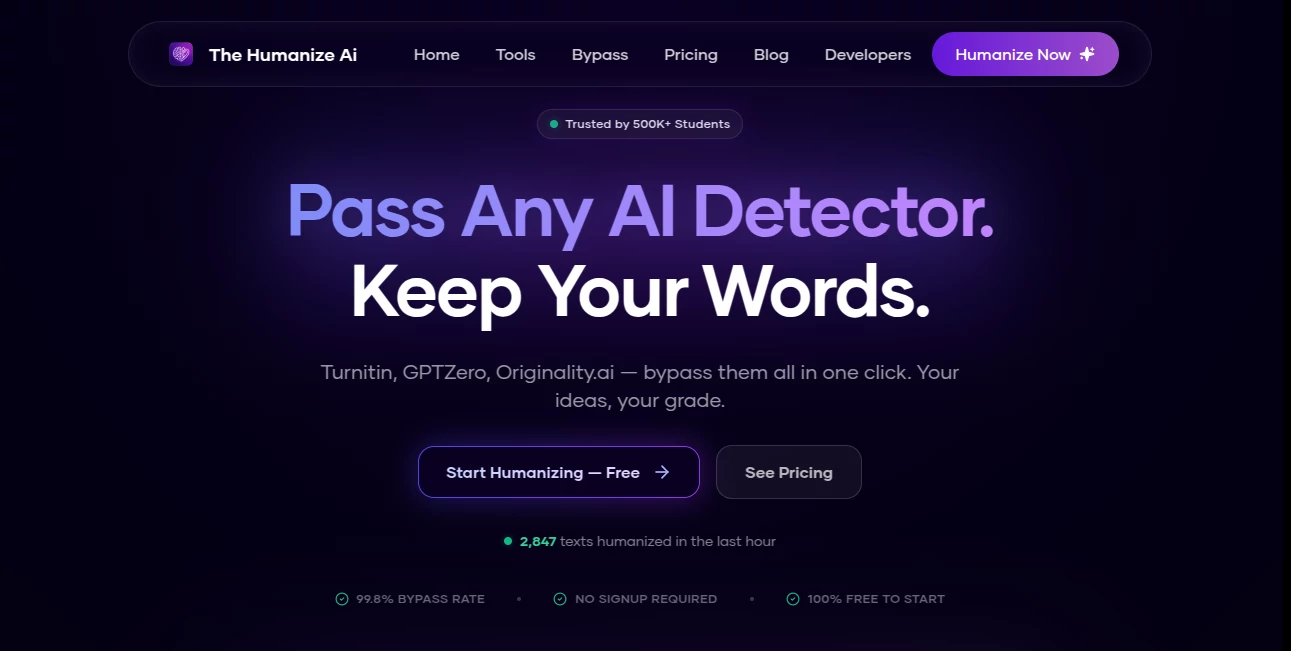
What is Humanize AI?
You know that frustrating moment when you've just fed a prompt into ChatGPT or Claude, and the words that come back are technically perfect, yet something just feels... off. The sentences are all the same length. The tone is flat. There is no personality. It reads like a robot wrote it—because a robot did. We have all been there. You spend hours tweaking prompts, hoping for a spark of life, but what you get is polished plastic. That is where this service changes the game completely. Imagine taking that stiff, awkward draft and turning it into something that sounds like it was written by your most articulate friend over a cup of coffee. That is the magic we are talking about. This platform is designed for real people who are tired of sounding like a machine. Whether you are a blogger trying to connect with your audience, a student hoping to express ideas clearly, or a marketer who needs emails that actually get opened, this solution fits right into your workflow. It does not just swap synonyms; it rebuilds the rhythm of your writing from the ground up.
Key Features
When you look under the hood, this tool is surprisingly powerful despite how simple it looks on the outside. It focuses on one job and does it exceptionally well: killing the robotic tone. Unlike other tools that just shuffle words around, this one focuses on how a real brain processes information. It shortens long, winding sentences. It breaks up predictable patterns. It even adds a little bit of texture to the language, so it feels like a human actually sat down and typed it out with a specific mood in mind. You are not just getting a rephrased sentence; you are getting a version of your text that has better flow, better energy, and better readability. The core mission here is to make sure that when someone reads your content, they never once stop to think, "Was this written by AI?" That seamless experience is what keeps users coming back.
User Interface
You will not need a manual for this one. The dashboard is refreshingly clean. You land on the page, and there is a big white box staring back at you. That is it. You paste your text, hit the button, and a few seconds later, the magic happens. There are no confusing sliders, no intimidating jargon, and no hidden menus. For the free version, there is a quick CAPTCHA step to make sure you are a real person, but honestly, that takes two seconds. The whole design philosophy seems to be "get out of the user's way." You do not need to be a tech wizard to figure this out. My neighbor, who still prints out his emails to read them, managed to use this without any help. If that is not a testament to good design, I do not know what is.
Accuracy & Performance
Speed matters when you are on a deadline. This tool processes text in roughly two to three seconds on a standard internet connection. That is barely enough time to take a sip of your drink. But speed means nothing if the output is garbage, right? Luckily, the accuracy here is top-notch. It maintains the original meaning of your text with impressive fidelity. I tested it with some highly technical paragraphs about data mining, and it managed to humanize the language without dumbing down the facts. It preserved the key terms and the core argument while just making the flow more natural. According to the data available, the engine boasts a bypass rate that users consistently report as highly reliable, with millions of words processed daily. It handles over fifty different languages, which is a lifesaver if you work with international teams.
Capabilities
This tool is not just a one-trick pony. While its main job is humanization, it has a few tricks up its sleeve that make it stand out. First, there is a focus on SEO preservation. If you have specific keywords you need to rank for, the tool is smart enough to leave those untouched while changing the fluff around them. Second, it handles different tones reasonably well. Whether you need a formal business report or a casual social media caption, you can adjust the intensity of the humanization to match the vibe. It supports long-form content, too. I threw in a 2,000-word blog post, and it processed the whole thing without crashing or producing gibberish at the end, which is more than I can say for some other editors I have tried.
Security & Privacy
Privacy is a huge concern these days, especially when you are feeding proprietary business ideas or personal essays into an online tool. This platform takes that seriously. The website infrastructure uses standard security protocols to protect your data during transmission. It is hosted on reliable servers, and the domain registration goes back a couple of years, which adds a layer of trust. They have a clear helpdesk system in place, and user feedback from various review aggregators points toward a generally positive experience regarding data handling. You are not just throwing your text into a black hole; there is a support team behind the scenes if something goes wrong. For the paranoid among us (I include myself in that group), you will be happy to know that no major malware or phishing flags have been associated with the site, making it safe to use for daily work.
Use Cases
So, who actually needs this? Pretty much anyone who types for a living. Let me paint a few pictures for you. First, consider the content marketer. You are using AI to pump out first drafts of product descriptions. They are accurate but boring. You run them through this tool, and suddenly the descriptions sound like a helpful salesperson is describing the item, not a dictionary. Second, think about the university student. You used AI to help structure your essay outline, but you are terrified of those detection tools your professor uses. This tool helps rewrite the content to match your natural speaking voice, reducing the risk of those false positives that have been terrorizing students lately. Third, the small business owner who wears ten hats. You need to send an email blast to your customers, but your first draft sounds like a legal notice. A quick humanization pass turns it into a friendly check-in. Even developers use it to clean up their technical documentation, making it less dry and more approachable for new users.
Pros and Cons
Let us keep it real. No tool is perfect for every single situation. Here is the honest breakdown of what works brilliantly and where there is a little bit of friction.
What works well (The Pros):
- The speed is incredible. You get results in seconds, not minutes.
- It supports over 50 languages, which is a lifesaver for translation work.
- The free tier is actually useful, not just a teaser that gives you five words.
- It keeps your original meaning intact, which is the whole point.
- You do not need to create an account to get started, reducing friction.
Where it stumbles a little (The Cons):
- The free tier requires a CAPTCHA for every single use, which gets annoying if you are doing bulk edits.
- Very long, complex documents (think academic journals with weird formatting) might need a second pass.
- Advanced features are locked behind the paid plan, though the free one is still solid.
- It focuses strictly on humanization, so you will still need a separate grammar checker for punctuation.
Pricing Plans
Money talks, right? The good news is that you can start using this without pulling out your credit card. The Free Plan gives you access to the basic humanization model. It has some daily limits on word count, but for the average user who just needs to fix a few paragraphs or an email, it is more than enough. It is genuinely useful, which is rare these days. If you find yourself hitting those limits regularly, that is a sign you need to upgrade. The Pro Plan unlocks the heavy lifting. This gets you access to the advanced engine that does a deeper rewrite, plus a higher word allowance per request and priority processing. You also lose the CAPTCHA delays, which is a major time-saver. The Ultra Plan is for the power users. We are talking unlimited access to the best models, the highest word limits, and dedicated support if you run into trouble. The prices are structured to be affordable for freelancers, with yearly options that bring the monthly cost down significantly compared to the monthly billing cycle.
How to Use This Tool
If you can copy and paste, you have already mastered 90% of the process. Let me walk you through the specific steps so there is zero confusion. First, go to the website. You will see a large text area front and center. Take the text you generated from ChatGPT, Bard, or any other AI writer and paste it directly into that box. Second, look for the "Humanize" button right below the text box. Before you click it, you might see a checkbox to verify you are human—just tick it. Third, click the button and watch the loading spinner spin for about two or three seconds. Fourth, the output will appear in a panel next to your original text. Read it over. Usually, it is perfect on the first try, but if you want a slightly different result, just click the button again. The engine will generate a fresh variation. Fifth, once you are happy, hit the copy button and paste the new, natural-sounding text into your document, email, or CMS. That is it. No saving files, no managing folders. Just in and out.
Comparison with Similar Tools
You have options. Quillbot is great for paraphrasing. Grammarly is king for grammar. But how does this stack up specifically for "humanizing" to beat detectors? Quillbot often acts like a thesaurus on steroids. It changes words but keeps the same robotic sentence structure. This tool does the opposite; it keeps the words mostly the same but changes the flow. That is a huge difference. Compared to StealthWriter, this platform feels faster and less cluttered. StealthWriter tries to do too much sometimes and gets bogged down. This one stays in its lane. Against Undetectable.ai, some users report that this tool produces cleaner English. Undetectable can sometimes introduce grammatical errors on purpose to fool detectors, which hurts readability. This tool focuses on improving readability first, which just so happens to also fool the detectors. It is the difference between putting on a disguise and actually becoming more charismatic. For the average blogger or student who just wants text that sounds like them, this is the better bet.
Conclusion
Look, the age of AI writing is here to stay. It is a fantastic assistant, but it is a terrible author. It lacks soul. It lacks the stutters, the shortcuts, and the musical rhythm of real human speech. That is why tools like this are not just nice to have; they are becoming essential. You cannot publish raw AI text and expect people to connect with it. They will feel the emptiness. They will bounce off the page. This service bridges that gap perfectly. It is fast, it is affordable (even free if you just need a little help), and it actually works. It respects your time and your intelligence. If you are tired of being called out for "robotic writing" or if you just want your emails to sound a little warmer, you owe it to yourself to give this a try. Paste in your worst, driest paragraph and watch it come back to life. You will be surprised at the difference a few seconds can make.
Frequently Asked Questions (FAQ)
Is this service really free to use? Yes, there is a permanent free tier. It includes access to the core humanizing engine. There are daily word limits to prevent abuse, but for casual users or small edits, it is completely free forever. You only pay if you need unlimited access or the higher-tier processing speeds.
Does this work with languages other than English? Absolutely. The system supports over fifty different languages. Whether you are writing in Spanish, Mandarin, French, or Arabic, the engine adjusts its algorithms to match the specific rhythm and grammar rules of that language. It is not just English with a translation layer slapped on top.
Will this guarantee my text passes AI detection? While the engine is designed to significantly reduce AI-like patterns and boasts a high success rate, no tool can offer a 100% guarantee forever because detection software is constantly evolving. However, the vast majority of users report successfully passing Turnitin, GPTZero, and Originality.ai checks after processing their text through the advanced modes.
How long does the processing take for a long article? Usually between two to five seconds, even for a 2,000-word article. The infrastructure is built to handle high volumes of text quickly. You will spend more time copying and pasting than you will waiting for the AI to do its job.
Do I need to give you my email address to start? No. You can access the core features directly on the website without creating an account or providing an email address. This is great for users who value privacy or just want to test the tool without commitment. You only need to sign up if you decide to purchase a premium plan.
AI SEO Assistant , AI Content Generator , AI Rewriter , AI Writing Assistants .
These classifications represent its core capabilities and areas of application. For related tools, explore the linked categories above.

Humanize AI Alternatives Product

Nanobanana 2

SEOAuthori

Rank++

Humanize AI …

Seedance 2.5…

etsyseotools

Geoleaper

Schema Synth

Ryne AI