


















The Watermark Remover
What is The Watermark Remover?
Creating AI-generated videos has never been easier, but unwanted watermarks can make professional publishing more challenging. This solution is designed for creators who want clean, polished video assets without spending hours editing every frame manually. Instead of relying on simple blur effects or cropping techniques, it intelligently reconstructs the hidden background, producing results that look remarkably natural.
Whether you create content for YouTube, TikTok, Instagram, client campaigns, or personal portfolios, the platform offers an incredibly fast workflow. Simply paste a supported public video link, let the AI process it, and receive a high-quality version within seconds. The process feels effortless while maintaining impressive visual quality throughout the entire clip.
One of its strongest advantages is how approachable it is. There is no complicated software installation, no timeline editing, and no technical learning curve. Everything happens online, making it suitable for beginners while remaining powerful enough for professional creative teams.
Key Features
- AI-powered watermark detection and intelligent background reconstruction.
- Preserves original bitrate and overall video quality.
- Processes supported public AI video links in only a few seconds.
- Supports batch processing for multiple videos.
- Simple browser-based workflow without software installation.
- Private processing with automatic file deletion.
- Suitable for creators, agencies, designers, and marketing teams.
- Maintains realistic textures, lighting, and visual consistency.
User Interface
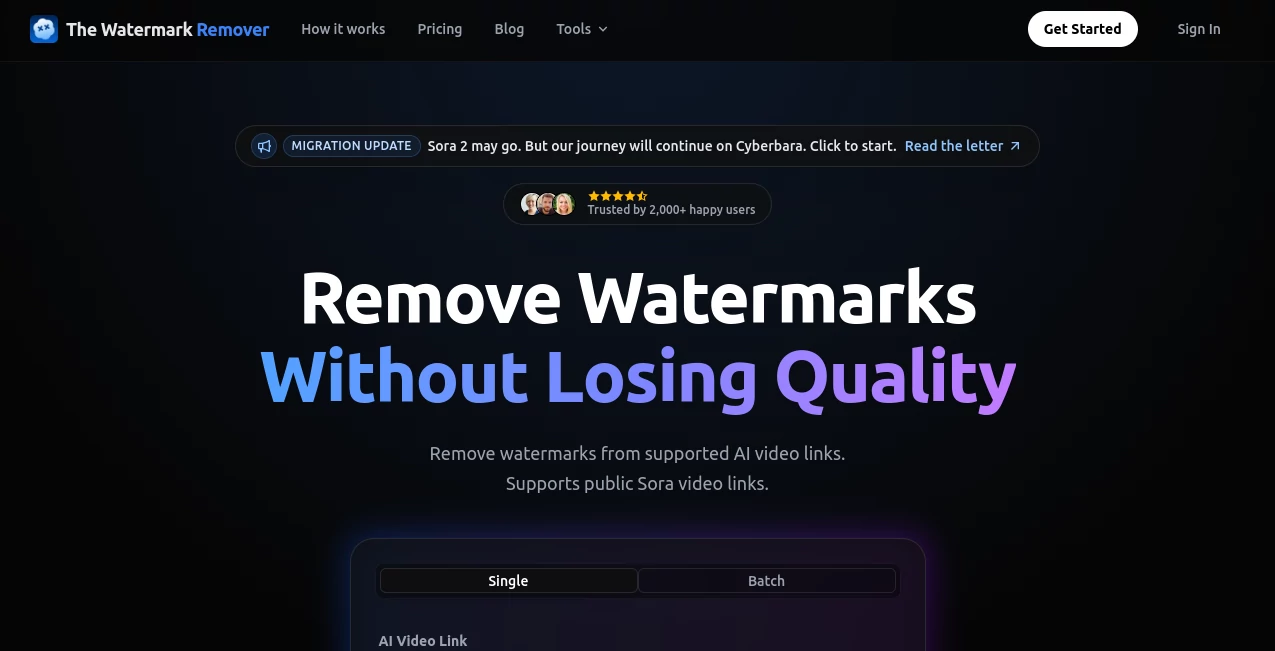
The interface focuses on speed and simplicity. A single input field allows users to paste a supported video link and begin processing immediately. Clear navigation, straightforward controls, and minimal distractions make the experience comfortable even for someone using the service for the first time. The clean design helps users complete their work in just a few clicks instead of navigating complicated editing panels.
Accuracy & Performance
Rather than hiding watermarks with blur or cropping, the AI analyzes each frame and reconstructs the missing pixels with impressive precision. This approach creates smoother transitions and preserves fine visual details. Most supported videos are processed in approximately three seconds, allowing creators to keep their workflow moving without unnecessary delays.
Capabilities
The platform is particularly useful for creators working with supported AI-generated videos. It can prepare cleaner assets for social media publishing, client presentations, advertising campaigns, portfolio showcases, educational demonstrations, and creative experiments. Batch processing further improves productivity by allowing several videos to be processed simultaneously for paid users.
Security & Privacy
Privacy receives significant attention throughout the workflow. Uploaded content is processed securely, files are automatically deleted after one hour, and processed videos are not used to train AI models. This makes the service suitable for both personal and commercial projects where confidentiality matters.
Use Cases
- Preparing AI-generated videos for YouTube channels.
- Publishing cleaner content on TikTok and Instagram.
- Building professional client presentations.
- Creating marketing campaigns without distracting overlays.
- Producing portfolio videos for designers and artists.
- Preparing commercial advertisements.
- Managing high-volume agency workflows.
- Repurposing AI-generated video assets for multiple platforms.
Pros and Cons
Pros
- Very fast processing speed.
- Excellent preservation of video quality.
- No software installation required.
- AI reconstruction delivers more natural results than simple blur methods.
- Batch processing increases productivity.
- Strong privacy policy with automatic deletion.
- Easy enough for beginners while powerful for professionals.
Cons
- Supports only compatible public video links.
- Higher monthly usage requires a paid subscription.
- Advanced editing controls are intentionally limited to keep the workflow simple.
Pricing Plans
- Free: Includes one free credit to test the service.
- Basic: $9.90/month with up to 300 processed videos, batch processing, private processing, and email support.
- Pro: $29.90/month with up to 1,000 processed videos, priority processing, batch mode, and email plus chat support.
The availability of a free trial makes it easy to evaluate the quality before committing to a subscription.
How to Use The Watermark Remover
- Copy a supported public AI video link.
- Paste the link into the input field.
- Start the watermark removal process.
- Wait only a few seconds while the AI reconstructs the video.
- Download the finished version and use it in your projects.
Comparison with Similar Tools
Many online watermark removers simply blur the affected area or crop part of the frame, often leaving visible artifacts or reducing image quality. This platform takes a more advanced approach by rebuilding missing pixels through AI reconstruction instead of hiding the watermark. Combined with fast processing, privacy protection, and support for batch workflows, it provides a noticeably smoother experience for professional content creators.
Conclusion
For anyone working regularly with AI-generated video content, this platform offers a practical balance of quality, speed, and simplicity. Its intelligent reconstruction technology, impressive processing time, secure handling of files, and intuitive workflow make it an excellent choice for creators who want polished results without spending valuable time on manual editing. Whether you publish occasionally or manage large commercial projects every day, it provides an efficient way to prepare professional-looking video assets.
Frequently Asked Questions (FAQ)
Does it reduce video quality?
No. The service is designed to preserve the original bitrate while reconstructing the watermark area naturally.
Is there a free version?
Yes. New users receive one free credit to test the service before upgrading.
How long does processing usually take?
Most supported videos are completed in around three seconds.
Are uploaded videos stored permanently?
No. Files are automatically deleted after one hour, and they are not used for AI model training.
Who benefits most from this tool?
Content creators, designers, agencies, marketers, educators, and anyone producing AI-generated videos can benefit from its fast and professional workflow.
These classifications represent its core capabilities and areas of application. For related tools, explore the linked categories above.
The Watermark Remover details
Website unavailable — View Alternatives
Pricing
- Freemium
Apps
- Web App
Categories

The Watermark Remover Alternatives Product

Pixelied

JPG to Small

picremake

Imagens App

RemoveLayer

Quitar Fondo

Photo Retouch

ModelsLab

Klyra AI
