Tikdek
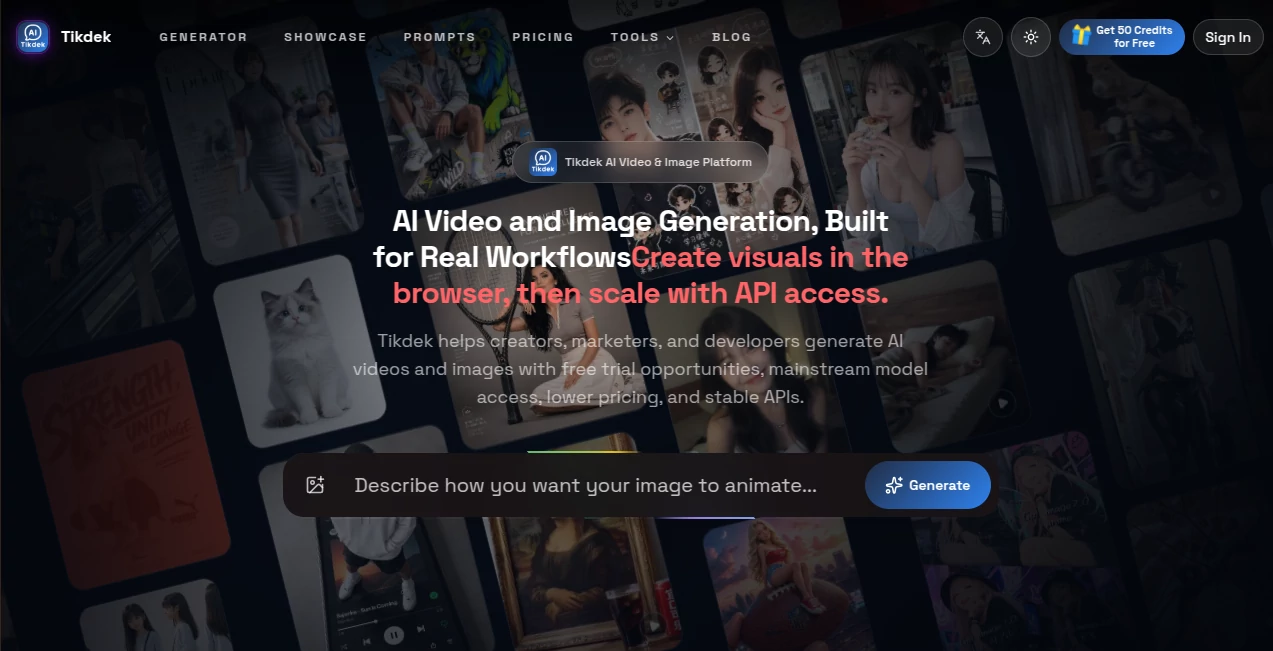
What is Tikdek?
Tikdek is an AI video and image generation platform designed for creators, marketers, developers, and teams that need more than a simple prompt box. It brings video creation, image generation, editing workflows, access to multiple supported AI models, and API integration into one workspace.
The platform is particularly interesting for people who regularly experiment with visual content. Instead of moving between separate services for different generation tasks, users can work with text prompts, images, videos, and reference materials depending on the selected model and workflow. Free usage opportunities also make it possible to test the experience before committing to a paid plan.
For example, a marketer could create a product scene, turn a concept into a short promotional video, generate several variations, and then use API access to connect similar generation workflows to an internal application. That combination makes the platform useful for both creative exploration and repeatable production.
Key Features
- AI video generation from text, images, and reference materials
- AI image generation and image editing
- Access to multiple mainstream video and image models through one workspace
- Reference-based visual creation for more controlled outputs
- Video extension and related editing workflows where supported by the selected model
- Credit-based generation with monthly subscriptions and one-time credit packs
- API access for applications, SaaS products, internal tools, and batch workflows
- Watermark-free downloads on applicable paid plans
- Priority processing options on paid subscriptions
- Commercial workflow use on the Standard plan and above, subject to applicable terms and model restrictions
User Interface
The browser-based workspace is built around a practical generation workflow rather than a collection of disconnected features. Users can choose an available model, enter a prompt, provide reference material when supported, adjust generation settings, and submit a task.
The showcase section is also useful for getting ideas before creating something from scratch. Examples cover product content, fashion, entertainment, lifestyle, advertising, and other visual directions. Seeing how a prompt is structured can be especially helpful when the desired result is more specific than a basic text-to-video request.
Accuracy & Performance
Output quality depends heavily on the selected model, prompt, reference material, resolution, duration, and other generation settings. The platform supports several different model families, so users can choose an appropriate workflow instead of being restricted to a single generation engine.
Some supported workflows allow detailed control over aspects such as duration, resolution, aspect ratio, reference media, and generation mode. This gives experienced users more room to refine results instead of simply accepting the first output.
Processing speed can also vary considerably between models and settings. The service uses queues and credit-based generation, with faster or priority processing available on selected plans.
Capabilities
The video side covers text-to-video, image-to-video, reference-driven generation, video extension, and other model-specific workflows. These capabilities can be used for short social clips, advertisements, product demonstrations, storyboards, music videos, and creative experiments.
The image workflow supports prompt-based image creation as well as editing capabilities when the selected model provides them. This makes the platform useful for product scenes, campaign graphics, posters, social media assets, ecommerce visuals, and other marketing material.
Another major capability is API integration. Developers can create an API key, send generation requests to the documented endpoint, monitor task status, and retrieve generation results. The API uses credit-based billing, with consumption depending on the model and selected generation options.
Security & Privacy
The platform uses account-based access and API key authentication for developer integrations. API requests use Bearer authentication, while generation tasks and credit usage are associated with the user's account.
Users should still review the current privacy policy, terms, model-specific restrictions, and commercial-use conditions before uploading sensitive material or using generated assets in production. Rights relating to uploaded reference content and generated media can depend on the selected model and applicable service terms.
Use Cases
Social media content: Creators can produce short-form visuals for TikTok, Instagram Reels, YouTube Shorts, and other social channels.
Advertising: Marketing teams can experiment with product scenes, ad concepts, visual variations, and campaign ideas without organizing a new photoshoot for every concept.
Ecommerce: Product imagery can be refreshed with alternative environments, compositions, and seasonal concepts for online stores and promotional campaigns.
Creative development: Filmmakers, designers, and creative teams can explore storyboards, camera movements, character concepts, and visual directions before committing resources to production.
Developer workflows: SaaS companies and internal development teams can connect AI video or image generation to their own products using the available API.
Batch production: Teams producing repeated visual assets can benefit from credit-based generation and API workflows rather than manually creating every asset through separate applications.
Pros and Cons
- Pros: Combines AI video and image generation in one workspace.
- Pros: Provides access to a broad selection of supported AI models.
- Pros: Supports text, image, and reference-based video workflows.
- Pros: Offers API access for developers and automated production.
- Pros: Free usage opportunities allow new users to test the service.
- Pros: Offers monthly plans as well as one-time credit packs.
- Cons: Output quality and available capabilities vary between models.
- Cons: Credit consumption can differ substantially depending on model, duration, resolution, and quality.
- Cons: Users looking for one specific model may prefer a dedicated service from that model's provider.
Pricing Plans
The service uses a credit-based pricing system. New users can access free usage opportunities through available tasks and credits before moving to a paid subscription.
- Standard: $19.90 per month with 2,800 credits. Includes video and image generation, priority processing, MP4 downloads, no watermark, a standard queue, and commercial workflow use.
- Pro: $59.90 per month with 9,600 credits. Adds a larger credit pool, batch-friendly generation volume, API access, a faster generation queue, and priority support.
- Max: $149.90 per month with 27,000 credits. Designed for studios and professional users requiring higher generation volume, team-scale usage, API access, and an instant queue.
For users who do not want a recurring subscription, one-time credit packs are also available. Current options include 1,000 credits for $9.90, 3,750 credits for $29.90, and 12,000 credits for $79.90. Actual generation costs vary according to the model and output settings.
How to Use the Platform
- Create an account or sign in to the web application.
- Choose an available video or image model based on the type of content you want to create.
- Write a clear prompt describing the subject, action, environment, style, and desired result.
- Upload images, videos, or other reference materials when the selected workflow supports them.
- Choose available settings such as duration, resolution, aspect ratio, or generation mode.
- Submit the generation task and wait for processing to complete.
- Review the result and refine the prompt or settings if another variation is needed.
- For automated workflows, create an API key and connect the documented generation endpoint to your application.
Comparison with Similar Tools
The main advantage of this platform is its multi-model approach. A dedicated AI video service may focus primarily on one model or a narrower generation experience, while this platform brings multiple supported video and image models into a single interface.
It also differs from simple browser-based generators by providing developer-oriented API access. That matters when the goal is not just to make one video, but to build generation into a SaaS product, internal system, campaign workflow, or batch-processing pipeline.
On the other hand, users who already rely heavily on a particular model's native application may find a dedicated provider more suitable for specialized features or direct access. The broader platform is most compelling when flexibility, model choice, image and video workflows, and API integration matter together.
Conclusion
For creators and businesses working heavily with AI-generated visual content, this platform offers a practical combination of video generation, image creation, model variety, and developer integration. Its credit-based approach makes experimentation relatively straightforward, while higher plans provide the volume and API capabilities needed for more demanding workflows.
The strongest reason to consider it is the ability to move between different visual tasks without rebuilding the entire workflow around a single model. Whether the goal is a quick social clip, a product campaign, an image variation, or an automated generation pipeline, the platform provides a flexible starting point with room to scale.
Frequently Asked Questions (FAQ)
What can I create with this platform?
You can create AI videos and images for social media, advertising, product visuals, story concepts, ecommerce content, campaign experiments, and other creative workflows.
Can I use it for free?
Yes. Free usage opportunities and credits are available to new users, allowing them to test generation before choosing a paid plan.
Can I generate videos from images?
Yes. Image-to-video workflows are available for supported models, allowing an uploaded image or reference material to guide the generated video.
Does it support video editing?
Selected models provide workflows such as video extension, video-to-video generation, editing, or related transformations. The exact options depend on the model being used.
Does it provide an API?
Yes. Developers can create an API key and use the available AI Studio endpoints to submit generation tasks, monitor their status, and retrieve results.
How is API usage charged?
API generation uses account credits. The amount consumed depends on factors such as the selected model, output type, duration, resolution, quality, and pricing configuration.
Is commercial use supported?
Commercial workflow use is included with applicable paid plans, but users should also check the current service terms, model-specific rules, and rights associated with their input materials and generated content.
Which users will benefit most from it?
It is particularly well suited to creators, marketers, ecommerce teams, studios, developers, SaaS companies, and businesses that need repeatable AI video and image generation.
Can I use multiple AI models?
Yes. The platform is designed to provide access to multiple supported video and image model families through a unified workflow. Availability can change as models and integrations are updated.
Are one-time credits available?
Yes. Users can purchase one-time credit packs when they need additional generation capacity without moving to a larger recurring subscription.
AI Photo & Image Generator , AI Image to Video , AI Video Generator , AI Developer Tools .
These classifications represent its core capabilities and areas of application. For related tools, explore the linked categories above.

Tikdek Alternatives Product

Nano Banana …

NanoBanana2F…

Ltx 2.3

Seedance 2.5…

Vidmix

Wan 2.7

Seedance 2.0…

Image2

Voor AI