
Token Harbor
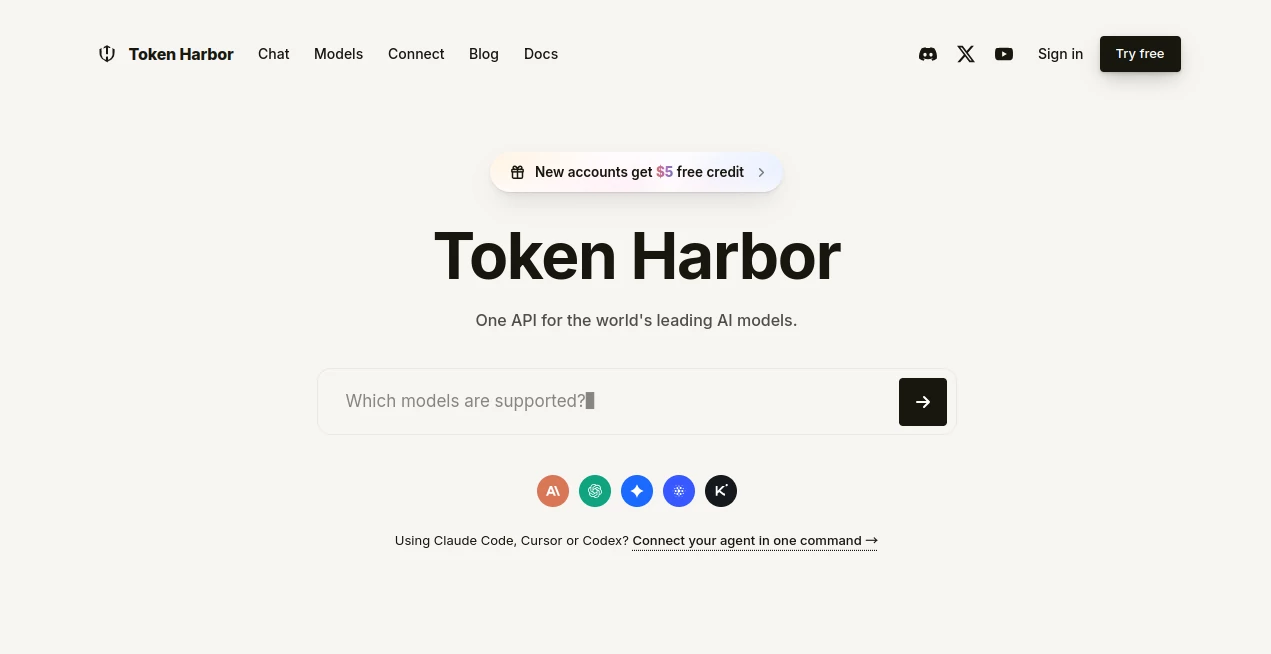
What is Token Harbor?
Token Harbor is a unified AI gateway built for developers, teams, and anyone who needs access to multiple advanced language models without opening a separate account and managing a different API setup for every provider. Instead of jumping between platforms, users can work through one API and dashboard while choosing from a curated collection of frontier models.
The idea is refreshingly practical. If you have ever built an application around one model and later wanted to test another, you already know how quickly API keys, billing systems, provider settings, and integrations can become a nuisance. This platform brings those pieces together and adds useful controls for monitoring usage, managing spending, and handling provider availability.
It is particularly appealing for developers experimenting with AI applications, coding agents, automation workflows, and multi-model systems. New accounts also receive $5 in trial credit, making it possible to explore the service before committing to regular usage.
Key Features
- Unified API for accessing multiple leading AI models.
- OpenAI-compatible API format for easier integration with existing applications.
- Access to models from providers including Anthropic, OpenAI, Google, DeepSeek, Qwen, and others.
- TH Orchestra for intelligent task routing across specialized model pools.
- Direct model access without silent model substitutions.
- Provider failover for supported models.
- Usage tracking and request-level analytics.
- Unified wallet billing and spending management.
- Multiple API keys for different projects, agents, and environments.
- Daily spending limits, monthly budgets, and per-key quotas.
- CLI support for connecting popular coding agents.
- $5 trial credit for new accounts.
User Interface
The dashboard is designed around the practical needs of people working with AI infrastructure. Rather than burying important information under layers of configuration, it brings model access, API keys, usage, billing, and account controls into a centralized environment.
The model section is especially useful when comparing available options. Users can inspect model pricing and capabilities before deciding which one fits a particular workload. For someone testing several models for the same application, having this information in one place can save a surprising amount of time.
There is also a web chat experience for users who want to experiment without immediately writing an integration. Developers can then move from testing to API usage when they are ready.
Accuracy & Performance
Performance ultimately depends on the model selected and the upstream infrastructure serving it, but the platform takes an interesting approach to maintaining consistency. When a user selects a particular model, the request is intended to run on that model rather than being silently switched to a cheaper alternative.
The orchestration system takes a different approach. Instead of forcing every request through one fixed model, it can classify the task and route different stages to specialized model pools. Planning, implementation, review, and vision-related work can therefore be handled according to the requirements of the task.
For developers, this distinction matters. A simple request may not need the same model as a complex coding or reasoning task. Having both direct selection and automated routing gives users more control over that trade-off.
Capabilities
The service is more than a basic model aggregator. Its API is designed to work with existing OpenAI-compatible tooling, which can make migration considerably easier for applications that already use familiar SDKs.
It also supports streaming responses and can be used with AI agent frameworks and development environments. Supported integrations include tools such as Claude Code, Codex CLI, OpenHands, LangChain, AutoGen, CrewAI, and other compatible workflows.
Another useful capability is the command-line connection utility. It can configure supported coding agents, keep backups of previous settings, and restore those configurations when needed. That makes experimenting with a new gateway less intimidating because the changes are designed to be reversible.
For teams, spending controls are another strong point. Daily limits, monthly budgets, key-level quotas, and provider restrictions can help prevent an automated workflow from unexpectedly consuming a large amount of credit.
Security & Privacy
Security is an important consideration whenever an application sends prompts or business data through an AI gateway. The platform states that provider API keys are kept on its backend rather than exposed to users, while its CLI stores the user's own gateway key locally with restricted file permissions.
The service also emphasizes configurable data retention rather than applying one blanket retention policy behind the scenes. Its documentation provides additional information about privacy, safety, and handling of user data, so organizations with stricter requirements should review those policies before sending sensitive information.
Transparency is another notable part of the approach. Users can inspect request activity, model usage, token consumption, and associated costs instead of having the infrastructure behave like a complete black box.
Use Cases
- AI application development: Build applications that can access multiple models through a consistent API layer.
- Model comparison: Test different models against the same prompts before choosing one for production.
- Coding agents: Connect development agents to multiple AI models without maintaining separate provider configurations.
- Automation workflows: Add model access to recurring tasks while keeping spending under control.
- AI startups: Reduce the operational overhead of integrating several model providers.
- Multi-model applications: Use different models for reasoning, coding, summarization, or other specialized tasks.
- Prototyping: Experiment with AI-powered products using the introductory credit before moving to regular usage.
- Team environments: Separate projects and agents with multiple API keys and usage controls.
Pros and Cons
Pros:
- One API can provide access to models from multiple major providers.
- OpenAI-compatible integration reduces migration work for many applications.
- Direct model selection provides greater predictability.
- Automated orchestration can simplify multi-stage AI workflows.
- Useful spending and quota controls are available.
- New users receive $5 in trial credit.
- CLI integrations make connecting coding agents easier.
- Usage and billing information are centralized.
Cons:
- Model availability and pricing can change as upstream providers update their offerings.
- Using an additional gateway introduces another infrastructure layer between an application and the underlying model provider.
- Advanced users may still prefer direct provider integrations when they need provider-specific features.
- Some capabilities, such as certain multimodal and embedding features, may depend on upstream support and availability.
Pricing Plans
The service primarily uses usage-based billing rather than requiring users to commit to a traditional fixed monthly subscription. Requests consume prepaid wallet balance according to the model and provider involved.
New accounts receive $5 in trial credit. Selected models may also be available through free-access programs, although free models and their limits can change over time.
For paid usage, costs vary significantly between models. The model catalog includes both premium frontier models and lower-cost options, allowing developers to choose according to the balance they need between capability and budget. Spending limits, monthly budgets, and per-key quotas can also be configured to keep usage predictable.
Unused wallet balance is refundable under the stated refund policy, while consumed API usage and promotional credits are not refundable. Users should check the current billing information before making a significant top-up.
How to Use Token Harbor
- Create an account and claim the available introductory credit.
- Open the model catalog and compare available models, capabilities, and token pricing.
- Create an API key for your application, development environment, or AI agent.
- Point your OpenAI-compatible SDK or supported application toward the provided API endpoint.
- Select a specific model when you want direct control, or use TH Orchestra when you prefer automated task routing.
- Monitor requests, token consumption, and spending from the dashboard.
- Set appropriate budgets, quotas, and spending limits before deploying automated workloads.
Developers using coding agents can also use the command-line connection utility to configure supported agents. The process is designed to back up existing configurations, which makes switching between setups much safer during testing.
Comparison with Similar Tools
Traditional AI development often means creating separate accounts with several model providers, storing different API keys, learning different interfaces, and keeping track of multiple billing systems. A unified gateway takes a different approach by putting those models behind a common access layer.
The main advantage is convenience. A developer can compare models without rebuilding the entire integration each time. This is particularly valuable during the experimentation stage, when the best model for a project may not be obvious.
Direct provider access can still make more sense when an application depends heavily on provider-specific features or requires the most direct relationship with an individual model vendor. The unified approach is strongest when flexibility, model comparison, centralized billing, and simplified infrastructure are higher priorities.
The orchestration feature also gives this service another distinction. Rather than simply acting as a model switcher, it can divide work into stages such as planning, building, and reviewing. For complex agentic workflows, that can provide a more structured way to combine model capabilities.
Conclusion
For developers who regularly work with more than one AI model, managing providers individually can become tedious surprisingly quickly. A unified gateway removes much of that administrative friction while still allowing users to choose the model they want.
The combination of direct model access, OpenAI-compatible APIs, usage controls, provider redundancy, agent integrations, and automated orchestration makes this a compelling option for both experimentation and practical AI development.
It is not necessarily a replacement for every direct provider integration. However, for teams and developers who value flexibility and want a simpler way to test, compare, and deploy different models, the approach is genuinely useful. The $5 starting credit also lowers the barrier to trying it out before deciding whether it fits a longer-term workflow.
Frequently Asked Questions (FAQ)
What is this platform used for?
It provides a unified API and dashboard for accessing multiple AI models from different providers. It is designed for developers, startups, teams, AI agents, automation workflows, and users who want simpler access to several models.
Does it support the OpenAI SDK?
Yes. The API follows an OpenAI-compatible format, which allows many applications already using the OpenAI SDK approach to connect with relatively little modification.
Can I use multiple AI models?
Yes. Users can select supported models directly or use the orchestration system to route different stages of a task through specialized model pools.
Is there a free option?
New accounts receive $5 in trial credit, and selected models may be offered through free-access programs. Free model availability and limits can change, so the current model catalog should be checked before relying on a free tier.
Can I connect AI coding agents?
Yes. The platform provides a command-line connection utility for supported coding agents and development tools. It can configure supported environments while keeping backups of previous configurations so they can be restored later.
Can I control how much I spend?
Yes. Users can configure controls such as daily spending limits, monthly budgets, and per-key quotas. These features are particularly useful for automated workflows and shared team environments.
AI Code Assistant , AI API Design , Large Language Models (LLMs) , AI Developer Tools .
These classifications represent its core capabilities and areas of application. For related tools, explore the linked categories above.

Token Harbor Alternatives Product

AIQualityHQ

Somnio

ShipAhead

TruthSpine

Empiriolabs …

Ito AI

SuperAI

GPTLocalhost

freellm.net