
Tome App AI
What is Tome App AI?
Creating a polished presentation often takes far more time than preparing the actual ideas behind it. Organizing content, designing layouts, choosing visuals, and writing speaker notes can easily consume hours. This platform simplifies the entire process by transforming a simple text prompt into a professional presentation within minutes.
Instead of relying on complicated design software, users simply describe their topic, audience, or objective. The AI automatically builds a structured slide deck, applies visually balanced layouts, generates presentation-ready content, and even prepares speaker notes for confident delivery. It also supports improving existing presentations, making it useful for both new projects and previously created slide decks.
Whether someone is preparing an investor pitch, classroom lecture, sales proposal, business report, marketing campaign, or conference presentation, the platform significantly reduces manual work while maintaining a professional appearance.
Key Features
User Interface
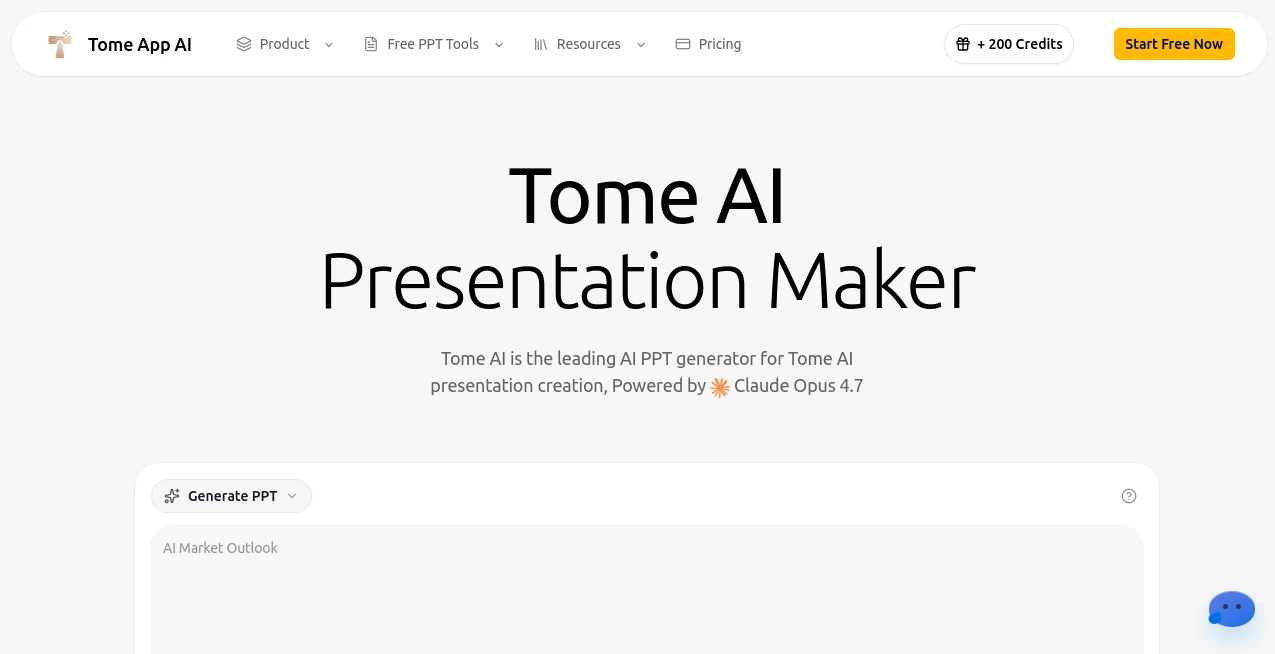
The interface is clean, modern, and designed for speed. Users simply enter their presentation topic in natural language and allow the AI to generate an organized slide deck. Every presentation can be previewed directly inside the browser before exporting, making editing straightforward even for beginners.
Accuracy & Performance
The presentation engine produces well-structured slides with logical flow, appropriate formatting, and visually consistent layouts. Instead of generating isolated slides, it creates a complete narrative that feels cohesive from the introduction to the conclusion. Real-time generation also allows users to watch their presentation being created within minutes.
Capabilities
- Create complete presentations from simple text prompts.
- Beautify existing PowerPoint presentations automatically.
- Convert PDF documents into editable presentation slides.
- Generate detailed speaker notes for every slide.
- Create presentations from YouTube videos.
- Transform Word documents into presentation decks.
- Convert HTML pages into professional slides.
- Support multiple presentation languages.
- Export presentations as standard PPTX files.
- Provide browser-based editing before download.
- Maintain consistent layouts and visual hierarchy.
- Offer various PowerPoint utility tools for conversion and optimization.
Security & Privacy
Users remain in control of their presentations throughout the editing process. Browser-based editing minimizes unnecessary software installation, while exported presentations remain fully compatible with popular presentation applications for local storage and further customization.
Use Cases
- Startup pitch decks for investors.
- Business strategy presentations.
- Sales proposals and client meetings.
- Educational lectures and classroom materials.
- Marketing campaign presentations.
- Corporate training sessions.
- Project status reports.
- Conference and webinar presentations.
- Academic research presentations.
- Internal company documentation.
Pros and Cons
Pros
- Produces professional presentations within minutes.
- Easy enough for beginners while remaining powerful for professionals.
- Automatically generates speaker notes.
- Supports multiple document conversion formats.
- Improves existing PowerPoint files with AI.
- Exports standard PPTX files compatible with major presentation software.
- Browser-based workflow eliminates complex installation.
- Suitable for business, education, marketing, and personal projects.
Cons
- Advanced customization may still require manual editing.
- Internet access is required for AI generation.
- Complex presentations may benefit from additional human refinement.
Pricing Plans
The platform provides free tools for several presentation-related tasks while offering premium plans with expanded AI generation capabilities, advanced presentation features, and higher usage limits. Pricing may vary depending on individual or business requirements.
How to Use Tome App
Begin by describing your presentation topic using natural language. Include your audience, purpose, and any specific preferences. The AI automatically creates an outline, generates complete slides, organizes layouts, and prepares visual elements where appropriate.
After generation, review the presentation directly inside the browser. Edit text, rearrange slides, or refine individual sections before exporting the final presentation as a PowerPoint file that works seamlessly with Microsoft PowerPoint, Google Slides, and Keynote.
Comparison with Similar Tools
Unlike traditional presentation software that requires users to design every slide manually, this solution automates the entire workflow from idea generation to final export. Beyond creating presentations from prompts, it also enhances existing slide decks, converts multiple document formats into presentations, and generates speaker notes automatically.
The combination of AI writing, intelligent layout generation, document conversion, presentation enhancement, and browser-based editing makes it a comprehensive productivity solution rather than a simple slide generator.
Conclusion
Preparing presentations no longer needs to be a lengthy creative process. By combining intelligent content generation, automated design, document conversion, presentation enhancement, and speaker note creation into one streamlined workflow, this platform enables professionals, educators, students, marketers, and entrepreneurs to focus on communicating ideas instead of formatting slides.
Its intuitive workflow, polished output, and extensive presentation toolkit make it an excellent choice for anyone looking to create impressive presentations faster without sacrificing quality.
Frequently Asked Questions (FAQ)
Can presentations be edited after generation?
Yes. Users can review and modify slides directly in the browser before downloading the final presentation.
Which file formats are supported?
The platform supports PowerPoint presentations, PDF conversion, Word documents, HTML pages, YouTube content, and several additional presentation-related formats.
Does it generate speaker notes?
Yes. Speaker notes can be generated automatically for each slide to help presenters deliver their content more confidently.
Who can benefit from this platform?
Business professionals, educators, students, marketing teams, startup founders, consultants, and anyone who regularly creates presentations can benefit from its AI-powered workflow.
Can presentations be exported for other presentation software?
Yes. Presentations can be exported as standard PPTX files that work with Microsoft PowerPoint, Google Slides, and Apple Keynote.
AI Documents Assistant , AI Productivity Tools , AI Education Assistant , AI Presentation Generator .
These classifications represent its core capabilities and areas of application. For related tools, explore the linked categories above.

Tome App AI Alternatives Product

mainaro
MikeSullyToo…

Mexty AI
BookTranslat…

Productivity…
Fill PDF fro…
AI Wire

Traecta

DocReplacer