


















Traidies
What is Traidies?
Let’s be real for a second. You’ve got that one trading strategy stuck in your head. You know, the one you’ve been manually testing for weeks? The one that feels like a goldmine, but turning it into an actual bot feels harder than learning a new language overnight?
I’ve been there. Staring at MQL4 documentation until my eyes glaze over. Paying developers who take forever and never quite get the logic right. It’s exhausting. But here’s the thing: it doesn’t have to be that way anymore. Imagine just typing out your idea in plain English—like you’re explaining it to a friend over coffee—and watching it turn into a ready-to-run trading bot. Sounds like magic, right? It’s not. It’s just smart AI, built for real traders who are tired of waiting.
Key Features
This isn’t just another backtesting tool or a glorified calculator. It’s a complete workflow killer for algo traders. You describe the logic, and the platform handles the heavy lifting. No compilers, no syntax errors, no headaches.
User Interface
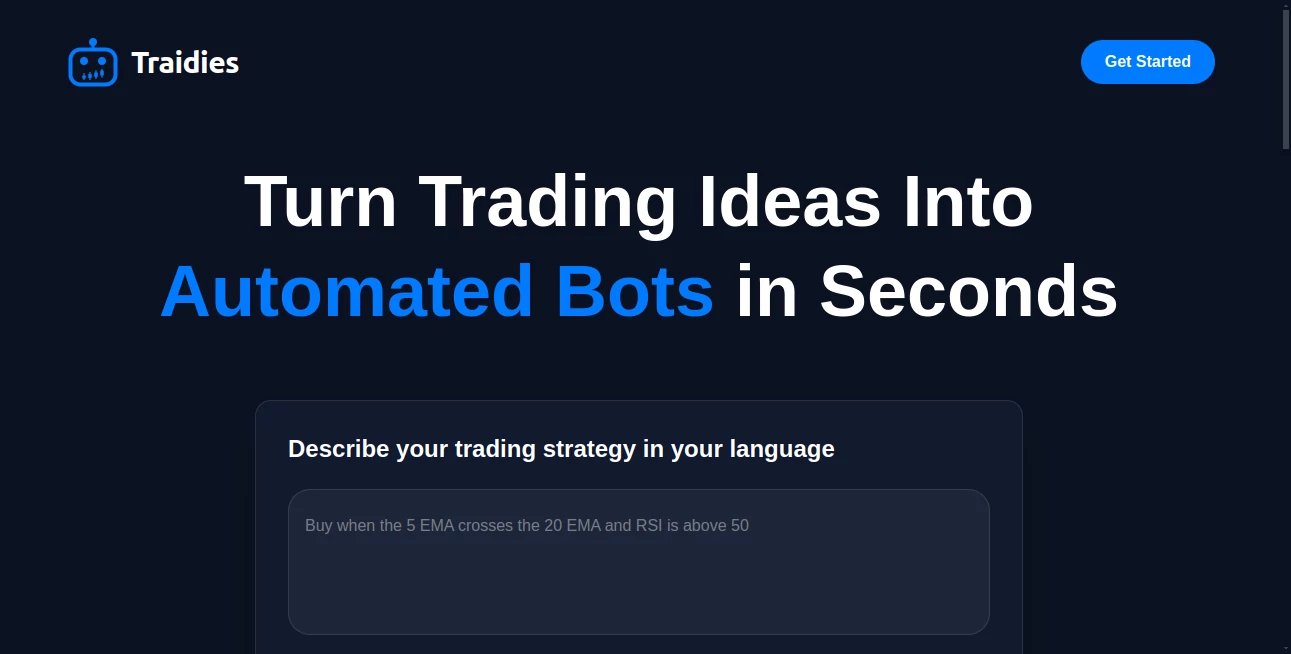
The dashboard is refreshingly clean. You won’t find a million confusing buttons or menus that look like they were designed for a NASA engineer. Everything revolves around a simple text box where you describe your strategy. On the side, you’ll see your project library where every version of your bot is stored, safe and organized. It feels more like using a modern writing app than a development environment, which is exactly the point.
Accuracy & Performance
Worried about the AI messing up your logic? Fair question. But the parsing engine here is surprisingly sharp. It understands context. If you say "buy when the RSI dips below 30 and the volume spikes," it doesn’t just guess. It structures the conditions properly. Once generated, the platform compiles everything in the cloud, so you don't have to mess with local MetaEditor setups. You just download the file and attach it to your chart. Done.
Capabilities
We’re talking full Expert Advisors and custom indicators here, not just simple scripts. The system handles complex conditional chains, multiple take-profit levels, trailing stops, and even sends alerts. And because everything is versioned, you can tweak a parameter, regenerate the code, and compare it side-by-side with your previous version. It’s like having a Git system, but specifically built for trading logic.
Security & Privacy
Look, your edge is your edge. You don’t want your secret sauce floating around on some server. The platform operates purely as a development environment. It doesn't connect to your broker, and it definitely doesn't see your funds. You generate the code, download the file, and that’s it. You hold the keys. The cloud just does the compiling, so your local machine stays lightweight and your intellectual property stays yours.
Use Cases
So, who is actually using this? Pretty much anyone who trades but hates coding.
- The Discretionary Trader going Algo: You have a manual strategy that works, but you’re tired of sitting in front of the screen for 8 hours a day. Describe your entry and exit rules, and let the bot execute them perfectly without emotion.
- The Quant Hobbyist: You have great ideas but only know basic Python, not MQL. Skip the steep learning curve. Get your idea onto the MetaTrader platform in minutes, not weeks.
- The Backtesting Junkie: You want to test 20 variations of a moving average crossover today, not next month. Generate, test, tweak, regenerate. It speeds up the iteration loop so you can focus on optimization, not syntax.
Pros and Cons
Nothing’s perfect, right? Here is the honest breakdown of what works and what might bug you.
What works well:
The speed is the biggest win. What used to take a full day of debugging now takes about five minutes. The cloud compilation is a lifesaver if you’ve ever fought with DLL errors or different MetaTrader builds. Also, the version tracking is surprisingly handy—you can roll back to an older idea without crying over lost code.
What could be better:
If you have hyper-specific, esoteric logic that involves niche market data, you might need to nudge the AI a few times to get the phrasing right. Also, right now, the ecosystem is heavily focused on MetaTrader (MQL4/5). If you’re trading on a different platform, you’ll want to keep an eye on future updates.
Pricing Plans
While specific tier pricing fluctuates based on usage (generations and compilations), the model is generally freemium or usage-based. You get a certain number of free generations to test the waters—enough to build your first basic bot and see if you like the workflow. After that, plans scale based on how heavy of a user you are. It’s designed for retail traders, not massive hedge funds, so the entry point is pretty accessible.
How to Use It
Getting started is honestly the fun part. First, you sign up and head to the dashboard. Instead of opening a manual, you just start typing. For example, write: "Create an EA that places a buy order when the 20 EMA crosses above the 50 EMA on the 1-hour chart, with a stop loss of 20 pips."
Hit generate. Wait about ten seconds. The AI spits out the code and compiles it instantly. You download the .ex4 or .mq4 file. Then, you pop that file into your MetaTrader "Experts" folder, refresh, and drag it onto your chart. That’s it. You’ve just automated your strategy.
Comparison with Similar Tools
Most "no-code" trading tools out there are just drag-and-drop flowchart builders. You have to manually place blocks for "If price > X" and "Then Y." They’re clunky and limited. This is different. It’s language-based. You aren't restricted by a grid of buttons. You can describe nuanced conditions like "only trade between 9 AM and 4 PM if the spread is lower than 2 pips," and it gets it. Compared to hiring a freelance MQL developer, the cost is negligible, and you get instant iteration. You don’t have to wait 48 hours for an email reply just to change a stop-loss value.
Conclusion
The market moves faster than ever, and waiting days or weeks to code a strategy just means you're leaving money on the table. This tool bridges the gap between having a gut feeling and having an algorithm. It respects your time as a trader. If you’ve been putting off automation because the tech seemed scary or expensive, just give it a shot. Describe your best idea, watch it come to life, and finally get some sleep while the bot does the work.
Frequently Asked Questions (FAQ)
Do I need to install Visual Studio or any compilers on my computer?
Nope. The compilation happens in the cloud. You just need a web browser and the MetaTrader platform to run the file.
Is this connected to my broker?
No. The platform strictly generates the code files. You download them and attach them to your own MetaTrader account. It never touches your actual trades or API keys.
Can it convert my TradingView Pine Script to MQL?
You don't even need to translate Pine Script. You just describe the logic of the script in plain English, and it builds the native MQL version from scratch.
What platforms are supported right now?
Currently, the focus is on MetaTrader 4 and 5 (MQL4 & MQL5), which covers the vast majority of retail forex and CFD traders.
AI Workflow Management , AI No-Code & Low-Code , AI Code Assistant , AI Developer Tools .
These classifications represent its core capabilities and areas of application. For related tools, explore the linked categories above.

Traidies Alternatives Product

AgentOne

Scillus

Online White…

Mage Flow AI…

Jujutsu Zero…

ace.me

Syncity AI

freellm

Tate-A-Tate
