

















trimy.io
Verified Blue CheckMark
Verified Blue CheckMark products are featured above free or unverified listings.
This badge indicates authenticity and builds trust, giving your product higher visibility across the platform.
Upgrade to get verified
Verified Blue CheckMark products are featured above free or unverified listings. This badge indicates authenticity and builds trust, giving your product higher visibility across the platform.
Upgrade to get verified
What is trimy.io?
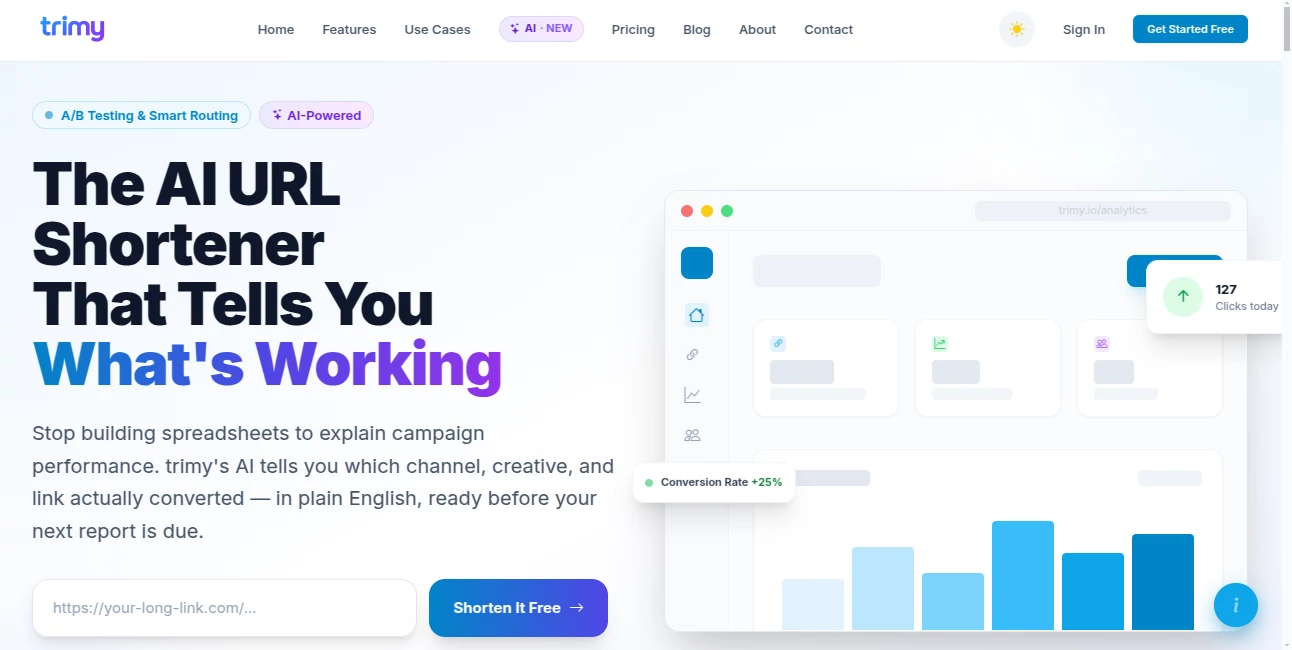
Most URL shorteners stop at giving you a shorter link and a click count. trimy takes a more useful approach by turning every click into campaign intelligence. It combines URL shortening, detailed analytics, A/B testing, smart routing, and AI-powered recommendations in one platform.
For marketers, creators, agencies, and growing businesses, this means less time digging through spreadsheets and more time understanding which campaigns are actually performing. The platform can explain campaign results in plain English, highlight potential problems, and help users decide what to change next.
It is particularly interesting for anyone managing multiple channels. A single campaign can have separate links for email, social media, QR codes, paid advertising, or different landing pages, while the analytics dashboard brings the resulting data together.
Key Features
User Interface
The interface is designed around the link rather than a complicated marketing dashboard. Users can create short links, configure tracking, review campaign performance, and manage destinations from a central workspace.
The workflow is also quick enough for everyday use. The platform states that a tracked link can be set up in under a minute, which is useful when a campaign needs to go live without another lengthy analytics configuration.
Teams can share workspaces, assign roles, and manage links collaboratively. Custom domains, QR codes, UTM parameters, and bio pages are also available, giving users several ways to organize links without relying on separate services.
Accuracy & Performance
Performance reporting includes real-time click tracking, geographic information, device and browser breakdowns, operating system data, and referrer information. This gives campaign owners more context than a simple total-click counter.
A/B testing adds another layer of measurement. Different destinations can receive traffic, while the system monitors their results and can identify a winning variant. Smart Auto-Optimize can then shift traffic toward the stronger destination.
Speed is another focus. The service reports 99.9% uptime and redirect speeds below 50 milliseconds through a global edge network. For campaigns where every extra moment can affect the visitor experience, keeping the redirect lightweight is a practical advantage.
Capabilities
The strongest part of the platform is the combination of link management and AI analysis. Campaign Health Scores provide a 0–100 assessment with prioritized recommendations, while analytics narratives explain what happened and what the numbers may mean.
Users can also interact with their campaign data through AI-assisted analysis. The system can help interpret A/B tests, suggest short codes, summarize performance, and surface useful observations without requiring the user to manually inspect every report.
Beyond analytics, the feature set includes custom domains, dynamic QR codes, password-protected links, expiration controls, UTM building, conditional routing, mobile deep linking, retargeting pixels, webhooks, bulk CSV uploads, and a developer API.
The routing system is especially useful for campaigns with different audiences. A single link can send visitors to different destinations depending on factors such as country, device, operating system, or browser.
Security & Privacy
Link protection includes password controls, expiration dates based on time or click count, and custom pages for expired links. These options are useful when a destination should only remain accessible for a specific campaign period.
According to the privacy policy, account passwords are stored using one-way hashing, and the service says it does not sell personal data or use customer information for advertising profiling. It also uses security measures such as threat-database URL validation and bot detection to improve the reliability of its analytics.
There is an important consideration for teams using the AI features: the terms advise users not to submit sensitive personal data, confidential business information, or legally privileged information to those AI features. That is a sensible precaution when working with campaign or business data.
Use Cases
For e-commerce businesses, the platform can connect clicks with individual advertising, influencer, or campaign sources. UTM templates and conversion tracking make it easier to understand where traffic is coming from and which channels deserve more attention.
Content creators can create separate branded links for YouTube, TikTok, Instagram, sponsorships, merchandise, or collaborations. Instead of presenting sponsors with a vague traffic estimate, they can provide platform-specific click data.
Marketing agencies can manage multiple clients through team workspaces and use shared campaign conventions. A/B testing and automated optimization can also reduce the amount of manual work involved in managing landing-page experiments.
QR codes make the platform useful outside purely digital campaigns. An event organizer, real-estate agent, restaurant, or healthcare provider can place trackable codes on printed material and monitor scans alongside ordinary link traffic.
Developers have a separate use case. The REST API and webhooks make it possible to integrate link creation and tracking into another application instead of creating every short link manually.
Pros and Cons
- Pros: AI-powered campaign analysis goes beyond basic click counting.
- Pros: Real-time analytics include geographic, device, browser, operating system, and referrer information.
- Pros: Built-in A/B testing and automatic optimization can help improve landing-page performance.
- Pros: Custom domains are available even on the free plan.
- Pros: Password protection and link expiration provide useful control over shared destinations.
- Pros: QR codes, UTM tools, routing rules, API access, and team collaboration cover a broad range of workflows.
- Cons: AI features are subject to monthly usage quotas.
- Cons: The extensive feature set may be more than a casual user needs from a basic URL shortener.
- Cons: Advanced experimentation and larger-scale analytics require a paid subscription.
Pricing Plans
The platform offers a permanent Free plan with 30 links per month, AI functionality, one custom domain, password-protected and expiring links, 14-day analytics retention, and up to 10 QR codes per month. No credit card is required to start.
The Starter plan costs $12.99 per month and increases the allowance to 1,500 links per month. It also adds webhooks, bulk CSV uploads, A/B testing, additional custom domains, team functionality, and 60-day analytics retention.
The Professional plan costs $39.99 per month and supports up to 15,000 links per month. It adds Smart Routing, mobile deep linking, more A/B tests, Smart Auto-Optimize, up to 10 custom domains, larger teams, and 120-day analytics retention.
The Business plan costs $99.99 per month and is designed for agencies and larger organizations. It supports up to 100,000 links per month, priority support, extensive A/B testing and optimization limits, 50 custom domains, larger team capacity, and 365-day analytics retention.
Starter includes a 7-day free trial, while Professional and Business offer 14-day trials. The service states that users can cancel during the trial without being charged.
How to Use trimy
Start by creating an account and entering the destination URL you want to share. You can then generate a short link and, when needed, connect it to a custom domain or memorable short code.
For campaign tracking, add the appropriate UTM parameters and choose the information you want to monitor. The resulting link can be distributed through email, social media, advertisements, QR codes, or other channels.
Once people start clicking, open the analytics dashboard to review traffic sources, locations, devices, browsers, and other available metrics. Instead of interpreting every number manually, you can use the AI features to summarize the results and identify potential areas for improvement.
If you are testing landing pages, create an A/B experiment with different destinations. Let the system collect enough traffic to compare the variants, then use the winning result or enable automated optimization where appropriate.
For teams, invite collaborators into the relevant workspace and assign permissions. Developers can take a different route by connecting their applications through the REST API and webhooks.
Comparison with Similar Tools
Traditional URL shorteners are often excellent at creating compact links, but users may need additional products for campaign analytics, experimentation, QR-code tracking, or automated routing. This platform aims to bring those functions together.
Its biggest distinction is the AI layer. Rather than presenting analytics as a collection of charts and numbers, it attempts to explain campaign performance in ordinary language and turn those observations into practical recommendations.
It is therefore a better fit for someone who wants link management to become part of a broader marketing workflow rather than simply needing a shorter URL. A user who only needs an occasional basic link may not need its wider feature set, while a marketer running several campaigns can make much better use of the additional controls.
Conclusion
A good link management platform should answer more than one question. Knowing that somebody clicked a link is useful, but knowing where that visitor came from, what device they used, which campaign generated the visit, and which landing page performed better is considerably more valuable.
That is where this platform stands out. Its combination of AI campaign interpretation, advanced analytics, A/B testing, smart routing, branded links, QR codes, and developer tools creates a much broader system than a conventional URL shortener.
The free plan also makes it easy to test the core workflow before committing to a subscription. For marketers, creators, agencies, and businesses that want clearer answers from their link data, it is a compelling option worth exploring.
Frequently Asked Questions (FAQ)
Is there a free plan?
Yes. The Free plan is available without a credit card and includes 30 links per month, AI features, a custom domain, basic analytics, protected links, and QR codes.
Can I use my own domain?
Yes. Custom domains are supported across all plans, including the Free plan. The number of available custom domains increases with the paid tiers.
Can I track QR code scans?
Yes. The QR code generator supports trackable codes, allowing scans to be measured in a similar way to link clicks.
Does it support A/B testing?
Yes. You can send visitors to different destinations, compare conversion performance, identify winning variants, and use Smart Auto-Optimize on eligible plans.
Can developers integrate it with an application?
Yes. A versioned REST API and webhooks are available for integrations that need programmatic link creation and related functionality.
Do short links expire automatically?
No. Links remain active unless you choose to configure an expiration rule. Expiration can be based on a date or a number of clicks.
What happens if I reach my monthly link limit?
Existing links continue to work. You simply cannot create additional links until the quota resets or you upgrade to a higher plan.