


















DocForge
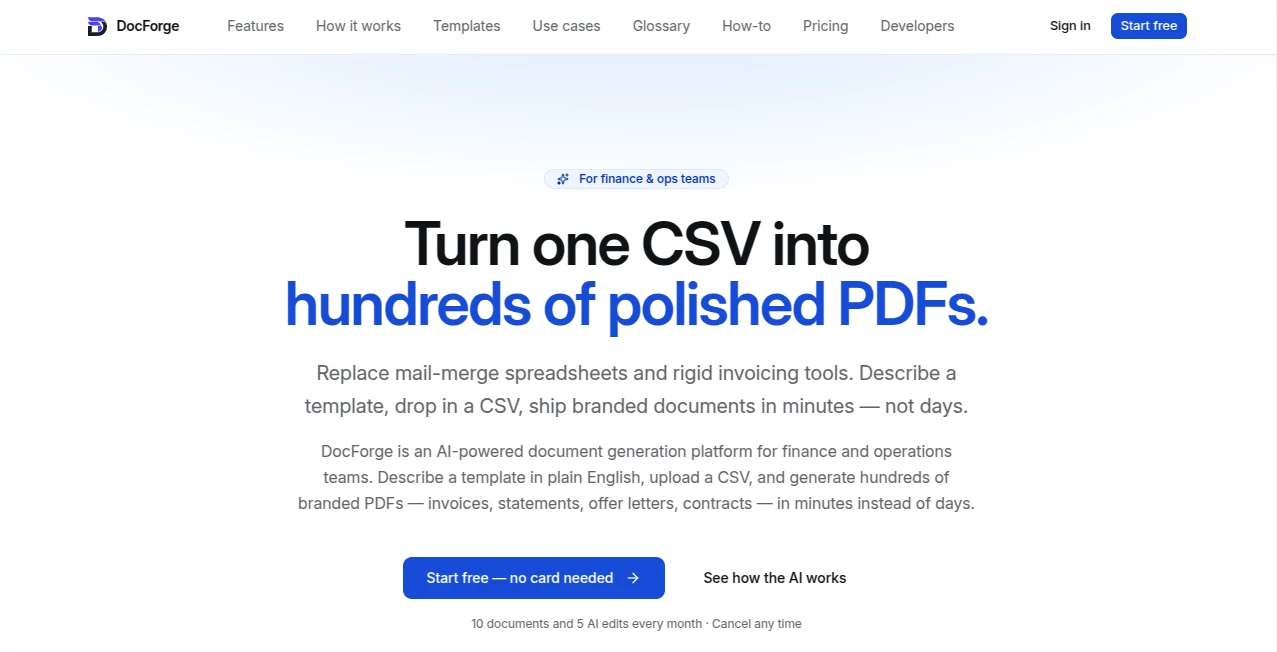
What is DocForge?
There’s a special kind of relief when you finish a big batch of invoices, offer letters, or statements and they all look perfectly branded, consistent, and professional—without spending days fighting with spreadsheets or mail merge disasters. This tool makes that normal. You describe what you want in plain English, drop in a CSV file, and it generates hundreds of beautiful, ready-to-send PDFs in minutes. I’ve watched finance teams go from “this will take all week” to “done before lunch” after switching. It feels like finally having an extra pair of highly competent hands that never gets tired.
Introduction
Finance and operations teams live in spreadsheets. The data is there, but turning it into polished, on-brand documents has always been painful—manual formatting, broken templates, version chaos. DocForge changes the game by letting you describe the document you need in natural language, then intelligently filling it with your data. No coding, no complex layout tools, no brittle macros. Just clear, beautiful output that actually looks like it came from a design team. It’s built specifically for people who send documents every day and are tired of the friction that comes with it.
Key Features
User Interface
The interface is refreshingly straightforward. You start by describing your template (“Create a professional invoice with our logo at the top, itemized table in the middle, and payment terms at the bottom”), upload your CSV, and the AI drafts a clean version. You can tweak the design with simple prompts or visual adjustments. Everything happens in one clean workspace—no switching between ten tabs or wrestling with Word. It feels like working with a smart assistant who actually understands business documents.
Accuracy & Performance
It gets the details right: numbers format correctly, dates stay consistent, line items align perfectly, and branding stays intact across every document. Generation is fast—even hundreds of PDFs don’t make it break a sweat. The AI understands context, so totals calculate properly, tax lines appear where they should, and conditional content (like different terms for different clients) works reliably. Users consistently say the output needs very little cleanup compared to traditional tools.
Capabilities
From invoices and statements to offer letters, contracts, reports, and custom operational docs—describe it once and generate as many as you need. It supports complex tables, conditional logic, multiple languages, and full brand customization. You can save templates, version them, and reuse them forever. Bulk generation with one CSV upload is a game-changer for monthly closes or onboarding waves. The output is always print-ready, email-ready, and looks professionally designed.
Security & Privacy
Your data stays secure—processing happens with strong encryption, and documents are generated without unnecessary storage. Teams appreciate the controlled access and audit-friendly design. It’s built for finance and ops environments where trust and compliance matter.
Use Cases
A finance team generates 400 client invoices at month-end in under ten minutes instead of two days. An HR department sends beautifully formatted offer letters to an entire new hire cohort with perfect personalization. A SaaS company creates customized usage reports for every customer without manual work. Operations teams build internal reports or compliance documents that actually look good. Wherever repetitive document creation slows you down, this tool removes the pain.
Pros and Cons
Pros:
- Turns natural language descriptions into professional layouts—no design skills needed.
- Handles bulk generation from CSV effortlessly and accurately.
- Saves massive amounts of time on repetitive document work.
- Output looks genuinely branded and polished.
- Simple enough for non-technical users, powerful enough for real business needs.
Cons:
- Very complex or highly custom legal documents may still need final human review.
- Learning the best prompting style takes a short adjustment period.
Pricing Plans
It offers a generous free tier for smaller teams or testing. Paid plans scale with volume—more documents per month, shared workspaces, approval workflows, template versioning, and priority support. Pricing is reasonable for the hours it saves finance and ops teams every month. Many users say it pays for itself after the first big batch run.
How to Use DocForge
Sign up, go to the template builder, and describe what you need in plain English. Upload a sample CSV with your data columns. Review the AI-generated draft and refine with additional instructions if needed. Once happy, upload your full dataset and generate the entire batch. Download as individual PDFs or a single ZIP. Save the template for next time—future runs become even faster.
Comparison with Similar Tools
Traditional mail-merge tools are brittle and ugly. Design-heavy platforms require designers and engineers. This one sits in the sweet spot: powerful AI that understands business documents, beautiful output, and a workflow simple enough for non-technical teams. It replaces both spreadsheets and expensive design time with something faster and more reliable.
Conclusion
DocForge takes one of the most tedious parts of finance and operations work and turns it into something almost enjoyable. Clean, branded, accurate documents at scale—without the usual headaches. For teams that send invoices, statements, letters, or reports regularly, it’s the kind of tool that quietly makes every month smoother and more professional. If you’re tired of fighting with documents, this is worth trying today.
Frequently Asked Questions (FAQ)
How fast can I generate hundreds of documents?
Usually in just a few minutes once the template is ready.
Do I need design experience?
No—describe what you want in plain English and let the AI handle the layout.
Can I customize the look completely?
Yes—logos, colors, fonts, spacing, everything can be refined with prompts or visual tools.
Is it secure for financial data?
Yes—built with finance and ops teams in mind, with strong privacy controls.
Can I save templates for repeated use?
Absolutely—templates are versioned and reusable forever.
AI Workflow Management , AI Document Extraction , AI Documents Assistant , AI Productivity Tools .
These classifications represent its core capabilities and areas of application. For related tools, explore the linked categories above.

DocForge Alternatives Product

CoolVerdict

YouTube Thum…

vivgrid

Hairstyle An…

Watermark in…

ChatView-AI …

JSON to Excel

Mage Flow AI…

GenPPT AI
