
Dock
What is Dock?
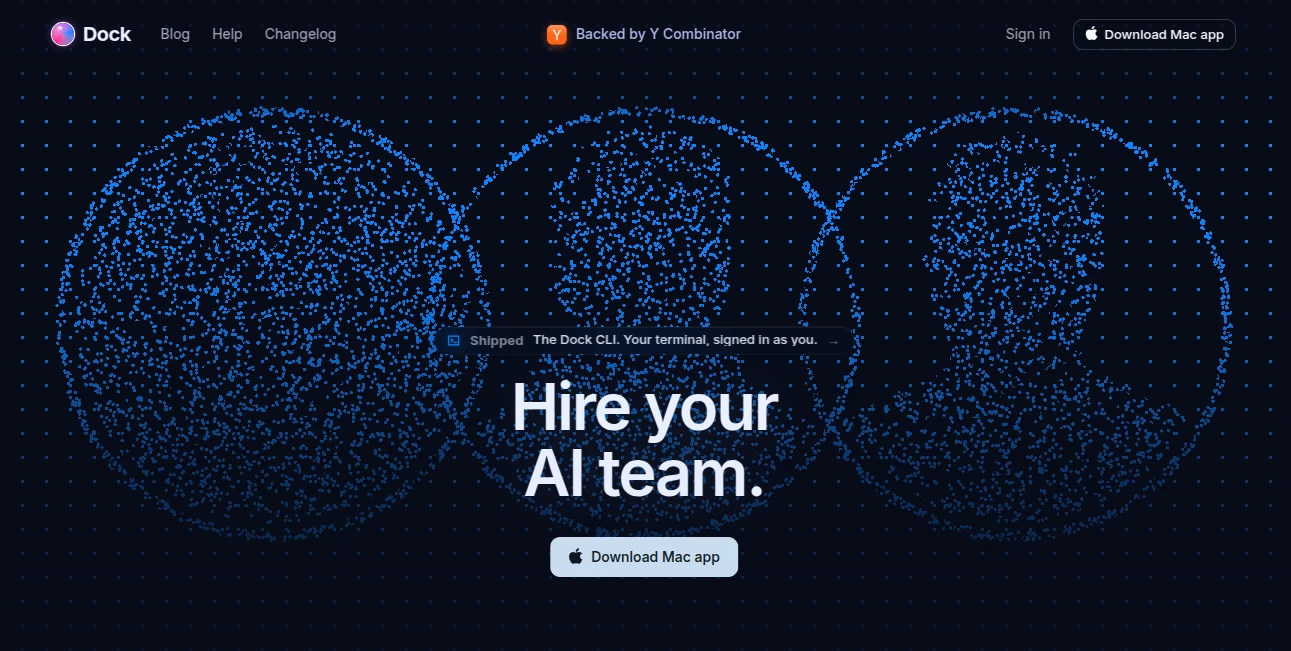
Dock is a modern AI workspace designed to help teams and AI agents work together in the same environment. Instead of keeping information scattered across multiple apps, it creates a shared space where people and intelligent agents can read, update, and organize work in real time.
Built for the new generation of AI-powered workflows, this platform helps businesses manage documents, structured data, planning processes, and recurring operations without losing context. Teams can connect their preferred AI agents and allow them to interact with the same workspace while maintaining clear permissions and activity tracking.
For companies adopting AI into daily operations, having a reliable place where humans and agents collaborate can significantly reduce repetitive tasks and improve decision-making. It brings organization, visibility, and automation together in one flexible environment.
Key Features
- Shared AI Workspace: Create collaborative spaces where team members and AI agents can work on the same information without constantly transferring data between different platforms.
- Real-Time Collaboration: Changes made by users and connected agents are synchronized quickly, helping everyone stay aligned with the latest updates.
- Agent-Friendly Architecture: AI agents can securely interact with workspaces through supported protocols, allowing them to read information and perform useful actions.
- Tables and Documents: Combine structured data tables with rich text documents to manage everything from product plans to operational workflows.
- Permission Control: Each connected agent can have its own identity, access keys, and activity history for better security and accountability.
- Workflow Templates: Ready-made workflows help teams quickly organize product management, research, recruiting, and business operations.
User Interface
The interface focuses on simplicity and clarity. Users can organize information through tables and documents while keeping important workflows visible in one place. The workspace structure feels familiar for teams that already use productivity applications, making adoption easier.
The clean design allows both technical and non-technical users to manage projects, review updates, and collaborate with AI agents without dealing with complicated configurations.
Accuracy & Performance
The platform is built around maintaining consistent information between humans and AI systems. By giving agents access to the same workspace data, it reduces problems caused by outdated context or disconnected conversations.
Real-time synchronization and detailed activity tracking help teams understand what changed, when it changed, and which user or agent performed the action.
Capabilities
This AI workspace supports a wide range of professional workflows, including product planning, documentation, customer research, content operations, recruiting processes, and internal business management.
Teams can use it to create roadmaps, prepare specifications, organize research findings, manage operational documents, and connect AI assistants directly to their daily processes.
Security & Privacy
Security is an important part of AI collaboration. The platform provides separate identities and access controls for AI agents instead of relying on shared human credentials. This makes it easier for organizations to control permissions and monitor automated activity.
Detailed audit information helps teams understand how information is changed and maintain better oversight when using AI in business environments.
Use Cases
- Product Management: Build roadmaps, write product specifications, organize customer feedback, and coordinate development tasks.
- Engineering Teams: Keep technical documentation, workflows, and project information connected with AI-assisted processes.
- Research Teams: Collect insights, analyze interviews, and organize research materials in a shared environment.
- Operations: Manage recurring business processes, internal documentation, and team workflows more efficiently.
- Startups: Help small teams combine human creativity with AI automation without managing many disconnected tools.
Pros and Cons
Pros
- Designed specifically for human and AI collaboration
- Combines documents and structured data in one workspace
- Supports multiple AI agent workflows
- Provides better visibility into automated actions
- Useful for startups, teams, and professional workflows
Cons
- May require some learning for users new to AI agent workflows
- Best value comes from teams already using AI automation
- Advanced features may be more suitable for professional users
Pricing Plans
The platform provides different plans designed for individuals, small teams, and growing organizations. A free option is available for users who want to explore the workspace experience, while paid plans provide additional capacity for larger teams, more agents, and expanded workspace usage.
Pricing is structured around organization needs rather than charging separately for every individual action, making it easier for teams to predict their costs as they scale.
How to Use Dock
Getting started is simple. Users can create a workspace, organize information using tables or documents, and connect compatible AI agents to begin collaborative workflows.
After setup, teams can assign repetitive tasks to AI agents while keeping humans involved for important decisions and reviews. Over time, the workspace becomes a central location where projects, knowledge, and automated processes continue to grow.
Comparison with Similar Tools
Unlike traditional productivity applications that mainly focus on human collaboration, this platform is designed around a future where AI agents actively participate in workflows. It provides a dedicated environment where agents can access information, complete tasks, and maintain accountability.
Compared with standalone AI assistants, it offers a more organized approach by giving AI systems a persistent workspace instead of relying only on individual conversations.
Conclusion
As businesses continue adopting AI, the need for better collaboration between people and intelligent systems is becoming more important. This platform provides a practical solution for teams that want to bring AI agents into everyday workflows while keeping information organized and secure.
With its combination of flexible workspaces, real-time collaboration, and AI-friendly design, it offers a strong foundation for companies looking to build more efficient and connected operations.
Frequently Asked Questions (FAQ)
What is this AI workspace used for?
It helps teams and AI agents collaborate on documents, data, workflows, and business processes in a shared environment.
Can AI agents connect to the workspace?
Yes. The platform is designed to allow compatible AI agents to interact with workspace data while maintaining permissions and activity tracking.
Is it useful for small teams?
Yes. Startups and small teams can use it to organize projects and automate repetitive workflows with AI assistance.
Does it support documents and tables?
Yes. Users can manage both structured information and rich text documents inside the same workspace.
Who can benefit most from this tool?
Product teams, startups, engineers, researchers, and businesses looking to integrate AI into their daily operations can benefit from it.
AI Workflow Management , AI Project Management , AI Productivity Tools , AI Team Collaboration .
These classifications represent its core capabilities and areas of application. For related tools, explore the linked categories above.

Dock Alternatives Product

WhatIsThisMo…

Discord Time…

Calculadora …

Magpie

VideoLens
MeetAssist

Airtable AI …

Mage Flow AI…

Duct Tape AI…