TryH3
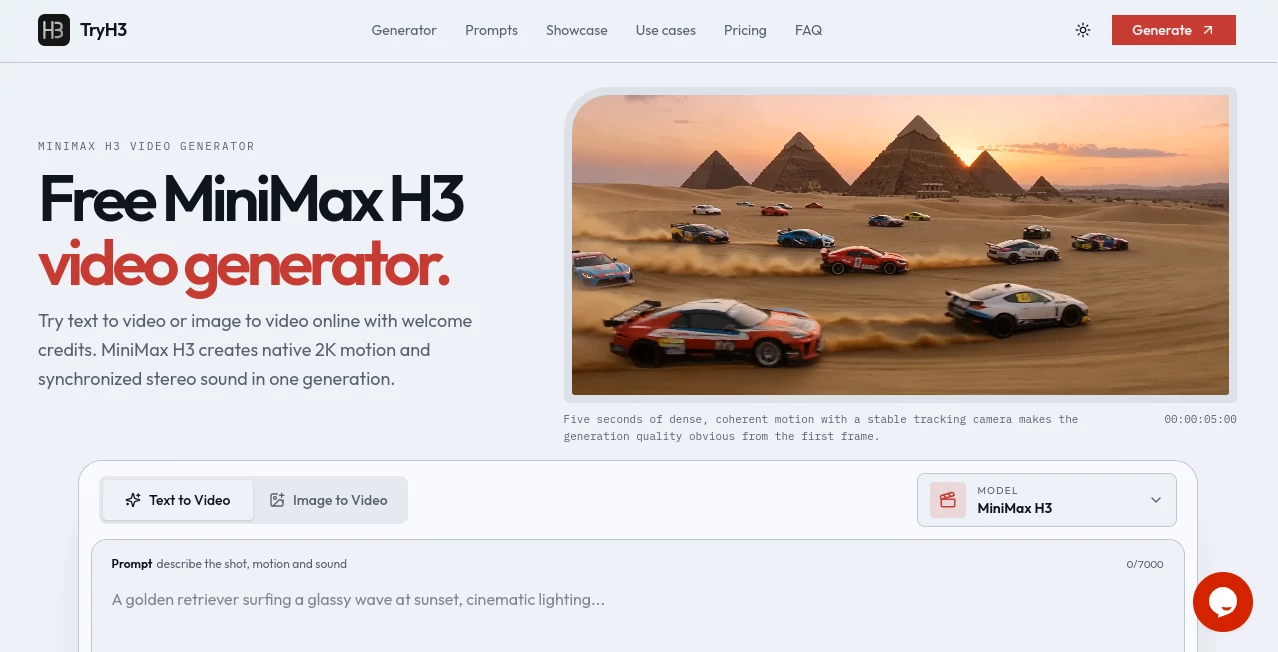
What is TryH3?
TryH3 brings the newly released MiniMax H3 video model into a focused browser-based studio for creating short AI videos from text, images, and multimodal references. It is designed for creators who want to move from an idea to a finished shot without dealing with a complicated production workflow.
The platform supports both text-to-video and image-to-video generation, with clips ranging from 4 to 15 seconds and output available at up to native 2K resolution. Synchronized sound is also generated with the video, making the result more useful for cinematic scenes, product concepts, social content, and creative experiments.
New users can start with welcome credits without entering a payment card. This makes it particularly convenient for anyone who wants to test the model before committing to a paid credit pack.
Key Features
- Text-to-video generation from detailed written prompts.
- Image-to-video generation using a first frame.
- Support for first-frame and last-frame control.
- Native video output up to 2K resolution.
- Video durations from 4 to 15 seconds.
- Synchronized ambience and sound effects.
- Six aspect ratios for different publishing formats.
- Multimodal references for characters, motion, style, voice, and editing direction.
- Character and visual consistency across shots.
- Commercial usage for videos created with purchased or subscription credits.
- Browser-based preview and MP4 download.
- Automatic credit refunds for failed generations.
User Interface
The interface keeps the main creative controls close to the generation box. Users can enter a prompt, choose text-to-video or image-to-video, add a reference frame when needed, and select the duration, aspect ratio, and quality before starting a generation.
One practical touch is the prompt showcase. Instead of forcing new users to figure everything out from scratch, the site presents selected examples across areas such as cinematic scenes, people, products, nature, anime, and entertainment. These examples can be reused as starting points, which is helpful when learning how to describe camera movement and action.
Accuracy & Performance
The underlying H3 model is built for instruction-driven video generation and is capable of producing native 2K video with synchronized stereo sound. The platform reports that a typical generation takes around 1 to 3 minutes, although actual processing time can vary with duration and queue conditions.
Good prompts still matter. The strongest results come from clearly describing the subject, action, environment, camera movement, lighting, style, timing, and sound instead of simply filling a prompt with adjectives. Like any generative video system, individual results can vary, so reviewing and refining a generation remains part of the creative process.
Capabilities
The system goes beyond simple text-to-video creation. A user can animate an existing image, define where a shot should begin and end, or provide multiple references for a more controlled result. Reference inputs can help guide elements such as character identity, camera movement, visual style, voice, or editing rhythm.
There is also useful flexibility in output formats. Six aspect ratios are available, including widescreen, vertical, square, and cinematic formats. This makes the same workflow suitable for a landscape video concept, a social media short, or a mobile-first campaign.
Security & Privacy
The platform provides dedicated privacy and terms documentation for users who want to understand how the service operates. As with any online generative media service, users should avoid uploading confidential, private, or sensitive material unless they have reviewed the applicable policies and are comfortable with the handling of those files.
Use Cases
- Social media: Create short vertical clips for Shorts, Reels, TikTok-style content, and other mobile-first formats.
- Product advertising: Turn product concepts and reference images into polished promotional scenes.
- Film previsualization: Test camera movements, compositions, environments, and action before a production begins.
- Character storytelling: Build short scenes around a consistent character, outfit, and visual style.
- Anime and creative projects: Explore stylized scenes and reference-driven animation.
- Marketing concepts: Quickly produce visual ideas for campaigns before investing in full production.
- Creative experimentation: Test unusual scenes, camera directions, transitions, and sound concepts with relatively little setup.
- Client work: Create short visual concepts and finished clips for commercial projects when using eligible purchased or subscription credits.
Pros and Cons
- Pros: Native 2K output, synchronized audio, text-to-video and image-to-video modes, multiple aspect ratios, multimodal references, commercial usage options, and welcome credits for new users.
- Pros: The workflow is straightforward enough for beginners while still offering controls that experienced creators can use for more deliberate direction.
- Cons: Generations consume credits, so extensive experimentation can become costly.
- Cons: Short clips of 4 to 15 seconds are better suited to individual shots and short-form content than complete long-form productions.
- Cons: Results can still vary between generations, particularly when a prompt contains many competing instructions.
Pricing Plans
The service uses a credit-based model with both one-time packs and recurring subscription options. New eligible accounts receive welcome credits, allowing users to experiment before purchasing.
The Boost Pack is listed at $20.93 during the current 30% promotional offer, reduced from $29.90, and includes 700 credits. The Creator Pack is listed at $34.93, reduced from $49.90, with 1,600 credits. The Studio Pack is listed at $69.93, reduced from $99.90, with 3,300 credits.
The one-time packs do not auto-renew and their credits remain valid for 12 months. Purchased or subscription credits also include commercial usage rights for eligible generated videos. Pricing and promotional offers can change, so users should check the current pricing page before purchasing.
How to Use It
Start by entering a description of the scene you want to create. A useful prompt can mention the subject, environment, movement, camera direction, lighting, visual style, pacing, and desired sound.
For an image-based project, switch to image-to-video and upload a suitable starting image. You can then explain how the subject, camera, or environment should move. If you have a specific destination frame in mind, first and last frame controls can help define the transition.
Next, select the duration, aspect ratio, and output quality. After starting the generation, the system renders the clip and displays the result in the browser. Once you are satisfied, the finished MP4 can be downloaded for further editing or publishing.
Comparison with Similar Tools
Many AI video platforms focus primarily on turning a written prompt into a short visual clip. This platform stands out by combining text-to-video, image-to-video, reference-driven generation, native 2K output, and synchronized audio within one workflow.
It is particularly appealing when control over the starting image, ending frame, character identity, camera direction, or sound matters. Someone looking only for quick experimental clips may not need all of these controls, while filmmakers, marketers, designers, and content creators can benefit from having them available in the same environment.
Conclusion
For creators looking to explore the latest generation of AI video creation without building a complicated technical workflow, this is a compelling option. Native 2K rendering, synchronized sound, multiple formats, reference inputs, and short generation times give it a practical edge for both experimentation and production-oriented work.
The welcome credits also make it easy to test the experience before spending money. Whether the goal is a cinematic concept, a product advertisement, a social media clip, or an animated image, the combination of straightforward controls and deeper reference capabilities makes this a useful addition to an AI video toolkit.
Frequently Asked Questions (FAQ)
What can I create with this tool?
You can create short AI-generated videos from text prompts, images, and multimodal references. It is suitable for cinematic scenes, product visuals, character stories, social content, anime-style concepts, and many other creative applications.
Does it support image-to-video generation?
Yes. You can upload an image as a first frame and describe the movement you want. The system can animate the supplied image while following the written direction.
What video resolutions are available?
Output can be generated at 768P or native 2K resolution, depending on the selected settings and credit usage.
How long can generated videos be?
Video duration can be selected from 4 to 15 seconds. This makes the service particularly well suited to individual shots, short-form content, advertisements, and visual experiments.
Can the generated videos be used commercially?
Videos created with purchased pack credits or subscription credits include commercial usage for applications such as advertisements, client projects, and monetized content, subject to the applicable terms.
How long does video generation take?
A typical generation takes approximately 1 to 3 minutes, although processing time can change depending on the selected duration and current system load.
Is there a free option?
Eligible new accounts receive welcome credits that can be used to test video or image generation. A payment card is not required to create an account and begin using the introductory allocation.
Which aspect ratios are supported?
The available ratios include 16:9, 9:16, 1:1, 4:3, 3:4, and 21:9, giving creators options for widescreen, vertical, square, and cinematic projects.
AI Image to Video , AI Video Generator , Video , AI Text to Video .
These classifications represent its core capabilities and areas of application. For related tools, explore the linked categories above.

TryH3 Alternatives Product

HappyHorse AI

AI Happy Hor…
SkyReels-V4

The Influenc…

Seedance AI

Veo 4

VidiOne

HappyHorse A…

Veo 3.1