Unblur Image
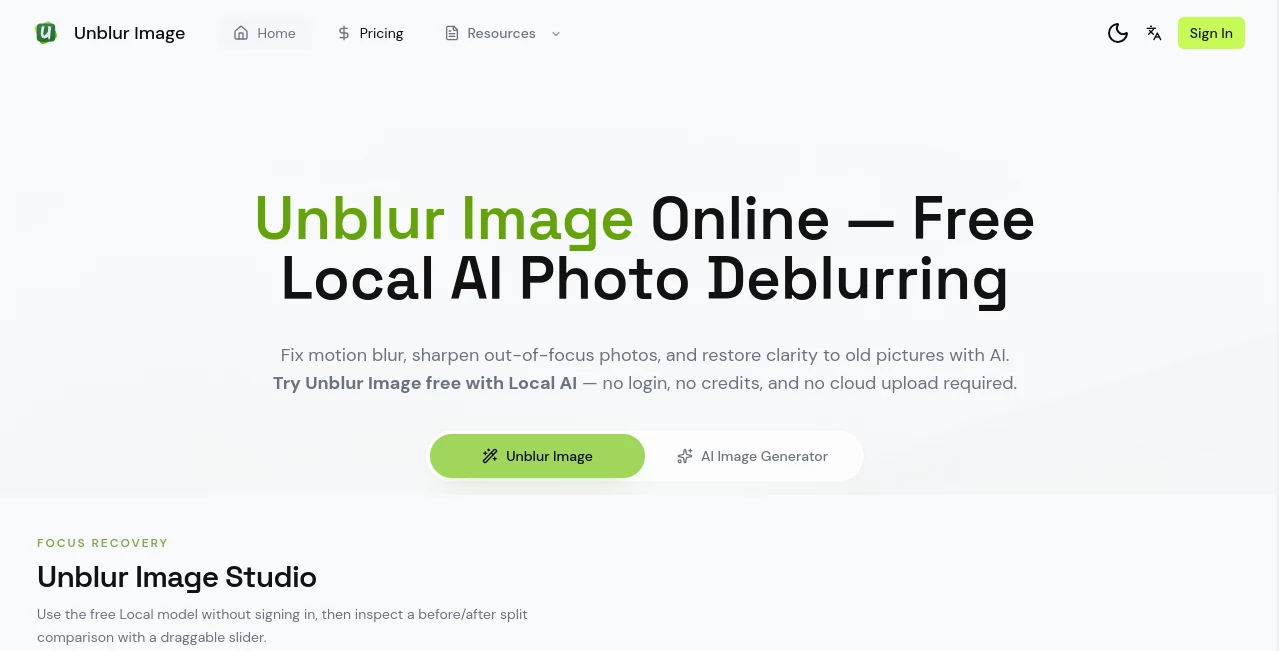
What is Unblur Image?
We've all been there — you capture a perfect moment only to realize later the photo is blurry, out of focus, or just too soft. That sinking feeling when a precious memory or important shot looks unusable. This tool changes that story. You upload the blurry image, and within seconds it brings back details, sharpens edges, and makes the photo look clear and natural again. I’ve seen people recover old family photos they thought were ruined and watched content creators save shots they nearly deleted. It’s the kind of practical magic that makes you wonder how you ever lived without it.
Introduction
Blurry photos are incredibly common — shaky hands, bad lighting, fast-moving subjects, or just low-quality phone cameras. Traditional editing software often makes things worse or requires real skill. This platform uses smart AI specifically trained on blur patterns to restore clarity without turning photos into plastic-looking artifacts. It works on everything from slightly soft shots to heavily motion-blurred images, and it does it fast enough that you stay in the flow rather than waiting around. For photographers, parents, content creators, and everyday phone users, it’s become a quiet essential.
Key Features
User Interface
The whole process is wonderfully simple. You drag and drop your photo or click to upload, choose the enhancement strength if you want, and hit the button. Before-and-after comparisons appear side by side so you can see exactly what changed. No complicated sliders or technical terms — just a clean, fast interface that gets out of your way and delivers results. Even my non-techy friends figured it out on their first try.
Accuracy & Performance
It handles different types of blur remarkably well — motion blur, out-of-focus shots, camera shake, and low-resolution compression. The AI understands what details should be there and reconstructs them naturally rather than just sharpening edges. Processing is quick, usually just a few seconds even for higher resolution images, and the results hold up when you zoom in or print them. It avoids the over-sharpened, noisy look that ruins so many other enhancement tools.
Capabilities
Beyond basic deblurring, it can upscale images while keeping them sharp, enhance faces with natural skin tones, recover fine details in landscapes or product shots, and improve low-light photos without adding noise. You can process multiple images in one go, adjust intensity levels, and download in high resolution. It works great on portraits, pet photos, documents, screenshots, and even old scanned memories.
Security & Privacy
Your photos are processed securely and deleted shortly after enhancement. No accounts are forced for basic use, and there’s no long-term storage of your images unless you choose to save them. For personal photos and sensitive work, that respectful approach makes a big difference.
Use Cases
A parent recovers a blurry photo from their child’s school play that they thought was lost forever. A real estate agent quickly sharpens interior shots before listing a property. A content creator rescues slightly soft product photos that would have otherwise needed a full reshoot. Someone restores old family photos from years ago, bringing back details they hadn’t seen in decades. It fits anywhere a blurry image stands between you and a great visual.
Pros and Cons
Pros:
- Impressive results on real-world blurry photos without over-processing.
- Extremely fast processing that keeps your workflow moving.
- Works on many different types of blur and image qualities.
- Simple enough for anyone to use, powerful enough for regular creators.
- Generous free tier lets you test it on important photos first.
Cons:
- Extremely severe blur or very low resolution images can still be challenging.
- Batch processing and unlimited use require a paid plan.
Pricing Plans
The free tier gives you several high-quality enhancements per day — enough to rescue important photos or test the tool thoroughly. Paid plans remove limits, add batch processing, higher resolution outputs, and priority speed during busy times. The pricing feels fair for how often it saves shots that would otherwise be unusable.
How to Use Unblur Image
Go to the main page and either drag your blurry photo into the upload area or click to select one from your device. The tool analyzes the image automatically and shows a preview of the enhanced version. If you want, adjust the strength slider for more or less sharpening. When you’re happy with the result, download it in high resolution. For multiple photos, paid users can process them together. The entire process usually takes less than 30 seconds per image.
Comparison with Similar Tools
Many general photo enhancers exist, but most either do too little or go overboard with artificial sharpening. This one is specialized in deblurring and strikes a better balance between clarity and natural appearance. It’s faster and more effective on real blurry photos than most free alternatives, while remaining simpler than heavy desktop editing software.
Conclusion
A blurry photo doesn’t have to be a lost memory or wasted opportunity. This tool gives those images a second chance with impressive, natural-looking results that actually look like better versions of the original. Whether you’re saving personal moments, rescuing content for work, or just improving everyday shots, it delivers reliable quality without complexity. In a world full of imperfect photos, having this kind of rescue tool feels genuinely empowering.
Frequently Asked Questions (FAQ)
How blurry can a photo be and still work?
It handles mild to moderate blur very well. Extremely severe cases may improve but won’t always become perfectly sharp.
Does it work on old scanned photos?
Yes — it often brings back surprising amounts of detail from old or low-quality scans.
Can I use the enhanced images commercially?
Yes, especially on paid plans which include full commercial rights.
Is my photo stored anywhere?
No — images are processed and deleted shortly after enhancement.
What file types are supported?
JPG, PNG, and WebP work best for optimal results.
Photo & Image Editor , AI Photo Enhancer , AI Design Generator , AI Image to Image .
These classifications represent its core capabilities and areas of application. For related tools, explore the linked categories above.

Unblur Image Alternatives Product
Zilivo AI
Nano Banana …

PhotoEditorAI

BulkPicTools

Nano Banana …

BeYourCover

grok imagine…
Caricature A…

Nano Banana 2