
Underleaf
What is Underleaf?
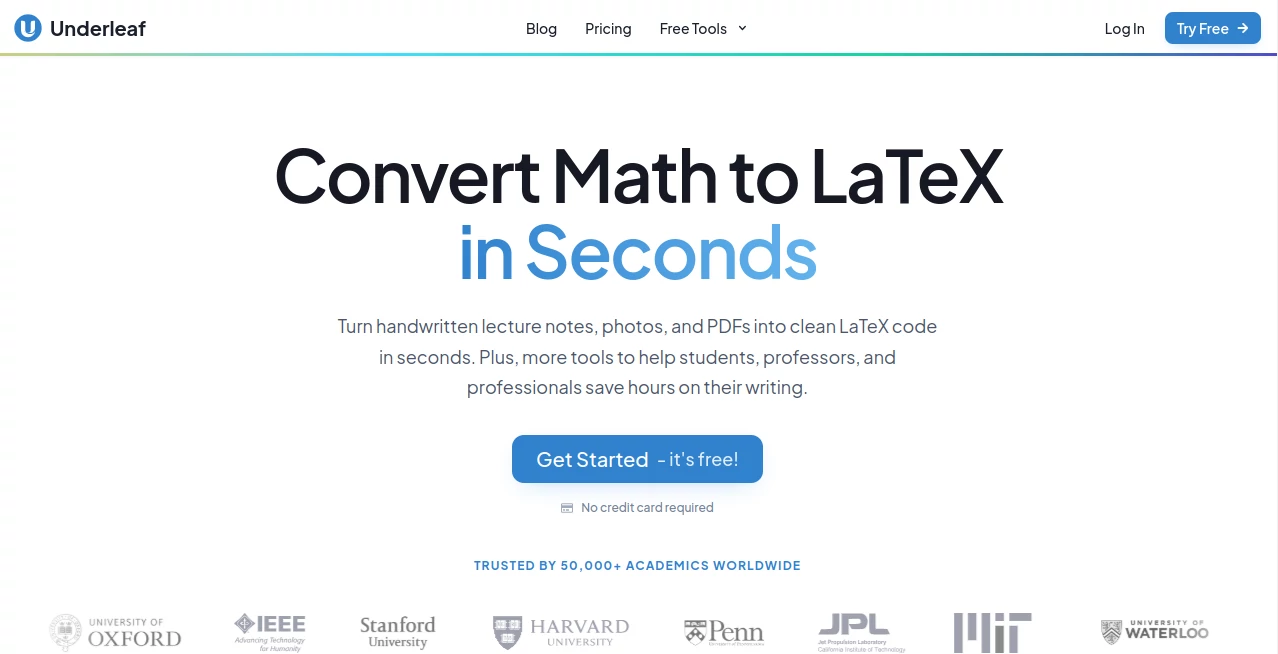
Academic writing can become surprisingly time-consuming when the research itself is not the difficult part. Converting handwritten equations, formatting tables, preparing citations, building diagrams, and turning existing documents into LaTeX can take hours. Underleaf brings these tasks together in an AI-powered workspace designed for students, researchers, professors, and other academic professionals.
Its main attraction is the ability to turn handwritten notes, mathematical expressions, images, and PDFs into clean LaTeX code. Instead of manually recreating equations or rebuilding tables line by line, users can upload their material and receive editable output that can be copied into a LaTeX editor. The platform also extends beyond conversion with academic writing and research-focused tools.
For someone preparing a thesis, research paper, lecture material, or conference submission, this can make the less interesting parts of the writing process much easier. The platform currently reports more than 30,000 academic users, 200+ universities, and over 50,000 documents converted.
Key Features
- Convert handwritten mathematical notes and equations into LaTeX.
- Convert images containing mathematical expressions into editable LaTeX code.
- Convert PDF documents into LaTeX.
- Transform spreadsheets and tables into LaTeX-compatible formats.
- Generate TikZ diagrams with AI assistance.
- Create abstracts and thesis statements.
- Paraphrase and polish academic writing.
- Assist with citations and research-related tasks.
- Generate keywords and summarize research material.
- Use AI assistance directly inside Overleaf through a Chrome extension.
- Access a collection of research and LaTeX-focused tools from one platform.
User Interface
The interface is built around straightforward academic workflows rather than a complicated collection of controls. Users can choose a specific task, upload their source material when required, and work with the resulting content. For example, a researcher can provide an image of handwritten calculus notes and receive LaTeX code that is ready to copy into an editor.
The availability of separate tools for images, PDFs, spreadsheets, diagrams, writing, and research also makes the experience easier to navigate. The Chrome extension adds another useful layer by bringing AI assistance into an existing Overleaf workflow instead of forcing users to constantly switch between different applications.
Accuracy & Performance
Accuracy matters more than usual when working with academic material. A misplaced mathematical symbol or incorrectly interpreted equation can change the meaning of an entire section. The platform is specifically designed around mathematical and LaTeX conversion, making it more relevant to this type of work than a general-purpose OCR solution.
The service supports JPEG, PNG, and PDF input for its note-conversion workflow. Its website also highlights the ability to convert handwritten equations and tables into clean, editable LaTeX. Users should still review generated output before submitting a paper or publishing research, particularly when documents contain complex notation, unusual symbols, or dense formatting.
Capabilities
The strongest part of the platform is the range of tasks it covers around academic document production. A researcher can start with handwritten notes, convert them into LaTeX, work on the surrounding academic prose, prepare diagrams, and use research-focused utilities without having to find a separate tool for every step.
The available toolkit includes PDF-to-LaTeX conversion, image-to-LaTeX conversion, table building, equation-related tools, citation assistance, keyword generation, summarization, and academic writing features. There are also specialized tools such as an Excel-to-LaTeX converter, an arXiv-to-LaTeX converter, a TikZ generator, and a thesis generator.
For researchers who regularly work with mathematical notation, the combination is particularly practical. A page of handwritten equations that would normally need to be typed manually can become a starting point for an editable LaTeX document, while diagrams and supporting academic text can be handled within the same broader workflow.
Security & Privacy
Academic documents can contain unpublished research, thesis material, research data, and other information that should not be treated casually. Users should review the platform's current privacy policy and understand how uploaded documents and generated content are handled before processing confidential or unpublished material.
For ordinary academic drafting and formatting tasks, the platform provides a convenient cloud-based workflow. For sensitive research, institutional projects, or documents covered by specific confidentiality requirements, researchers should follow their university or organization's data-handling policies as well.
Use Cases
- Thesis writing: Convert notes, prepare academic text, and organize LaTeX-based documents more efficiently.
- Research papers: Turn equations, tables, and existing documents into editable LaTeX while working on the written content.
- Mathematics and physics: Convert handwritten formulas into digital mathematical notation without manually typing every expression.
- Conference submissions: Work with LaTeX templates and formatting requirements while preparing papers for academic venues.
- Lecture notes: Digitize handwritten mathematical material into a format that can be edited and reused.
- Academic diagrams: Generate TikZ diagrams for papers, presentations, and technical documentation.
- PDF conversion: Recover editable LaTeX content from existing PDF-based academic material.
- Research assistance: Summarize material, generate keywords, and support citation-related tasks.
- Overleaf workflows: Use the browser extension to bring AI assistance into an existing LaTeX writing environment.
Pros and Cons
Pros
- Strong focus on academic and LaTeX workflows.
- Useful handwritten math-to-LaTeX conversion.
- Supports image, PDF, and spreadsheet-related conversion tasks.
- Includes writing and research assistance alongside LaTeX tools.
- Chrome extension supports workflows involving Overleaf.
- Offers free access to get started without requiring a credit card.
- Useful for students, professors, researchers, and research teams.
Cons
- Users working outside academia may find many of the features less relevant.
- AI-generated LaTeX should still be checked before being used in final academic documents.
- Higher-volume usage requires a paid plan.
- Complex mathematical notation may still require manual correction in some cases.
Pricing Plans
The platform offers monthly and annual plans, with annual billing advertised at a discounted rate. All paid plans include access to its AI conversion and LaTeX tools.
- Essentials: $4.99 per month when billed annually at $63.99. Includes 200 credits per month, standard AI features, conversion of up to 10 PDF pages at once, Overleaf integration, and email support.
- Pro: $9.99 per month when billed annually at $119.99. Includes 500 credits per month, access to all LaTeX tools, conversion of up to 20 PDF pages at once, Overleaf integration, priority support, and early access to new features.
- Team: Designed for teams of five or more, research groups, and institutions. It adds centralized billing, volume discounts, an administrator dashboard, and dedicated support.
The pricing structure makes the service accessible for individual students and researchers while also providing an option for larger academic teams. Since pricing and included limits can change, users should verify the current plan details before subscribing.
How to Use It
- Open the platform and create an account or start with the available free option.
- Select the tool that matches your task, such as Image to LaTeX, PDF to LaTeX, Excel to LaTeX, or a writing assistant.
- Upload the required image, PDF, spreadsheet, or other supported material.
- Allow the AI system to process the document and generate the requested output.
- Review the resulting LaTeX code or written content carefully.
- Copy the output into your preferred LaTeX editor or continue editing within your academic workflow.
- For Overleaf users, install the Chrome extension if you want AI assistance closer to your existing writing environment.
Comparison with Similar Tools
Many AI writing platforms are built primarily around general-purpose text generation, while traditional OCR software focuses on extracting text from images. This platform takes a more specialized approach by combining document conversion with LaTeX, mathematical notation, academic writing, and research utilities.
That distinction is important for researchers. A general OCR application may recognize ordinary text reasonably well but is not necessarily designed around mathematical expressions, LaTeX syntax, tables, or academic formatting. Likewise, a general writing assistant may help polish a paragraph but will not necessarily provide a complete workflow for converting handwritten equations into editable LaTeX.
The broader collection of specialized tools makes this service particularly appealing to people who spend a significant amount of time working with research documents. It is less about replacing every application in an academic workflow and more about reducing the repetitive work between notes, research material, and finished LaTeX documents.
Conclusion
For students, professors, and researchers who regularly work with LaTeX, handwritten mathematics, PDFs, tables, and academic documents, this platform offers a practical collection of tools in one place. Its biggest advantage is the focus on the details of academic work rather than simply providing another general AI chatbot.
The handwritten math-to-LaTeX workflow is especially useful when recreating equations manually would become a tedious part of the research process. Add PDF conversion, table tools, diagram generation, academic writing assistance, research utilities, and Overleaf integration, and the result is a well-rounded productivity toolkit for academic users.
It is not a substitute for carefully reviewing a thesis or research paper, but it can remove a considerable amount of repetitive formatting and conversion work. For anyone who has ever spent an evening typing equations into LaTeX one by one, that alone can make a noticeable difference.
Frequently Asked Questions (FAQ)
What is this tool mainly used for?
It is primarily designed to help students, researchers, and professors with LaTeX conversion, academic writing, research tasks, and document preparation.
Can I convert handwritten equations to LaTeX?
Yes. Users can upload images containing handwritten mathematical expressions and receive editable LaTeX code that can be copied into a LaTeX editor.
Can PDFs be converted to LaTeX?
Yes. PDF-to-LaTeX conversion is one of the available tools, with the number of pages that can be processed at once depending on the selected plan.
Does it work with Overleaf?
Yes. The service provides a Chrome extension designed to bring AI assistance into Overleaf-based writing workflows.
Is there a free option?
Yes. The platform allows users to get started without a credit card, while paid plans provide higher credit limits and additional features.
Who can benefit most from it?
It is particularly useful for students, PhD candidates, professors, academic researchers, and professionals who frequently prepare papers, theses, mathematical documents, or LaTeX-based research material.
AI Diagram Generator , AI Document Extraction , AI Papers , AI Writing Assistants .
These classifications represent its core capabilities and areas of application. For related tools, explore the linked categories above.

Underleaf Alternatives Product

LinkedIn Spe…

SEOAuthori

Nova AI

Sudowrite Mu…

Nano Banana

MakeGraph

SEOTakeoff

SciFig

PatentFig AI