


















Veevid AI
What is Veevid AI?
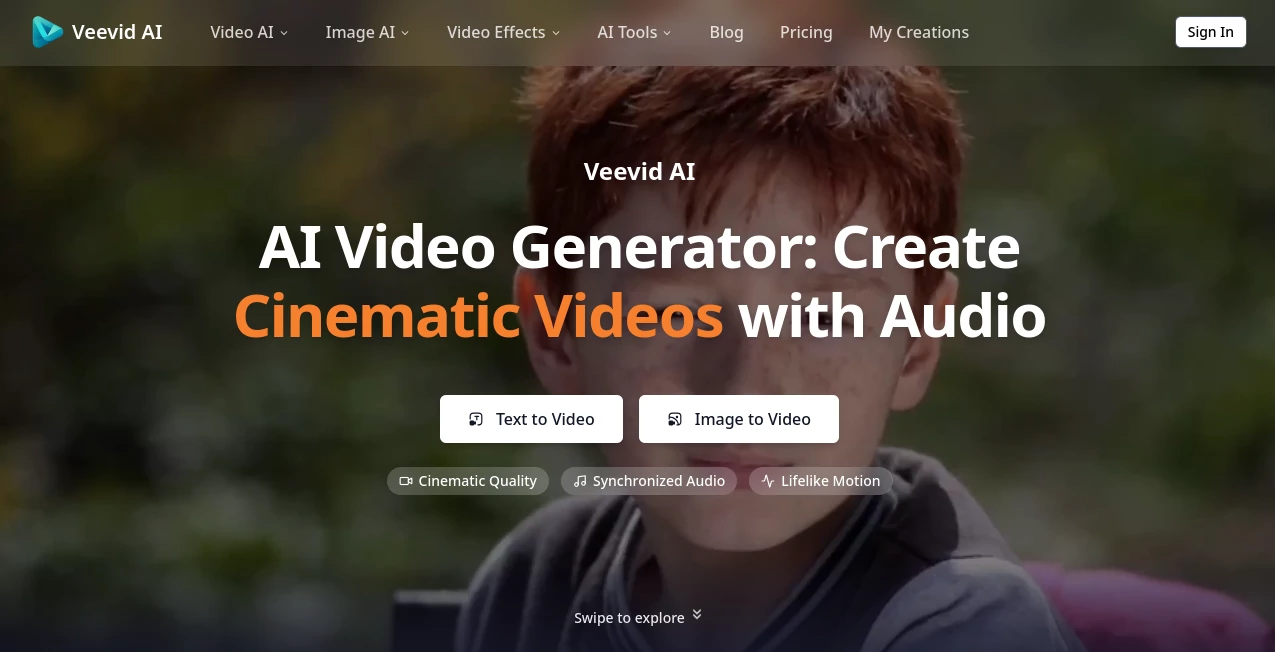
Creating professional videos no longer requires an expensive production team or years of editing experience. This platform brings together multiple advanced AI video models in one workspace, making it possible to transform simple text prompts or static images into polished, cinematic videos within minutes. Whether the goal is storytelling, product marketing, educational content, or social media campaigns, the entire creation process feels surprisingly accessible.
One of its strongest advantages is flexibility. Instead of limiting creators to a single generation engine, users can choose from several leading AI models depending on the project. Combined with synchronized audio generation, realistic motion, and high-resolution output, the experience is designed for creators who want quality without unnecessary complexity. The result is a workflow that saves time while producing content that looks ready for commercial use.
Key Features
- Generate videos directly from text prompts.
- Animate static images into realistic video sequences.
- Access multiple leading AI video generation models in one platform.
- Create cinematic-quality visuals with lifelike motion.
- Produce synchronized audio that matches visual scenes.
- Support for various artistic styles including realistic, anime, 3D, and cinematic.
- High-resolution exports with support for AI upscaling.
- Commercial usage rights available on paid plans.
- Fast rendering workflow for quicker content production.
- Simple browser-based interface with no software installation.
User Interface
The interface is designed with simplicity in mind. Users can begin by entering a prompt or uploading an image, followed by selecting their preferred AI model, aspect ratio, duration, and other creative settings. Navigation feels clean and organized, allowing both beginners and experienced creators to focus on creativity instead of learning complicated editing software.
Accuracy & Performance
The platform performs particularly well when interpreting descriptive prompts. Camera movement, lighting, visual style, and scene composition closely follow user instructions, producing results that often require very little refinement. Video generation is optimized for speed, making it practical for creators who publish frequently or work under tight deadlines.
Capabilities
Beyond simple text-to-video generation, the platform supports image-to-video creation, video enhancement, upscaling, editing, and reference-based generation. It can produce promotional videos, cinematic storytelling, educational animations, product showcases, social media clips, gaming visuals, and creative advertisements. Because several AI engines are available within the same workspace, users can experiment with different generation styles without switching between multiple services.
Security & Privacy
User content is processed with an emphasis on privacy and intellectual property protection. According to the platform, uploaded images and scripts are handled securely, user data is not shared with third parties, and safety mechanisms help prevent the generation of harmful content. This provides additional confidence for businesses and professionals working with commercial projects.
Use Cases
- Create engaging marketing and advertising campaigns.
- Produce YouTube videos and Shorts.
- Generate TikTok and Instagram content.
- Build product demonstration videos for e-commerce.
- Create educational lessons and visual explainers.
- Develop cinematic storyboards for filmmakers.
- Animate concept art and digital illustrations.
- Produce promotional videos for startups and SaaS products.
- Create social media content at scale.
- Visualize creative ideas without traditional filming.
Pros and Cons
Pros
- Supports both text-to-video and image-to-video workflows.
- Multiple AI generation models available in one platform.
- Natural synchronized audio generation.
- Produces cinematic-quality visual output.
- No professional editing experience required.
- Commercial licensing included with paid subscriptions.
- Suitable for both individual creators and teams.
Cons
- Longer videos require more generation credits.
- Premium features are available only through paid plans.
- Highly detailed prompts may still require experimentation for perfect results.
Pricing Plans
The platform offers several paid subscription options designed for different levels of content production. Plans range from an entry-level package for individual creators to higher-tier options for professionals, agencies, and production teams. Paid subscriptions include commercial usage rights, watermark-free exports, larger monthly credit allowances, faster generation queues, and extended project storage. Annual billing offers significant discounts compared to monthly pricing.
How to Use Veevid AI
- Create an account and open the generation dashboard.
- Write a detailed text prompt or upload an image.
- Select the preferred AI model and customize settings such as aspect ratio, duration, and quality.
- Generate the video and wait for processing.
- Preview the result, make adjustments if necessary, and export the finished video for publishing.
Comparison with Similar Tools
Unlike many AI video generators that rely on a single rendering engine, this solution combines several well-known AI video models inside one environment. That flexibility allows creators to choose the most appropriate model for each project instead of adapting every workflow to a single technology. The addition of synchronized audio generation, image animation, editing tools, and commercial-ready exports makes it particularly attractive for marketers, agencies, and content creators who need a complete production workflow rather than a basic video generator.
Conclusion
For anyone looking to produce professional AI-generated videos without mastering traditional editing software, this platform delivers an impressive balance of speed, quality, and creative flexibility. The combination of multiple generation models, realistic motion, synchronized audio, and intuitive controls creates an enjoyable production experience for beginners and professionals alike. Whether building marketing campaigns, educational content, product demonstrations, or cinematic storytelling, it provides the tools needed to transform ideas into polished videos with remarkable efficiency.
Frequently Asked Questions (FAQ)
Can beginners create videos without editing experience?
Yes. The platform is specifically designed for users with little or no video editing knowledge.
Does it support both text and image inputs?
Yes. Users can generate videos from written prompts or animate existing images into dynamic video clips.
Can generated videos be used commercially?
Paid subscription plans include commercial usage rights, making them suitable for business projects.
What kinds of videos can be created?
Marketing videos, advertisements, educational content, social media clips, product showcases, cinematic stories, and many other creative formats can be generated.
Is user content protected?
The platform states that uploaded content is processed securely and user data is not shared with third parties.
AI Image to Video , AI Video Generator , AI Video Editor , AI Text to Video .
These classifications represent its core capabilities and areas of application. For related tools, explore the linked categories above.

Veevid AI Alternatives Product

Wan 2.7
Kling 3.0

Veo4

Viewra

Seedance 4.0

Seedance 2.0…

Spark Robin
Kling 4.0 AI

ltx 2.3
