
VideoInPrompt
What is VideoInPrompt?
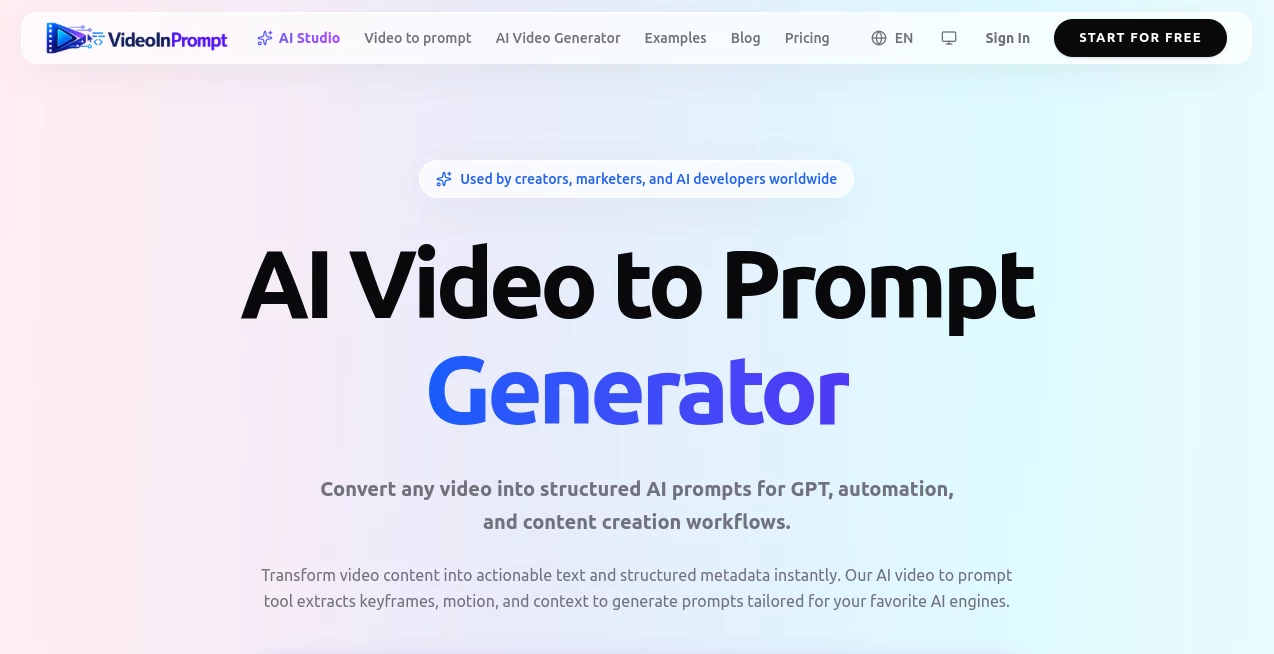
VideoInPrompt is an AI-powered video analysis platform designed to transform existing videos into detailed, structured prompts that can be used for creative workflows, automation, and AI content generation. Instead of manually watching a video and trying to describe every visual detail, creators can turn video references into meaningful text descriptions containing scenes, motion, lighting, camera movement, and creative direction.
The platform helps bridge the gap between visual inspiration and AI creation. Whether you are a content creator studying successful videos, a marketer analyzing advertisements, or a developer building AI-powered applications, this technology provides a faster way to understand and reuse visual ideas.
By analyzing important moments inside a video, the system extracts keyframes, identifies subjects and environments, and creates structured outputs that are easier to edit, share, and integrate into modern AI workflows.
Key Features
User Interface
The platform offers a simple workflow that allows users to provide a video through direct upload or supported video links. The clean interface focuses on speed and usability, making it accessible for beginners while still providing structured outputs that advanced creators and developers can use.
Users can quickly move from a raw video file to an organized prompt without spending hours writing descriptions manually. The generated results are presented in an easy-to-understand format, helping users review the extracted creative elements before using them elsewhere.
Accuracy & Performance
The technology behind the platform focuses on understanding video content rather than simply generating basic captions. It analyzes visual elements such as objects, scene composition, movement patterns, lighting conditions, and overall style.
The frame analysis process helps capture important cinematic details that are often difficult to describe manually. This makes the generated prompts more useful for AI video creation, content documentation, and creative experimentation.
Capabilities
- Convert videos into detailed AI-ready prompts
- Analyze keyframes and important visual moments
- Extract camera movements, subjects, and scene descriptions
- Create structured JSON-style outputs for automation workflows
- Generate prompts suitable for creative AI applications
- Analyze videos from platforms such as YouTube, TikTok, and Instagram
- Support common video formats including MP4, MOV, and WEBM
- Provide developer-friendly workflows through API access options
Security & Privacy
Privacy is an important consideration for anyone working with creative assets. The platform is designed with a privacy-focused approach, including automatic handling of uploaded media and processing workflows that minimize unnecessary data retention.
This makes it suitable for creators, agencies, and teams that need to analyze video content while maintaining control over their original materials.
Use Cases
Content creators can use this technology to study successful videos and understand why certain visual styles work. For example, a creator analyzing a popular short-form video can extract its pacing, camera style, and visual structure before creating a new version with their own ideas.
Marketing teams can analyze competitor advertisements, identify creative patterns, and generate new concepts based on proven visual approaches. This can reduce the time required for campaign research and creative planning.
Developers and AI builders can integrate video understanding capabilities into their own applications. Structured outputs make it easier to connect video analysis with automated content pipelines, search systems, or AI generation tools.
- Social media content analysis
- Advertising creative research
- AI video prompt creation
- Video documentation and tagging
- Creative inspiration research
- Automated media workflows
- E-commerce product video analysis
Pros and Cons
Pros
- Turns complex video content into usable AI prompts
- Saves significant time compared with manual analysis
- Useful for creators, marketers, and developers
- Provides structured outputs for advanced workflows
- Supports modern AI content creation processes
- Helps capture cinematic details such as movement and lighting
Cons
- Advanced features may require paid plans
- Very complex videos may require additional human refinement
- Results depend on the quality and clarity of the original video
Pricing Plans
The platform provides different options depending on the user's needs. A free plan allows users to test the service with limited video processing capabilities, making it suitable for exploring the workflow.
Paid plans are designed for regular creators, agencies, and professional users who need higher processing limits and more advanced AI models. Additional credit packs are also available for users with occasional larger workloads.
- Free Plan: Includes limited processing credits for testing the platform.
- Starter Plan: Designed for creators who regularly convert videos into prompts.
- Pro Plan: Suitable for agencies and teams requiring advanced workflows.
- Credit Packs: Flexible additional processing options for larger projects.
How to Use VideoInPrompt
Using the platform is straightforward. Start by uploading a video file or providing a supported video link. The AI system then analyzes the content, identifies important visual information, and creates a structured prompt describing the video.
- Upload a video or add a supported video URL
- Allow the AI system to analyze video frames
- Review the generated descriptions and structured prompts
- Use the results for AI generation, marketing, research, or automation
Comparison with Similar Tools
Many AI video platforms focus on creating new videos from text prompts, but this solution focuses on the reverse process: understanding existing videos and converting them into detailed instructions.
Compared with traditional video description tools, it provides deeper creative information by analyzing motion, camera behavior, and visual style. This makes it especially valuable for users who want to recreate, study, or adapt existing visual concepts.
For professionals working with AI video generators, this type of workflow can become an important research and preparation step before creating new content.
Conclusion
VideoInPrompt offers a practical solution for anyone who wants to transform visual inspiration into actionable AI prompts. By combining video understanding with structured prompt generation, it simplifies a task that normally requires significant creative effort and technical observation.
From social media creators looking for new ideas to businesses analyzing marketing content, the platform provides a useful bridge between watching videos and building new AI-powered experiences. Its focus on detailed extraction, structured outputs, and workflow flexibility makes it a valuable addition to modern AI creative tools.
Frequently Asked Questions (FAQ)
What does this AI video tool do?
It analyzes video content and converts visual information into detailed prompts, descriptions, and structured data that can be used in creative and automation workflows.
Can it analyze videos from social media platforms?
Yes, it supports workflows involving popular video sources such as YouTube, TikTok, and Instagram links, as well as uploaded video files.
Who can benefit from using this tool?
Content creators, marketers, AI developers, agencies, and businesses that work with video content can benefit from faster video analysis and prompt generation.
Does it create new videos?
Its primary purpose is understanding and converting existing videos into prompts rather than directly generating complete videos.
Can developers integrate this technology?
Yes, developer-focused workflows and API capabilities make it possible to connect video analysis features with custom applications and automated systems.
AI Video Search , Video , Prompt , AI Developer Tools .
These classifications represent its core capabilities and areas of application. For related tools, explore the linked categories above.

VideoInPrompt Alternatives Product

Mage Flow AI…

FurWall

PromptBuilder

YT Video Sum…

Defapi

DDS Gub

Where Is Thi…

Lensgo

CodeProt