


















VideoSwap
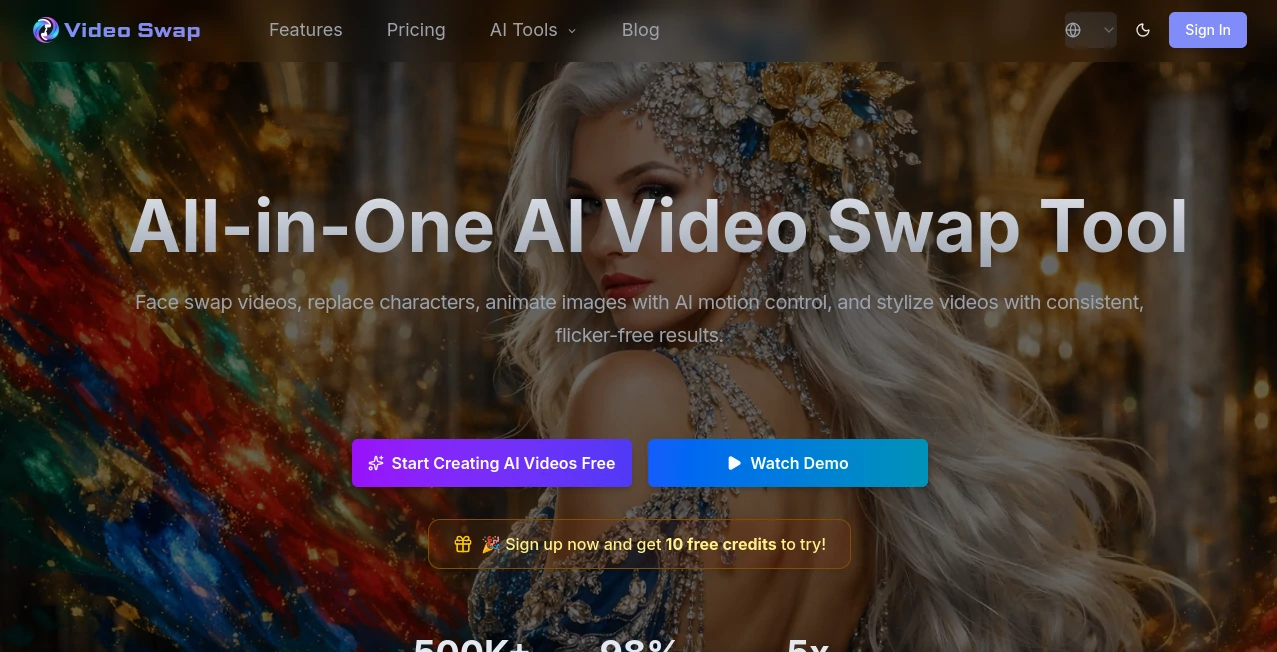
What is VideoSwap?
There’s something incredibly fun about taking a normal video and swapping someone’s face into it — whether it’s putting your friend’s face on a celebrity dancing, creating a funny family meme, or making a professional headshot video with a different background actor. This tool makes that process feel almost effortless. You upload your source video and a clear face photo, and it delivers surprisingly natural results that don’t look like cheap deepfakes. I’ve used it for lighthearted birthday videos and seen people’s jaws drop at how realistic the swap looks while still being fun and harmless.
Introduction
Face swapping in videos used to be complicated, expensive, or produced creepy, glitchy results. VideoSwap changes the game by making high-quality swaps accessible to everyone. No technical skills required, no long rendering times, and results that actually look believable. It’s become a favorite for content creators who want quick viral clips, marketers testing different spokespeople, and friends just having fun. The best part is how natural the movements and expressions stay — the swapped face follows head turns, emotions, and lighting in a way that feels smooth rather than forced.
Key Features
User Interface
The whole process is refreshingly simple. You drag your main video into one box and the face you want to swap in (from a photo) into another. A few sliders let you adjust intensity and quality, then you hit generate. Progress is shown clearly, and the preview lets you scrub through the video to check important moments. No complicated timelines or endless settings — just upload, swap, and download. Even first-time users usually get great results on their initial try.
Accuracy & Performance
The AI handles challenging angles, different lighting conditions, and fast movements much better than most tools I’ve tried. Faces stay consistent throughout the clip without that floating or melting effect you sometimes see. Processing is reasonably fast for the quality it delivers, and the output maintains good resolution without heavy compression artifacts. It’s reliable enough that I’ve used it for client preview videos where quality actually matters.
Capabilities
You can swap one or multiple faces in the same video, adjust how strongly the face is applied, and choose different quality levels depending on your needs. It works great on talking head videos, dancing clips, sports footage, and even group scenes. The tool preserves original audio, background, and overall style while only changing the selected face(s). Exports are clean and ready for social media, presentations, or further editing.
Security & Privacy
Your videos and photos are processed securely and not stored longer than necessary. The platform is clear about not using user content for training, which gives peace of mind — especially important when working with personal or client material. You stay in control of what gets generated and downloaded.
Use Cases
A content creator swaps their face onto trending meme videos and gets consistent engagement because the results look polished. A small business owner creates personalized video messages by swapping in different team members for client outreach. Friends make hilarious birthday videos where the birthday person appears in famous movie scenes. Marketers test different spokesperson looks without reshooting entire videos. The possibilities range from pure entertainment to practical business applications.
Pros and Cons
Pros:
- Surprisingly natural-looking swaps that respect lighting and movement.
- Simple workflow that gets results fast — perfect for quick projects.
- Works well on a wide variety of video types and face angles.
- No heavy software installation required.
- Good balance between quality and processing speed.
Cons:
- Very extreme angles or poor lighting can still reduce quality.
- Longer videos take more time and credits on free plans.
- Some advanced multi-face or style controls are limited in the basic version.
Pricing Plans
The free tier gives you enough generations to test and create fun personal videos. Paid plans unlock higher quality, longer videos, faster processing, and more monthly credits. Pricing is straightforward and scales with how seriously you use it — whether for occasional memes or regular content production.
How to Use VideoSwap
Upload your main video (the one you want to change). Then upload a clear photo of the face you want to insert. Adjust the swap strength if needed and choose quality level. Click generate and wait a short time for processing. Preview the result, make small adjustments if necessary, and download the finished video. For best results, use a clear, well-lit face photo and a video where the target person is facing forward for at least part of the clip.
Comparison with Similar Tools
Many face swap tools produce obvious artifacts or require complicated setups. This one stands out for its balance of simplicity and quality — results look more natural and require far less cleanup than most alternatives. While some premium tools offer more advanced features, VideoSwap gives better everyday results for most creators without the steep learning curve or high cost.
Conclusion
VideoSwap makes face swapping fun again — without the usual headaches or creepy results. It opens up creative possibilities that used to be out of reach for most people, whether you’re making content for fun, business, or just personal memories. When you see how naturally your swaps turn out, you’ll find yourself looking for excuses to create more. It’s one of those tools that makes you wonder why creating video content ever felt so complicated before.
Frequently Asked Questions (FAQ)
How long does processing take?
Most videos finish in 30 seconds to a couple of minutes, depending on length and quality settings.
Can I swap multiple faces in one video?
Yes, the tool supports multiple face swaps in the same clip.
What kind of videos work best?
Clear, well-lit videos with decent resolution give the strongest results. Talking head videos and slower movements perform especially well.
Is the audio preserved?
Yes — the original audio stays intact while only the visual face is swapped.
Are the results private?
Your uploads are processed securely and not stored after generation unless you choose to save them.
AI Image to Video , AI Video Generator , AI Video Editor , AI Face Swap Generator .
These classifications represent its core capabilities and areas of application. For related tools, explore the linked categories above.

VideoSwap Alternatives Product
AI Motion Co…

seedance 2

Seedance 2.0…

Wan AI Video…

Face Swag
hailuo03

Viewra
PostPlus AI

veo 4
