


















Viralix.Video
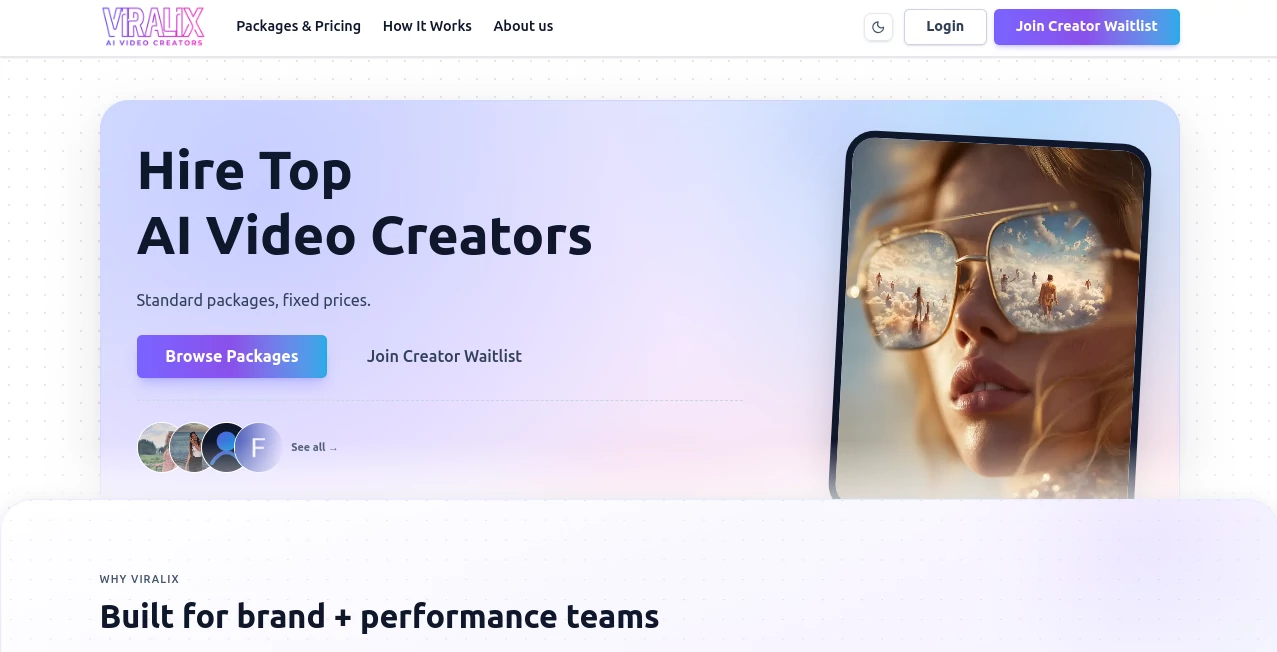
What is Viralix.Video?
Let’s be real for a second. Most AI video tools out there are obsessed with one thing: pumping out as many clips as possible, quality be damned. You get a video that looks decent on a desktop screen, but the moment it hits TikTok or Instagram Reels, viewers scroll past in half a second. That’s frustrating, especially when you’re putting in the effort to grow an audience or sell a product.
I’ve been there, testing tool after tool, only to realize that views don’t mean much if no one watches past the first three seconds. That’s exactly why the approach behind this platform caught my attention. It isn't just another video generator. It’s built with a different philosophy: create content that people actually want to finish. And honestly? That changes everything for creators and marketers who are tired of low engagement rates.
Key Features
What makes this platform stand out isn't a single gimmick. It’s the way everything works together to solve the real problem of video marketing: keeping eyes on the screen. While others focus only on visuals, this engine optimizes for performance metrics like watch time and interaction from the very moment of generation.
User Interface
You know that feeling when you open a new app and immediately feel lost? That doesn’t happen here. The interface is clean, almost minimal, but not in a way that hides important features. Everything you need is right where you’d expect it. What’s really clever is the conversational workflow. Instead of clicking through endless menus and sliders, you basically chat with the AI. Tell it what you want, refine your idea, and watch it adjust. It remembers the context too, so you don’t have to start over every single time you make a small change. For someone who edits videos for a living, this feels like a breath of fresh air.
Accuracy & Performance
I tested the "Text to Video" feature with a pretty complex prompt involving a specific lighting style and camera movement. The result wasn't perfect on the first try—let’s be honest, no AI is. But by the second adjustment, it nailed the mood I was going for. The accuracy here lies in how well the AI understands pacing and structure, not just matching pixels to prompts. Performance-wise, renders are fast. We’re talking about a 15-second clip ready in under two minutes on a standard Wi-Fi connection. There’s no frustrating lag or buffering wheel of death.
Capabilities
The range of what you can do is impressive without being overwhelming. There are two main highways: starting from scratch with text or breathing life into a static image. The Image to Video feature is a hidden gem. I uploaded a photo of a product, added a simple prompt like "slow zoom with a spotlight effect," and the AI kept the product consistent while generating realistic motion around it. No weird morphing or distorted logos. It also acts as a solid shorts generator, helping you structure narrative-driven clips for YouTube Shorts or Reels without needing a degree in film studies.
Security & Privacy
No one wants to upload their campaign assets or personal projects into a black hole. The platform operates under standard privacy protocols (you can check the full policy on their site), and importantly, it doesn’t claim ownership over your creations. What you make is yours. For businesses dealing with sensitive product launches or unreleased content, this is non-negotiable. The fact that they are transparent about data handling with the App Store and their own terms gives a layer of trust that fly-by-night AI tools often skip.
Use Cases
This isn't a one-trick pony. If you’re a social media manager juggling five different brand accounts, you’ll love how fast you can turn a blog post into a short, engaging clip. E-commerce store owners can take product photos and turn them into demo videos in minutes. I even saw a small bakery using it to animate pictures of their pastries with sizzling sounds and steam effects—corny? Maybe. Effective? Absolutely.
For storytellers and indie filmmakers, the AI shorts generator capability helps map out quick narrative beats. It’s perfect for testing a concept before committing to a full production. And if you’re running ads, the built-in optimization goals (like “Max Engagement” vs. “Max Watch Time”) let you tailor the video’s rhythm for different platforms. A video for LinkedIn probably shouldn't have the chaotic energy of a TikTok clip, and this tool understands that difference.
Pros and Cons
Pros:
- The performance optimization is built into the generation process, not an afterthought.
- Conversational AI workflow saves tons of time on revisions.
- Image to video maintains subject consistency better than most competitors.
- Great for both raw beginners and experienced creators.
Cons:
- Requires iOS 17.0 or later, so older devices or Android users are left out for now.
- The free tier is generous but limits you to exploring the basics; the real power is behind the subscription.
- Some very specific cinematic prompts still require a few tweaks.
Pricing Plans
Money talks, right? The app operates on a freemium model, which means you can download it and start playing around without paying a cent. This is great for testing the waters. However, for serious creators, the subscription is where the magic happens.
There’s a monthly Pro Subscription going for $22.99 and a yearly option at $229.99 (which effectively gives you two months free compared to the monthly rate). For heavy users, they also offer credit packs ranging from 3,000 credits for $34.99 all the way up to 110,000 credits for $999.99. Honestly, the credit system is best if you’re running an agency or producing hundreds of videos a week. For a solo creator, the monthly subscription is the sweet spot.
How to Use Viralix
Getting started is straightforward. First, download the app from the iOS store (search for the name, you’ll find it easily). Once installed, you don’t even need to watch a tutorial. Just hit the create button. Start by typing a simple description of the video you want, like "a futuristic city at night with rain."
Next, choose your goal. Do you want people to watch until the end, or do you want them to comment and like? Select "Max Watch Time" for storytelling or "Max Engagement" for polls and questions. Then, just hit generate. Watch the result, and if something feels off, use the chat box to tell the AI to change the pacing or swap a scene. Once you’re happy, export it directly to your camera roll or share it straight to social media.
Comparison with Similar Tools
There are plenty of AI video generators out there. Runway ML is fantastic for cinematic control but has a steep learning curve. CapCut is great for editing but relies heavily on stock footage. HeyGen is amazing for avatars but less so for abstract, dynamic scenes.
Where this tool wins is the "performance-first" approach. Most tools generate a video, and then you pray it performs well. This one analyzes the structure and pacing during creation to boost retention. It’s like having a data analyst sitting next to you while you edit. It isn’t trying to replace Premiere Pro for Hollywood editors; it’s built for the creator who needs to win the algorithm war on social media. That focus makes all the difference.
Conclusion
If you’re tired of spending hours editing videos that barely hold attention for five seconds, give this tool a serious look. It won’t turn you into Steven Spielberg overnight, but it will make your content sharper, more engaging, and way faster to produce. The conversational workflow feels natural, the performance metrics are genuinely useful, and the results hold up on a phone screen where it matters most. For anyone serious about growing on short-form video platforms in 2026, this is a smart addition to your toolkit.
Frequently Asked Questions (FAQ)
Q: Do I need to be a professional editor to use this?
A: Not at all. If you can type a sentence and tap a button, you can make a great video. The AI handles the heavy lifting.
Q: Can I use this for commercial ads?
A: Yes. Many marketers are using it for product demos and UGC-style ads. You own the final output.
Q: Is there a watermark on the free plan?
A: Typically, free versions have some limitations, but you can explore the core features without commitment. Check the app details for the latest free tier specifics.
Q: Does it work on Android?
A: Currently, the app is available for iOS requiring version 17.0 or later. Keep an eye on their updates for other platforms.
Q: What if the AI doesn't get it right the first time?
A: That’s normal! Just use the chat feature to ask for specific changes. The AI remembers what you talked about, so you can refine it naturally.
Marketing , AI Video Generator , AI Productivity Tools .
These classifications represent its core capabilities and areas of application. For related tools, explore the linked categories above.

Viralix.Video Alternatives Product

Brainrotshor…

Seedance 2.5

Veo 4 AI
VideoFlux

Your Own AI

Wurt.app

LTX 2.3

Flitz AI

KarmaGuy
