


















Voicebox
What is Voicebox?
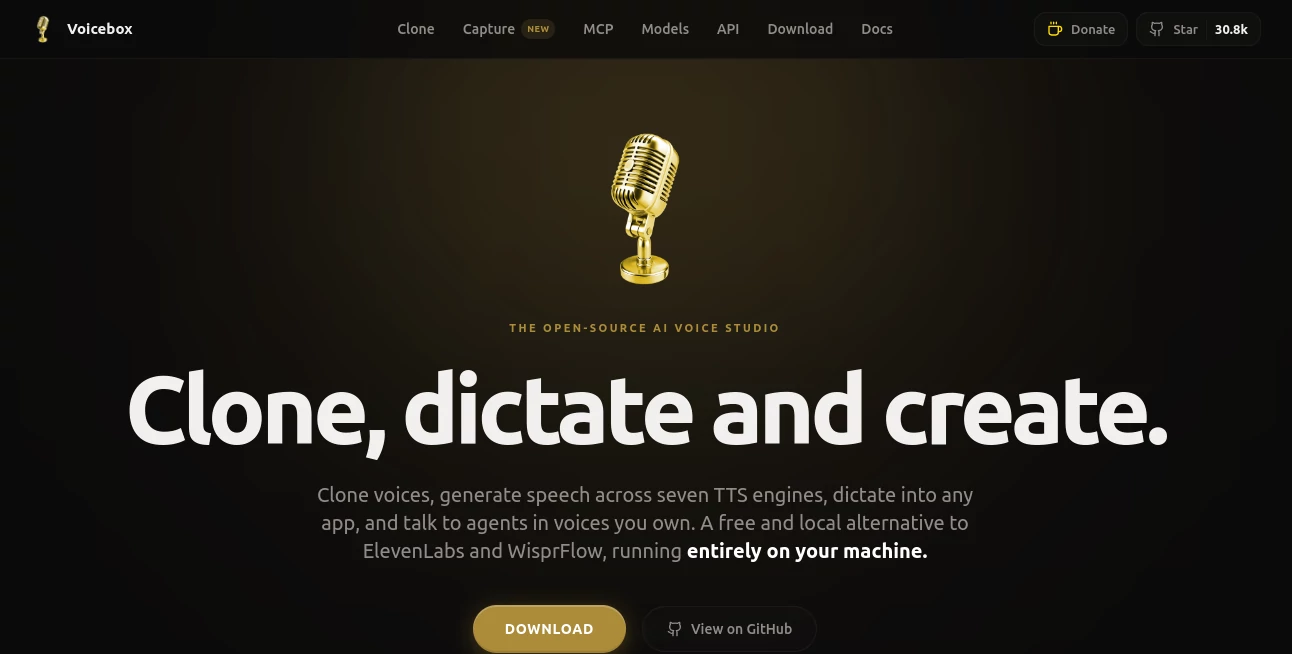
Modern audio production has changed dramatically with the rise of artificial intelligence, but many creators still struggle with expensive subscriptions, privacy concerns, and limited customization options. This platform takes a different approach by delivering a complete voice studio that runs directly on a user's machine, giving creators, developers, podcasters, and businesses more control over how they generate and manage voice content.
Designed as a local-first solution, it combines voice cloning, speech generation, transcription, dictation, and audio editing into a single environment. Instead of relying on cloud-based processing, users can create professional-quality voice content while keeping their recordings, transcripts, and projects private. The result is a powerful workspace that feels equally useful for content creators producing podcasts and developers building voice-enabled applications.
One of the most impressive aspects is the combination of multiple speech technologies under one roof. Users can generate realistic voices, transcribe conversations, create multi-speaker productions, and even integrate speech capabilities into custom workflows through a built-in API.
Key Features
User Interface
The platform offers a clean desktop experience that makes advanced voice technology approachable. Voice profiles, recordings, generated clips, and transcription projects are organized logically, allowing both beginners and experienced users to work efficiently.
The built-in timeline editor makes it easy to arrange conversations, podcasts, character dialogue, and narration tracks. Managing multiple speakers feels intuitive, reducing the complexity often associated with professional audio software.
Accuracy & Performance
Speech synthesis quality is remarkably natural thanks to support for multiple text-to-speech engines. Users can generate expressive audio with realistic intonation, pacing, and emotion. Voice cloning requires only a short audio sample, making it possible to create convincing voice profiles in minutes.
Speech recognition is powered by advanced transcription technology capable of handling dozens of languages with impressive accuracy. Local processing also helps reduce latency while maintaining full control over data.
Capabilities
The feature set goes far beyond basic text-to-speech generation. Users can:
- Create realistic cloned voices from short recordings.
- Generate long-form narration without character limits commonly found in cloud services.
- Transcribe meetings, interviews, and recordings.
- Dictate text directly into applications using keyboard shortcuts.
- Build multi-speaker audio projects for podcasts and storytelling.
- Apply audio effects such as reverb, compression, delay, and pitch adjustments.
- Generate speech in multiple languages.
- Connect voice functionality to applications, games, and AI agents through APIs.
These capabilities make the platform suitable for both personal and professional audio production workflows.
Security & Privacy
Privacy is one of the strongest selling points. Audio recordings, generated speech, transcripts, and voice models remain on the user's device. For organizations handling sensitive information, this local-first architecture can be a major advantage compared to cloud-dependent alternatives.
Users retain ownership and control of their content without relying on external servers for processing. This approach is especially valuable for journalists, developers, legal professionals, and businesses dealing with confidential material.
Use Cases
- Producing podcast intros, narration, and dialogue.
- Creating voiceovers for videos and presentations.
- Developing AI assistants with custom voices.
- Building game characters and dynamic NPC dialogue.
- Generating audiobook narration.
- Transcribing interviews and meetings.
- Improving accessibility through speech-to-text and text-to-speech tools.
- Creating multilingual audio content for global audiences.
- Automating voice workflows using APIs.
Pros and Cons
Pros
- Runs locally without requiring cloud processing.
- Strong voice cloning capabilities.
- Supports multiple speech engines.
- Includes transcription and dictation tools.
- Offers extensive privacy protections.
- Built-in audio editing and effects.
- Suitable for creators, developers, and businesses.
- Open-source ecosystem encourages flexibility.
Cons
- Performance depends on local hardware.
- Initial model downloads may require significant storage.
- Advanced features may involve a learning curve for beginners.
- High-quality generation can require modern GPU resources.
Pricing Plans
The platform is available as an open-source solution and can be downloaded for local use. Users can access powerful voice generation, transcription, and cloning features without the recurring subscription costs commonly associated with cloud-based voice services.
Because the software operates on local hardware, ongoing usage costs are significantly reduced compared to pay-per-minute or pay-per-character voice platforms.
How to Use Voicebox
Getting started is straightforward:
- Install the desktop application on your operating system.
- Create a voice profile by uploading or recording a voice sample.
- Select a speech engine that matches your quality and performance requirements.
- Enter text for speech generation.
- Customize delivery style and audio effects.
- Generate and export audio files.
- Use transcription features for recordings and meetings.
- Integrate voice generation into custom projects through the available API.
Many users find that they can create their first cloned voice and generate speech within just a few minutes of installation.
Comparison with Similar Tools
Many voice platforms focus exclusively on either speech synthesis or transcription. This solution stands out because it combines both capabilities while adding voice cloning, dictation, audio editing, and developer tools within a single environment.
Unlike subscription-based competitors that charge based on usage, the local-first design provides more freedom for heavy users who generate large volumes of audio. The ability to keep all processing on personal hardware also creates a strong advantage for privacy-conscious professionals.
For creators seeking a complete voice production workflow instead of a simple text-to-speech service, the all-in-one approach delivers substantial value.
Conclusion
For anyone searching for a professional AI-powered voice studio, this platform delivers an impressive balance of quality, flexibility, and privacy. The combination of voice cloning, speech synthesis, transcription, dictation, editing tools, and developer integrations creates a comprehensive ecosystem capable of supporting a wide variety of audio projects.
Whether the goal is producing podcasts, building AI agents, generating voiceovers, or creating accessible applications, the platform provides a robust set of tools without forcing users into expensive recurring subscriptions. Its local-first philosophy, strong performance, and feature-rich design make it one of the most compelling voice solutions available today.
Frequently Asked Questions (FAQ)
What is this platform used for?
It is used for voice cloning, text-to-speech generation, transcription, dictation, and audio production.
Does it support voice cloning?
Yes. Users can create realistic voice profiles from short audio samples.
Can it work without cloud services?
Yes. The software is designed to operate locally on a user's device.
Is it suitable for podcast production?
Absolutely. Multi-speaker projects, voice generation, and editing tools make it useful for podcast creators.
Does it include speech-to-text functionality?
Yes. Advanced transcription features allow users to convert spoken audio into text.
Can developers integrate it into applications?
Yes. API support enables integration with applications, games, automation workflows, and AI agents.
AI Voice Cloning , AI Speech Recognition , AI Text to Speech , AI Voice & Audio Editing .
These classifications represent its core capabilities and areas of application. For related tools, explore the linked categories above.
Voicebox details
Website unavailable — View Alternatives
Pricing
- Free
Apps
- Web App
- iOS App
- Mac App
- Linux App
Categories

Voicebox Alternatives Product

Trump AI Vid…

Gpt Realtime…

Solmi AI

Elispeak

AI Describe …

Voice To Ins…

Flow Song

Audio Convert

AI Voice Clo…
