


















Wan 3.0
What is Wan 3.0?
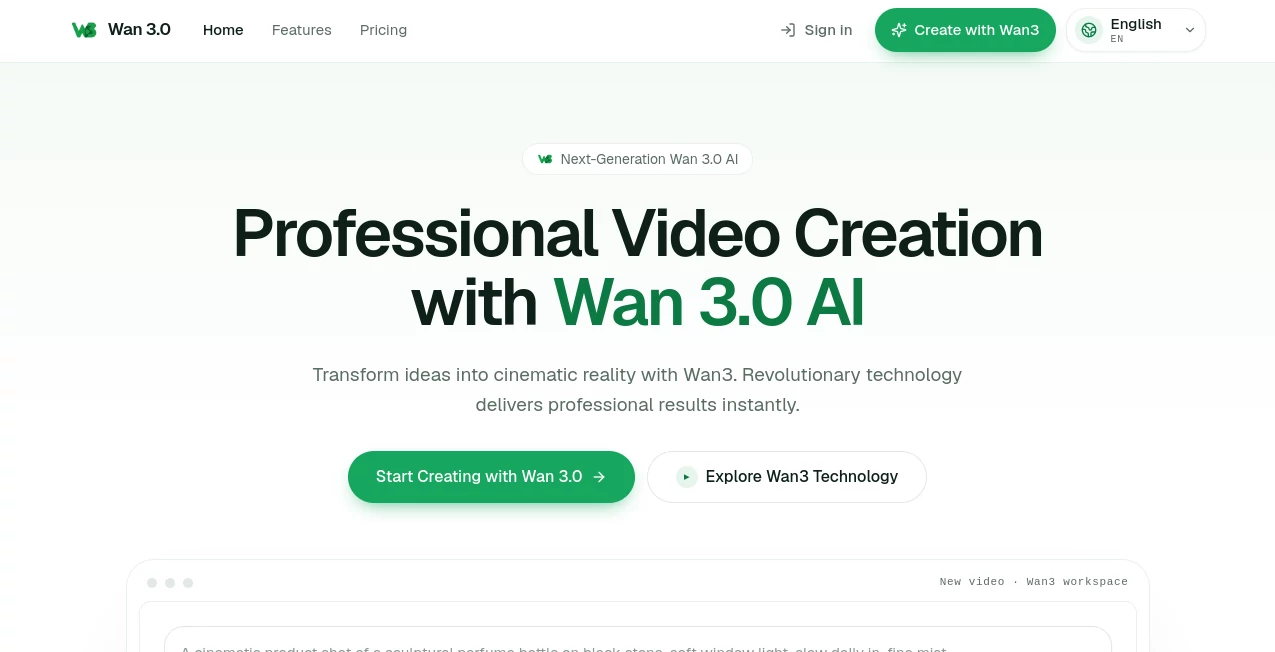
Wan 3.0 is a browser-based AI video creation platform designed for creators who want to turn simple ideas into polished visual content without going through a traditional production workflow. It can generate videos from written prompts and also supports image-based creation, making it useful for everything from short promotional clips to creative storytelling.
The experience is refreshingly direct. A creator can open the workspace, describe a scene, select an aspect ratio, and begin generating. Adding an image automatically switches the workflow to image-to-video, which is particularly handy when a project already has a character, product, photograph, or visual concept that needs motion.
The platform is built around cinematic generation, with features aimed at visual coherence, motion synthesis, sound integration, and lip synchronization. For marketers, social media creators, educators, and independent filmmakers, this can significantly shorten the distance between an idea and a usable video.
Key Features
- Text-to-video generation from detailed creative prompts.
- Image-to-video generation for animating existing visual assets.
- Multiple aspect ratios, including 16:9, 9:16, and 1:1.
- Starting video generation at 5 seconds and 720P in the creator workspace.
- Cinematic motion and scene generation designed for realistic visual output.
- AI-generated soundscapes and sound effects that complement generated footage.
- Lip synchronization for scenes involving speaking characters.
- MP4 video export for convenient use across common platforms.
- Commercial usage of generated videos is supported.
- A private creator workspace keeps generations connected to the user's account.
User Interface
The interface keeps the creative process focused on the essentials. Users can enter a prompt, add an image when needed, choose the desired frame format, and start a generation without navigating through an unnecessarily complicated production suite.
The three available aspect ratios are especially useful for modern content workflows. A landscape format works naturally for presentations and YouTube-style content, while vertical output is better suited to short-form social media. Square video can also be useful for certain advertising and social campaigns.
For someone creating a quick product concept, for example, the workflow feels closer to describing an idea than operating traditional video software. That simplicity is one of its strongest practical advantages.
Accuracy & Performance
Performance is centered around rapid generation and visual interpretation. The platform states that its optimized processing architecture is designed to deliver results quickly, with its homepage highlighting generation times of around five seconds for showcased outputs.
Detailed prompts tend to be the best starting point. Describing the subject, environment, camera movement, lighting, atmosphere, and visual style gives the generation system more useful direction than a short prompt such as “make a product video.” For example, a prompt describing a luxury watch rotating on a dark studio surface with controlled lighting and subtle reflections gives the model a much clearer visual target.
Results can naturally vary depending on the complexity of the scene and the prompt. As with other generative video systems, creators should expect to refine their descriptions when a first attempt does not capture the intended movement or composition.
Capabilities
The platform goes beyond basic animated clips by combining visual generation with audio-related capabilities. Its feature set includes synchronized soundscapes, sound effects, and lip-sync technology, allowing creators to produce scenes that feel more complete without immediately moving into a separate audio workflow.
Its applications cover a broad range of creative work. Product demonstrations, cinematic advertisements, educational scenes, fashion concepts, food videos, technology presentations, science-fiction sequences, and social media content can all be approached through the same prompt-driven workflow.
The ability to begin with an image is another useful addition. A designer can start with an existing visual concept and use the system to introduce movement rather than generating the entire scene from scratch.
Security & Privacy
Privacy is addressed directly on the platform. The service states that generation processing is handled in real time and highlights privacy-focused handling of creator activity. It also describes enterprise-grade infrastructure distributed across multiple regions and reports a 99.9% uptime target.
Users working with commercially sensitive material should still review the platform's current privacy policy and terms before uploading confidential assets. This is particularly important for agencies and businesses handling unreleased products, customer material, or proprietary creative work.
Use Cases
- Marketing: Create product showcases, promotional scenes, campaign concepts, and advertising visuals without organizing a traditional shoot.
- Social Media: Produce vertical clips and attention-grabbing visual concepts for short-form content.
- Education: Turn explanations and lesson ideas into visual scenes that can make online courses more engaging.
- Product Presentation: Animate product imagery and create cinematic demonstrations for online stores and marketing pages.
- Creative Storytelling: Explore fictional scenes, character concepts, environments, and visual narratives from written descriptions.
- Corporate Content: Develop presentation visuals, internal communication clips, and concept videos for business projects.
- Music and Entertainment: Build visual sequences that combine generated imagery with synchronized audio elements.
- Gaming: Create cinematic concepts, trailers, environments, and promotional sequences for games and interactive projects.
Pros and Cons
- Pros: Straightforward browser-based workflow, text-to-video and image-to-video creation, multiple aspect ratios, cinematic visual generation, audio integration, lip synchronization, MP4 export, and commercial usage.
- Pros: The interface is approachable enough for newcomers while still offering useful creative controls for professional projects.
- Cons: More demanding productions may require several generations and prompt refinements before reaching the desired result.
- Cons: The lower-priced plans provide fewer monthly credits, which may become a consideration for creators producing video at high volume.
Pricing Plans
The platform currently offers three main subscription options, with annual billing presented as the default. The Basic plan costs $20 per month and includes 40 credits each month. The Pro plan costs $40 per month and includes 80 credits, while the Max plan costs $150 per month and includes 300 credits.
The credit-based structure makes the plans easier to understand for users who want to estimate their monthly production needs. Occasional creators may find the Basic option sufficient, while agencies, marketers, and frequent video producers are more likely to benefit from the larger credit allowances in Pro or Max.
Prices may vary depending on billing arrangements and local currency conversion, so users should check the current pricing page before purchasing.
How to Use the Platform
- Create an account and open the creator workspace.
- Write a detailed description of the video you want to generate.
- Choose an aspect ratio such as 16:9, 9:16, or 1:1.
- Upload an image if you want to create an image-to-video sequence.
- Describe important details such as camera movement, lighting, environment, subject behavior, and mood.
- Start the generation and review the resulting clip.
- Refine the prompt when you want different motion, composition, or visual details.
- Download the finished video in MP4 format for editing, publishing, or commercial use.
Comparison with Similar Tools
AI video generators are increasingly divided between general-purpose creative platforms and tools that focus heavily on a particular generation workflow. Compared with traditional video editors, this platform removes much of the manual work involved in creating an initial scene. Instead of arranging every visual element on a timeline, the creator can describe the desired result and let the generation system handle the first production pass.
Its combination of text prompts, image-based input, cinematic motion, sound generation, and lip synchronization also makes it suitable for creators who want more than a silent animated image. The main trade-off is familiar across generative video: precise creative control can still require multiple attempts, especially when scenes contain several moving subjects or complex interactions.
For a marketer testing several advertisement concepts, a creator experimenting with short videos, or a small business that does not have access to a full production team, the speed and simplicity can make this type of workflow particularly attractive.
Conclusion
AI video creation becomes much more useful when it removes friction rather than adding another complicated piece of software to the creative process. This platform takes a straightforward approach: describe an idea, provide an image when useful, choose the format, and generate.
The combination of cinematic visuals, image-to-video creation, audio integration, lip synchronization, and commercial usage gives it a practical place in modern content production. It is especially appealing to creators who need to turn ideas into presentable video concepts quickly, whether those concepts are intended for marketing, education, social media, entertainment, or business communication.
For users willing to experiment with prompts and refine their generations, it offers a convenient way to move from a blank page to a finished visual concept without the cost and complexity of a conventional production workflow.
Frequently Asked Questions (FAQ)
What can I create with this AI video generator?
You can create promotional videos, cinematic scenes, educational content, product presentations, social media clips, creative stories, gaming visuals, and other short-form video concepts from prompts and images.
Does it support image-to-video generation?
Yes. Uploading an image in the creator workspace automatically switches the workflow to image-to-video generation, allowing a still visual to become an animated scene.
What aspect ratios are available?
The creator workspace currently provides 16:9, 9:16, and 1:1 formats, covering common landscape, vertical, and square content requirements.
Can generated videos be used commercially?
Yes. The service states that videos created through the platform can be used for commercial projects and other purposes, although businesses should always review the current terms before using generated material in sensitive commercial campaigns.
How much does the service cost?
The current plans are Basic at $20 per month for 40 credits, Pro at $40 per month for 80 credits, and Max at $150 per month for 300 credits. The platform presents annual billing as its default pricing arrangement.
AI Image to Video , AI Video Generator , AI Text to Video .
These classifications represent its core capabilities and areas of application. For related tools, explore the linked categories above.

Wan 3.0 Alternatives Product

Kling 3.0 – …

Seedance 2.0…

Artifox

HappyHorse A…

Image2

Wan AI

Gemini Omni

Seedance 2.0…
RightAI
