


















Warp
What is Warp?
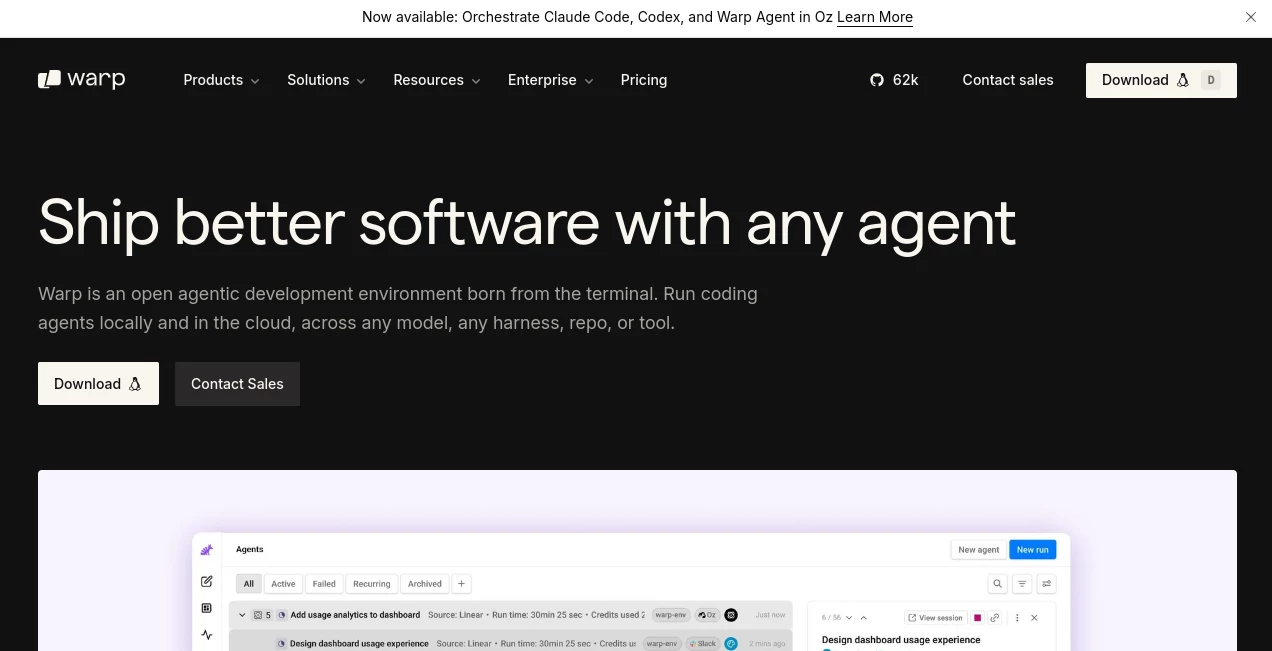
Modern software development demands speed, clarity, and tools that reduce friction rather than add to it. This innovative development environment reimagines the traditional terminal experience by combining intelligent assistance, modern design, and powerful workflow automation in a single workspace.
Instead of forcing developers to jump between documentation, browser tabs, command references, and terminal windows, it brings everything together. Natural language interactions, AI-powered command suggestions, workflow management, and a highly responsive interface help developers stay focused on building rather than searching for answers.
Whether you are managing cloud infrastructure, debugging applications, working with databases, or building complex software projects, the platform creates a smoother and more productive command-line experience. It feels familiar enough for experienced developers while remaining approachable for those who are still learning advanced terminal workflows.
Key Features
User Interface
The interface introduces a modern approach to terminal interaction. Commands and outputs are organized into structured blocks, making navigation significantly easier than traditional terminal windows filled with endless scrolling text.
Multi-line editing, syntax highlighting, smart autocomplete, customizable themes, keyboard shortcuts, and flexible layouts provide an experience that feels closer to a professional code editor than a conventional terminal emulator.
The clean design makes long development sessions more comfortable, especially when handling large amounts of output or switching between multiple projects.
Accuracy & Performance
Performance is one of the strongest aspects of the platform. Built with modern technologies and optimized for responsiveness, it delivers fast rendering and smooth interactions even during demanding development tasks.
The integrated AI assistance can interpret natural language requests and convert them into practical commands. Developers can quickly retrieve the correct syntax, troubleshoot issues, and receive contextual suggestions without interrupting their workflow.
For many users, this reduces time spent searching documentation and minimizes mistakes caused by forgotten command options or configuration details.
Capabilities
The platform goes far beyond command execution. It includes AI-powered agents that can help with coding tasks, debugging workflows, command generation, project setup, and technical problem-solving.
- Natural language command generation
- AI-assisted debugging and troubleshooting
- Workflow creation and sharing
- Command history management
- Smart autocomplete and command suggestions
- Collaboration tools for teams
- Multi-agent workflow support
- Cross-platform compatibility
Developers can save recurring workflows, build reusable command templates, and create knowledge repositories that improve efficiency across projects.
Security & Privacy
Security receives considerable attention. Sensitive information can be protected through built-in safeguards designed to reduce accidental exposure of secrets and credentials.
The platform also provides privacy-focused AI integrations. Data handling policies are designed to give users greater control over how information is processed, and enterprise-level options are available for organizations with stricter compliance requirements.
For teams working with proprietary code, infrastructure configurations, or confidential business data, these privacy controls can be an important advantage.
Use Cases
- Generating terminal commands from natural language descriptions.
- Debugging command-line errors and configuration issues.
- Managing cloud infrastructure and deployment workflows.
- Accelerating software development and testing processes.
- Creating reusable automation workflows for teams.
- Learning command-line tools and development environments.
- Handling database operations and server administration tasks.
- Improving collaboration among engineering teams.
Pros and Cons
Pros
- Modern and intuitive terminal experience.
- Powerful AI integration directly inside the workspace.
- Excellent command discovery and autocomplete features.
- Workflow sharing and collaboration capabilities.
- Cross-platform support for major operating systems.
- Fast performance with a polished user experience.
- Helpful for both experienced developers and beginners.
Cons
- Some advanced users may prefer traditional minimal terminal environments.
- Certain AI-powered features require usage credits or paid plans.
- Learning the full workflow ecosystem can take time.
- Not every legacy terminal customization behaves identically.
Pricing Plans
A free plan is available, making it easy for individual developers to explore the platform without financial commitment. The free offering includes access to the modern terminal environment along with limited AI functionality.
Paid plans expand AI usage, provide additional credits, unlock advanced agent capabilities, improve collaboration features, and support larger development workloads. Business and enterprise options are also available for organizations requiring advanced administration and security controls.
How to Use Warp
Getting started is straightforward:
- Download and install the application on your operating system.
- Connect your preferred shell environment.
- Open a project directory or development workspace.
- Use natural language prompts when you need command assistance.
- Create reusable workflows for repetitive tasks.
- Save important commands and documentation for future use.
- Collaborate with teammates through shared resources and workflows.
Most users become productive within minutes, while advanced capabilities can be explored gradually as projects grow in complexity.
Comparison with Similar Tools
Compared with traditional terminal emulators, this platform offers a significantly more modern experience. Features such as AI-powered command generation, structured output blocks, workflow sharing, and integrated assistance reduce many of the frustrations commonly associated with command-line work.
When compared with standalone coding assistants, the advantage lies in direct integration. Developers do not need to leave their terminal, switch applications, or copy error messages into external tools. Assistance is available exactly where work happens.
This combination of terminal functionality, AI support, collaboration, and workflow management creates a unique productivity advantage for development teams.
Conclusion
The command line remains one of the most powerful tools in software development, but it has often lagged behind modern productivity standards. This platform successfully bridges that gap by combining the flexibility of a terminal with intelligent assistance and a thoughtfully designed user experience.
For developers who spend significant time working in the terminal, the improvements can feel substantial. Faster command discovery, easier troubleshooting, workflow automation, and integrated AI support help reduce repetitive work and keep attention focused on solving real problems.
It stands out as a forward-thinking solution that transforms the terminal from a simple command executor into a comprehensive development workspace.
Frequently Asked Questions (FAQ)
What makes this terminal different from traditional terminals?
It combines a modern terminal interface with AI-powered assistance, workflow management, collaboration tools, and intelligent command generation.
Can beginners use it effectively?
Yes. Natural language command suggestions and contextual guidance make it approachable for users who are still learning command-line workflows.
Does it support team collaboration?
Yes. Teams can share workflows, reusable commands, documentation, and development resources.
Is there a free version available?
Yes. A free plan allows users to access the terminal and explore core functionality before upgrading.
Can it help with debugging?
Yes. Integrated AI features can analyze errors, explain issues, and suggest practical solutions directly within the development environment.
AI Code Assistant , AI Productivity Tools , AI Developer Tools , AI DevOps Assistant .
These classifications represent its core capabilities and areas of application. For related tools, explore the linked categories above.

Warp Alternatives Product

Sourcetable

TypingFirst

Luma AI

freellm

Weekly Brief

Lexikon AI

NetlifyAPP

SkipBait

LorePanic
