Whiteboard Video Maker
What is Whiteboard Video Maker?
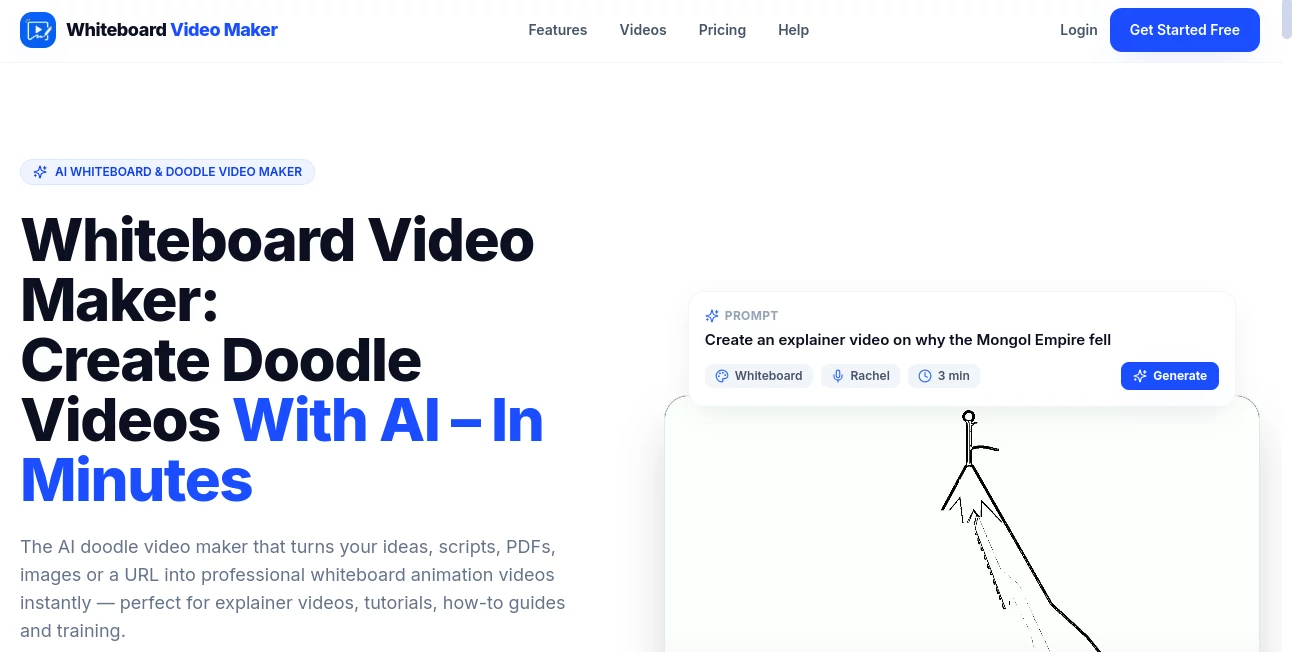
Whiteboard Video is an AI-powered doodle and whiteboard animation maker designed to turn ideas, documents, images, scripts, and URLs into finished videos without requiring traditional animation or editing skills. Instead of starting with a blank timeline and manually arranging every scene, users can provide their content and let the platform build the story, illustrations, narration, and animation.
The approach is particularly useful for people who need to explain something clearly rather than simply produce another generic video. A teacher can turn a lesson into a visual explanation, a marketer can introduce a product, and a business can create an onboarding video without hiring separate writers, illustrators, voice actors, and editors.
What makes the workflow appealing is its simplicity. The system can take a prompt or existing source material and transform it into a scene-by-scene whiteboard animation in minutes. For someone who has ever spent an afternoon trying to make a two-minute explainer look decent, that difference can be substantial.
Key Features
- AI-generated scripts from prompts and source material
- Custom hand-drawn illustrations generated for individual scenes
- Animated drawing-hand effects for an authentic whiteboard style
- Natural AI voiceover in more than 30 languages
- Background music and automatic timing
- Classic black-and-white and colored doodle styles
- Support for prompts, URLs, PDFs, Word documents, images, and scripts
- HD 1080p video export
- Landscape 16:9 and portrait 9:16 formats
- Scene and prompt editing on paid plans before rendering
User Interface
The workflow is intentionally straightforward. Users can start with a topic, paste content, provide a URL, or upload supported files. After selecting options such as language, voice, style, and length, the AI handles the production process.
There is no need to learn a conventional animation timeline or manually drag illustrations into position. This makes the experience particularly approachable for educators, marketers, creators, and small teams that care more about communicating an idea than mastering video-production software.
Accuracy & Performance
The platform is designed to move from source material to a completed video quickly. Its automated workflow creates the script, illustrations, voiceover, and animation as part of the same generation process, with most videos becoming available within a few minutes depending on their length.
Users should still review generated scripts before publishing, especially when the subject involves technical, financial, educational, or otherwise detail-sensitive information. The ability to edit scenes and prompts before rendering on paid plans is useful for refining the final result.
Capabilities
The strongest capability is the combination of several normally separate production tasks. A single input can become a narrated visual story with scene-specific illustrations and animated drawing effects.
It also goes beyond simple text input. Articles, PDFs, Word documents, images, and URLs can be used as source material, making it practical for repurposing existing information into a more engaging format.
The output can be created in more than 30 languages, while both traditional black-and-white doodle visuals and colored animation styles are available. HD 1080p export and portrait support also make the videos suitable for platforms such as YouTube, TikTok, and Instagram Reels.
Security & Privacy
The pricing page describes projects as safe and private. Users should still review the platform's current privacy policy before uploading confidential business documents, proprietary material, or sensitive information. As with any cloud-based AI service, checking the applicable terms and privacy practices is a sensible step before processing private content.
Use Cases
Education is one of the natural fits. Teachers and course creators can transform lessons into visual explanations, while training teams can use short animations to make procedures easier to follow.
Marketing teams can use the format for product explainers, advertisements, campaign content, and landing-page videos. The hand-drawn presentation can also give an otherwise ordinary explanation a more distinctive visual identity.
Businesses can create sales presentations, onboarding material, internal training, and product demonstrations. Agencies and freelancers may also find the automated workflow useful when they need to deliver several explanatory videos without building each one manually.
For individual creators, the portrait format is especially practical for short-form social content. A single idea can be developed into a narrated visual story without requiring a full video-production setup.
Pros and Cons
Pros
- Very simple workflow with minimal technical requirements
- Generates scripts, illustrations, narration, and animation together
- Supports multiple source formats including PDFs, Word documents, images, and URLs
- More than 30 supported languages for AI voiceover
- 1080p export and both landscape and portrait formats
- Free plan available for trying the workflow
- Useful for education, marketing, training, sales, and social content
Cons
- Users who want detailed frame-by-frame animation control may prefer a traditional editor
- AI-generated scripts and visuals should be reviewed before important content is published
- The free plan is limited to one video of up to one minute
- Higher-volume production requires a paid subscription
Pricing Plans
The pricing structure is based on video credits, with one credit representing one minute of finished video. This makes the cost relatively easy to understand when planning production volume.
- Free: $0 forever, with one free video up to one minute and a watermark-free preview.
- Starter: $9.99 per month or $99.99 per year, including 15 video credits per month, videos up to five minutes, scene and prompt editing, portrait and landscape formats, and 1080p export.
- Pro: $19.99 per month or $199.99 per year, with 35 video credits per month, videos up to ten minutes, priority generation, scene editing, and 1080p export.
- Ultra: $60 per month or $599.99 per year, with 100 video credits per month, priority generation, videos up to ten minutes, and a commercial license.
The free option is a useful starting point because users can experience the complete concept before committing to a subscription. Paid plans make more sense for people producing videos regularly or working with clients and larger content libraries.
How to Use It
- Start with a topic, prompt, script, URL, PDF, Word document, or image.
- Select the preferred language, voice, visual style, and video length.
- Let the AI create the script, illustrations, narration, and animation.
- Review the generated scenes and make adjustments where necessary.
- Render the finished video.
- Download or share the result in the format that fits the intended platform.
A useful approach is to begin with a clear and focused topic rather than an overly broad instruction. For example, instead of asking for a video about digital marketing in general, a creator could request a short explanation of three practical ways a small business can improve its email campaigns. A narrower brief usually gives the resulting story a clearer direction.
Comparison with Similar Tools
Traditional whiteboard animation software gives users more manual control, but that control also means more work. Images need to be selected, scenes arranged, timings adjusted, and narration handled separately.
This platform takes the opposite approach. Its main advantage is automation: the AI can write the script, create scene illustrations, produce the voiceover, and synchronize the animation without requiring users to construct the entire video manually.
That makes it a particularly interesting option for someone who values production speed and simplicity. A professional animator who wants precise control over every movement may prefer a traditional editor, while a teacher, marketer, founder, or content creator looking to turn information into a finished explainer quickly may benefit more from the automated workflow.
Conclusion
AI-powered whiteboard animation is most useful when the goal is to make an idea easier to understand, and this platform focuses squarely on that job. Its ability to transform prompts and existing documents into narrated, illustrated animations removes many of the tedious steps normally associated with whiteboard video production.
The combination of automated scripting, custom illustrations, voiceover, multiple languages, HD export, and vertical video support gives it plenty of flexibility. The free first video is also a practical way to judge whether the visual style and automated workflow fit a particular project.
For educators, marketers, businesses, agencies, and creators who regularly need explanatory videos but do not want to spend hours building them scene by scene, it offers a compelling shortcut from raw information to a publishable visual story.
Frequently Asked Questions (FAQ)
What is an AI whiteboard video maker?
It is a video creation system that uses AI to produce whiteboard-style animations, combining illustrated scenes, narration, and animated drawing effects into a finished explanatory video.
Can I create a video from a PDF or Word document?
Yes. Supported inputs include PDFs, Word documents, images, URLs, scripts, and prompts. The source material can be transformed into a scene-by-scene narrated animation.
Does it support voiceovers in different languages?
Yes. AI voiceover is available in more than 30 languages, including English, Spanish, Arabic, Portuguese, French, German, Italian, Turkish, Hindi, and Chinese.
Can I create vertical videos?
Yes. Videos can be produced in portrait 9:16 as well as landscape 16:9, making the output suitable for both traditional video platforms and short-form social networks.
Does the free plan require a credit card?
No. The free plan provides one video and does not require a credit card to get started.
Can the videos be used commercially?
Commercial usage is supported, with the Ultra plan specifically listing a commercial license. Users working on client or commercial projects should check the current plan terms before publishing.
Do I need animation or video-editing experience?
No. The core workflow is designed for people without design or animation experience. The AI handles the major production steps, allowing users to focus primarily on the content and message.
AI Animated Video , AI Video Generator , AI Text to Video .
These classifications represent its core capabilities and areas of application. For related tools, explore the linked categories above.
Whiteboard Video Maker details
Website unavailable — View Alternatives
Pricing
- Freemium
Apps
- Web App
Categories

Whiteboard Video Maker Alternatives Product

Seedance 2.0…

Seedance 2 P…

gemini video

kling 4.0
Artaivo

Grok Imagine…

HappyHorse AI

lyric video …

SnapVee Stud…