
Xelix
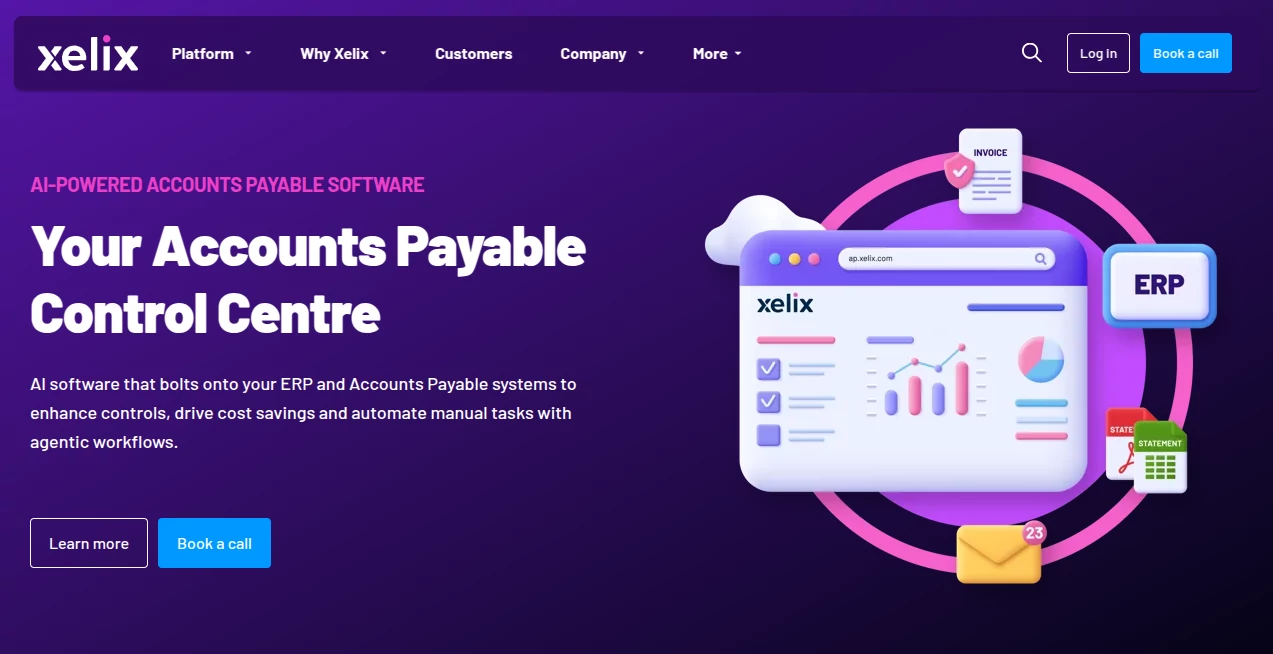
What is Xelix?
Xelix is an AI-powered Accounts Payable platform designed to help finance teams take control of invoice processing, payment auditing, supplier statements, vendor queries, and master vendor data. Instead of replacing an existing ERP or finance system, it works alongside those systems as an additional layer of automation and control.
For finance departments handling thousands of invoices and supplier interactions, the biggest challenge is often not recording a transaction but finding the small errors hidden inside a huge volume of data. Duplicate invoices, incorrect payments, missing credits, suspicious transactions, and unanswered supplier emails can quietly become expensive problems. This platform approaches those issues with AI, machine learning, and autonomous workflows.
The platform says its technology processes more than 220 million invoices annually for customers, analyses hundreds of data points per invoice, and uses more than 20 autonomous AI agents. These capabilities are aimed at reducing repetitive AP work while giving finance teams better visibility into potential financial leakage.
Key Features
- AI-powered invoice capture, extraction, correction, and validation
- Real-time auditing of Accounts Payable transactions
- Detection of duplicate invoices, overpayments, posting errors, and suspicious activity
- Automated supplier statement reconciliation
- AI-assisted vendor query and email management
- Vendor master data cleansing and optimisation
- Configurable AI agents for handling invoice exceptions and AP workflows
- Reporting tools for monitoring AP performance and process efficiency
User Interface
The platform is designed around the practical workflow of an Accounts Payable team rather than presenting AI as a standalone chatbot. Its different modules give finance professionals dedicated areas for transactions, statements, vendor queries, invoice capture, and vendor information.
This structure makes sense for larger finance operations where several AP processes need to work together. Teams can connect the platform with their existing ERP and AP systems, allowing information from invoices, emails, vendor records, and financial data to be used in the same workflow.
Accuracy & Performance
Accuracy is particularly important in financial automation because an incorrect AI decision can have a direct effect on cash flow. The platform states that its transaction technology can analyse more than 400 to 500 data points per invoice, depending on the module and use case, to identify risks such as duplicates, currency errors, incorrect tax treatment, and fraudulent activity.
Its AI models are also trained using historical customer data and user feedback. According to the company, this allows the system to become more effective as it learns the patterns of a business. The Capture module claims more than 99% accuracy compared with legacy template-based OCR, while the Transactions solution reports 98% accuracy for identifying relevant payment risks.
In practical terms, this approach is valuable for companies where manual checking has become too slow. A finance team can spend its time investigating genuine exceptions instead of manually reviewing every transaction.
Capabilities
The platform covers several stages of the AP lifecycle. Capture handles invoice extraction and validation, including exceptions that may otherwise require manual intervention. Transactions focuses on proactive payment auditing and identifies potential duplicate or incorrect payments before money leaves the business.
Statements automates supplier statement reconciliation, helping teams identify missing invoices, unused credit notes, and discrepancies between supplier records and ERP data. The Helpdesk module focuses on vendor communications, using large language models to categorise incoming emails, create tickets, retrieve relevant information, and prepare responses.
The platform also provides vendor master data capabilities for identifying duplicate, inactive, incomplete, or suspicious supplier records. Together, these features create a broader AP control environment rather than a tool focused on only one accounting task.
Security & Privacy
Security is an important consideration when AI software works with invoices, supplier information, financial records, and ERP data. The company states that responsible AI principles include reliability, accuracy, fairness, explainability, transparency, safety, accountability, privacy, and security.
Because the platform is designed for business finance operations, organisations should still review the provider's current security documentation, data-processing terms, access controls, and integration requirements before deploying it in a production environment. This is especially important when sensitive financial and vendor information is involved.
Use Cases
- Large Accounts Payable teams: Automate repetitive invoice and payment-control activities across high transaction volumes.
- Invoice processing: Extract and validate invoice information while reducing manual exception handling.
- Payment auditing: Identify duplicate payments, overpayments, invoice errors, and suspicious transactions before payment runs.
- Supplier reconciliation: Compare supplier statements against ERP records and identify missing invoices or credits.
- Vendor support: Categorise supplier emails, create tickets, retrieve relevant information, and prepare responses.
- Financial control: Strengthen AP controls and create a clearer audit trail around reconciliation and payment activity.
- Global finance operations: Support vendor query management across more than 70 languages.
- Enterprise finance departments: Connect AP automation with existing ERP and finance systems without replacing the underlying infrastructure.
Pros and Cons
- Pros: Strong focus on Accounts Payable, broad automation coverage, AI-powered transaction auditing, supplier statement reconciliation, vendor query automation, ERP integration, and support for high invoice volumes.
- Pros: The platform goes beyond invoice extraction by addressing financial leakage, supplier communication, reconciliation, and vendor data quality.
- Pros: AI agents can reduce repetitive manual work and help finance teams concentrate on exceptions and higher-value activities.
- Cons: It is primarily designed for businesses with substantial Accounts Payable operations rather than individual users or very small businesses.
- Cons: Pricing is not publicly presented as a simple self-service subscription, so prospective customers need to request a quote and discuss their requirements.
- Cons: Businesses looking for a basic invoicing or bookkeeping application may find its broader AP automation approach more extensive than necessary.
Pricing Plans
There are no standard public monthly or annual pricing tiers displayed for self-service purchase. Instead, pricing is handled through a quote-based process based on the organisation's requirements.
Prospective customers can request pricing by providing information such as their annual invoice volume and the modules they are interested in, including Transactions, Statements, Helpdesk, or the complete platform. The company also promotes a short introductory conversation to understand the customer's requirements and demonstrate potential return on investment.
This pricing model is understandable for enterprise AP software because implementation, invoice volume, ERP integrations, and the number of modules required can vary considerably between organisations.
How to Use Xelix
- Connect the platform with your existing ERP, Accounts Payable systems, email inboxes, and relevant ticketing tools.
- Choose the AP processes you want to automate, such as invoice capture, transaction auditing, statement reconciliation, or vendor query management.
- Configure the relevant AI agents, workflows, rules, and reporting requirements.
- Allow the system to analyse invoices, transactions, supplier statements, emails, and vendor information.
- Review exceptions and recommendations where human approval is required.
- Use the reporting tools to monitor KPIs, SLAs, query trends, process efficiency, and financial risks.
- As the system collects more historical information and user feedback, refine workflows and expand automation across additional AP processes.
Comparison with Similar Tools
Many finance applications concentrate on a single area such as invoice OCR, bookkeeping, expense management, or payment processing. This platform takes a wider approach by positioning itself as an Accounts Payable control centre.
Its main distinction is the combination of invoice capture, transaction auditing, supplier statement reconciliation, vendor query management, and vendor master data within one environment. For an organisation already using an ERP, this can be particularly useful because the goal is not necessarily to replace the core finance system but to add an intelligent automation and control layer around it.
Compared with a basic invoice-processing application, the broader workflow can provide more value for organisations dealing with large supplier bases and high invoice volumes. On the other hand, smaller companies with straightforward AP requirements may not need such an extensive platform.
Conclusion
For finance teams dealing with large volumes of invoices, supplier communications, and payment data, manual Accounts Payable processes can become expensive surprisingly quickly. The strength of this platform is its focus on the areas where those costs and risks tend to hide.
By combining machine learning, large language models, and agentic workflows, it addresses invoice processing, transaction monitoring, supplier reconciliation, vendor communication, and master data management in a single AP-focused environment. The result is a solution aimed less at replacing finance professionals and more at giving them an intelligent system that can handle repetitive work and surface issues that deserve human attention.
For mid-sized and enterprise organisations looking to reduce manual AP work while improving financial controls, this is a compelling option worth considering, particularly when invoice volumes and supplier relationships have grown beyond what conventional processes can comfortably handle.
Frequently Asked Questions (FAQ)
What is Xelix used for?
It is used to automate and control Accounts Payable processes, including invoice capture, payment auditing, supplier statement reconciliation, vendor query management, and vendor master data management.
Can it detect duplicate payments?
Yes. Its Transactions capabilities are designed to identify duplicate invoices and payments as well as other risks such as overpayments, posting errors, currency issues, and suspicious activity.
Can it work with an existing ERP?
Yes. The platform is designed to sit alongside existing ERP and Accounts Payable systems rather than requiring a business to replace its core finance infrastructure.
Does it automate supplier statement reconciliation?
Yes. The Statements module uses AI, machine learning, large language models, and rule-based workflows to read supplier statements and reconcile them against ERP information.
Can it manage vendor emails?
Yes. Its Helpdesk functionality can categorise incoming supplier emails, create and prioritise tickets, retrieve relevant system information, translate messages, and prepare AI-generated responses for review.
Is there a free plan?
No standard free or self-service plan is publicly listed. Pricing is quote-based and depends on factors such as invoice volume and the modules required.
Is it suitable for small businesses?
The platform is primarily positioned toward organisations with more substantial Accounts Payable operations. Smaller businesses with simple invoice workflows may find a lightweight accounting or AP application more appropriate.
How does its AI improve over time?
The company states that its AI models are trained on historical business data and user feedback. This allows the system to learn a company's invoicing patterns and improve its ability to handle relevant workflows and exceptions.
What makes it different from basic invoice automation?
Rather than focusing only on extracting information from invoices, the platform covers several AP control processes, including payment auditing, supplier statement reconciliation, vendor queries, and vendor master data management.
AI Accounting Assistant , AI Email Assistant , AI Customer Service Assistant , Business .
These classifications represent its core capabilities and areas of application. For related tools, explore the linked categories above.

Xelix Alternatives Product

Sellerview.ai

MachineTrans…

BetterAntisp…

Gpt Realtime…

Free Email V…

Receipt AI

Helploom

Sendmux

Medialyst