Z Image
What is Z Image?
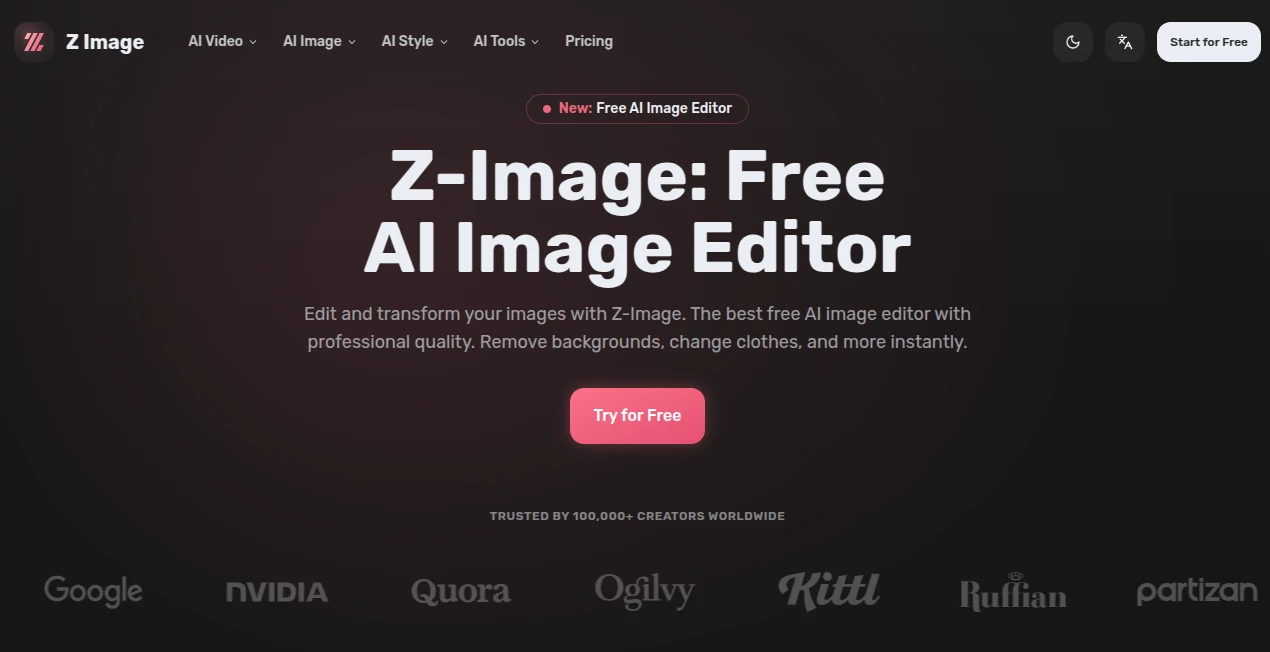
Creating polished visuals no longer requires advanced design skills or expensive software. This platform combines image generation, intelligent editing, and creative enhancement in a single workspace, allowing anyone to transform ordinary photos into eye-catching visuals within seconds. Whether the goal is improving product images, designing social media graphics, restoring old photographs, or experimenting with artistic styles, the experience remains fast, intuitive, and enjoyable.
One of its strongest advantages is the combination of speed and quality. Built on an advanced diffusion transformer architecture, it delivers highly detailed, photorealistic results while maintaining impressive processing speed. The editor also supports creative image transformations, making it suitable for both professionals and beginners who want reliable AI-powered editing without a steep learning curve.
Key Features
User Interface
The interface is clean, modern, and beginner-friendly. Editing options are organized into clear categories, allowing users to upload an image, choose an AI feature, and receive results in just a few clicks. There is very little learning required, making the platform approachable for creators of every experience level.
Accuracy & Performance
Image processing is remarkably fast, with many edits completing in less than a second. The AI preserves important facial details, textures, and lighting while applying requested changes naturally. From subtle improvements to dramatic style transformations, the output maintains a professional appearance suitable for commercial and personal projects.
Capabilities
- AI-powered image editing
- Text-to-image generation
- Image-to-image transformation
- Background removal
- Object removal
- Photo restoration
- Image expansion
- Colorization for old photos
- Clothing and hairstyle replacement
- Face expression editing
- Age progression effects
- AI avatar creation
- Style transfer with numerous artistic presets
- Image-to-video generation
- Professional headshot creation
Security & Privacy
The service provides account-based access for saved projects while offering a straightforward editing workflow. Users retain control over their creative work, and premium subscribers gain access to higher-quality outputs and faster processing. As with any cloud-based creative platform, reviewing the official privacy policy before uploading sensitive material is recommended.
Use Cases
- Design engaging social media posts and thumbnails.
- Create professional marketing visuals for businesses.
- Restore damaged or faded family photographs.
- Generate unique avatars and profile pictures.
- Produce concept art and illustrations for creative projects.
- Edit e-commerce product images.
- Remove distracting backgrounds and unwanted objects.
- Create AI-generated images for blogs and presentations.
- Experiment with artistic filters and visual styles.
- Generate high-quality content for advertising campaigns.
Pros and Cons
Pros
- Fast AI processing with professional-quality results.
- Wide variety of editing and generation tools.
- Simple interface suitable for beginners.
- Supports both image creation and image editing.
- Free plan available for getting started.
- Useful for personal, business, and creative projects.
Cons
- Some advanced features require a premium subscription.
- Free usage is limited by available credits.
- Cloud-based processing requires an internet connection.
Pricing Plans
A generous free plan allows users to explore the platform and test many of its core capabilities. Premium plans unlock additional credits, faster processing, higher-resolution outputs, and access to advanced creative features for users with larger production needs. Pricing is designed to accommodate casual creators as well as professionals. :contentReference[oaicite:0]{index=0}
How to Use Z-Image
Begin by uploading an existing image or entering a text prompt. Choose the desired editing or generation feature, such as background removal, style transfer, restoration, or image generation. Adjust optional settings if needed, then let the AI process the request. Within moments, download the finished result and continue refining it if additional edits are required.
Comparison with Similar Tools
Compared with many AI image editors, this platform stands out by combining image generation, advanced editing, creative transformations, and video-related features inside a single environment. Instead of focusing on only one task, it provides an all-in-one workflow that helps creators move from concept to finished visual without switching between multiple applications. Its rapid processing speed, broad editing toolkit, and impressive photorealistic quality make it a compelling choice for designers, marketers, content creators, and digital artists. :contentReference[oaicite:1]{index=1}
Conclusion
This solution brings together powerful AI image generation and practical editing tools in an experience that feels both accessible and capable. It removes many of the technical barriers traditionally associated with graphic editing while still delivering results that look polished and professional. Whether creating marketing assets, restoring treasured memories, experimenting with artistic concepts, or producing content for social media, it offers an efficient workflow that saves time without sacrificing quality.
Frequently Asked Questions (FAQ)
Is there a free version available?
Yes. New users can access a free plan with credits to explore the platform before upgrading.
Can it generate images from text prompts?
Yes. It supports text-to-image generation alongside image editing and transformation tools.
Can old photographs be restored?
Yes. AI restoration and colorization tools help improve damaged or faded images.
Is it suitable for commercial projects?
Yes. Many businesses, marketers, designers, and content creators use it to produce professional visual assets.
Does it include background removal?
Yes. Background removal is one of the core AI editing features, along with object removal and numerous creative editing options.
AI Photo & Image Generator , Photo & Image Editor , AI Background Remover , AI Image to Image .
These classifications represent its core capabilities and areas of application. For related tools, explore the linked categories above.

Z Image Alternatives Product
Nano Banana 2

Undertale Te…

NanoBanana P…

GPTIMG2 AI

NanoEditor
Free AI Kiss…

Gemini AI Ph…
StylinAI
GPT Image 2