Zawa
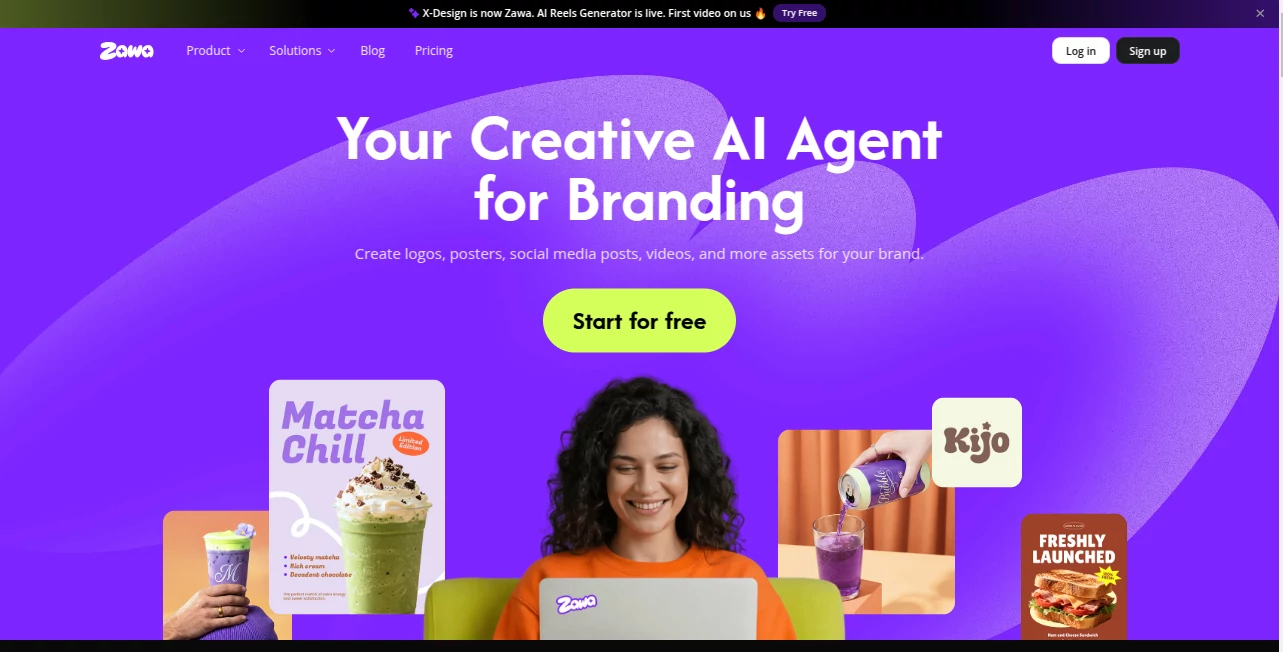
What is Zawa?
I’ve watched small business owners struggle for weeks trying to get their branding right — hiring designers, going back and forth on revisions, and still ending up with assets that don’t quite feel like “them.” Then they try this platform and suddenly everything clicks. Logos appear in seconds, posters look professional, and the whole visual identity stays consistent across menus, social posts, packaging, and more. It feels less like using software and more like having a talented creative partner who actually understands your brand from the first prompt.
Introduction
Building a strong brand identity used to be expensive and time-consuming. Zawa changes that completely. It acts as your personal AI creative agent, turning simple ideas into complete, on-brand visuals — from logos and color palettes to posters, mockups, and social content. Whether you run a cozy café, a fashion label, or a local service business, it helps you create assets that look polished and feel authentic. The best part? It remembers your brand once you build the kit, so every new design stays consistent without extra effort. It’s fast, intuitive, and genuinely fun to use.
Key Features
User Interface
The workspace is clean and welcoming. You start by describing your brand or uploading existing assets, and everything flows naturally from there. The brand kit lives in one place — logos, colors, fonts, and guidelines — and gets applied automatically to new creations. No steep learning curve, no cluttered menus. You can generate, edit, and refine in the same flow, which keeps the creative momentum going instead of breaking it with technical hurdles.
Accuracy & Performance
It nails brand consistency remarkably well. Once your kit is set, new posters, menus, or social graphics automatically match your colors, fonts, and overall vibe. The AI understands context — it knows when you want something elegant for a restaurant or bold for streetwear. Generation is fast, and the outputs feel production-ready rather than “AI-generated.” Many users mention how surprised they are at how little editing they need afterward.
Capabilities
From logo design and full brand kits to posters, social media graphics, product mockups, and even AI reels, it covers almost everything a growing business needs. You can generate visual mockups on real-world items like packaging or storefronts, create seasonal promotions in minutes, and maintain perfect consistency across every asset. It also includes strong photo and video tools for enhancing product shots or creating short promotional clips. Everything stays editable so you can add your personal touch.
Security & Privacy
Your brand assets and projects stay private and protected. The platform focuses on delivering great creative output without unnecessary data collection or sharing. For business owners putting their identity online, that peace of mind matters a lot.
Use Cases
A café owner builds their full brand kit in one afternoon and generates new menu posters for the season in minutes. A fashion brand creates consistent social content and product mockups that feel cohesive across platforms. A small bakery turns phone photos of pastries into professional-looking promotional images and reels without hiring a photographer. Freelancers and agencies use it to deliver faster results to clients while keeping quality high. It shines anywhere visual identity and speed both matter.
Pros and Cons
Pros:
- Excellent brand memory — once set, everything stays on-brand automatically.
- Fast generation of production-ready assets for multiple use cases.
- Combines branding, photo editing, and video tools in one place.
- Great for small businesses and creators who don’t have big design budgets.
- Editable outputs give you full creative control.
Cons:
- Some advanced video features are still expanding.
- Best results come when you give clear brand direction upfront.
Pricing Plans
It offers a generous free tier to get started and see real results. Paid plans unlock unlimited generations, higher quality outputs, priority processing, and full access to advanced tools. Pricing is reasonable for the time and professional appearance it saves — many users say it quickly pays for itself by reducing the need for external designers or stock assets.
How to Use Zawa
Start by describing your brand or uploading existing logos and colors. Let it build your brand kit, then simply type what you need — “summer menu poster for Italian café” or “product mockup for new hoodie.” Choose the format, generate, and tweak if needed. Everything stays saved in your workspace so you can reuse the same identity across future projects. The process is fast enough that you can go from idea to ready-to-post content in minutes.
Comparison with Similar Tools
Many AI design tools generate single images that don’t stay consistent. This one focuses on full brand identity and memory, so every asset feels part of the same family. It combines strong creative generation with practical business tools (mockups, posters, reels) in a way that feels built for real users rather than just tech demos. The balance of speed, consistency, and usability puts it ahead for small businesses and independent creators.
Conclusion
Branding shouldn’t be a luxury that only big companies can afford. This platform makes professional-looking visuals accessible, fast, and — most importantly — consistent. It takes the heavy lifting off your shoulders so you can focus on running your business and connecting with customers. If you’ve ever wished design could be both beautiful and effortless, this tool delivers exactly that experience.
Frequently Asked Questions (FAQ)
How fast can I get my first assets?
Most users see their first logo or poster within minutes of starting.
Do I need design experience?
Not at all. Clear descriptions work best, but the AI guides you along the way.
Can I use it for commercial projects?
Yes — outputs are yours to use for business and marketing.
Does it remember my brand across sessions?
Yes — once you build your brand kit, it applies consistently to all future generations.
Is there a free way to try it?
Absolutely — the free tier lets you create real assets and see the quality firsthand.
AI Design Assistant , AI Website Designer , AI Design Generator , AI Graphic Design .
These classifications represent its core capabilities and areas of application. For related tools, explore the linked categories above.

Zawa Alternatives Product
Designmd.fun

AnividAI
ComicsMaker

square face …

IMAGE 2

Modelfy 3D

Nano Banana …

Nano Banana …

Consistent C…