


















Zinkforge
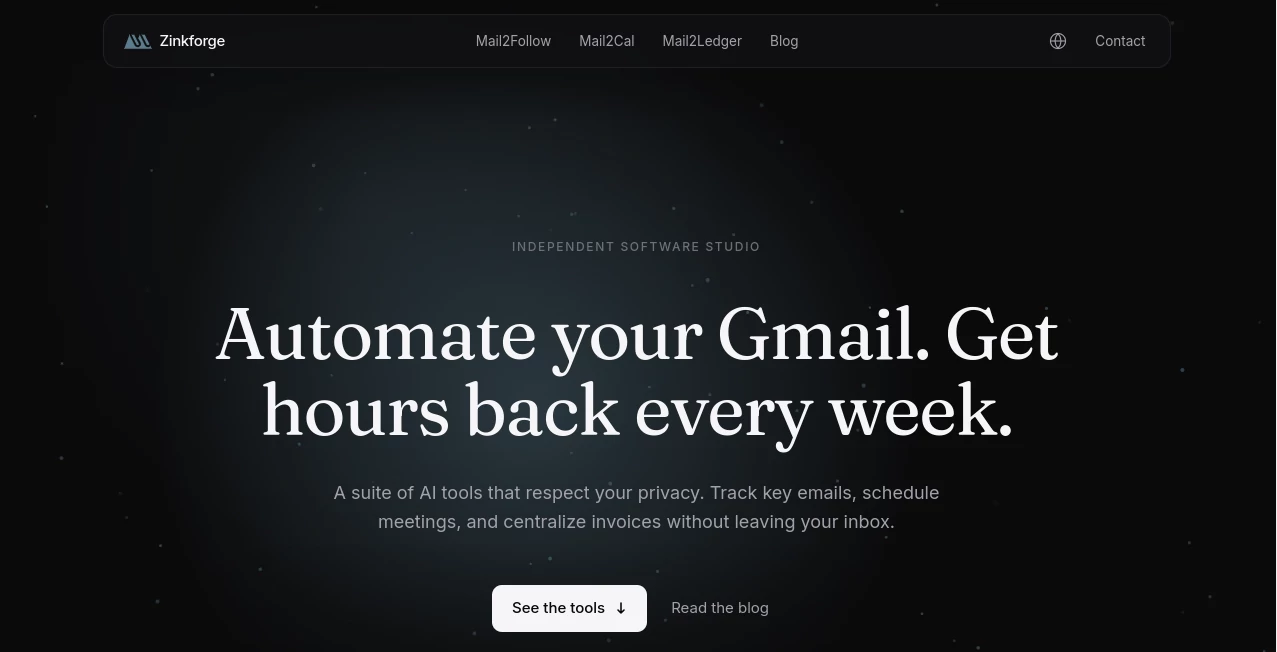
What is Zinkforge?
I used to waste so much time switching between Gmail, Google Calendar, and spreadsheets just to keep up with follow-ups, meetings, and invoices. Then I found this suite and suddenly my inbox became a productivity hub instead of a source of stress. It quietly handles the repetitive stuff — tracking unanswered emails, turning casual phrases into calendar events, and pulling invoice data into sheets — all without leaving Gmail. The best part is how respectful it is of your privacy and workflow. No new apps to learn, no heavy permissions, just helpful AI that feels like a thoughtful assistant sitting right next to you.
Introduction
Managing a busy inbox is exhausting. Between chasing replies, scheduling calls, and hunting down billing details, hours disappear every week. This Barcelona-based studio built a focused set of AI tools that live directly inside Gmail to solve exactly those problems. There are three main helpers: one that tracks follow-ups and reminds you intelligently, one that turns natural language into calendar events with travel time included, and one that extracts invoice data and sends it straight to your Google Sheet. The philosophy is simple — upgrade your existing Gmail workflow instead of forcing you into a new platform. It’s privacy-first, lightweight, and actually useful from day one.
Key Features
User Interface
Everything happens right where you already work — inside Gmail. The tools appear as clean side panels or smart compose suggestions. No new tabs to juggle, no complicated dashboards. You highlight an email or type naturally, and the AI offers helpful actions without getting in the way. It feels like Gmail got a quiet upgrade rather than a full replacement, which makes adoption effortless even for less technical team members.
Accuracy & Performance
The AI is surprisingly good at understanding context. It knows when an email needs a follow-up, picks the right moment based on the conversation thread, and suggests polite but effective language. Calendar creation accurately interprets phrases like “next Tuesday at 3” and even adds travel time using real maps data. Invoice extraction handles PDFs, images, and text from emails with impressive accuracy. In real use, it saves noticeable time every single day without creating more work.
Capabilities
The suite includes three focused tools that work beautifully together. Mail2Follow keeps track of every open thread and helps you close deals by reminding you at smart intervals. Mail2Cal turns vague meeting suggestions into properly scheduled events with all the details filled in. Mail2Ledger automatically pulls invoice and receipt data into your chosen spreadsheet, eliminating manual data entry. Together they create a seamless system for staying on top of communication, scheduling, and finances without ever leaving your inbox.
Security & Privacy
Privacy is clearly a core value here. The tools request only the minimum permissions needed, process data momentarily, and never use your emails for training. Everything is stored securely in the EU with strong compliance standards. You stay in full control, and there’s no risk of your conversations feeding someone else’s AI model. For professionals who handle sensitive client or business information, that respect for privacy builds real trust.
Use Cases
A freelance consultant uses it to never miss follow-ups on proposals, closing more deals with less mental load. A small business owner automatically logs every invoice into their master sheet without copying numbers manually. A busy executive turns casual “let’s meet next week” emails into properly scheduled calendar blocks with travel time included. Remote teams coordinate across time zones more smoothly because scheduling becomes almost automatic. Anyone whose work lives in Gmail finds these tools quietly remove friction from their daily routine.
Pros and Cons
Pros:
- Works directly inside Gmail — zero new apps or context switching.
- Strong focus on privacy with minimal permissions and EU storage.
- Actually saves real hours every week on repetitive tasks.
- Smart and context-aware AI that feels helpful rather than robotic.
- Pay-as-you-go style keeps it flexible for individuals and growing teams.
Cons:
- Still a relatively new suite, so some advanced reporting features are growing.
- Best results come when your emails follow somewhat natural patterns.
Pricing Plans
It follows a fair, usage-based approach so you only pay for the help you actually use. Free tier lets you test the tools meaningfully. Paid plans unlock higher volume, priority processing, and team features. Pricing stays reasonable for the time it returns, making it accessible for solo professionals and small teams alike without locking you into long contracts.
How to Use Zinkforge
Install the Google Workspace add-ons (quick and simple), then start using them directly in Gmail. For follow-ups, open an unanswered thread and let the tool suggest smart next steps. For scheduling, type naturally in an email and watch it create calendar events with one click. For invoices, forward or label them and watch the data flow automatically into your spreadsheet. The tools learn your style over time and become even more helpful the more you use them.
Comparison with Similar Tools
Many AI email tools try to replace your inbox or force you into a new platform. This suite respects where you already work and focuses on specific, high-impact problems instead of trying to do everything. The strong emphasis on privacy and minimal permissions sets it apart from tools that require broad access. It delivers practical help without the bloat, making it feel more like a thoughtful assistant than another complicated system.
Conclusion
Your inbox doesn’t have to be a source of constant stress. With the right lightweight AI help, it can become a powerful productivity center again. This suite does exactly that — quietly handling the repetitive parts so you can focus on the work that actually matters. For anyone whose business or life runs through Gmail, these tools deliver meaningful time savings and peace of mind without compromising privacy or simplicity. Sometimes the best upgrades are the ones that feel almost invisible until you realize how much better everything runs.
Frequently Asked Questions (FAQ)
Do I need to give broad permissions?
No — it only asks for the minimum needed to do its specific job.
Is my data used for training?
No — your emails are processed momentarily and then discarded.
Can teams use it together?
Yes — paid plans support shared credit and team management.
How accurate is the invoice extraction?
It handles most common formats very well, including PDFs, images, and text in emails.
Does it work on mobile?
Core functions work through Gmail’s mobile interface, though full setup is easiest on desktop.
AI Productivity Tools , AI Email Assistant , AI Scheduling , AI Notes Assistant .
These classifications represent its core capabilities and areas of application. For related tools, explore the linked categories above.

Zinkforge Alternatives Product

Zivy

Lynote

AIDeckly

Caspian

LorePanic

DocReplacer

Rabbitholes …

Unix Timesta…

Meet-Ting
