
Zo Computer
What is Zo Computer?
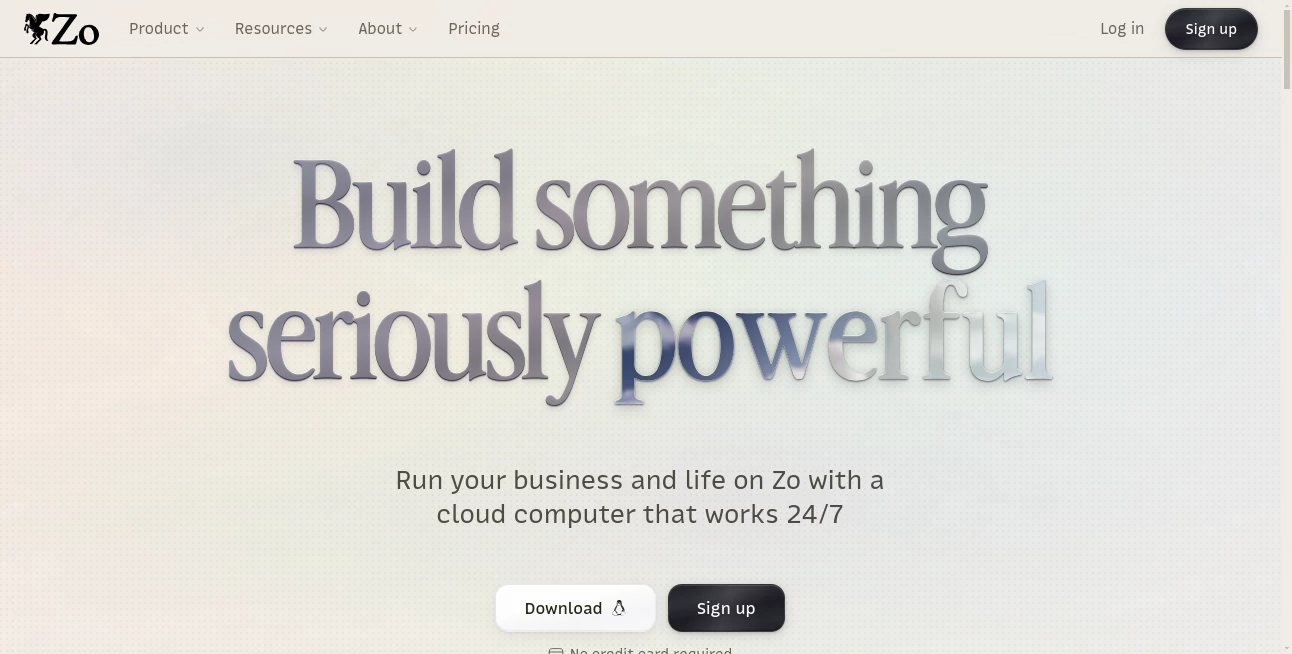
Zo Computer takes a different approach to AI. Instead of treating artificial intelligence as another tab or standalone chatbot, it puts an AI agent inside a personal cloud computer that can work with files, websites, services, automations, and multiple AI models. The idea is simple but powerful: give AI a real computer environment and let it handle useful work instead of limiting it to a conversation window.
The platform is designed for both personal and professional use. You can use it to organize files, build websites, run services, automate repetitive tasks, experiment with code, generate content, or manage projects from a single cloud workspace. Because the computer can remain online, tasks and hosted services can continue running even when you are away.
One particularly interesting aspect is the combination of an AI agent with an actual Linux-based cloud environment. Rather than simply suggesting what should be done, the agent can work with the environment, access files, use tools, and help turn an idea into something functional.
Key Features
- Personal cloud computer: Provides a Linux-based cloud workspace where files, projects, code, and other resources can be stored and managed.
- AI agents: The built-in agent can work across files, applications, websites, and other connected tools.
- Multiple AI models: Users can select from a growing collection of models for chat, coding, reasoning, image generation, video generation, speech, and transcription.
- Persistent conversations: Conversations are saved and searchable, making it easier to return to previous work without starting from scratch.
- Automations: Scheduled tasks can run daily, weekly, or according to a custom schedule for activities such as monitoring websites, checking email, generating reports, or delivering information.
- Web hosting: Websites and other services can be hosted directly from the cloud computer.
- Custom domains: Paid plans allow users to connect custom domains to hosted services.
- Custom AI personas: Users can create specialized AI personalities with their own instructions, preferred models, and behavior.
- Rules: Conditional rules can be used to control how the AI behaves, including coding standards, communication preferences, and approval requirements.
- Snapshots: The system includes tools for monitoring resources and creating or restoring snapshots, which is useful when experimenting with projects.
- Bring your own API keys: Users can connect their own API credentials and integrate external AI providers.
User Interface
The interface is built around the idea of a complete digital workspace rather than a conventional chat application. Files, conversations, automations, models, hosted services, and other resources are accessible from the same environment.
This makes the experience particularly appealing for people who regularly jump between several tools. Instead of keeping a browser window open for an AI assistant, another for cloud storage, another for automation, and another for development, much of that workflow can live in one place.
The saved conversation history is also a practical touch. When working on a project over several days, being able to search previous conversations and continue from earlier context can save a surprising amount of time.
Accuracy & Performance
Performance depends partly on the AI model selected for a particular task. The platform provides access to multiple models, allowing users to choose between faster options and models designed for deeper reasoning, coding, research, or long-running agentic work.
The cloud computer itself is also available with different levels of CPU and memory. The Basic plan provides 4 CPU cores and 32 GB of RAM, while Pro increases this to 16 cores and 128 GB of RAM. Ultra goes considerably further with 64 cores and 512 GB of RAM.
This separation between the computer environment and AI model selection is useful. A demanding coding project may benefit from a stronger reasoning model, while a simple repetitive task may be better suited to a faster and less expensive option.
Capabilities
The range of capabilities is one of the strongest reasons to consider this platform. It can act as a workspace for coding and development, a place to store and process files, a hosting environment for websites and services, and an automation platform.
It also supports image and video generation, speech generation, and audio transcription through its available media models. Users can switch models depending on the type of work instead of being locked into a single AI provider.
For developers, the Linux environment and hosted services make the platform especially interesting. For non-technical users, the AI agent can reduce much of the complexity normally associated with configuring servers, deploying websites, or connecting multiple services.
Security & Privacy
Privacy is presented as an important part of the product's approach. The company states that it does not sell user data, does not use advertising, and does not train AI models on users' work.
Files and projects are hosted inside each user's personal cloud environment rather than being treated simply as documents inside a conventional SaaS application. The platform also provides snapshots and recovery capabilities, giving users additional options when experimenting with their cloud computer.
As with any cloud service, users should still review the provider's current privacy and security documentation before storing highly sensitive business information. For everyday projects, development work, websites, and automation tasks, however, the personal-cloud model offers an appealing alternative to traditional hosted software.
Use Cases
Website creation and hosting: A user can describe the kind of website they want and use the AI agent to help build it. The resulting project can then be hosted from the same environment.
Software development: Developers can use the cloud computer for coding, managing files, testing ideas, and working with different AI coding models. The persistent environment is particularly useful for projects that continue over multiple sessions.
Business automation: Repetitive work such as generating reports, monitoring websites, checking information, or sending scheduled updates can be turned into automated workflows.
Content production: Writers, marketers, and creators can combine AI models with files and automations to research ideas, prepare content, generate media, and organize the resulting work.
Personal projects: The platform can also be used for personal websites, creative experiments, digital portfolios, hobby projects, and small online services.
AI experimentation: Having several leading models available in one environment makes it easier to compare different approaches to the same task. A user might use one model for coding, another for reasoning, and another for generating visual content.
Pros and Cons
- Pros: Combines an AI agent with a real cloud computer.
- Pros: Supports multiple AI models instead of relying on a single provider.
- Pros: Includes files, hosting, automations, conversations, and development capabilities in one workspace.
- Pros: Paid plans provide always-on cloud computing.
- Pros: Supports custom domains and hosted services.
- Pros: Offers bring-your-own-API-key functionality.
- Pros: Useful for both technical and non-technical users.
- Cons: The free experience has significant limitations after the initial 14-day AI and computer trial.
- Cons: Advanced always-on computing requires a paid subscription.
- Cons: AI media generation and some model usage can incur additional metered costs.
- Cons: Users who only need a simple chatbot may find the broader cloud-computer approach more than they need.
Pricing Plans
The platform currently offers Free, Basic, Pro, and Ultra options. The Free plan costs $0 and provides a 14-day AI and computer trial, along with 100 GB of storage. After the trial, ordinary computer access ends, although stored files remain retrievable.
The Basic plan costs $18 per month and includes an always-on computer with 4 CPU cores, 32 GB of RAM, 100 GB or more of storage, $10 in monthly AI credits, five hosted services, and up to three custom domains.
The Pro plan costs $64 per month and is aimed more at larger projects and businesses. It provides 16 CPU cores, 128 GB of RAM, $40 in monthly AI credits, ten hosted services, five custom domains, and priority support.
The Ultra plan costs $200 per month and provides substantially more computing capacity, including 64 CPU cores, 512 GB of RAM, $100 in monthly AI credits, up to 50 hosted services, ten custom domains, and priority support.
AI media operations such as image generation, video generation, speech, and transcription are billed according to the selected model and request type. This makes the service more flexible for users who want access to different AI providers, but it is worth checking model-level pricing before running large workloads.
How to Get Started
- Create a workspace and begin with the available free trial.
- Explore the cloud computer and familiarize yourself with the file and chat environment.
- Choose an AI model that matches the task you want to complete.
- Upload or create the files needed for your project.
- Describe the task to the AI agent using normal language.
- Use automations when a task needs to happen repeatedly or on a schedule.
- Connect external services, API keys, or AI subscriptions when additional capabilities are required.
- Upgrade to a paid plan if you need an always-on computer, additional resources, more hosted services, or custom domains.
Comparison with Similar Tools
Traditional AI assistants are usually centered around conversations. They can answer questions, write code, analyze documents, or generate content, but the actual work often needs to be transferred into other applications.
Cloud development platforms, on the other hand, provide computing infrastructure but generally require the user to configure and operate the environment themselves. Automation platforms solve another part of the problem by connecting services and scheduling actions.
This product sits somewhere between these categories. Its main distinction is the combination of an AI agent, persistent cloud computer, file system, hosting, automation, and access to multiple AI models. For someone who wants an AI assistant that can actually operate inside a persistent computing environment, that combination can be considerably more useful than a standalone chatbot.
Conclusion
The biggest appeal here is not simply access to another AI model. It is the idea of giving an AI agent a persistent place to work.
For developers, that can mean a ready-to-use cloud environment for coding and hosting. For creators, it can become a workspace for websites, files, media, and automation. For businesses, it offers a way to bring repetitive processes, hosted services, and AI-powered workflows closer together.
The learning curve may be slightly higher than opening a basic chatbot, but that extra capability is also the point. Once the pieces start working together, the cloud computer becomes more than storage or infrastructure; it becomes an environment where AI can actually help build, manage, and operate things.
Frequently Asked Questions (FAQ)
Is there a free plan?
Yes. The Free plan provides a 14-day AI and computer trial with 100 GB of cloud storage. After the trial period, ordinary computer access ends, while stored files remain retrievable.
Can I use different AI models?
Yes. The platform provides access to multiple models for chat, reasoning, coding, image generation, video generation, speech, and transcription. Users can select different models depending on the task.
Can I host a website?
Yes. Websites and other services can be hosted from the cloud computer. Paid plans also include custom-domain support, with the number of domains depending on the selected plan.
Can I automate tasks?
Yes. Automations can be scheduled to run at specific intervals and can handle tasks such as checking information, generating reports, monitoring websites, and delivering results through supported communication channels.
Can developers use it for coding?
Yes. The Linux-based cloud environment, persistent files, AI coding models, hosted services, and available integrations make it suitable for software development and experimentation.
Can I bring my own API keys?
Yes. Users can connect their own API keys to access compatible AI providers and customize how their workspace uses external models.
Is my work used to train AI models?
The company states that it does not train AI models on users' work, sell user data, or use advertising within the service.
Which plan is best for a small project?
The Free plan is a useful way to explore the platform. For projects that need an always-on computer, the Basic plan provides a practical starting point, while Pro and Ultra are better suited to heavier workloads and larger operations.
AI Workflow Management , AI Website Builder , AI Productivity Tools , AI Developer Tools .
These classifications represent its core capabilities and areas of application. For related tools, explore the linked categories above.
Zo Computer details
Website unavailable — View Alternatives
Pricing
- Freemium
Apps
- Web App
Categories

Zo Computer Alternatives Product

Workik

YT Video Sum…

Skygen AI

UPDF AI

TutuoAI

Black Screen

Vibe Coding …

Fugte

Firefox