Zorq AI
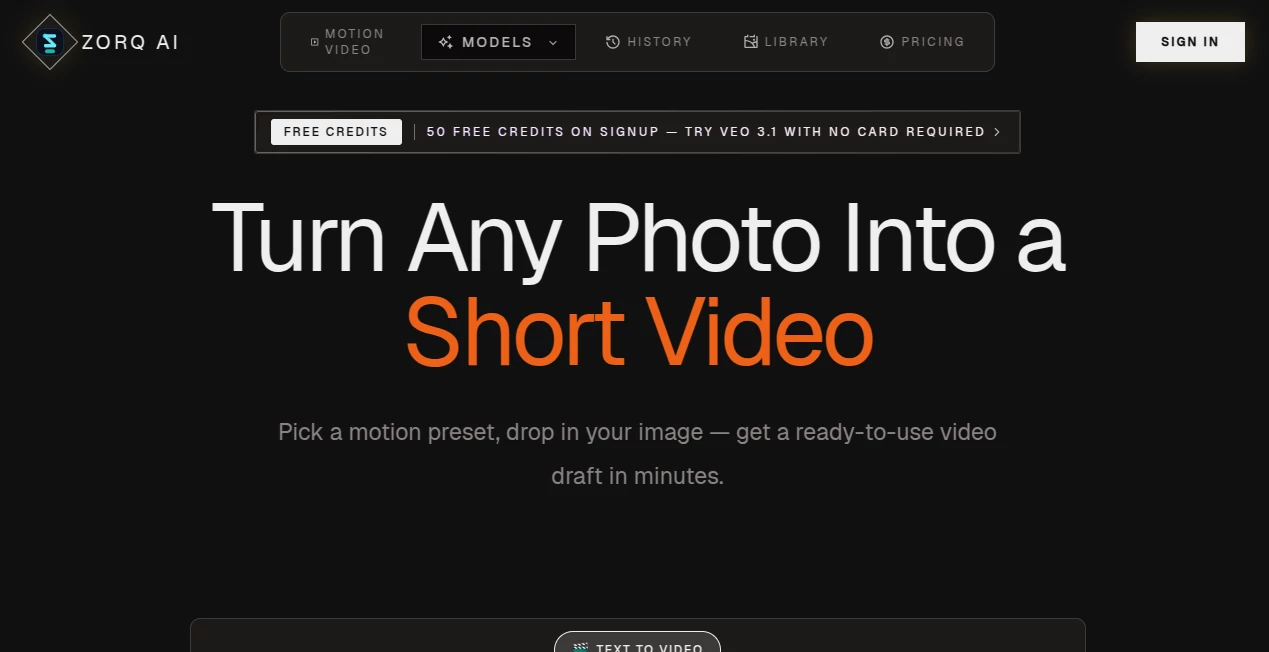
What is Zorq AI?
Creating professional visual content no longer has to involve complicated editing software or time-consuming production workflows. This platform brings image generation, motion creation, and video production together in a single workspace, making it easier for creators, marketers, agencies, and businesses to transform ideas into engaging visual assets within minutes.
Instead of switching between multiple applications, users can generate images, animate still photos, experiment with different motion styles, and produce ready-to-share videos using one streamlined interface. The platform also supports modern AI generation models, allowing users to experiment with different creative approaches while managing everything through a unified credit system. Whether producing promotional videos, social media clips, product showcases, or concept animations, it provides an efficient workflow that reduces production time without sacrificing creative flexibility.
Key Features
User Interface
The dashboard is clean, organized, and designed for both beginners and experienced creators. Every major workflow—from text-to-video to image-to-video and motion control—is clearly separated, allowing users to begin generating content with only a few clicks. Built-in templates and motion presets help shorten the learning curve while encouraging experimentation.
Accuracy & Performance
The platform focuses on producing smooth animations, consistent image quality, and believable motion. By combining advanced video and image generation technologies, users can iterate quickly, compare results, and refine creative projects without lengthy rendering processes. Fast generation speeds make it practical for daily commercial production.
Capabilities
- Create videos from text prompts.
- Convert still images into animated videos.
- Generate high-quality AI images.
- Apply motion presets for realistic movement.
- Support creative concept development.
- Create marketing visuals and advertisements.
- Produce social media content.
- Generate commercial-ready visual assets.
- Manage image and video projects from one workspace.
- Use multiple AI generation models under one account.
Security & Privacy
The service includes private generation for eligible plans and clearly explains how user information, uploaded files, and generated content are handled. Payment processing is managed through established providers, while published privacy and service policies provide transparency regarding account management and data usage.
Use Cases
- Creating social media videos.
- Marketing campaign production.
- Product advertising.
- Content creation for YouTube and TikTok.
- Brand storytelling.
- Concept visualization.
- Creative agency workflows.
- Startup promotional materials.
- Educational visual content.
- Rapid prototyping of video ideas.
Pros and Cons
Pros
- Simple browser-based workflow.
- Supports both image and video generation.
- Image-to-video and text-to-video capabilities.
- Multiple AI models available in one platform.
- Commercial-friendly output for paid plans.
- Free credits available for new users.
- One-time credit packs alongside subscriptions.
- Suitable for individuals and creative teams.
Cons
- Free credits are limited.
- Advanced projects consume more credits.
- Premium features require a paid subscription.
- Generation quality may vary depending on prompts and selected models.
Pricing Plans
New users receive free credits upon registration, allowing them to test core features before purchasing. Paid options include monthly and annual subscriptions with increasing credit allowances, as well as one-time credit packs for occasional projects. Higher-tier plans unlock additional production capacity, faster workflows, private generation, watermark-free exports, and priority support.
How to Use Zorq AI
- Create an account.
- Claim the available free credits.
- Select a workflow such as text-to-video, image generation, or image-to-video.
- Upload an image or enter a creative prompt.
- Choose preferred settings or motion presets.
- Generate the result.
- Review the output and refine if necessary.
- Download the finished visual for personal or commercial projects.
Comparison with Similar Tools
Compared with many AI creative platforms that specialize in only image generation or only video production, this solution combines both capabilities within a unified workspace. The shared credit system, browser-based access, motion control options, and support for multiple generation models make it particularly attractive for creators who regularly move between still imagery and animated content. Rather than managing several subscriptions across different services, users can keep their entire creative workflow inside one environment.
Conclusion
For anyone looking to speed up visual production without investing in complex editing software, this platform offers an impressive combination of simplicity and creative power. From generating concept artwork to producing engaging marketing videos, it provides practical tools that help creators transform ideas into polished content efficiently. The availability of free credits, flexible pricing, and support for both images and videos makes it a compelling choice for freelancers, agencies, startups, and content teams seeking a modern AI-powered creative workflow.
Frequently Asked Questions (FAQ)
Is there a free version available?
Yes. New users receive free credits after signing up to explore the platform before upgrading.
Can the generated content be used commercially?
Paid plans are designed to support commercial creative projects, subject to the platform's terms and applicable policies.
Does it support both images and videos?
Yes. Users can generate AI images, create videos from text, and animate still images using a single workspace.
Do I need professional editing experience?
No. The interface is designed to be beginner-friendly while still providing advanced options for experienced creators.
Who is this platform best suited for?
It is well suited for marketers, content creators, agencies, entrepreneurs, designers, and businesses that regularly produce visual content.
AI Photo & Image Generator , AI Image to Video , AI Text to Video , AI Video Generator .
These classifications represent its core capabilities and areas of application. For related tools, explore the linked categories above.

Zorq AI Alternatives Product
Seedream 5.0
Seedance 2 V…
Image By Qwen

Video Upscal…

AIGAZOU

images 2.0 A…

Seedance 2.0…
sulphur 2
Voe4 AI Video