
ZUUZ
What is ZUUZ?
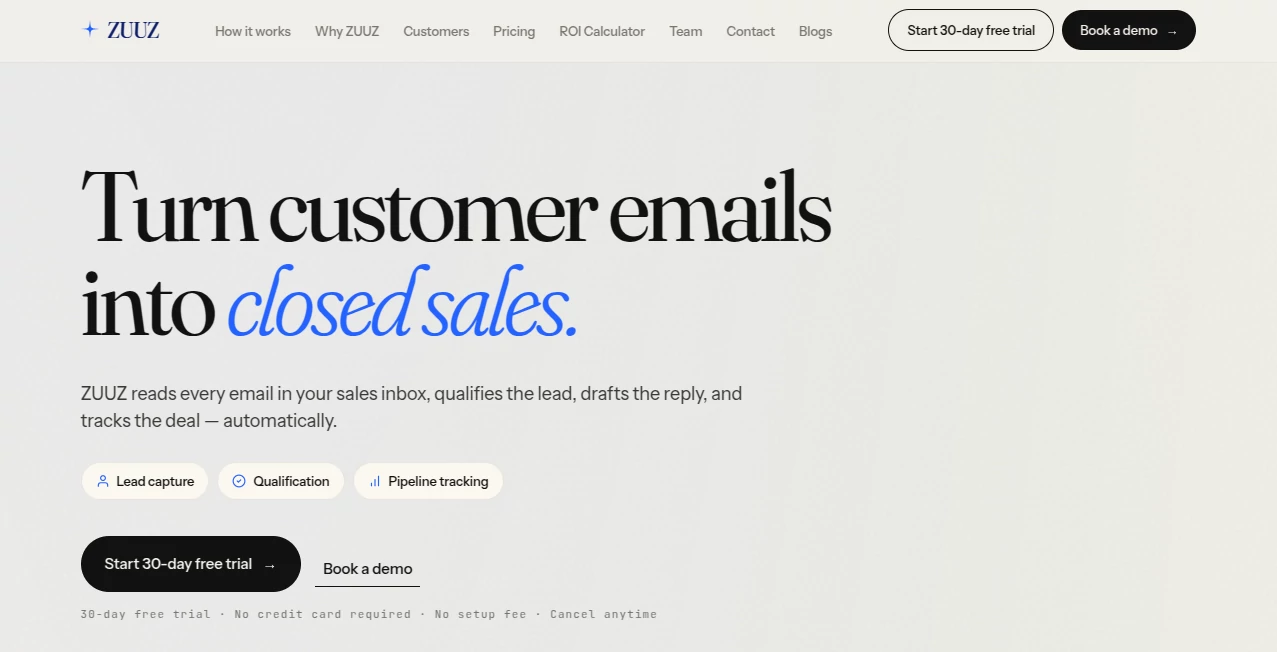
Modern software teams are expected to deliver reliable products faster than ever, yet testing, development, planning, and quality assurance often rely on disconnected tools. This platform brings those essential workflows together with intelligent automation that reduces repetitive work while improving collaboration across engineering teams.
Designed for organizations of every size, it combines AI-powered software development, autonomous testing, project management, and quality assurance into a unified workspace. Teams can generate tests from natural language, automate complex testing scenarios, manage releases, and gain valuable insights throughout the development lifecycle without relying on heavy scripting or complicated configurations. Its focus on automation allows developers and QA engineers to spend more time building great software instead of maintaining test suites. :contentReference[oaicite:0]{index=0}
Key Features
- Natural language test generation
- Scriptless test automation
- Self-healing automated tests
- AI-powered scenario generation
- Cross-browser testing support
- Web, mobile, desktop, API, database, and IoT testing
- Integrated project management
- Real-time reporting and analytics
- CI/CD and DevOps integrations
- Automated release reporting
- Manual test management
- Performance and load testing capabilities
- Role-based collaboration tools
User Interface
The interface is thoughtfully organized, making complex testing workflows much easier to understand. Navigation is clean, dashboards present important information without unnecessary clutter, and most common actions can be completed through guided workflows. Even teams with limited automation experience can begin creating and managing tests quickly thanks to visual tools and low-code functionality.
Accuracy & Performance
One of the strongest aspects of the platform is its intelligent automation engine. Natural language instructions are transformed into executable test cases, while self-healing technology helps maintain stability when application interfaces evolve. Automated scenario generation also improves overall test coverage by identifying common user flows and edge cases that might otherwise be overlooked. :contentReference[oaicite:1]{index=1}
Capabilities
Beyond traditional QA automation, the platform supports multiple stages of software delivery. Development teams can automate testing across web applications, mobile apps, desktop software, APIs, databases, cloud environments, accessibility testing, security validation, and performance testing. Integrated project management features further simplify sprint planning, issue tracking, and delivery monitoring within the same ecosystem. :contentReference[oaicite:2]{index=2}
Security & Privacy
Enterprise environments require strong governance, and the platform includes authentication controls, security-focused workflows, and policy compliance features designed for professional software development teams. Organizations also benefit from centralized management, controlled collaboration, and enterprise deployment options that support large-scale operations. :contentReference[oaicite:3]{index=3}
Use Cases
- Automating regression testing for web applications
- Creating API testing workflows without coding
- Managing QA activities across distributed teams
- Improving release confidence through automated validation
- Generating test cases from business requirements
- Supporting DevOps and continuous delivery pipelines
- Managing manual and automated testing together
- Testing desktop, mobile, and cloud applications from one platform
Pros and Cons
- Pros
- Comprehensive all-in-one testing ecosystem
- Very low-code learning curve
- Excellent support for multiple testing environments
- AI-assisted test generation saves significant time
- Strong integration with modern development pipelines
- Useful reporting and release insights
- Cons
- Advanced enterprise capabilities may exceed the needs of very small projects
- Teams may need time to explore the full feature set
- Enterprise pricing requires direct consultation
Pricing Plans
A free trial is available for new users who want to evaluate the platform. Paid plans include a Standard subscription for growing teams, enterprise-level custom packages for larger organizations, and a separate manual test management option priced per user. Plans vary based on deployment size and organizational requirements. :contentReference[oaicite:4]{index=4}
How to Use ZeuZ
Begin by creating a workspace and connecting your preferred development tools. Import or create testing projects, describe testing requirements using natural language, and allow the AI engine to generate executable test cases. Configure execution environments, review generated scenarios, integrate automated runs into CI/CD pipelines, and monitor results through centralized dashboards. As projects evolve, intelligent maintenance features help keep automated tests reliable with minimal manual intervention.
Comparison with Similar Tools
Compared with many conventional automation platforms, this solution extends beyond test execution by combining project management, AI-assisted development, reporting, release intelligence, and autonomous testing within a single environment. While some competitors focus exclusively on browser automation or API validation, this platform provides broader lifecycle coverage that benefits engineering, QA, and product teams working together.
Conclusion
Organizations looking to modernize software delivery can benefit from an automation platform that reduces repetitive work while improving quality. By combining intelligent testing, development support, project management, and comprehensive reporting, it enables teams to release software with greater confidence and efficiency. The balance between powerful enterprise capabilities and an approachable user experience makes it an appealing choice for companies seeking scalable AI-driven software quality solutions.
Frequently Asked Questions (FAQ)
Is coding required to build automated tests?
No. Most testing workflows can be created through natural language or low-code tools, making automation accessible to both technical and non-technical users.
Can it test different application types?
Yes. It supports web, mobile, desktop, API, database, cloud, and several other testing environments.
Does it integrate with DevOps workflows?
Yes. Integration with CI/CD pipelines and popular development tools helps automate testing during software delivery.
Is it suitable for enterprise teams?
Yes. Enterprise deployment options include scalable infrastructure, advanced collaboration, and customizable service packages.
Can manual and automated testing be managed together?
Yes. The platform includes dedicated manual test management alongside AI-powered automation capabilities.
AI Project Management , AI Testing & QA , AI Developer Tools , AI DevOps Assistant .
These classifications represent its core capabilities and areas of application. For related tools, explore the linked categories above.

ZUUZ Alternatives Product

Scillus

AIQualityHQ
JSON to TOON…

Nifty

DeepSeek V4

onuml

JSON to TOON…

Schema Synth

HY Motion