3D-Agent
What is 3D-Agent?
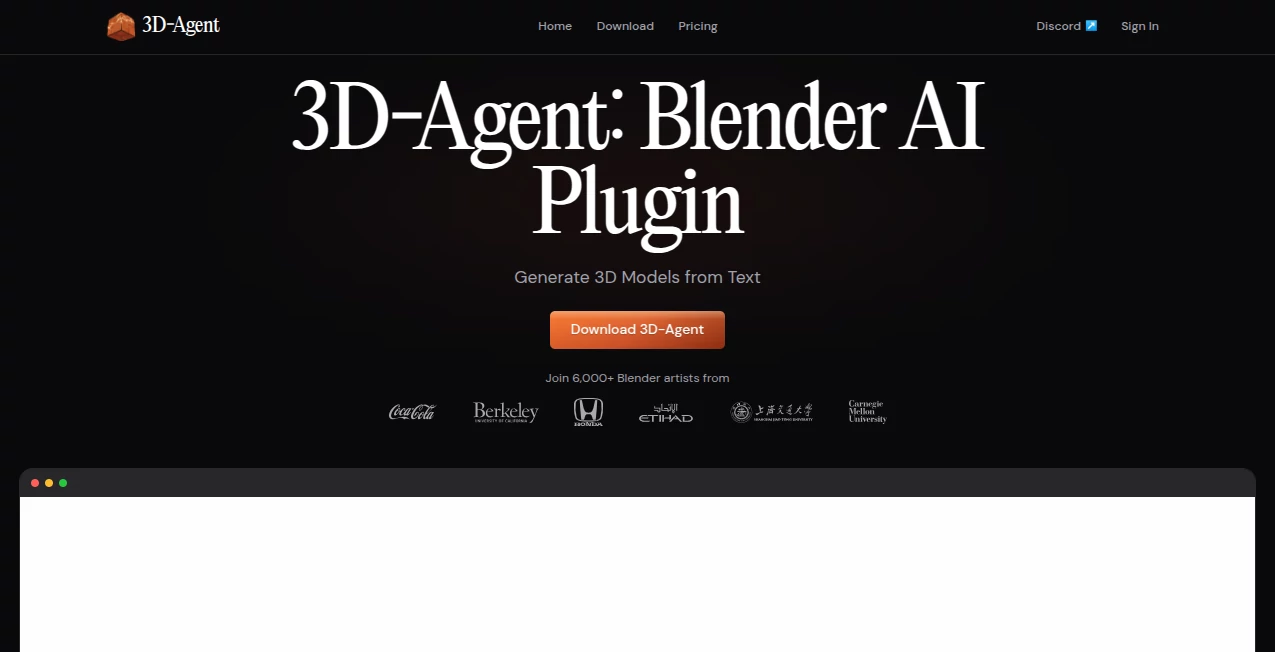
Creating detailed 3D assets has traditionally required hours of modeling, technical expertise, and countless revisions. This platform changes that process by bringing AI-powered creation directly into Blender, allowing artists, designers, game developers, and creative professionals to generate production-ready 3D models using simple text descriptions.
Instead of spending days building geometry from scratch, users can describe an object, environment, character, or concept in plain language and receive a structured model ready for further refinement. The workflow feels surprisingly natural and fits directly into existing Blender projects, making it an attractive option for both experienced professionals and newcomers exploring 3D design.
Whether the goal is game development, architectural visualization, product rendering, animation, or rapid prototyping, this solution offers a practical way to accelerate creative production without sacrificing quality.
Key Features
User Interface
The interface is designed to work inside Blender, eliminating the need to switch between multiple applications. Users can enter prompts, review generated assets, modify scenes, and export models without interrupting their workflow. The integration feels seamless and allows creators to remain focused on design rather than software management.
Natural language commands make complex tasks more approachable. Even users with limited technical knowledge can describe what they need and watch the system generate assets directly within their active project.
Accuracy & Performance
One of the most impressive aspects of the platform is its focus on producing clean, usable geometry. Rather than generating rough concepts that require extensive cleanup, the system aims to create organized meshes suitable for rendering, animation, and game engines.
Generation speed is another major advantage. Tasks that would normally consume hours of manual work can often be completed in minutes, allowing teams to iterate quickly and explore multiple design directions before committing to a final version.
Capabilities
The platform supports far more than basic text-to-3D generation. Users can create game assets, architectural concepts, interior scenes, product visualizations, animations, and automated Blender scripts. This versatility makes it useful across a wide range of industries and creative disciplines.
- Text-to-3D model generation
- AI-assisted scene creation
- Animation generation through text prompts
- Blender Python scripting automation
- Photorealistic rendering assistance
- Game-ready asset creation
- Export to multiple industry-standard formats
The ability to automate repetitive Blender tasks is especially valuable for professionals who regularly work with large projects and complex production pipelines.
Security & Privacy
Professional creators often work with confidential projects, client assets, and proprietary concepts. The platform is designed to operate within established Blender workflows, helping users maintain control over their creative environments while benefiting from AI-driven assistance.
For studios and agencies handling commercial projects, this integration-oriented approach offers a practical balance between productivity and project management requirements.
Use Cases
- Generating game assets for Unity, Roblox, Unreal Engine, and other development platforms.
- Rapid architectural concept visualization and design exploration.
- Creating interior design presentations for clients and stakeholders.
- Producing product renders for e-commerce and marketing campaigns.
- Building animated scenes and camera flythroughs.
- Accelerating educational and prototyping projects.
- Automating repetitive Blender workflows through AI-generated scripts.
For example, a game designer can describe a medieval building, receive a usable model, make adjustments through additional prompts, and export the result into a game engine within a fraction of the time normally required.
Pros and Cons
Pros
- Direct integration with Blender.
- Fast text-to-3D generation workflow.
- Supports animation and rendering tasks.
- Clean topology suitable for production environments.
- Multiple export formats available.
- Useful for professionals and beginners alike.
- Reduces repetitive modeling work significantly.
Cons
- Requires Blender for operation.
- Advanced projects may still require manual refinement.
- Prompt quality can influence output quality.
- High-volume professional usage may require premium plans.
Pricing Plans
The platform offers multiple pricing options to accommodate different types of users.
- Free Plan: Access to the application with limited functionality.
- Starter Plan: Designed for individual creators and regular users with a monthly prompt allowance.
- Advanced Plan: Built for professionals and teams requiring higher usage limits, faster generation, and priority support.
This structure allows users to start experimenting before upgrading to plans that match their production requirements.
How to Use 3D-Agent
Getting started is straightforward:
- Install the addon within Blender.
- Open an existing project or create a new scene.
- Enter a text description of the object or scene you want to generate.
- Allow the AI to create the model automatically.
- Refine the output using additional prompts if needed.
- Export the finished asset in your preferred format.
Many users find that a conversational approach works best. Start with a basic description, review the result, and then make targeted adjustments until the asset matches your vision.
Comparison with Similar Tools
Compared with browser-based text-to-3D platforms, this solution stands out because it operates directly inside Blender. Rather than generating isolated assets that must later be imported into a production workflow, it allows creators to build and refine content within the software they already use every day.
Many competing tools focus solely on model generation. In contrast, this platform expands into rendering, animation, scripting, and scene management, creating a broader creative environment that supports complete production workflows.
For Blender users in particular, the integrated experience can dramatically reduce friction between ideation and final asset creation.
Conclusion
This platform represents a significant step forward for AI-assisted 3D creation. By combining text-based generation, Blender integration, automation capabilities, and production-focused outputs, it helps creators move from idea to finished asset faster than traditional workflows allow.
The ability to generate models, automate scripting, create animations, and iterate using natural language makes it a valuable addition to modern creative pipelines. For artists, studios, educators, and developers looking to accelerate 3D production while remaining inside Blender, it offers a compelling and highly practical solution.
Frequently Asked Questions (FAQ)
What does this platform do?
It enables users to generate 3D models, animations, renders, and Blender scripts using natural language prompts directly inside Blender.
Do I need Blender to use it?
Yes. The platform is designed as a Blender addon and works within Blender projects.
Can generated models be used in game engines?
Yes. Assets can be exported in common formats suitable for many popular game development platforms.
Is it suitable for beginners?
Yes. The text-based workflow makes 3D creation more accessible, even for users with limited modeling experience.
Can it create animations?
Yes. Users can generate animations, camera movements, and motion sequences using simple text instructions.
What export formats are supported?
Common formats such as OBJ, FBX, GLB, and USDZ are supported for flexible integration into various workflows.
AI 3D Model Generator , AI Design Assistant , AI Image to 3D Model , AI Text to 3D .
These classifications represent its core capabilities and areas of application. For related tools, explore the linked categories above.

3D-Agent Alternatives Product

Image to Thr…

Image to STL

AI House Plan

Pixal3D

Apprentice

Tripo 3D

ModelsLab

lovimg

Avatarka AI