3D AI Studio
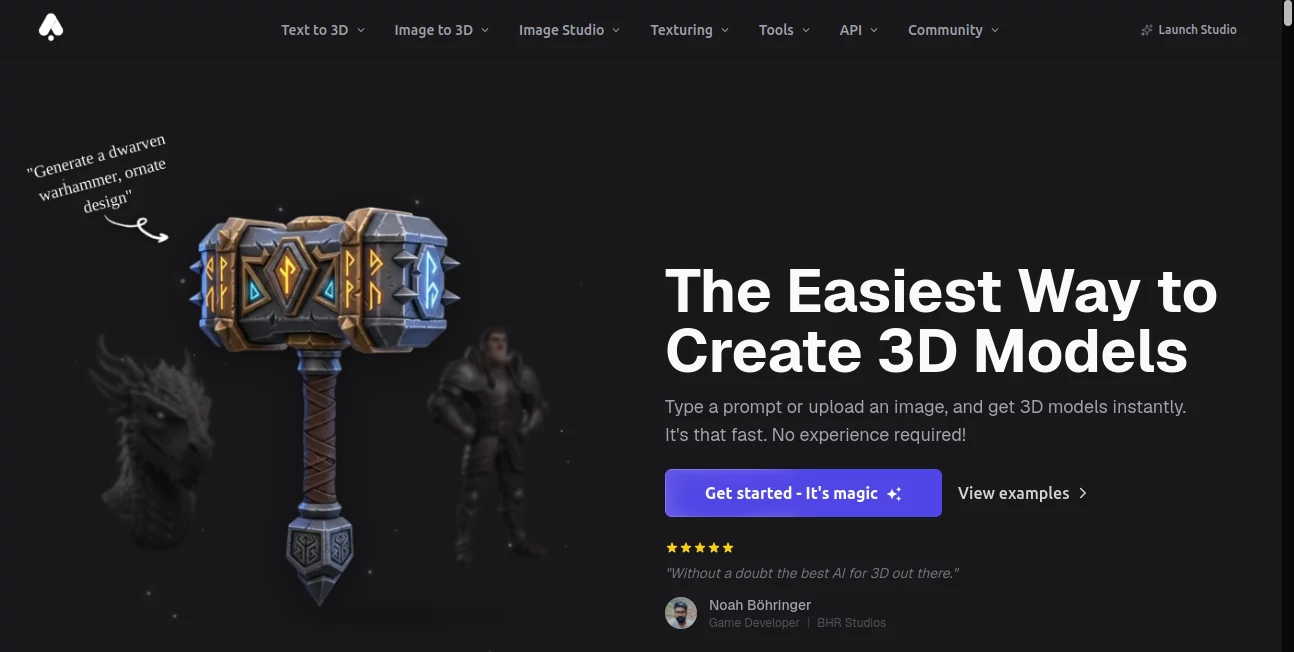
What is 3D AI Studio?
I still remember the first time I typed a description and watched a detailed 3D model appear on screen — no Blender, no complex software, no hours of manual modeling. It felt like magic. This platform makes that experience accessible to anyone, whether you're a game developer, product designer, architect, or just someone with a wild creative idea. The results are often so polished that people ask if I hired a 3D artist. It's that good, and surprisingly fast.
Introduction
Creating 3D content has traditionally been reserved for people with technical skills and expensive software. This tool changes the game completely. You describe what you want in plain language, and it generates high-quality 3D models ready for games, product visualization, AR/VR, or 3D printing. What makes it special is how well it understands context — it doesn't just make generic shapes, it captures style, materials, and atmosphere. I've seen indie creators use it to prototype game assets in minutes instead of days, and product teams generate realistic mockups without waiting for their 3D team. It's become one of those tools that makes you wonder how you ever lived without it.
Key Features
User Interface
The workspace feels clean and inviting. A large text box sits front and center where you type your idea, with helpful examples and style suggestions nearby. Once you generate, you get an interactive 3D viewer where you can rotate, zoom, and inspect every angle. The controls are intuitive — no steep learning curve. Even complete beginners can go from idea to usable model in a single sitting.
Accuracy & Performance
The AI does an impressive job translating words into geometry and materials. Describe "a sleek cyberpunk motorcycle with neon accents" and it delivers something that actually looks cohesive and detailed. Generation speed is solid — most models appear within 30–90 seconds. The consistency across multiple generations of the same prompt is notably better than many competitors, which means less time regenerating and more time creating.
Capabilities
You can generate from text, refine existing models, change materials, adjust lighting, or create variations with different styles. Exports include popular formats like GLB, OBJ, and FBX, making it easy to drop models into Unity, Unreal, Blender, or any 3D printing software. It handles everything from characters and props to environments and product designs. The quality is high enough for professional use while remaining fast enough for rapid iteration.
Security & Privacy
Your prompts and generated models remain private by default. The platform doesn't train on user data without permission, and commercial plans offer additional control and ownership rights. For designers and studios working on confidential projects, that peace of mind is invaluable.
Use Cases
An indie game developer generates dozens of environment props in a weekend instead of weeks. A jewelry designer creates realistic 3D previews of new pieces before manufacturing. An architect quickly visualizes interior concepts to show clients during early meetings. A content creator builds unique 3D assets for videos and social posts without hiring specialists. The common thread is speed and creative freedom — turning ideas into tangible 3D assets faster than ever before.
Pros and Cons
Pros:
- Remarkably high-quality outputs from simple text descriptions.
- Fast generation that supports real creative iteration.
- Wide range of export formats for any workflow.
- Accessible to both beginners and professionals.
- Regular improvements and new features keep it exciting.
Cons:
- Very complex or highly specific scenes can still need refinement.
- Higher resolution and commercial licensing require paid plans.
Pricing Plans
The free tier is generous enough to experiment and create solid models for personal projects. Paid plans unlock faster generation, higher resolution, commercial usage rights, and priority access during busy times. Many users find that the time saved on modeling more than justifies the investment, especially for regular 3D work.
How to Use 3D AI Studio
Sign up (quick and free to start), go to the generator, and describe what you want in as much detail as you like. Add style references if you have a particular aesthetic in mind. Hit generate and watch the model build. Once it's ready, explore it in the 3D viewer, make adjustments to the prompt if needed, and export in your preferred format. The whole process feels natural — like having a talented 3D artist who understands exactly what you're thinking.
Comparison with Similar Tools
While other 3D AI tools often produce generic or low-detail results, this one consistently delivers models with better topology, materials, and overall polish. The interface is simpler than technical platforms, yet the output quality rivals more expensive solutions. It strikes an excellent balance between ease of use and professional-grade results, making it especially strong for creators who want quality without complexity.
Conclusion
3D creation used to be a bottleneck for many creative projects. This platform removes that barrier, letting ideas flow from mind to model with surprising speed and quality. Whether you're building games, designing products, visualizing spaces, or just exploring wild concepts, it opens up possibilities that used to require big budgets or specialized skills. The future of 3D is faster, more accessible, and a lot more fun — and this tool is leading the way.
Frequently Asked Questions (FAQ)
How detailed should my prompt be?
The more specific, the better — but even simple descriptions produce impressive results. You can always refine afterward.
Can I use the models commercially?
Yes, with a paid plan that includes commercial licensing rights.
What file formats can I export?
GLB, OBJ, FBX, and others — ready for most 3D software and game engines.
Is there a limit on free generations?
Free tier includes daily generations — enough to explore and test ideas comfortably.
Does it work on mobile?
Yes, the main generation and viewing features work well on tablets and phones.
AI 3D Model Generator , AI Design Assistant , AI Image to 3D Model , AI Design Generator .
These classifications represent its core capabilities and areas of application. For related tools, explore the linked categories above.

3D AI Studio Alternatives Product

Logo Teddy

ColorPalette…

ModelsLab

Gamelabs Stu…

Nano Banana 2

Z-Image Free

Image to Ima…

CozAIPhoto

ChatGPT Imag…