


















Actionbook
What is Actionbook?
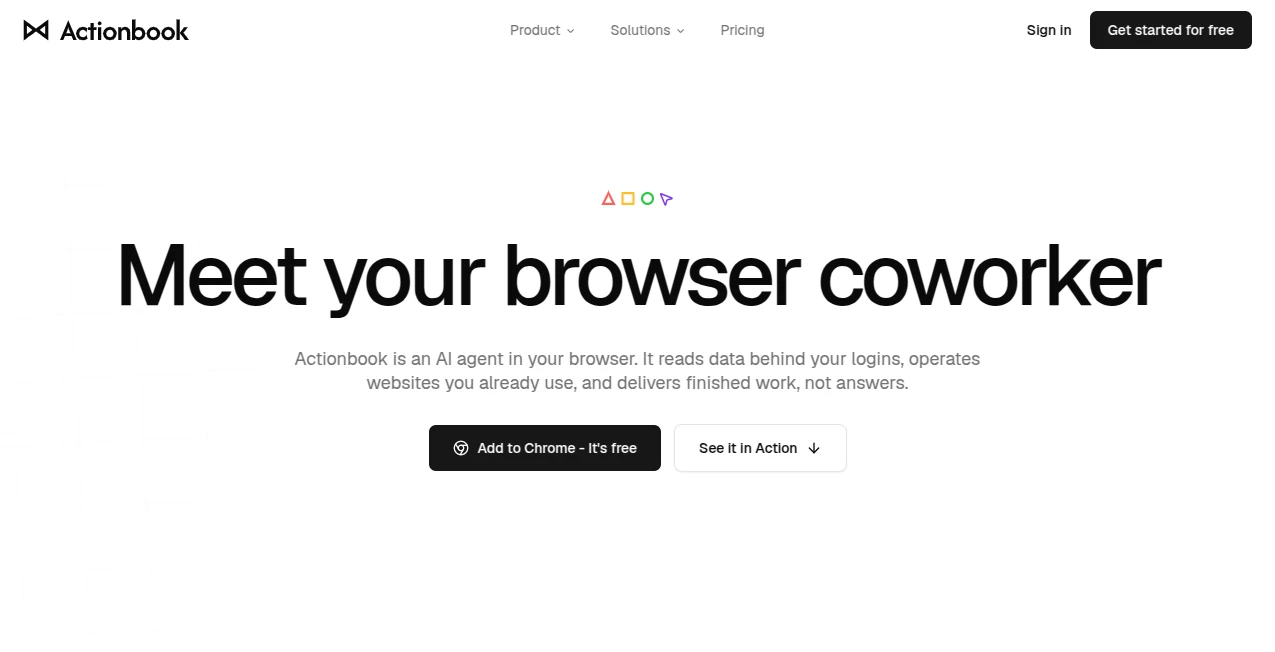
Actionbook is an AI agent that works directly inside your browser, helping turn repetitive web work into finished results rather than another page of instructions. Instead of copying information from dashboards, reports, social platforms, or logged-in services into an AI chat, you can give the task to your browser coworker and let it work with the websites you already use.
The approach is particularly useful for marketers, sales professionals, product teams, creators, and solo founders. It can research live information, work with pages behind your existing logins, compare sources, organize findings, and return useful deliverables such as sourced reports, CSV files, and ready-to-review drafts.
What makes the experience practical is that the work happens in your own browser session. You can follow along, provide additional context when necessary, approve important actions, and stop a task whenever you want. Successful workflows can also be saved as Recipes and reused later.
Key Features
- AI-powered browser agent that works alongside the page you are viewing.
- Access to information available through your existing logged-in browser sessions.
- Research across dashboards, reports, social platforms, communities, and other websites.
- Browser interaction including clicking, typing, filling forms, and completing website steps.
- Sourced results that connect findings back to their original pages.
- Exportable results including reports and clean CSV files.
- Reusable Recipes for workflows that need to be repeated.
- Support for popular AI assistants and MCP-compatible clients.
- Human-in-the-loop controls for reviewing important actions.
- Parallel work across multiple browser tabs for larger research tasks.
User Interface
The interface is deliberately close to the work itself. Instead of moving information into a separate automation dashboard, the tool appears in a browser side panel next to the page you are using. You describe what you want completed, then follow the progress as the agent works through the task.
This setup feels especially natural when researching logged-in services. For example, a marketer can open the relevant analytics account, ask for a performance audit, and receive a structured result based on the information available in that account. There is less jumping between windows and fewer screenshots to prepare.
The side-panel approach also makes supervision straightforward. When an important step needs approval, the user remains part of the process rather than handing over complete control.
Accuracy & Performance
A major strength is its focus on working from live website information instead of relying solely on previously collected datasets or search snippets. Results can remain connected to the source pages, making it easier to check where a particular fact came from.
The platform also uses direct website APIs when available and browser interaction when necessary. Its website highlights faster execution and reduced token usage, while its architecture is designed to let agents work across multiple tabs rather than handling every page one at a time.
For research-heavy work, this distinction matters. If you are comparing competitors, reviewing current discussions, or checking information inside a private dashboard, having the agent work from the actual accessible source can produce a much more useful result than asking an AI model to rely on general public knowledge.
Capabilities
The range of practical tasks is one of the strongest reasons to consider this browser-based approach. In sales, it can research prospects, examine recent activity, prepare personalized outreach drafts, qualify leads, and enrich CRM information. Importantly, the user remains responsible for actions such as sending messages or approving changes.
For marketing teams, it can investigate community discussions, identify potential buyers, audit social accounts, research SEO opportunities, monitor competitors, and validate product ideas using real conversations. Creators can use it to analyze their own content and analytics and turn the findings into a prioritized content plan.
Research and finance workflows can also benefit. The agent can work through accessible financial reports, investor-relations pages, earnings material, and other sources available through the user's browser session. The result can be organized into a report with supporting source information rather than leaving the user with a pile of browser tabs.
Another useful feature is Recipes. Once a workflow has been refined and produces the desired result, it can be saved and run again with new inputs. That makes the product more interesting for recurring jobs than a simple one-off browser assistant.
Security & Privacy
Privacy is an important part of the product's design. The agent works through the user's own browser rather than asking users to hand over their passwords or cookies. Credentials and browser sessions remain local to the user's device.
The system is also designed around user supervision. You start the task, can watch what happens, and can pause or stop a run. Important actions require confirmation, which is a sensible safeguard when an AI system is interacting with accounts that contain business or personal information.
This approach does not mean every browser task should be left unattended. Users should still review sensitive research, generated drafts, and actions that could have financial, commercial, or reputational consequences before approving them.
Use Cases
Sales prospecting: Research potential customers, review their recent activity, build sourced lead lists, prepare call briefs, and draft personalized outreach for approval.
Marketing research: Find conversations showing buying intent, investigate competitors, identify SEO opportunities, and validate product ideas using current discussions.
Social media analysis: Review account activity and available analytics, identify content gaps, examine posting patterns, and produce prioritized recommendations.
Competitive research: Compare pricing, documentation, product information, announcements, and other live sources while keeping the evidence attached to the findings.
Product research: Gather customer feedback, identify recurring complaints, organize evidence, and turn scattered discussions into useful product insights.
Financial research: Examine filings, earnings materials, investor-relations pages, and other accessible sources to collect figures and build company research dossiers.
Recurring workflows: Save a successful process as a Recipe and reuse the same workflow when the next research or operational task arrives.
Pros and Cons
- Pros: Works inside the user's real browser, supports logged-in websites, keeps credentials local, provides source-linked results, supports multiple AI clients, handles practical browser actions, and can turn successful workflows into reusable Recipes.
- Pros: Particularly useful for sales, marketing, research, product, creator, and solo-founder workflows where information is spread across many websites.
- Pros: A free plan is available with no credit card requirement, making it possible to test the workflow before paying.
- Cons: The credit-based pricing model means heavy users need to pay attention to usage rather than thinking only in terms of unlimited tasks.
- Cons: Users still need to review important actions and results; browser automation should not be treated as a substitute for human judgment.
- Cons: The experience is most valuable when your work actually involves websites, browser sessions, and repetitive online research or operations.
Pricing Plans
The free plan costs $0 and includes up to 5,000 free credits, plus 500 refresh credits every day. Every feature is included, and no credit card is required. This makes the free tier a useful way to test the product on the websites and workflows you actually use.
The Pro plan starts at $20 per month and includes 10,000 monthly credits. It adds access to all available models, including Max, allows unused credits to roll over for one month, and provides the option to purchase additional credits when needed.
Teams and larger organizations can request custom pricing. The Team and Enterprise offering adds shared credit pools, shared Recipes, administrative controls, usage visibility, volume pricing, invoicing, and centralized billing.
Additional credits are available as a $10 top-up for 5,000 credits, and top-up credits do not expire. Since usage varies considerably between simple questions and deeper multi-step tasks, the credit system is worth considering when choosing a plan.
How to Use Actionbook
Getting started is designed to be simple. First, install the Chrome extension and sign in. Then open the website or page where you want to work and launch the browser side panel.
Describe the task in normal language. For example, you could ask the agent to research a group of prospects, compare information across several websites, audit an account, or gather data into a CSV. The agent then works through the relevant pages in your existing browser session.
Follow the task as it runs and provide additional context if requested. When an important action needs approval, review it before allowing the process to continue. Once the result is ready, you can inspect the sources, share the report, export the data, or save the workflow as a Recipe for future use.
Comparison with Similar Tools
Traditional web scraping tools generally collect information through predefined crawling systems, while browser-based AI agents take a different approach. Here, the work happens through the browser session the user already has access to, which is particularly useful for logged-in dashboards, private pages, and subscription services.
General-purpose AI assistants are excellent at reasoning, writing, and answering questions, but they may not have access to the exact pages or account data required for a particular task. A browser coworker fills that practical gap by connecting the reasoning capabilities of an AI assistant with the websites the user can actually access.
Compared with conventional browser automation, the natural-language workflow is another advantage. Instead of manually defining every click and selector for a recurring process, users can describe the desired outcome and allow the agent to interpret the page and perform the necessary steps.
The biggest difference is therefore not simply automation. It is the combination of AI reasoning, live browser context, logged-in access, source-backed research, and human approval in one workflow.
Conclusion
For anyone who spends a large part of the working day moving between browser tabs, dashboards, research pages, social platforms, and business tools, an AI browser coworker can remove a surprising amount of repetitive effort. The ability to work with information behind existing logins is especially useful because much of the data professionals need is not available through ordinary public search.
The product stands out by focusing on finished work rather than simply producing another AI answer. Whether the task is prospect research, competitor analysis, SEO research, social auditing, idea validation, or recurring browser work, the goal is to turn a natural-language request into a result that can be reviewed, verified, exported, or reused.
The free plan also makes experimentation relatively easy. For professionals whose work already depends heavily on browser-based research and operations, it is worth testing a few real workflows and seeing how much manual work can be removed without sacrificing oversight.
Frequently Asked Questions (FAQ)
Is this another AI chatbot?
No. It is designed as an AI agent that works inside the browser. It can read accessible pages, interact with websites, and return completed work rather than only answering questions.
Can it work with websites behind my login?
Yes. It works through the user's existing browser session, allowing the agent to work with pages and services that the user can already access, including logged-in and paywalled sources.
Do I need to give it my passwords?
No. The service is designed to work through the user's own browser session, with credentials and cookies remaining local to the user's device.
Which AI assistants can work with it?
It supports popular AI assistants and MCP-compatible clients, including ChatGPT, Claude, Gemini, Perplexity, OpenClaw, and other compatible environments.
Can it send messages or make changes automatically?
Important actions are designed around user approval. The agent can prepare work and interact with websites, but users remain in control of actions that require confirmation.
Is there a free plan?
Yes. The free plan costs $0, includes up to 5,000 free credits and 500 refresh credits every day, and does not require a credit card.
What is a Recipe?
A Recipe is a saved workflow. After completing a task successfully, you can save the process and reuse it later instead of starting from scratch each time.
Who is it best for?
It is particularly well suited to marketers, sales professionals, product teams, creators, solo founders, and other professionals who regularly perform research, data gathering, analysis, or repetitive work across multiple websites.
AI Workflow Management , AI Sales Assistant , AI Productivity Tools , AI Research Tool .
These classifications represent its core capabilities and areas of application. For related tools, explore the linked categories above.

Actionbook Alternatives Product

Carmatec
AnyToURL

PatentFig AI

Surmado

Diploria AI

Agent Grid

Sales Prospe…

LorePanic

Alloy
