
AI Toolbox
What is AI Toolbox?
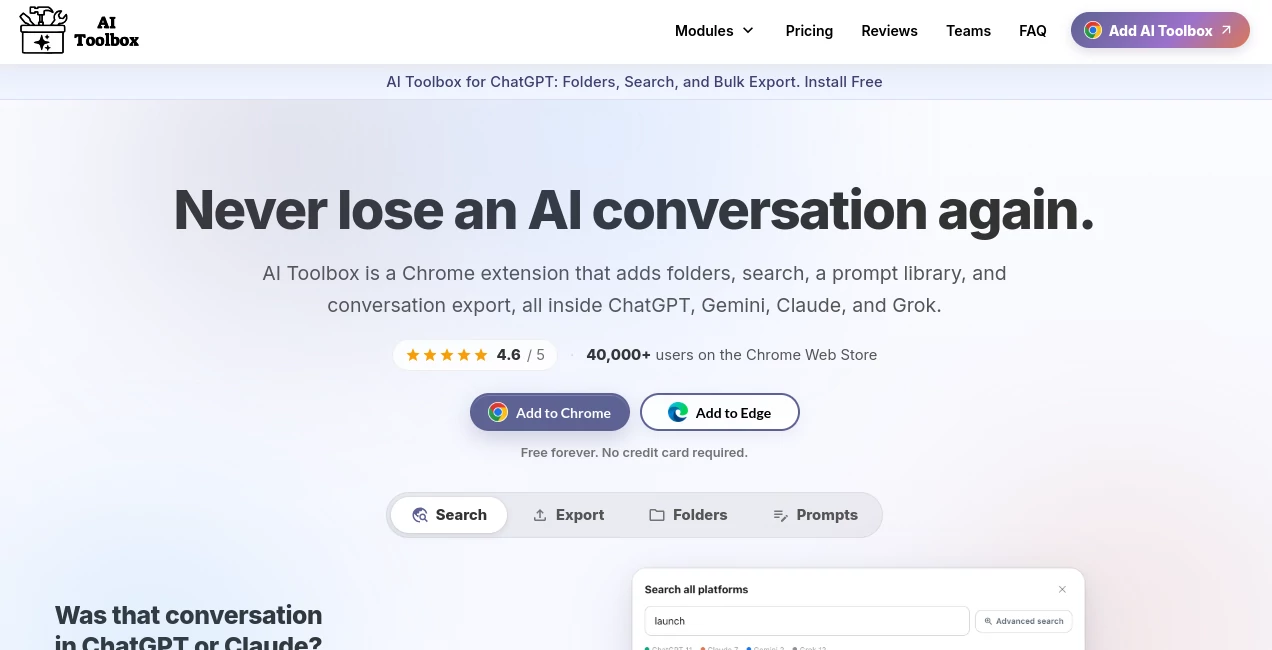
AI conversations can become difficult to manage surprisingly quickly. After months of using different assistants, finding an old answer, recovering a useful prompt, or remembering where a particular project was discussed can turn into a frustrating search through long chat histories. AI Toolbox addresses that everyday problem by adding a practical organization layer to ChatGPT, Gemini, Claude, and Grok.
Rather than replacing the AI assistants people already use, it works alongside them. Conversations can be placed into folders and subfolders, searched by their actual content, bookmarked, exported, tagged, or connected to reusable prompts. This makes it particularly useful for people who rely on AI as part of their regular work rather than using it only for occasional questions.
The multi-platform approach is one of its strongest advantages. Instead of learning a separate productivity system for every assistant, users can bring similar organization and workflow features to several AI services through one browser extension. There is also a free plan, making it possible to explore the core experience without entering payment information.
Key Features
- Organize conversations with folders and deeply nested subfolders.
- Search chat history by the actual text inside conversations.
- Use smart tags to automatically categorize conversations.
- Save reusable prompts and insert them with keyboard shortcuts.
- Create multi-step prompt chains for repetitive workflows.
- Browse a curated library containing more than 100 expert-crafted prompts.
- Bookmark individual messages instead of saving entire conversations.
- Reference previous conversations as context without manually copying long sections.
- Export conversations in TXT, Markdown, JSON, and PDF formats on supported premium plans.
- Manage and process multiple conversations with bulk actions.
- Track AI usage through a dedicated dashboard.
- Collect generated images in a searchable gallery.
- Monitor writing statistics such as words, characters, and sentences.
- Use the interface in multiple languages, including RTL support.
User Interface
The interface is designed around the places where people already work. Instead of forcing users into a completely separate dashboard for every conversation, the extension adds organization and productivity features directly around supported AI platforms.
Folders, tags, bookmarks, search controls, export options, and prompt tools are positioned to reduce unnecessary switching between screens. The folder system is especially useful for people managing multiple clients, research subjects, content projects, or development tasks at the same time.
Keyboard shortcuts also make the experience feel faster for experienced users. For example, saved prompts can be inserted with //, while @@ can be used to reference an earlier conversation. These small interactions can save considerable time when AI is part of a daily workflow.
Accuracy & Performance
This is primarily a productivity and organization layer rather than an AI model that generates answers independently, so its performance should be judged by how effectively it manages conversations and retrieves information. Full-text search is particularly useful because it looks beyond conversation titles and can locate information based on what was actually said.
The service uses a local index for conversation search, allowing users to find relevant messages without relying solely on the limited title-based search offered by some AI platforms. Filters for factors such as date, role, and exact matches can make large histories considerably easier to navigate.
Prompt chains add another performance benefit for repetitive work. Instead of manually running several prompts one after another, users can connect sequential steps and let each response become part of the next stage of the workflow.
Capabilities
The feature set goes well beyond basic chat organization. Users can create a personal prompt system, build automated prompt chains, search across supported AI histories, export important conversations, and maintain a more structured archive of their AI work.
The cross-platform search feature is particularly interesting for people who use more than one assistant. A single search can cover conversations across supported platforms, with results grouped by the service where the original discussion took place. This can be a major convenience when the same project has been handled through different AI assistants.
There are also specialized features for individual platforms. Generated artifacts can be collected for easier retrieval, AI-generated images can be organized into a gallery, and writing statistics can help users understand the amount of text they are producing.
Security & Privacy
Privacy is an important consideration for any browser extension that works with AI conversations. The service states that it follows a zero-data-collection approach and uses an on-device index for search, which is designed to keep indexed conversation data locally rather than sending it to a remote search database.
The website also highlights GDPR compliance and gives users control over features such as local indexing. Because AI conversations can contain sensitive business information, users should still review the current privacy policy and their organization's requirements before using any browser extension with confidential material.
Use Cases
- Content creators: Store writing prompts, research conversations, article ideas, and reusable workflows in organized folders.
- Developers: Keep coding discussions, debugging sessions, technical explanations, and project-specific prompts easy to find.
- Researchers: Search old conversations by specific terms instead of remembering which chat title contained the information.
- Marketers: Maintain collections of marketing prompts, campaign research, social media ideas, and customer-related workflows.
- Students: Separate study subjects into folders and return to previous explanations or research conversations quickly.
- Business teams: Use shared prompt libraries and team management features to standardize repetitive AI workflows.
- Heavy AI users: Bring several AI assistants into a more consistent organizational system instead of managing each history separately.
Pros and Cons
- Pros: Supports multiple major AI platforms from one extension.
- Pros: Full-text conversation search is much more useful than title-only searching for large histories.
- Pros: Folders, smart tags, bookmarks, exports, and prompt management cover a wide range of everyday needs.
- Pros: A free plan is available without a credit card or expiration date.
- Pros: Local indexing and the stated zero-data-collection approach are appealing for privacy-conscious users.
- Pros: Prompt chains can turn repetitive multi-step tasks into reusable workflows.
- Cons: The free plan places limits on several features, so heavy users may need a paid plan.
- Cons: Some advanced functionality differs between ChatGPT, Gemini, Claude, and Grok modules.
- Cons: Users who only use one AI occasionally may not need such an extensive organization system.
Pricing Plans
The free plan costs $0 and is available indefinitely without a credit card. It provides core organization features with limits, including folders, saved prompts, bookmarks, search results, and exports. The free version also works across ChatGPT, Gemini, Claude, and Grok.
Premium monthly access starts at $9.99 per month for an individual platform. Annual access is available at $59 per platform per year. These plans add features such as unlimited search, folders, prompts, advanced exports, smart tags, prompt chains, and additional productivity features.
A lifetime plan costs $99 for an individual platform and removes recurring payments for that platform. For users who regularly work across several AI assistants, the All Access Lifetime plan costs $199 once and includes ChatGPT, Gemini, Claude, Grok, as well as future platforms added to the service.
Teams pricing starts at $15 per seat per month on monthly billing or $12 per seat per month when billed annually, with a minimum of two seats. Paid plans include a 14-day money-back guarantee, subject to the applicable refund policy.
How to Use It
- Install the browser extension and connect it with the supported AI platforms you use.
- Open an existing AI conversation or start a new one.
- Create folders and subfolders to organize conversations by project, client, subject, or any other system that makes sense to you.
- Use full-text search when you need to find a specific discussion or piece of information from an older conversation.
- Save frequently used prompts and insert them when needed with the available shortcut.
- Create prompt chains when a task requires several repeatable steps.
- Bookmark particularly useful responses so they can be revisited without searching through an entire conversation.
- Export important conversations when you want an offline copy or need to move information into another workflow.
Comparison with Similar Tools
Many AI productivity extensions concentrate on one narrow function, such as prompt management, chat search, or writing assistance. This solution takes a broader approach by combining several of those functions inside one extension.
Its strongest differentiator is the multi-platform design. Someone who uses only one AI assistant may find a specialized extension sufficient, but people switching between ChatGPT, Gemini, Claude, and Grok can benefit from having comparable organization features available across their different workflows.
The combination of cross-platform search, folders, prompt chains, smart tags, exports, bookmarks, and usage tracking also makes it more suitable for long-term AI workflow management than a simple browser utility. The free tier further lowers the barrier for users who want to test the system before committing to a subscription or lifetime purchase.
Conclusion
AI becomes much more useful when the conversations surrounding it remain accessible. After hundreds of chats, a flat history can quickly become a digital filing cabinet with no obvious filing system. This extension tackles that problem with a practical collection of tools for organizing, searching, saving, exporting, and reusing AI work.
Its biggest strength is breadth. From a student organizing research to a developer maintaining technical conversations or a marketing professional building repeatable prompt workflows, there are features aimed at real day-to-day problems rather than simply adding another AI chat interface.
The free plan makes it easy to try, while the paid options are designed for people who have reached the point where AI conversations have become an important part of their work. For frequent users of several AI assistants, having one consistent productivity layer across them can make the difference between constantly searching through old chats and actually being able to reuse the work already done.
Frequently Asked Questions (FAQ)
What is this tool used for?
It is a browser extension designed to organize, search, manage, export, and reuse conversations across ChatGPT, Gemini, Claude, and Grok.
Is there a free plan?
Yes. The free plan is available indefinitely and does not require a credit card. It provides access to core features with usage limits.
Can I search the content of old AI conversations?
Yes. Full-text search can locate information inside conversations rather than relying only on conversation titles. Search can also be filtered by criteria such as date, role, and exact matches.
Can I export my AI conversations?
Yes. TXT export is available on the free plan, while premium access adds formats such as Markdown, JSON, and PDF on supported modules.
Does it work with more than one AI platform?
Yes. The extension supports ChatGPT, Gemini, Claude, and Grok, with features tailored to each platform.
Is my conversation data collected?
The service states that it follows a zero-data-collection approach and uses an on-device index for conversation search. Users handling confidential information should nevertheless review the current privacy documentation before deployment in sensitive environments.
Does it offer lifetime access?
Yes. Individual platform lifetime access is available for $99, while the All Access Lifetime option costs $199 and covers the supported platforms plus future platforms added to the service.
AI Productivity Tools , Prompt , AI Notes Assistant .
These classifications represent its core capabilities and areas of application. For related tools, explore the linked categories above.
AI Toolbox details
Website unavailable — View Alternatives
Pricing
- Free
Apps
- Web App
- Chrome Extensions
Categories

AI Toolbox Alternatives Product

MyMap.AI

Lovable

Flitz AI

Magpie

Neurohelper

Image2GPT

Free Email V…

MikeSullyToo…

Overlap