
















What is AIGPTImage?
Creating high-quality visuals no longer requires years of design experience or expensive software. This platform brings advanced AI image generation into a clean, accessible workspace where anyone can transform ideas into polished graphics within minutes. Whether the goal is producing marketing assets, social media visuals, product photography concepts, or artistic illustrations, the experience feels fast and intuitive.
Unlike many image generators that simply produce random outputs, the platform focuses on giving users greater creative control. It supports both text-to-image and image-to-image workflows, allowing creators to refine existing artwork, maintain visual consistency, and generate multiple variations without starting from scratch. The result is a workflow that fits professional designers just as well as entrepreneurs, marketers, content creators, and small business owners.
Another standout advantage is its emphasis on privacy and production-ready quality. Users can experiment with creative concepts, branding materials, or commercial designs while enjoying a streamlined process that removes unnecessary complexity. From simple illustrations to highly detailed marketing graphics, the platform makes AI-powered image creation feel practical rather than experimental.
Key Features
User Interface
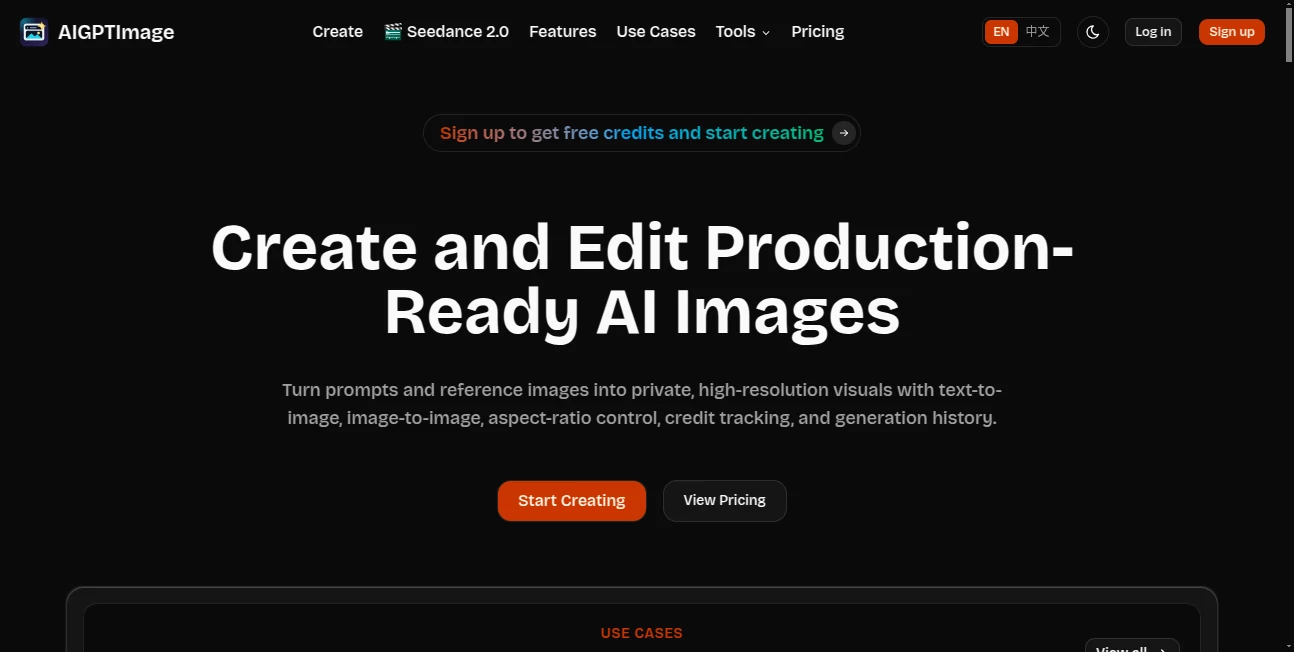
The interface is thoughtfully designed to reduce the learning curve. Prompt entry, image uploads, generation settings, and editing tools are organized in a logical way, allowing both beginners and experienced creators to work efficiently. Navigation remains smooth even when switching between text generation and image editing tasks.
Accuracy & Performance
Powered by GPT Image 2, the platform delivers impressive prompt understanding with detailed visual interpretation. It generates high-resolution images while maintaining consistency in lighting, composition, colors, and object placement. Reference-based editing also helps preserve important design elements when creating variations or updating existing artwork.
Capabilities
- Generate images from natural language prompts.
- Edit existing images using AI assistance.
- Create multiple visual variations from a single concept.
- Support image-to-image transformation workflows.
- Produce high-resolution outputs suitable for commercial projects.
- Control image aspect ratios for different publishing platforms.
- Work with reference images for consistent design.
- Create illustrations, concept art, product visuals, advertising graphics, and social media content.
Security & Privacy
Privacy is treated as an important part of the creative process. The platform is designed for users who may be working with business concepts, client projects, or confidential visual assets, helping them generate images without unnecessary exposure of creative materials. This makes it suitable for freelancers, agencies, startups, and commercial teams.
Use Cases
- Create eye-catching social media graphics.
- Generate product marketing images for online stores.
- Produce advertising creatives for digital campaigns.
- Design concept art for games and entertainment projects.
- Create blog illustrations and website graphics.
- Generate thumbnails for YouTube videos.
- Develop branding materials and promotional assets.
- Explore creative ideas before professional production.
Pros and Cons
Pros
- Easy-to-use interface suitable for beginners.
- Supports both text-to-image and image-to-image creation.
- High-quality image generation using GPT Image 2.
- Fast rendering for creative workflows.
- Reference image support improves consistency.
- Flexible aspect ratio options.
- Useful for both personal and commercial projects.
Cons
- Advanced editing options may require experimentation for optimal results.
- Image quality still depends on the clarity of user prompts.
- Some premium capabilities may require a paid subscription.
Pricing Plans
The service follows a freemium model. New users can explore core image generation features before upgrading to premium plans that provide additional image generation capacity, enhanced capabilities, and access to more advanced creative workflows.
How to Use AIGPTImage
Start by describing the image you want to create using a natural language prompt. If you want to improve or transform an existing design, upload a reference image instead. Adjust the desired aspect ratio or generation settings, then let the AI produce one or more visual results. Review the generated images, refine the prompt if necessary, and repeat the process until the artwork matches your creative vision. Once satisfied, download the final image for marketing, publishing, design, or commercial use.
Comparison with Similar Tools
Compared with many AI image generators that primarily focus on simple text prompts, this platform offers a stronger balance between generation and editing. The inclusion of image-to-image workflows, reference image support, flexible aspect ratios, and production-focused quality makes it particularly appealing for professional creators who need more than quick concept art. Its workflow feels practical for real business projects rather than casual experimentation.
Conclusion
For creators looking to turn ideas into polished visuals with minimal effort, this platform offers an excellent combination of quality, speed, and creative flexibility. Its ability to generate new artwork, edit existing images, and maintain visual consistency makes it valuable across marketing, design, branding, ecommerce, and digital content production. The intuitive experience lowers the barrier for newcomers while still providing enough creative control for professionals who demand reliable, production-ready results.
Frequently Asked Questions (FAQ)
What type of images can be created?
Users can generate illustrations, marketing graphics, product images, concept art, social media visuals, thumbnails, branding assets, and many other creative designs.
Can existing images be edited?
Yes. The platform supports image-to-image editing, allowing users to modify or enhance existing visuals using AI.
Is it suitable for commercial projects?
Yes. The production-ready image quality makes it suitable for business presentations, advertising, ecommerce, branding, and digital marketing.
Do beginners need design experience?
No. The interface is designed to be accessible, allowing users with little or no design background to create professional-looking visuals.
Does it support reference images?
Yes. Users can upload reference images to guide the AI and maintain consistency across different visual variations.