
AltFTool
What is AltFTool?
Finding reliable online utilities often means jumping between multiple websites, dealing with unnecessary registrations, or downloading software that only solves one problem. This platform takes a different approach by bringing hundreds of browser-based tools, AI-powered utilities, productivity resources, developer helpers, document solutions, image editors, calculators, and workflow assistants together in one organized ecosystem. Everything is designed to help users complete everyday tasks quickly while keeping the experience simple and accessible.
Whether someone needs to edit an image, convert files, generate content, work with PDFs, validate code, perform calculations, or discover automation resources, the platform offers an impressive collection of practical solutions. Many utilities work directly inside the browser, reducing setup time and making it easy to switch between different tasks without interrupting productivity.
Key Features
- Large collection of browser-based productivity tools.
- AI-powered utilities for writing, planning, and analysis.
- Image editing, compression, resizing, and conversion tools.
- Complete PDF management utilities.
- Developer tools including API, JSON, DNS, and code utilities.
- Business and marketing resources.
- Automation workflows and templates.
- Responsive interface for desktop, tablet, and mobile devices.
- Many tools available without creating an account.
- Privacy-focused browser processing for supported utilities.
User Interface
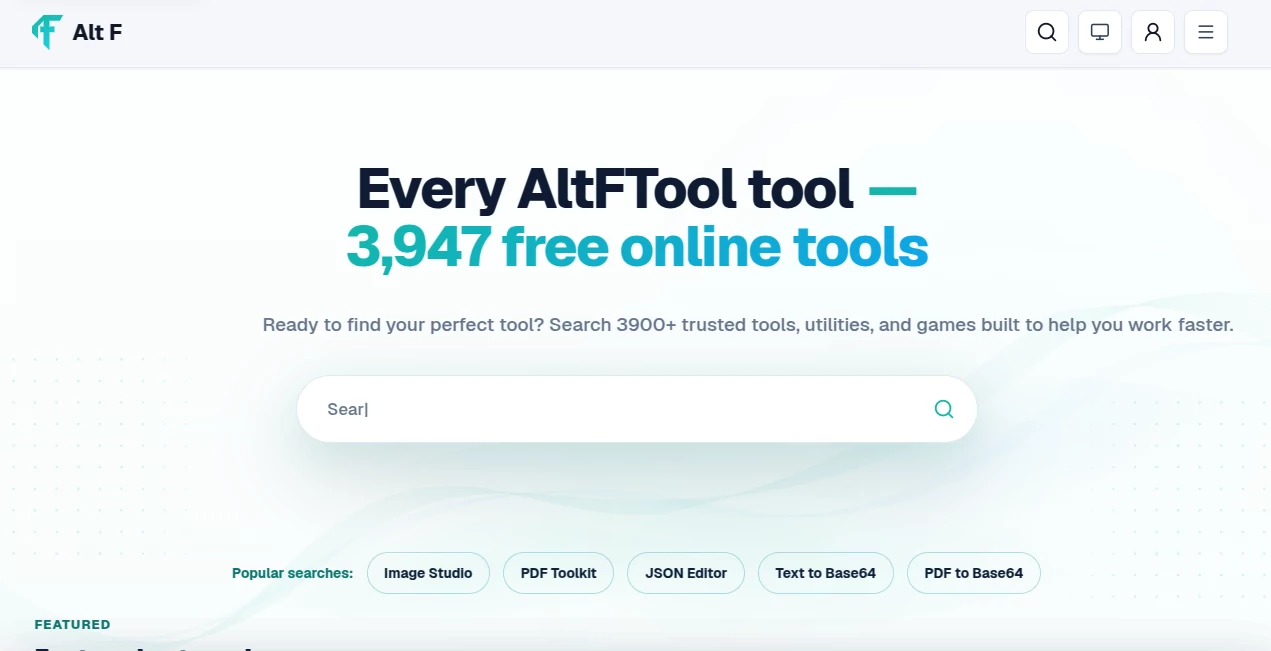
The interface is thoughtfully organized, allowing visitors to browse tools by category, purpose, or workflow instead of forcing them to search through long lists. Navigation remains clean, categories are clearly labeled, and individual workspaces focus only on the options users actually need. This makes even advanced utilities feel approachable for beginners while remaining efficient for experienced professionals.
Accuracy & Performance
The available utilities deliver fast results directly from the browser, eliminating lengthy installations or complicated setup procedures. Several tools process information locally on the user's device whenever possible, improving both speed and privacy. The platform is optimized for quick interactions, making it suitable for daily work where saving even a few minutes repeatedly can have a meaningful impact.
Capabilities
The collection covers an impressive range of digital tasks. Users can generate documents, manipulate images, convert files, work with PDFs, explore AI-assisted writing, analyze data, validate developer resources, calculate values, create invoices, build workflows, and discover specialized utilities for business, education, productivity, design, and software development. Instead of specializing in only one category, the platform functions as a comprehensive productivity hub.
Security & Privacy
Privacy receives noticeable attention throughout the platform. Many browser-based utilities process information locally, meaning uploaded content remains on the user's own device instead of being transmitted to remote servers. For features requiring external services, clear information is provided so users understand how their data is handled before using the workspace. This transparent approach helps build confidence, especially when working with personal files or sensitive documents.
Use Cases
- Creating and editing documents.
- Compressing and resizing images.
- Managing PDF files.
- Generating AI-assisted content.
- Improving developer workflows.
- Performing business calculations.
- Creating invoices and reports.
- Automating repetitive tasks.
- Finding productivity resources.
- Using browser-based utilities without installing software.
Pros and Cons
Pros
- Huge variety of tools available in one place.
- Fast browser-based experience.
- Clean navigation and organized categories.
- Many utilities work without registration.
- Supports productivity, development, design, and business tasks.
- Privacy-friendly approach for numerous browser tools.
Cons
- Some advanced features depend on specialized workspaces.
- The large number of available tools may feel overwhelming for first-time visitors.
- Certain professional workflows may require external integrations.
Pricing Plans
A significant portion of the platform can be used free of charge, allowing visitors to access many browser-based utilities instantly without creating an account. Some specialized products, managed services, or advanced workspaces may introduce additional requirements depending on the feature being used.
How to Use AltFTool
- Open the platform in any modern web browser.
- Browse categories or search for the required utility.
- Select the appropriate workspace.
- Enter the necessary information or upload supported files.
- Generate the result.
- Copy, download, or continue your workflow using the produced output.
Comparison with Similar Tools
Unlike websites that focus on only one category such as image editing, PDF conversion, or developer utilities, this platform combines a broad collection of productivity resources into one organized ecosystem. The combination of AI-assisted tools, browser-based processing, developer resources, automation workflows, business utilities, and practical calculators creates a more complete experience than many single-purpose alternatives. Users spend less time searching across different websites and more time completing actual work.
Conclusion
This platform succeeds by making digital productivity feel effortless. Instead of offering only one standout feature, it delivers a carefully organized environment where hundreds of useful utilities work together to solve everyday challenges. From creative work and document management to software development and business operations, it provides practical solutions that are easy to access and pleasant to use. Anyone looking for a dependable collection of modern online tools will likely appreciate both the breadth of available features and the thoughtful user experience.
Frequently Asked Questions (FAQ)
Is an account required?
Many browser-based tools can be used immediately without creating an account.
Can the platform be used on mobile devices?
Yes. The interface is responsive and works across desktop, tablet, and mobile browsers.
Are files processed securely?
Many supported utilities process information directly inside the browser, helping keep user data private.
Does it include AI-powered tools?
Yes. The platform offers a growing collection of AI-assisted utilities alongside traditional productivity tools.
Who can benefit from this platform?
Students, developers, marketers, business owners, designers, content creators, and everyday users can all find useful resources for their daily workflows.
AI Productivity Tools , AI Developer Tools .
These classifications represent its core capabilities and areas of application. For related tools, explore the linked categories above.

AltFTool Alternatives Product

Flitz AI

KwaKwa Cours…

Speechara

Liftburst

KarmaGuy

Nimbalyst

Graph Maker

Grow Creator

MyMap.AI