Animate AI
What is Animate AI?
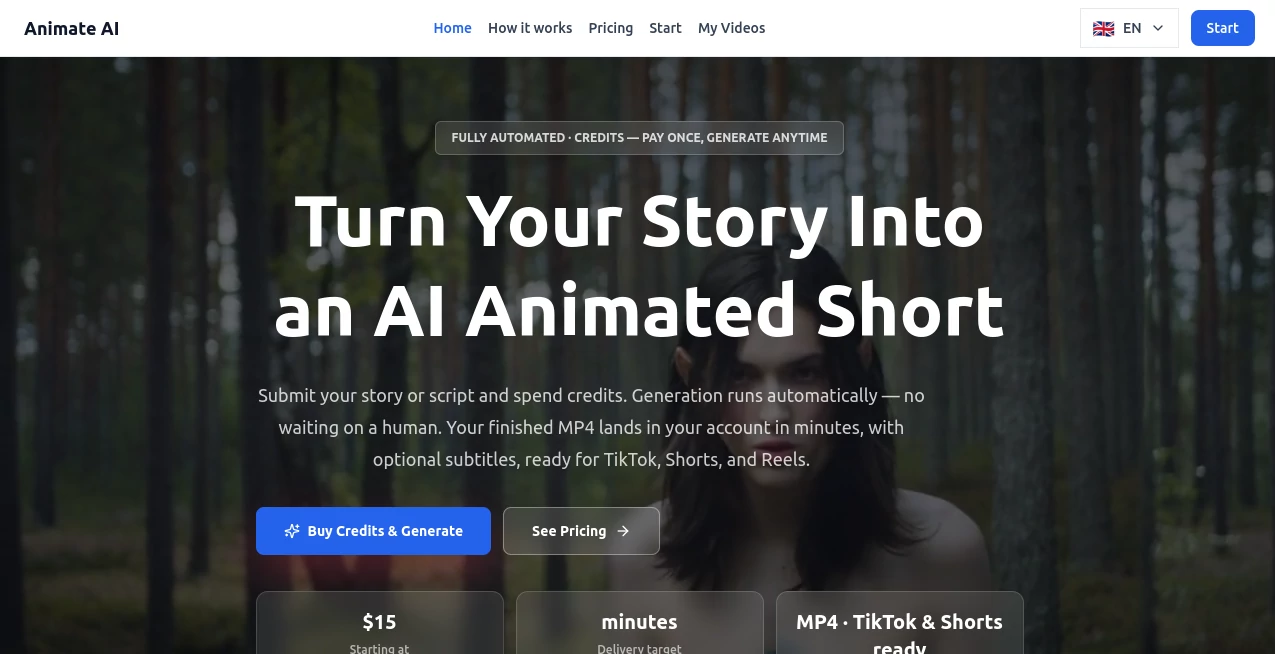
Animate AI makes the jump from a simple story idea to a finished animated short remarkably straightforward. Instead of assembling scenes, characters, narration, subtitles, music, and final exports yourself, you can submit a story or script and let the automated production process handle the heavy lifting.
The service is particularly appealing to creators who want short-form animated content without spending hours learning video-editing software. A brief idea can be transformed into an MP4 video, with options for subtitles and different aspect ratios. The default vertical format also makes the finished videos well suited to TikTok, YouTube Shorts, and Instagram Reels.
One of the more interesting aspects is the focus on story continuity. The platform aims to keep characters and visual style consistent across shots, which is especially useful when creating short narratives rather than isolated AI video clips.
Key Features
- Fully automated animated video generation from a story or script
- 5-second, 15-second, and 30-second video options
- AI-generated voiceover for suitable story formats
- Optional subtitles that can be included in the finished video
- Background music for completed animated stories
- Character and style consistency across multiple shots
- Reference photo support for maintaining a character's appearance
- Automatic retry when a generation cannot be completed
- Quality fallback designed to improve generation reliability
- Publish-ready MP4 delivery
- 9:16 vertical output with 16:9 and 1:1 formats available on request
- Credits that do not expire
User Interface
The workflow is deliberately simple. Creators begin by describing a story, script, or plot idea in a sentence or a few lines. There is no need to manually construct a storyboard before starting. After choosing a video duration and spending the required credits, generation begins automatically.
The finished file is delivered through the user's account dashboard. This approach keeps the interface focused on the creative brief rather than overwhelming users with a large collection of editing controls.
Accuracy & Performance
For short animated storytelling, consistency can matter more than having dozens of manual controls. The generation process is designed to maintain character and style continuity between shots while handling the visual production automatically.
Another useful touch is the built-in retry and quality-fallback process. If a generation cannot be completed, the system attempts to recover automatically, and credits are refunded when a generation ultimately cannot be completed. Delivery is generally targeted at minutes rather than days.
Capabilities
The platform supports a broad selection of storytelling directions, including fantasy, comedy, children's stories, horror, history, romance, palace drama, and action-oriented adventures. It can also handle styles ranging from colorful 3D animation to more cinematic and genre-specific presentations.
For social creators, the vertical-first workflow is particularly practical. A creator could start with something as simple as “a lonely girl discovers a glowing shell on a winter beach” and use that idea as the foundation for a complete short video with a consistent character, narration, subtitles, and music.
Security & Privacy
The service provides dedicated privacy and terms information for users who want to understand how their content and account information are handled. Since creators may submit original stories, scripts, or reference images, reviewing the applicable privacy and service terms before uploading sensitive or unpublished material is a sensible step.
Use Cases
- Creating animated TikTok videos and YouTube Shorts
- Producing Instagram Reels with narration and subtitles
- Building faceless storytelling channels
- Turning children's stories into short animated videos
- Creating fantasy and adventure stories
- Producing horror and suspense shorts
- Visualizing historical moments through animation
- Creating comedy sketches with animated characters
- Developing romance and palace-drama style short series
- Testing story ideas before investing in longer productions
- Producing batches of short-form content for social media
Pros and Cons
- Pros: Very simple story-to-video workflow, automated production, short-form friendly formats, optional subtitles, voiceover and music, character consistency, automatic retries, and credits that never expire.
- Pros: Useful for creators who would rather focus on the story than manually edit every scene.
- Cons: The available video lengths are focused on short content rather than long-form productions.
- Cons: Users looking for detailed frame-by-frame editing controls may find the automated workflow less flexible than a traditional video editor.
- Cons: Generation uses a credit system, so frequent production can become a significant ongoing expense.
Pricing Plans
The pricing model is based on one-time purchases rather than a recurring subscription. Individual videos are available in three lengths, while larger credit packages are designed for creators, agencies, and higher-volume production.
- Quick Clip: 5-second animated MP4 for $15 during the listed launch offer, using 1 credit.
- Story Short: 15-second animated MP4 for $39 during the listed launch offer, using 3 credits.
- Full Story: 30-second animated MP4 for $69 during the listed launch offer, using 6 credits.
- Starter: 10 credits for $99.
- Pro: 30 credits for $249.
- Studio: 80 credits for $599.
- Agency: 250 credits for $1,599.
The website states that credits never expire. Bulk packages reduce the effective cost per credit, making them more suitable for creators who plan to produce animated videos regularly.
How to Use Animate AI
- Write a short story, script, or plot idea describing what you want to see.
- Choose the desired video duration: 5, 15, or 30 seconds.
- Add a reference photo if you want to help maintain a character's appearance.
- Purchase or use the required credits.
- Generation starts automatically after the credits are spent.
- Let the automated process handle the visuals, animation, narration, subtitles, and other selected elements.
- Open your account dashboard when the generation is complete and retrieve the finished MP4.
- Publish the video to your preferred platform or use it as part of a larger content project.
Comparison with Similar Tools
Many AI video generators are built around individual clips, visual experimentation, or advanced prompting. This service takes a somewhat different route by concentrating on complete short animated stories. The emphasis is on moving from a compact story brief to a finished MP4 with minimal manual intervention.
That makes it especially attractive for someone who wants a repeatable content workflow. A social media creator producing several short stories each week may value automated delivery and consistent characters more than an extensive timeline editor.
On the other hand, creators who want granular control over every camera movement, transition, frame, or editing decision may prefer a more traditional AI video-production platform with deeper manual controls.
Conclusion
For creators who have plenty of story ideas but do not want to become full-time video editors, this platform offers a compelling shortcut. The workflow is centered around storytelling: provide the idea, select the length, use credits, and let the automated pipeline produce the finished animation.
Its combination of character consistency, optional narration and subtitles, background music, social-friendly formats, and automatic generation makes it particularly well suited to short-form storytelling. The credit system also gives occasional users a way to pay for individual videos without committing to a monthly subscription.
Whether the goal is a children's story, a fantasy adventure, a humorous short, or a faceless social channel, the service provides a practical way to turn a written concept into something viewers can actually watch.
Frequently Asked Questions (FAQ)
What can I create with this AI animation tool?
You can create short animated stories in genres such as fantasy, comedy, children's stories, horror, history, romance, action, and palace drama.
Can I use my own character image?
Yes. You can provide a reference photo, and the service recommends doing so when character consistency is important throughout the video.
What video formats are available?
The default format is vertical 9:16, which is suitable for short-form platforms. 16:9 and 1:1 formats are also available on request.
Does the generated video include subtitles?
Optional subtitles can be included in the finished MP4. This is particularly useful for mobile-first content where viewers may watch without sound.
Do the credits expire?
No. The service states that purchased credits do not expire, allowing creators to use them whenever they are ready to produce another video.
What happens if a video generation fails?
The generation process includes automatic retry and a quality fallback. If a generation cannot be completed, the credits are automatically refunded so they can be used again.
AI Animated Video , AI Video Generator , AI Short Clips Generator , AI Text to Video .
These classifications represent its core capabilities and areas of application. For related tools, explore the linked categories above.

Animate AI Alternatives Product

Seedance 2.5…

Seedance AI …

AI Dog Dance

ai seedance …

RunwayAI

Brainrotshor…

Seedance 2.0…

Seedance2 Vi…

FastMoro AI