


















APIArc
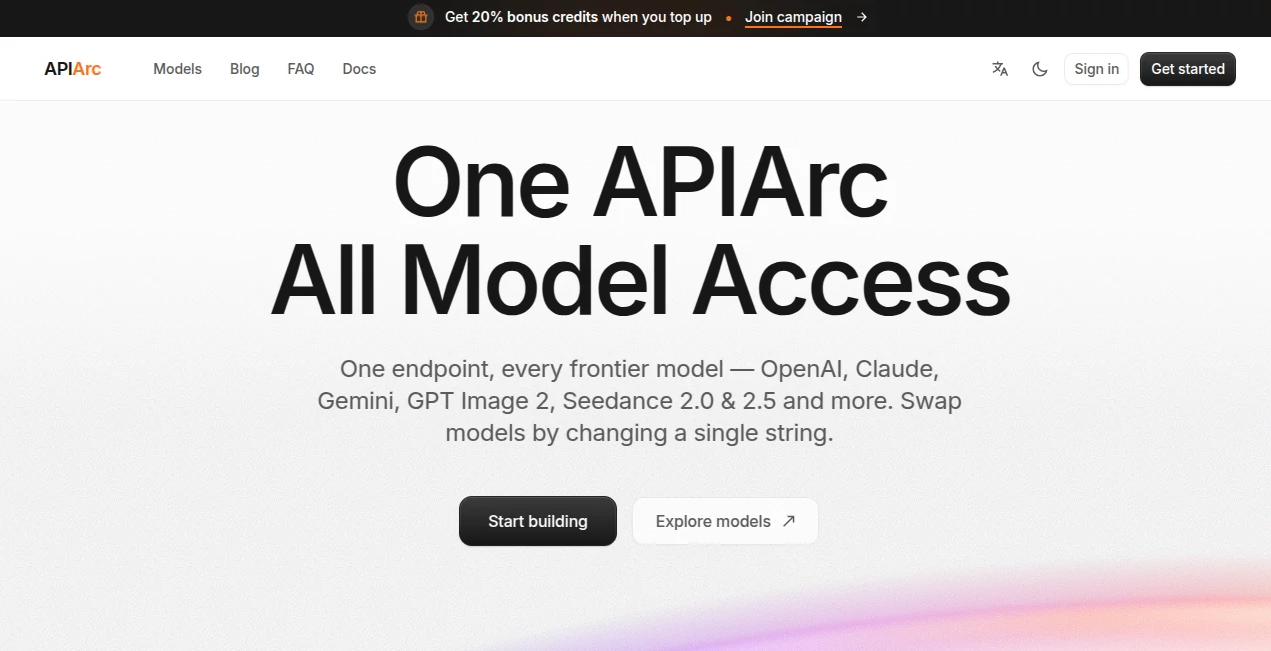
What is APIArc?
APIArc is a unified AI model gateway designed for developers who want access to multiple leading AI providers without maintaining a separate integration for every service. Instead of building different connections for OpenAI, Anthropic, Google, DeepSeek, Moonshot AI, Zhipu AI, and other providers, developers can work through a single API endpoint and API key.
The idea is refreshingly practical. If an application already uses an OpenAI-compatible SDK, switching to the gateway can require only a change to the base URL, API key, and model ID. That makes it particularly useful for teams experimenting with different models or building products where the best model may change from one task to another.
For example, a developer can test a cost-efficient model for routine requests and move a demanding workflow to a stronger reasoning model without rebuilding the application's underlying integration. The service currently provides access to a broad catalog covering text, reasoning, coding, and image models.
Key Features
- Unified API access: Connect applications to models from multiple AI providers through one gateway.
- Single API key: Manage model access and usage through one account and balance rather than maintaining separate provider credentials.
- Model switching: Change the model identifier to move between supported model families without rewriting the integration.
- OpenAI compatibility: Existing applications using common OpenAI clients can be connected with a configuration change.
- Multiple protocols: The platform supports Chat Completions, OpenAI Responses, Anthropic Messages, and Gemini generateContent protocols where supported by the selected model.
- Streaming: Responses can be streamed using Server-Sent Events, allowing applications to display generated content as it arrives.
- Latency-aware routing: Requests can be routed toward healthy upstream infrastructure with an emphasis on response speed.
- Automatic failover: Health checks and provider failover help applications remain available when an upstream provider experiences problems.
- Usage metering: Usage information such as model, token counts, latency, and cost can be monitored for operational and billing purposes.
User Interface
The experience is primarily built around developers rather than casual end users. The central workflow is straightforward: create an API key, configure the endpoint, select a model from the catalog, and send requests from an application.
The model catalog is especially useful when deciding what to use. It currently lists dozens of models across several providers and separates them by capabilities such as text, reasoning, coding, and image generation. Each model includes information such as context size and current usage pricing, making it easier to compare options before integrating one into a production workflow.
The documentation also keeps the initial setup compact. A developer who already understands the OpenAI SDK does not need to learn an entirely new programming pattern just to make a first request.
Accuracy & Performance
Performance depends heavily on the model and provider selected, so the gateway should not be viewed as a model that independently generates answers. Its role is to provide the infrastructure layer between an application and the selected AI provider.
One useful performance feature is latency-aware routing. The service states that requests can be directed to the fastest healthy upstream, while responses can be streamed directly back to the application. Automatic health checks and failover add another layer of resilience for production systems.
Developers should still benchmark models against their own workloads. A fast model is not necessarily the best choice for complex reasoning, and a highly capable model may not make financial sense for high-volume routine requests. The flexibility to test both is one of the strongest aspects of the platform.
Capabilities
The model catalog covers a wide range of workloads. Developers can access general-purpose language models, reasoning systems, coding-focused models, and image generation capabilities through the same general gateway architecture.
Available model families include offerings from OpenAI, Anthropic, DeepSeek, Moonshot Kimi, Z.AI GLM, and other providers. The catalog is designed to change over time as models and providers evolve, so developers can experiment with newer options without having to create an entirely new provider integration.
The API layer is also suitable for applications involving chat, retrieval-augmented generation, structured responses, coding assistants, agent workflows, content processing, and other model-driven features. Supported capabilities can vary between models, so checking the individual model information before deployment is important.
Security & Privacy
Security is treated primarily as an infrastructure and credential-management concern. API keys are used as bearer tokens and should be kept on the server rather than placed inside browser-side code, public repositories, screenshots, or logs.
According to the privacy policy, the standard gateway does not persist prompts, input files, or model outputs after a request is completed, and it does not use model content to train its own or third-party models. The service does, however, temporarily process the content required to route a request to the selected provider.
This distinction matters. The selected AI provider still receives the content necessary to process the request and may have its own retention, privacy, training, and geographic-processing policies. Developers should therefore review the provider policy associated with a model before sending confidential, regulated, or sensitive information.
The platform records operational metadata such as the selected model, provider route, token or unit counts, latency, response status, and calculated cost. This allows usage and reliability to be monitored without treating prompts and generated responses as ordinary usage logs.
Use Cases
- AI SaaS products: Give an application access to several model families without maintaining numerous provider integrations.
- AI agents: Test different reasoning and tool-capable models while keeping the surrounding application architecture stable.
- Coding assistants: Route software-development tasks to coding-focused models and compare their performance.
- RAG applications: Use different models for retrieval-based conversations, summarization, extraction, or response generation.
- Model experimentation: Compare providers based on quality, latency, context size, and cost.
- Production applications: Use health checks, streaming, and failover to reduce dependence on a single upstream provider.
- High-volume workloads: Select lower-cost models for repetitive tasks where premium reasoning capabilities are unnecessary.
- Multimodal applications: Access supported text and image-capable models through the same broader gateway infrastructure.
Pros and Cons
- Pros: One integration for multiple providers, simple model switching, OpenAI-compatible workflows, streaming support, usage metering, latency-aware routing, and automatic failover.
- Pros: Developers can use one account, balance, and API key instead of separately managing every provider connection.
- Pros: The model catalog makes it easier to compare different models, capabilities, context windows, and pricing.
- Cons: Model capabilities and limits still vary from provider to provider, even when the API interface is unified.
- Cons: Developers remain responsible for checking the policies and data practices of the provider serving their selected model.
- Cons: Applications that require highly specialized provider-specific features may still need to work directly with an individual provider.
Pricing Plans
The service uses usage-based pricing rather than requiring a conventional subscription for every model family. Users maintain a credit balance and usage is measured according to the selected model and its applicable pricing.
The model catalog displays current pricing for individual models, with text models generally showing separate input and output rates. Image generation models can use different units, such as pricing per generated image and resolution.
One attractive part of the pricing approach is that the platform states there are no additional markups on provider list prices. A single balance can be used across supported models, allowing developers to move between inexpensive and premium models according to the requirements of each workload.
Because the catalog and model pricing can change, developers should check the current model listing before estimating the cost of a production application.
How to Use APIArc
- Step 1: Create an account and generate an API key from the developer console.
- Step 2: Store the API key securely in a server-side environment variable or secret manager.
- Step 3: Point the application's AI client toward the provided API endpoint.
- Step 4: Select a model ID from the current model catalog.
- Step 5: Send a normal API request using a supported protocol.
- Step 6: Monitor usage, latency, errors, and spending as the application grows.
- Step 7: Test an alternative model as a fallback so the application is not dependent on a single upstream service.
Comparison with Similar Tools
Traditional AI integrations usually connect an application directly to one provider. That approach can work perfectly well when the application is permanently tied to a particular model family, but it becomes cumbersome when developers want to compare providers or change models frequently.
API gateways take a different approach by putting a common infrastructure layer between the application and the model providers. The main advantage here is portability. Instead of replacing SDKs and rewriting application logic whenever a provider changes, developers can often change the selected model while preserving much of the existing integration.
This makes the platform particularly interesting for startups and engineering teams that are still evaluating their model stack. A team can begin with a lower-cost model, test a more advanced reasoning model for demanding requests, or maintain a second model as a fallback without creating an entirely separate integration for every experiment.
The trade-off is that API compatibility does not make every model identical. Context limits, tool support, image input, structured output, performance, pricing, and other capabilities can differ considerably. Developers should therefore compare the actual models rather than assuming that a unified endpoint means interchangeable behavior.
Conclusion
APIArc takes a practical approach to one of the most frustrating parts of modern AI development: the growing number of model providers and APIs. Instead of forcing a development team to build and maintain several separate connections, it provides one gateway through which different model families can be selected.
The combination of a familiar API style, a broad model catalog, usage tracking, streaming, latency-aware routing, and automatic failover makes it a compelling option for developers building AI-powered products. The ability to change models by changing a model identifier is especially valuable when cost, performance, or provider availability becomes a concern.
It is not a replacement for evaluating individual models. The quality of the final application still depends on choosing the right model for each job and understanding its capabilities and provider policies. But as an infrastructure layer for keeping those choices flexible, it offers a clean and developer-friendly approach.
Frequently Asked Questions (FAQ)
What is APIArc?
It is a unified AI model gateway that gives applications access to models from multiple AI providers through a common integration.
Do I need separate accounts with every AI provider?
No. The platform manages the provider connections behind the gateway, allowing developers to use one account, balance, and API key for supported models.
Can I switch between AI models?
Yes. Model selection is controlled through the model identifier, so applications can switch between supported models without rebuilding the entire integration.
Is it compatible with the OpenAI SDK?
Yes. The service provides an OpenAI-compatible interface, allowing existing applications to connect by changing the base URL, API key, and model configuration.
Does it support streaming?
Yes. Supported requests can stream responses through Server-Sent Events, allowing applications to display generated output progressively.
Does the platform store prompts and model responses?
According to its standard privacy policy, model content is not persisted after a request is completed and is not used to train models. However, the selected AI provider receives the content required to fulfill the request and may apply its own data policies.
Is APIArc suitable for production applications?
It is designed with production use in mind, including health checks, failover, streaming, usage metering, request IDs, and recommendations for secure key management. Developers should still configure appropriate timeouts, retries, monitoring, and model-specific safeguards.
How is pricing calculated?
Pricing depends on the selected model and its usage. The model catalog provides current pricing information, while usage is tracked through the account balance and metering system.
Can it be used for coding and AI agents?
Yes. The catalog includes coding and reasoning models that can be used for software engineering, analysis, tool-driven workflows, and agent applications.
AI Chatbot , AI API Design , Large Language Models (LLMs) , AI Developer Tools .
These classifications represent its core capabilities and areas of application. For related tools, explore the linked categories above.

APIArc Alternatives Product

gemini omni …

ChatGot

FINIITE AI

Debate Tello…

Sourcetable

Olabiba

Layven

Empiriolabs …

Romantic AI
