


















Atomic Bot
What is Atomic Bot?
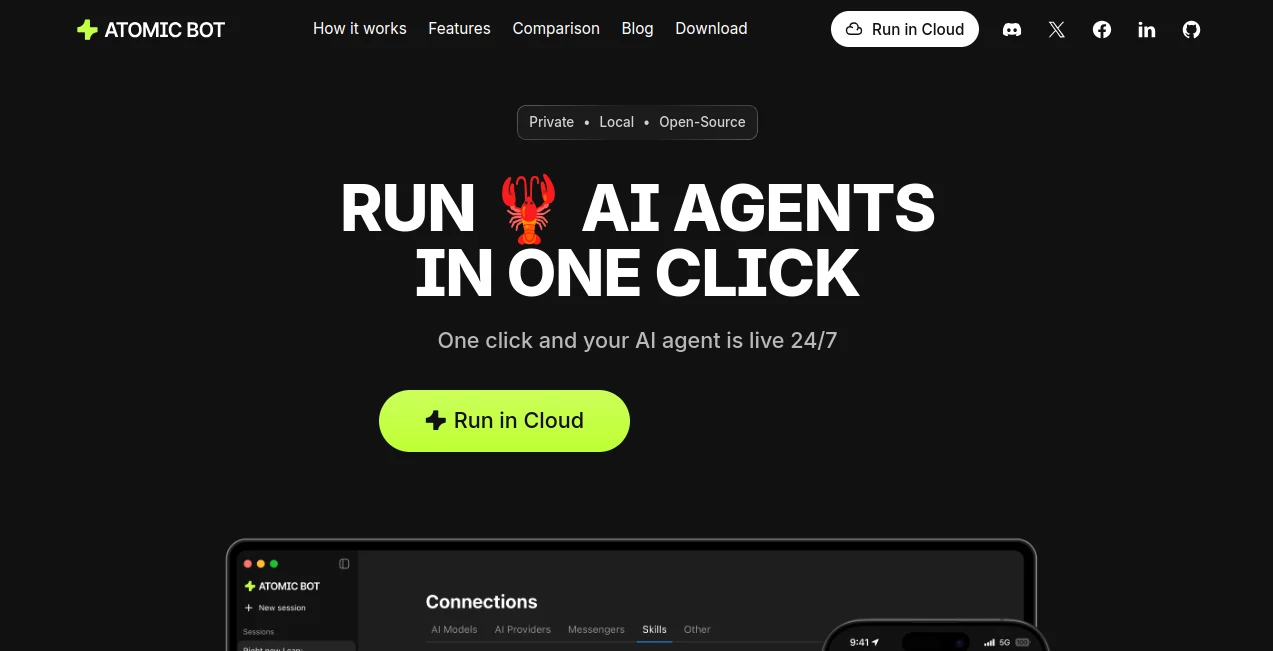
Managing emails, calendars, documents, browser tasks, and repetitive workflows often requires switching between multiple apps and spending valuable time on routine work. This platform takes a different approach by providing a personal AI agent capable of performing real actions instead of simply generating responses in a chat window.
Designed for users who want practical automation without complicated setup procedures, the solution makes advanced AI agents accessible through a simple interface. Whether the goal is organizing files, summarizing lengthy documents, automating browser actions, or monitoring important information, users can deploy intelligent assistants within minutes rather than spending hours configuring technical environments.
What makes the experience particularly appealing is the balance between convenience and flexibility. Users can run agents locally for maximum control or choose a cloud-based environment for accessibility across devices. The result is an AI-powered workspace that feels more like a capable digital coworker than a traditional chatbot.
Key Features
User Interface
The platform focuses on simplicity from the first launch. Installation is streamlined, onboarding is guided, and users can connect services through a straightforward setup process. Unlike many advanced agent frameworks that require command-line knowledge, the interface allows users to start automating tasks through a visual and user-friendly environment.
The dashboard keeps conversations, tasks, integrations, and automation workflows organized, making daily interactions intuitive even for non-technical users.
Accuracy & Performance
The system is built to execute multi-step tasks efficiently while maintaining context through persistent memory. It remembers user preferences, recurring activities, and important details, allowing future interactions to become increasingly personalized.
Support for multiple AI models enables users to select the engine that best fits their needs. This flexibility helps maintain strong performance across research, content creation, scheduling, automation, and workflow management tasks.
Capabilities
The feature set extends well beyond conversational assistance. Users can automate browser actions, summarize PDFs and documents, manage inboxes, organize files, schedule recurring tasks, monitor online activity, and interact with external applications through integrations.
- Email management and follow-up automation
- Calendar scheduling and reminder creation
- Document and PDF summarization
- Browser automation and form completion
- File organization and cleanup
- Task scheduling and monitoring
- Research and information gathering
- Integration with productivity tools and APIs
The availability of hundreds of skills and integrations allows users to customize workflows according to personal or professional requirements.
Security & Privacy
Privacy is a major strength of the platform. Users can choose between local deployment and cloud deployment depending on their preferences. Running locally provides direct control over data, while cloud deployment offers convenience and accessibility from multiple devices.
This flexibility is especially valuable for professionals who work with sensitive information and require greater control over where data is processed and stored.
Use Cases
The platform serves a wide range of personal and business scenarios.
- Automating daily email management and follow-ups
- Creating summaries from lengthy reports and PDFs
- Managing schedules and recurring reminders
- Monitoring competitors, trends, and online mentions
- Organizing files and digital workspaces
- Conducting research and gathering information
- Automating repetitive browser-based workflows
- Supporting content creation and planning activities
For freelancers, entrepreneurs, remote teams, and productivity-focused professionals, the platform can significantly reduce time spent on repetitive administrative tasks.
Pros and Cons
Pros
- Simple installation and onboarding process
- Supports both local and cloud deployment
- Persistent memory improves personalization
- Automates real-world tasks rather than only answering questions
- Works with multiple AI models
- Large ecosystem of integrations and skills
- Strong privacy and control options
Cons
- Some advanced workflows may require additional configuration
- Cloud features may involve subscription costs
- Performance can vary depending on selected AI models and connected services
- Certain integrations may require external accounts or API access
Pricing Plans
The platform offers a flexible pricing structure designed for different user needs.
- Free local mode for users who prefer running agents directly on their own devices.
- Optional cloud plans for users who want dedicated infrastructure, cross-device access, and managed AI resources.
- Additional usage costs may depend on selected AI models and connected services.
This combination allows users to start without significant investment and scale their usage as requirements grow.
How to Use Atomic Bot
Getting started is straightforward and designed for rapid deployment.
- Install the application on a supported device.
- Sign in and complete the guided setup process.
- Connect productivity tools and external services.
- Select preferred AI models and capabilities.
- Choose skills that match your workflow needs.
- Assign tasks through natural language instructions.
- Monitor results and refine automation over time.
Most users can begin using their AI assistant within minutes, making the platform accessible even for individuals with limited technical experience.
Comparison with Similar Tools
Many AI assistants focus primarily on conversation and content generation. While those solutions are useful for brainstorming and answering questions, they often stop at providing suggestions.
This platform stands out by emphasizing task execution. Instead of simply explaining how to complete a process, it can actively perform actions across connected services, automate browser interactions, organize files, and manage workflows.
The combination of persistent memory, local deployment options, broad integration support, and real-world task execution creates a more practical experience for users seeking measurable productivity improvements.
Conclusion
For anyone looking to move beyond traditional chat-based AI experiences, this platform offers a compelling alternative. Its ability to automate meaningful work, remember user preferences, integrate with everyday tools, and operate in both local and cloud environments makes it a versatile productivity companion.
The focus on real task execution, privacy flexibility, and ease of deployment positions it as an excellent choice for professionals, creators, entrepreneurs, and anyone interested in reducing repetitive work through intelligent automation.
Frequently Asked Questions (FAQ)
Can it perform actions instead of only answering questions?
Yes. The platform is designed to execute tasks across connected tools, automate workflows, and perform browser-based actions.
Can users run it locally?
Yes. Local deployment is available for users who prefer maximum privacy and control over their data.
Does it support multiple AI models?
Yes. Users can choose from several AI providers and switch between models depending on their requirements.
Is it suitable for business workflows?
Absolutely. Email management, scheduling, document processing, monitoring, and automation capabilities make it highly useful for professional environments.
Does it integrate with external applications?
Yes. The platform supports a wide range of integrations, allowing users to connect productivity, communication, and development tools.
AI Workflow Management , AI Productivity Tools , AI Task Management , AI Team Collaboration .
These classifications represent its core capabilities and areas of application. For related tools, explore the linked categories above.

Atomic Bot Alternatives Product

Skygen AI

Helploom

4ga Boards

Skywork Supe…

Flitz AI

Agent Grid

Picmim

Kaamfu

Duct Tape AI…
