


















AudioScribe
What is AudioScribe?
In a world where meetings, voice notes, lectures, and interviews are constantly piling up, keeping track of everything can quickly become overwhelming. This is where a modern AI-powered audio transcription assistant changes the game. It helps transform spoken words into structured, readable text in just moments, saving time and reducing the mental load of manual note-taking.
Instead of replaying recordings over and over, users can focus on ideas, decisions, and insights. Whether you're a student, content creator, business professional, or researcher, this type of tool makes information more accessible and usable in daily workflows.
Key Features
User Interface
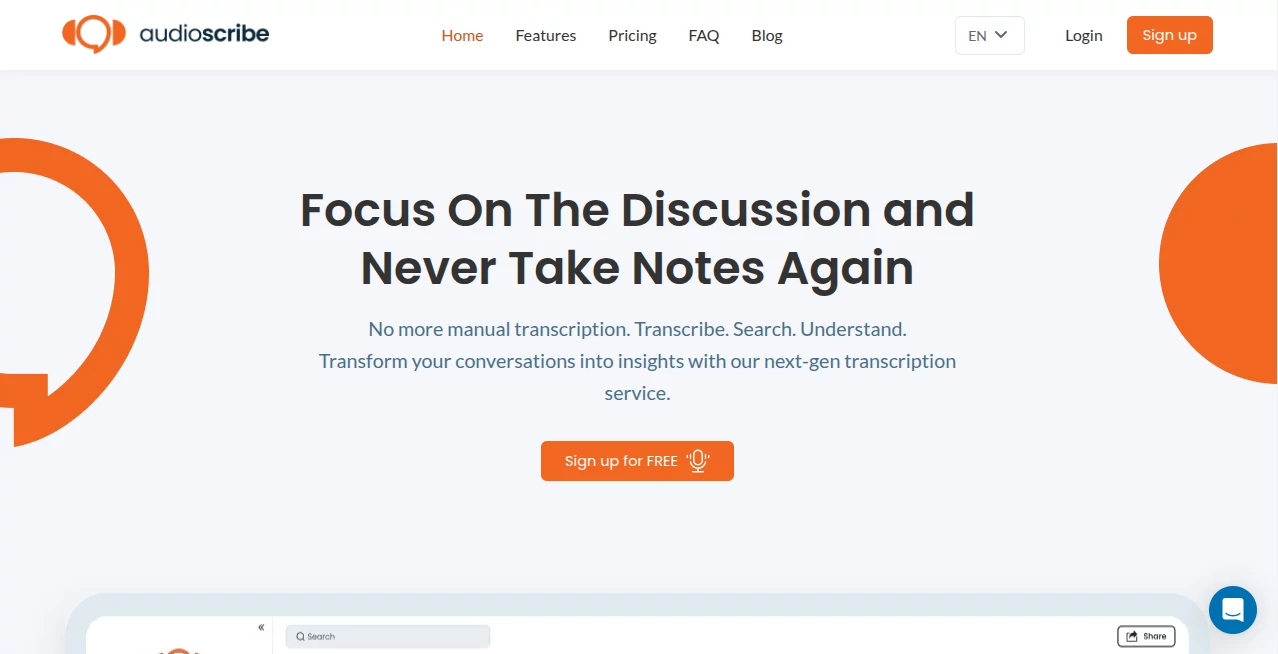
The interface is designed to feel simple and distraction-free. Users can upload audio files or record directly, then receive structured transcripts without dealing with complex settings. The experience is smooth even for first-time users, which makes it highly practical for everyday use.
Accuracy & Performance
One of the strongest aspects is transcription quality. The system is built to handle different accents, speaking speeds, and conversational styles. Even in longer recordings, it maintains consistency and reduces the need for heavy manual editing.
Capabilities
- Converts speech into structured text in real time or from uploaded files
- Supports long-form recordings such as meetings and lectures
- Organizes content into readable sections for easier understanding
- Helps extract key points from discussions
- Improves productivity by reducing manual note-taking effort
Security & Privacy
Data security is an important part of any audio processing tool. User files are handled with care, and the workflow is designed to keep sensitive information protected. This makes it suitable for both personal and professional environments where confidentiality matters.
Use Cases
- Students converting lectures into structured study notes
- Professionals summarizing meetings and client calls
- Journalists turning interviews into written drafts
- Content creators repurposing spoken ideas into written content
- Researchers documenting discussions and field recordings
Pros and Cons
Pros:
- Saves significant time on manual transcription
- Easy to use with minimal learning curve
- Works well for long-form audio content
- Helps organize spoken information into readable text
Cons:
- Performance may vary with very poor audio quality
- May require minor editing for specialized terminology
- Advanced customization options are limited for power users
Pricing Plans
The platform typically follows a flexible pricing model that may include free access with basic features and paid plans for users who need higher usage limits, faster processing, or advanced functionality. This structure allows both casual users and professionals to benefit depending on their needs.
How to Use This Tool
- Upload an audio file or start a new recording session
- Let the system process and analyze the speech
- Wait for the generated transcript to appear
- Review and make minor edits if needed
- Export or copy the final text for your workflow
Comparison with Similar Tools
Compared to traditional transcription methods, this type of AI solution is significantly faster and more efficient. While manual transcription requires listening and typing line by line, AI-driven systems automate the entire process. Compared to basic voice-to-text tools, it often provides better structure, improved readability, and smarter formatting of content.
Conclusion
For anyone dealing with frequent audio content, having a reliable transcription assistant can dramatically improve productivity. It reduces repetitive work, improves organization, and allows users to focus on what really matters—understanding and using the information rather than just capturing it. This makes it a valuable addition to modern digital workflows.
Frequently Asked Questions (FAQ)
Is it suitable for long recordings?
Yes, it is designed to handle extended audio such as meetings, lectures, and interviews.
Do I need technical skills to use it?
No, the interface is simple and user-friendly, making it accessible for beginners.
Can it replace manual note-taking?
In many cases, yes. It significantly reduces the need for writing notes manually, although minor edits may still be helpful.
Does it support different accents?
Yes, it is generally built to understand a wide range of accents and speaking styles.
AI Speech Recognition , AI Notes Assistant , AI Transcription , AI Voice & Audio Editing .
These classifications represent its core capabilities and areas of application. For related tools, explore the linked categories above.

AudioScribe Alternatives Product

Speechara

Voice Art

VideoText

SoundBoost

LorePanic

Speech Text
Online White…

Inpodcast AI

TurboScribe
